

The question is How to Build SEO Workflows?
Most teams don’t lose in SEO because of Google; they lose because their SEO workflows are chaos—no standard process, no owners, no automation. Everyone does things “their way,” results depend on who touched it last, and nothing scales.
In 2026, the teams that win treat workflows as their real SEO asset, then use AI and automation to make those workflows faster and more consistent. For a deeper end‑to‑end look at this mindset, see SEO Workflows Powered by AI in 2026 from SEO Mafia.

This guide walks through how to design those workflows, where to automate, and how to plug in AI without losing control.
Table of Contents
1. What Is an SEO Workflow?
An SEO workflow is a repeatable, documented process that turns a goal (for example, “publish a blog post that ranks for X”) into a clear sequence of steps, owners, tools, and timelines.
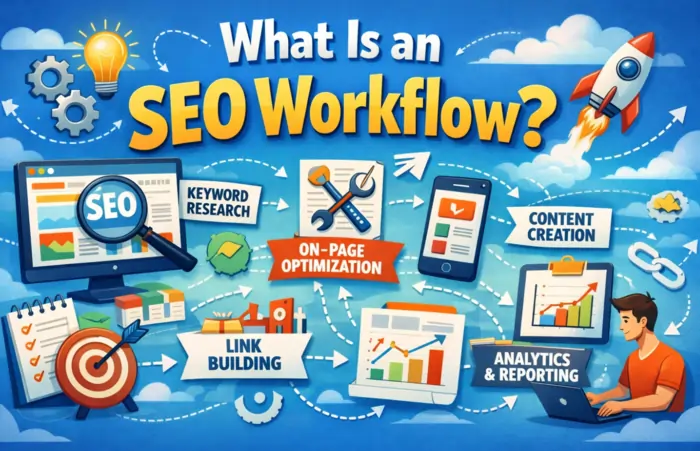
Good SEO workflows:
- Break complex work into repeatable steps.
- Assign ownership, so nothing gets lost.
- Make it easy to measure what’s working.
- Provide a stable base you can automate over time.
High‑performing teams now design workflows first, tools second—a theme shared across SEO Workflows Powered by AI in 2026 and tactical pieces like SEO Workflow Automation: 7 Best Practices.
If you want strategic scaffolding, templates like the SEO Strategy Template & Guide and the SEO Roadmap template show where workflows sit under your broader SEO plan.
2. The 4‑Step SEO Workflow Framework
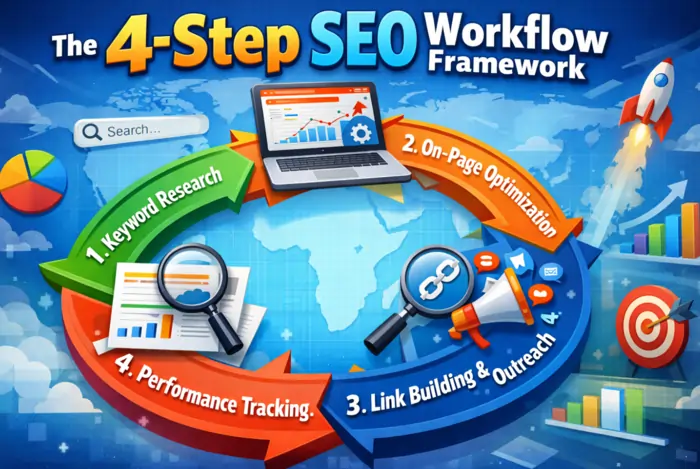
A simple way to think about SEO workflows in 2026:
- Plan
Translate business goals into an SEO roadmap, KPIs, and prioritized initiatives using resources like the SEO Strategy Template and SEO Roadmap. - Systemize
Turn recurring work (research, content, technical checks, reporting) into documented workflows and SOPs, as outlined in 4 SEO Workflows Every Marketer Must Have and Top 9 SEO Workflows To Know. - Automate
Layer in automation and AI for repetitive tasks—crawls, alerts, basic reporting, internal link suggestions—following ideas from SEO Workflow Automation: 7 Best Practices and n8n SEO Automation Workflows. - Optimize
Use regular reporting to refine both your strategy and workflows, as emphasized in SEO Workflows Powered by AI in 2026 and AI‑SEO automation guides.
3. Core SEO Workflows You Need
You don’t need 20 workflows to start. You need 3–4 nailed and documented.
SEO workflows overview
| Workflow type | Main goal | Useful references |
|---|---|---|
| Keyword & strategy | Turn business goals into topics & clusters | SEO Strategy Template, SEO Roadmap |
| Content SEO | Plan, create, optimize new/updated content | SEO Workflow for Content, SEO Template Guide |
| Technical SEO | Keep site crawlable, fast, error‑free | SEO Workflow Automation, SEO Automation Tools |
| Reporting & iteration | Measure impact & improve processes | SEO Workflows, SEO Automation Guide |
These align closely with the “research → planning → optimization → maintenance → reporting” lifecycle described in SEO Workflows Powered by AI in 2026.
4. Keyword Research & Strategy Workflow
Goal: turn business priorities into a prioritized, clustered keyword backlog.
Basic steps:
- Collect inputs
- Generate keyword ideas
- Cluster and prioritize
- Create a keyword backlog
Templates like the SEO Strategy Template and SEO Template Guide already bake this into a structured process. For semantic clustering ideas, see 10 Semantic SEO Automation Workflows.
5. Content SEO Workflow (New & Updated Content)
5.1 New content workflow
Goal: consistently ship intent‑aligned, optimized content.
Steps:
- Pick topic from backlog
- Create a content brief
- Target + supporting keywords, search intent, structure (H1/H2/H3), internal links, CTA.
- Use templates from the SEO Strategy Template or SEO Template Guide.
- Draft the content
- Writer or SME creates the draft.
- AI helps with outlines and sections, but humans own examples, nuance, and opinions—as stressed in SEO Workflows Powered by AI in 2026.
- On‑page optimization
- Titles, meta descriptions, headings, internal links, external citations, schema where relevant.
- Use checklists from How to Create an SEO Workflow for Content and 4 SEO Workflows Every Marketer Must Have.
- Publish & distribute
- Publish, add to hubs, and promote via email/social.
- Monitor & iterate
5.2 Content update workflow
Updating existing content often beats publishing new articles.
Steps:
- Identify pages with impressions but weak CTR, or declining rankings.
- Analyze SERPs with AI to find gaps and shifts in intent/formats.
- Plan improvements (new sections, FAQs, better intros, stronger internal links).
- Implement changes, request indexing, and track results.
SEO Workflows Powered by AI in 2026 has dedicated sections on AI for SERP pattern analysis, content refresh, and decay management that fit perfectly into this workflow.
6. Technical SEO Workflow
Goal: keep your site fast, crawlable, and clean without drowning in audits.
Steps:
- Schedule regular audits
- Prioritize issues
- Assign & fix
- Turn issues into tickets with clear impact and owners.
- QA changes before deployment.
- Monitor & alert
- Set up alerts for key changes (indexed pages, crawl errors, traffic drops).
- Use ideas from SEO Workflow Automation and SEO Automation Tools.
In SEO Workflows Powered by AI in 2026, the section on AI for technical SEO prioritization shows how AI can group and rank issues by template and business impact, instead of drowning you in raw errors.
7. Reporting & Iteration Workflow
Goal: close the loop so your SEO workflows actually get better.
Steps:
- Define KPIs and build dashboards
- Automate recurring reports
- Weekly/monthly dashboards + short written summaries.
- See ideas in SEO Workflow Automation and SEO Automation: A Guide To Boost Efficiency.
- Turn insights into actions
- Identify top opportunities: pages to refresh, topics to expand, technical fixes with the highest upside.
- This mirrors the “AI‑driven reporting that leads to action” examples in SEO Workflows Powered by AI in 2026.
- Update workflows and SOPs
8. Where AI and Automation Fit (Safely)
The pattern across modern guides is consistent: map your process, then use AI to accelerate it—not replace it.
Good automation/AI candidates:
- Keyword clustering and topic discovery.
- Drafting content briefs and outlines.
- SERP pattern analysis and gap detection.
- Internal link suggestions and orphan page detection.
- Content decay detection and refresh suggestions.
- Automated audits, alerts, and reporting dashboards.
Where humans stay in charge:
- Strategy, positioning, and prioritization.
- Brand voice, risk, and compliance.
- Real‑world examples, case studies, and decisions about trade‑offs.
Moz’s How To Build AI Tools To Automate Your SEO Workflows and SEO Mafia’s SEO Workflows Powered by AI in 2026 both underline this governance line.
9. How to Build SEO Workflow & Design Your Own (Step‑By‑Step)
If you’re starting now, here’s a practical design sequence:
- Map what you already do
- Pick 3–4 workflows to formalize first
- Turn each into a checklist / SOP
- Document each step, tool, owner, and “definition of done.”
- Use templates from the SEO Strategy Template and SEO Template Guide as structure.
- Wire them into your tools
- Automate obvious repetition
- Scheduled audits, alerts, rank checks, and reporting.
- Follow patterns from SEO Workflow Automation and n8n SEO Automation Workflows.
- Review monthly and refine
For a visual walkthrough of similar flows, see the Complete guide to SEO workflows video.







