

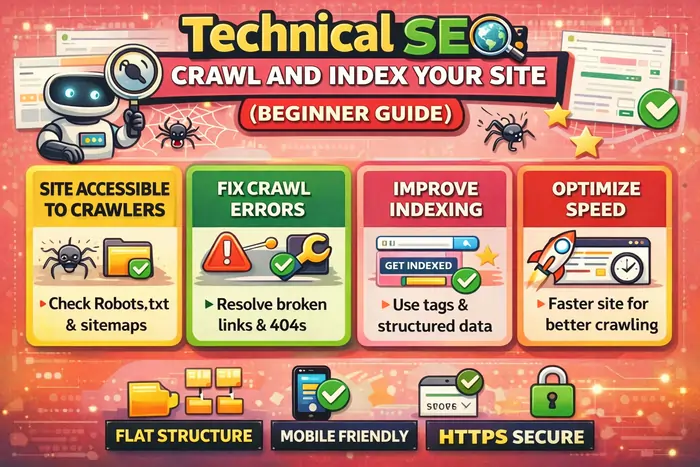
Crawl and index processes are the essential first steps in technical SEO, allowing search engines to discover, understand, and store your website’s pages before they can appear in search results. Understanding how to crawl and index effectively is crucial for visibility.
If you’ve ever published a webpage and wondered why it’s not appearing on Google, you’re not alone. Many beginners assume that once a page goes live, search engines will instantly show it in results. In reality, search engines must first discover, crawl, and index your content before it can rank. Understanding how search engines crawl and index your website is the foundation of technical SEO. Without it, even the best content can remain invisible.
The processes of crawl and index are vital in ensuring your content is not just accessible but also ranked appropriately. Search engines prioritize sites that effectively manage how they crawl and index.
Without a solid understanding of how to properly crawl and index your pages, your SEO efforts might go to waste. Always remember that crawl and index should be your top priorities.
Before diving deeper into technical SEO, it’s important to understand that crawling and indexing work hand-in-hand with content optimization. If you’re new to structuring content for search visibility, read On-Page SEO Content Optimization Made Easy (2026 Guide) to see how technical accessibility and content relevance work together.
In this guide, you’ll learn:
- How search engines discover your website
- What crawling and indexing actually mean
- Why some pages never appear on Google
- How to optimize your site for faster discovery
- The technical foundations every beginner must understand
What Does “Crawling” Mean in SEO?
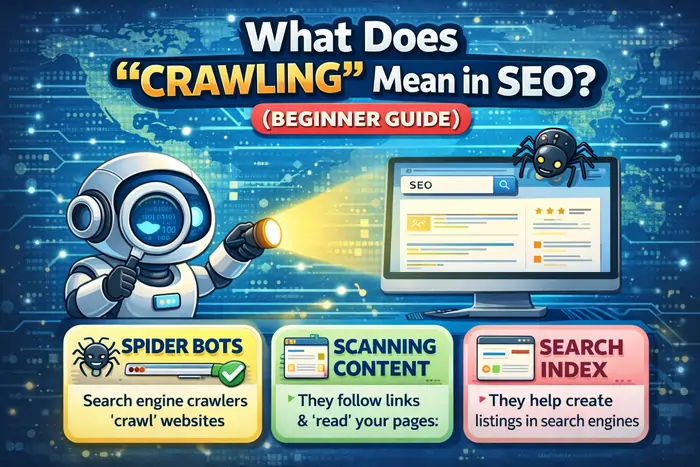
Crawling is the process search engines use to find content across the web. Search engines send automated programs called crawlers (Googlebot, Bingbot, etc.) to scan websites, moving from page to page by following links and analyzing structure. If you’re completely new, the Moz Beginner’s Guide to SEO offers an easy introduction to how crawling, indexing, and ranking work together.
It’s essential to regularly check how well search engines crawl and index your content to maintain optimal search visibility.
During crawling, bots:
- Read HTML code and metadata
- Follow internal and external links
- Detect new and updated pages
- Evaluate accessibility and structure
Think of crawling like a librarian walking through a library discovering new books before cataloging them. If your site cannot be crawled, it cannot be indexed — and if it’s not indexed, it cannot rank.
What Is Indexing, and Why Is It Important?
Indexing happens after crawling. Once a search engine visits your page, it decides whether to store it in its database, known as the search index. Indexing involves:
- Understanding your page’s topic and keywords
- Evaluating quality and originality
- Categorizing content semantically
- Storing it so it can appear in search results
Indexing is not just about discovering a page — it’s about understanding meaning, structure, and intent. To learn how search engines interpret context and semantics, check out SEO Content 101: How Google Understands Your Content. For real-world explanations of common indexing and ranking questions, you can also review Google’s Search indexing and ranking FAQ.
Important:
Not every crawled page gets indexed. Search engines may ignore pages that are thin, duplicated, blocked, or low-value.
How the Crawl → Index → Rank Process Works
Search engines follow a structured pipeline:
When optimizing for SEO, don’t overlook the importance of crawl and index. They serve as the groundwork for your content strategy.
1️⃣ Discovery – URLs are found via links, sitemaps, or submissions.
2️⃣ Crawling – Bots analyze page content and structure.
3️⃣ Indexing – Pages are evaluated and stored in the database.
4️⃣ Ranking – Algorithms determine visibility in search results.
Ranking only happens if the first three steps succeed.
How Search Engines Discover Your Website
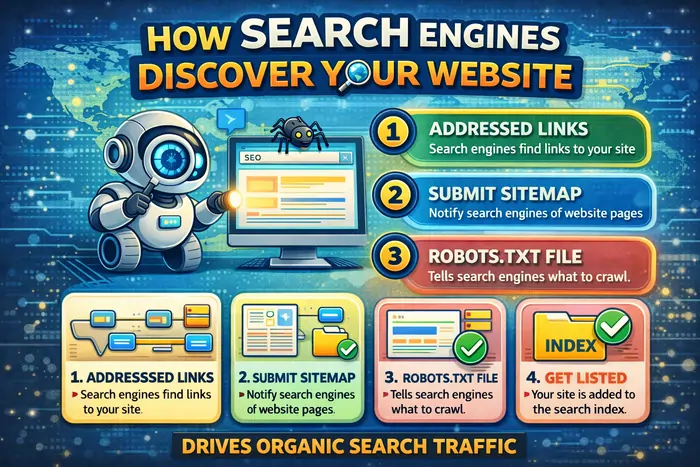
Search engines don’t magically know your site exists — you must help them discover it. Common discovery methods include:
- XML Sitemaps
A sitemap acts as a roadmap listing all important pages. Create and maintain an XML sitemap, and submit it through tools like Google Search Console so Google can understand your site structure more efficiently. - Internal Linking
Links between your pages help bots navigate deeper into your content and distribute crawl priority. - Backlinks
External websites linking to you signal trust and provide discovery paths for crawlers. High-quality backlinks can help new pages get discovered and indexed faster. - Manual Submission
You can request indexing directly through tools like the URL Inspection feature in Google Search Console, which lets you submit a URL and ask Google to recrawl it.
Common Reasons Pages Don’t Get Indexed
A strong focus on crawl and index ensures that your website stands the best chance of appearing in search results.
For optimal results, ensure you are familiar with how to effectively crawl and index your pages. This knowledge is key for success in SEO.
Many beginners accidentally block search engines without realizing it. Common causes include:
- Robots.txt blocking important pages
- Noindex meta tags
- Duplicate content
- Orphan pages without links
- Slow-loading websites
- Weak or thin content
Most indexing problems are technical — not content-related — which is why a solid technical foundation is so important.
Technical SEO Factors That Affect Crawling and Indexing
Website Structure
Organize pages logically:
Homepage → Category → Article
A clear hierarchy helps both users and crawlers understand which pages are most important.
Clean URLs
Readable URLs improve crawl clarity, for example:example.com/technical-seo-guide
Avoid long, messy parameter strings where possible.
Mobile-Friendly Design
Search engines prioritize mobile-first indexing, meaning they primarily use the mobile version of your site for crawling and ranking. Use responsive design and test your site on different devices.
HTTPS Security
Secure websites using HTTPS build trust and improve eligibility for visibility in modern search results.
Fix Broken Links
404 errors waste crawl resources and create poor user experiences. Regularly audit and fix broken internal and external links.
Page Speed
Faster sites get crawled more efficiently and provide better user experiences. Tools like PageSpeed Insights and Lighthouse can help diagnose performance issues, while broader technical checklists like the Moz quick start SEO guide walk through key optimization areas.
To monitor these factors using practical platforms, explore The Best Affordable SEO Tools I Trust in 2026.
What Is Crawl Budget and Why It Matters (2026 Update)
Crawl Budget refers to the number of pages a search engine is willing to crawl on your site within a certain time. Small websites rarely notice it, but it becomes critical for:
- Large blogs or archives
- E-commerce stores
- Sites with thousands of URLs
- Websites with duplicate or parameter-heavy pages
Search engines allocate crawl budget based on:
For a deeper breakdown of crawl rate limits and crawl demand, see Ahrefs’ Crawl budget guide and their extended crawler documentation on crawl budget.
Signs of Crawl Budget Issues
- New pages take too long to index
- “Discovered – currently not indexed” warnings in Google Search Console
- Bots repeatedly crawl low-value pages
- Important content is ignored
How to Optimize Crawl Budget
You don’t need advanced coding — just good SEO hygiene:
- ✅ Remove duplicate URLs
- ✅ Use canonical tags properly
- ✅ Improve internal linking
- ✅ Keep sitemaps clean
- ✅ Fix redirect chains
- ✅ Avoid publishing thin pages
- ✅ Ensure fast server response times
In 2026, search engines prioritize efficient crawling over mass crawling, making optimization even more important.
How to Check If Google Has Indexed Your Pages
Use the Site Operator
Search in Google:site:yourdomain.com/page-name
If your page appears, it’s indexed; if not, it may still be pending or blocked.
Use Search Console
In Google Search Console, monitor:
- Indexing status
- Crawl reports
- Errors affecting visibility
Regular checks ensure your site remains discoverable and help you spot technical issues early.
Tips to Help Search Engines Crawl Your Site Faster
- Strengthen internal linking so bots can reach deeper pages easily.
- Publish consistently high-quality content that satisfies search intent.
- Keep your sitemap updated and submit it via Search Console.
- Improve page speed and server performance.
- Avoid duplicate content and unnecessary URL parameters.
- Use structured data for clarity where appropriate.
Search engines reward websites that are easy to navigate and understand from both a technical and content perspective.
Crawling vs Indexing: Key Differences Explained Simply
| Feature | Crawling | Indexing |
|---|---|---|
| Purpose | Discover pages | Store pages |
| Action | Bot visits | Engine evaluates |
| Result | Page analyzed | Page searchable |
Crawling finds your content, while indexing makes ranking possible.
Beginner Mistakes to Avoid in Technical SEO
Avoid these common errors:
- Blocking your site unintentionally with robots.txt or noindex tags
- Forgetting sitemap submission
- Publishing without internal links
- Using messy URL parameters
- Ignoring mobile usability
- Launching slow websites
Even small structural signals matter. One experiment, H1 Optimization Test: Keyword-Rich vs Branded, shows how headings can influence discoverability and indexing behavior.
Final Thoughts: Build a Website Search Engines Can Understand
Technical SEO is not about tricking algorithms — it’s about clarity. Search engines want to:
To maximize your site’s potential, focus on methods that improve how search engines crawl and index your content.
When your technical foundation is strong, crawling becomes efficient, indexing becomes reliable, and rankings become achievable. The principles in this guide align with how major search engines explain how crawling and indexing work and the best practices outlined in the Moz Beginner’s Guide to SEO. Now that you understand how search engines crawl and index your site, the next step is aligning your technical setup with optimized content, smart tools, and structured experimentation — all working together to build long-term search visibility.
Key Takeaway
If SEO were a building, crawling and indexing are the foundation. Without them, nothing else works. Master these basics, and every advanced SEO strategy you apply later will perform far more effectively.







