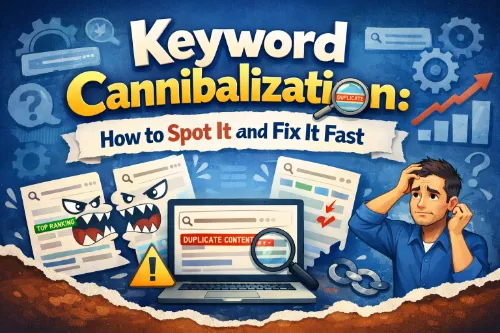
The Silent Rankings Killer
Keyword cannibalization is one of those SEO issues that quietly steals traffic from your best pages. When multiple URLs on your site target the same or very similar keywords, they end up competing with each other in search instead of helping a single, strong page win. This internal keyword competition leads to unstable rankings, diluted authority, and missed opportunities for clicks and conversions.
In this guide, you’ll learn exactly what keyword cannibalization is, why it hurts your SEO, and how to spot it fast using simple, repeatable checks. You’ll see practical ways to fix cannibalized keywords through content consolidation, 301 redirects, canonical tags, and smarter keyword mapping. Whether you manage a local site or a large content library, you’ll walk away with a clear, actionable process you can apply today.
What Is Keyword Cannibalization?
Keyword cannibalization happens when more than one page on your site targets the same keyword or overlapping keyword targets and search intent. Instead of one authoritative result, you get several weaker pages trying to rank for the same thing.
Example:
- Post A: “What Is Keyword Cannibalization in SEO?”
- Post B: “Keyword Cannibalization: How to Spot It and Fix It Fast”
- Landing Page C: “Keyword Cannibalization Audit Services”
If all three heavily target “keyword cannibalization” as the main phrase, search engines see multiple candidates for the same query. This is classic on‑site keyword competition.
Not all topical overlap is bad. Healthy topic clusters and pillar pages rely on related content and semantic phrases like “content cannibalization,” “internal keyword competition,” “search intent overlap,” “topic clusters,” and “URL cannibalization.” The problem starts when multiple URLs share the same primary keyword, similar titles, and very close intent. At that point, you’re no longer building topical authority—you’re creating content cannibalization that confuses both search engines and users.
For a detailed conceptual breakdown, see the guides from Yoast on keyword cannibalization and Semrush’s cannibalization guide.
Why Keyword Cannibalization Hurts Your SEO
Keyword cannibalization affects your site on several levels:
- Diluted ranking signals
Backlinks, internal links, and user engagement get split across multiple URLs. Instead of one strong page accumulating authority, you have several pages each holding a small piece of the signal. - Confusing search intent signals
When several pages target a query like “what is keyword cannibalization,” search engines struggle to decide which URL best matches search intent. You’ll often see pages competing for the same keyword and swapping positions over time. - Lower CTR and conversions
If searchers see multiple similar results from your domain, they may click the wrong page (for your goals) or not click at all. That hurts your click‑through rate and reduces traffic to the page that actually converts. - Messy site architecture and internal linking
Random internal links pointing to several URLs for the same anchor text (“keyword cannibalization in SEO,” “fixing keyword cannibalization”) weaken your content hierarchy. Over time, your site structure becomes unclear for both users and search engines. - Harder scaling of content strategy
Without a process to prevent cannibalized keywords, every new post risks overlapping with existing content. As your library grows, finding and fixing problems becomes more time‑consuming.
Common Causes of Keyword Cannibalization
Most sites don’t set out to create keyword cannibalization. It builds up gradually. Common causes include:
- Publishing similar posts over time
You revisit the same topic each year or after every algorithm update, but you keep using the same focus keyword and angle. - No keyword mapping process
There’s no central document that assigns a unique primary keyword to each URL. Without keyword mapping for SEO, overlapping keyword targets are almost guaranteed. - Duplicate or near‑duplicate content
Different URLs with almost identical content: blog posts vs landing pages, category pages vs informational guides, or rewrites that add little new value. - Thin or auto‑generated pages
Tag pages, archives, and filter pages accidentally start ranking for queries that should belong to well‑crafted articles or landing pages. - Lack of a topic cluster strategy
Content gets created post by post instead of within structured topic clusters. Without a clear pillar page and supporting pages, it’s easy to end up with multiple “main” articles on the same subject.
For a practical walk‑through of causes and basic fixes, check Digital Marketing Institute’s “5 Ways to Identify & Fix Keyword Cannibalization”.
How to Spot Keyword Cannibalization Fast
You don’t need expensive tools to diagnose cannibalized keywords. Start with simple methods and then go deeper as needed.
Using Google Search (site: operator)
The fastest way to see if you have multiple pages competing for the same keyword is with the site: search operator.
- Go to Google and search:
site:yourdomain.com "keyword cannibalization" - Scan the results and identify how many pages target this phrase or close variations like “keyword cannibalization in SEO,” “what is keyword cannibalization,” or “how to fix keyword cannibalization.”
- Look at titles, meta descriptions, and snippets. Ask:
- Do these pages answer the same question?
- Would a user see them as different or almost identical?
This is similar to the “site: + keyword” method described in the Mangools cannibalization guide.
Using Google Search Console
Google Search Console is one of the best places to spot keyword cannibalization because it shows which pages actually receive impressions and clicks for each query.
- Open Search results.
- Filter by Query, e.g., “keyword cannibalization,” “content cannibalization,” or “SEO cannibalization problems.”
- Click the Pages tab to see all URLs that receive impressions for that query.
Warning signs:
- Two or more URLs get impressions for the same query.
- URLs frequently swap positions in the top 20.
- A weaker or less relevant URL sometimes outranks your main resource.
For a more advanced GSC workflow, you can follow the approach outlined in this keyword cannibalisation Data Studio tool.
Using SEO Tools and Keyword Clustering
If you use SEO tools, you can scale your keyword cannibalization audit:
- Export your ranking keywords and landing pages.
- Group them in a spreadsheet so you can see which queries map to multiple URLs.
- Use keyword clustering to group similar queries and identify overlapping keyword targets.
This is especially useful for large sites where manual checks are not practical.
How to Decide Which Page Should Win
Once you’ve identified a cluster of pages targeting the same keyword, you need to decide which one should “own” that topic.
Consider:
- Search intent match
Which page best satisfies the primary intent behind the query? For “what is keyword cannibalization,” a clear, educational guide beats a short news update. - Content quality and depth
Compare comprehensiveness, structure, freshness, and on‑page experience. The page that clearly explains what keyword cannibalization is, why it matters, and how to fix it will usually perform better. - Traffic and rankings
Check analytics and GSC data. If one URL already ranks higher and brings more traffic, that’s a strong candidate for your hero page. - Backlinks and authority
If a particular page has earned strong backlinks, you want that authority representing your main resource. - Conversions and business goals
For commercial queries, you may prioritize a landing page that converts over a blog post with slightly more traffic but lower business value.
This “hero page vs supporting pages” approach aligns with most advanced cannibalization frameworks.
Fast Fixes for Existing Keyword Cannibalization
With your “hero” pages chosen, you can start fixing keyword cannibalization.
Merge and Consolidate Content
When you have multiple similar articles, content consolidation is usually the best fix.
Steps:
- Choose the hero URL (the page you want to keep).
- Audit the other pages and highlight unique, valuable sections.
- Merge the best content into the hero page, improving structure and clarity.
- Update the hero page’s title, H1, and headings to reflect its expanded scope, naturally integrating phrases like “internal keyword competition,” “overlapping keyword targets,” “keyword cannibalization audit,” and “content consolidation strategy.”
- Update internal links so anchors like “keyword cannibalization in SEO,” “how to identify keyword cannibalization,” and “fixing keyword cannibalization” point to this hero page.
Yoast shares a good real‑world example of merging overlapping content into one stronger resource in their article on keyword and content cannibalization.
Use 301 Redirects
301 redirects are ideal when extra pages add little unique value and you no longer need the old URLs.
Use them when:
- You have almost duplicate content across different URLs.
- Old articles are outdated and better replaced by your new guide.
- You’ve merged content into the hero page and no longer want users hitting the legacy versions.
Best practices:
- Redirect each redundant URL directly to the hero page (avoid redirect chains).
- Ensure the destination page clearly matches the user’s expectation from the original URL.
- After redirects, re‑crawl or recheck your site and update internal links that still point to old URLs.
Use Canonical Tags
Canonical tags are useful when you must keep similar pages live but want search engines to treat one as the primary version.
Typical scenarios:
- Paginated or filtered pages that show similar content.
- Alternate versions of the same content used for testing or tracking.
Tips:
- Add a canonical tag on the duplicate or variant page pointing to the main URL.
- Keep canonical signals consistent so search engines can easily understand your preferred version.
Oncrawl has a concise walkthrough of using canonicals specifically for cannibalization in their article on what is keyword cannibalization and how to solve it.
Re‑Optimize and Reposition Content
Sometimes cannibalization exists because pages are too similar in angle, not because they overlap completely. In that case, you can reposition them.
For example:
- Keep one page as the core “what is keyword cannibalization” guide.
- Reposition another as a “keyword cannibalization checklist” for quick audits.
- Turn another into a tutorial on “how to find cannibalized pages in Google Search Console” with step‑by‑step screenshots.
What to adjust:
- Rewrite H1s and meta titles to target distinct but related queries.
- Update headings and copy to align with specific search intent.
- Change internal anchor text so each page has its own focus, such as “keyword mapping for SEO,” “topic clusters and pillar pages,” or “search console cannibalization check.”
How to Prevent Keyword Cannibalization Going Forward
Long‑term success depends on prevention, not just cleanup.
Build and Maintain a Keyword Map
A keyword map is your main defense against overlapping keyword targets.
Include:
- URL
- Primary keyword
- Secondary keywords and LSI/semantic terms
- Search intent (informational, commercial, local, etc.)
- Content type (guide, checklist, case study, landing page)
- Status (planned, live, under review)
Before publishing new content, check the map. If a primary keyword or very close variation already exists, decide whether you need a clearly differentiated supporting page or whether you should update the existing content instead.
Use Topic Clusters and Pillar Pages
Instead of isolated posts, build clusters around core topics.
Example cluster:
- Pillar page: “Keyword Cannibalization: What It Is and How to Fix It”
- Supporting content:
- “How to Run a Keyword Cannibalization Audit”
- “Using 301 Redirects to Recover from Keyword Cannibalization”
- “Keyword Clustering to Avoid Cannibalization”
- “Search Console Cannibalization Check: Step‑by‑Step”
Each URL has a unique primary keyword and clear role. All supporting pages link back to the pillar, reinforcing its authority and clarifying your site’s architecture.
For a deeper dive into structuring clusters, see Search Engine Land’s guide to topic clusters and pillar pages for SEO and this internal‑linking‑focused overview of topic clusters for SEO.
Plan Internal Linking with Intent
Internal links are powerful signals.
- Always link to your hero page from related articles using consistent, descriptive anchor text for that core topic.
- Use varied anchors for supporting pages that match their specific focus (“keyword cannibalization checklist,” “content consolidation strategy,” “internal keyword competition example”).
- Avoid randomly linking multiple pages with identical anchors unless that’s intentional.
Run Regular Content Audits
Schedule content audits every 6–12 months, especially if your site publishes frequently.
During each audit:
- Export a list of URLs, their main keywords, and traffic.
- Flag multiple URLs that rank for the same keywords or overlapping keyword targets.
- Decide for each group whether to keep, merge, redirect, or re‑optimize.
- Update your keyword map and internal linking based on the changes.
Real‑World Style Example
Imagine a site that has grown to 300+ articles over a few years. It has:
- “What Is Keyword Cannibalization in SEO?”
- “Keyword Cannibalization: How to Spot It and Fix It Fast”
- “5 Ways to Fix Keyword Cannibalization Issues”
- “Keyword Cannibalization Checklist for Bloggers”
Symptoms:
- Rankings for “keyword cannibalization” bounce between positions 8 and 25.
- Some URLs get impressions but very low CTR.
- No single page clearly owns the topic in analytics.
Fix:
- Run a keyword cannibalization audit using site: searches, GSC, and basic keyword clustering.
- Choose “Keyword Cannibalization: How to Spot It and Fix It Fast” as the hero page.
- Merge the best explanations, examples, and checklist items into that article.
- Set 301 redirects from weaker posts to the hero URL.
- Reposition one remaining article as a focused “Keyword Cannibalization Checklist.”
- Update internal links so general “keyword cannibalization in SEO” anchors point to the hero page, while more specific anchors point to supporting content.
Result:
- The hero page stabilizes in the top results for core queries.
- Supporting content captures longer‑tail queries like “keyword cannibalization checklist” and “how to find cannibalized pages.”
- Analytics shows a clear path from informational content to conversion pages and improved overall visibility for the topic.
FAQ: Quick Answers for Users and Answer Engines
1. Is keyword cannibalization always bad?
No. Having multiple pages about a broad topic is normal. Keyword cannibalization becomes a problem when several URLs target the same primary keyword and search intent so closely that they compete instead of support each other.
2. How do I quickly check for keyword cannibalization?
Use Google with the site: operator and your performance data. Search site:yourdomain.com "your keyword" to see all related pages, then check which URLs are getting impressions and clicks for that same query. If multiple pages are ranking for the same term, you likely have cannibalization.
3. What’s the best way to fix cannibalized keywords?
The most effective fix is usually to merge overlapping content into one stronger page and use 301 redirects from weaker URLs. In other cases, you can reposition content with different angles or use canonical tags when pages must stay separate.
4. How often should I run a keyword cannibalization audit?
For active blogs or content sites, aim for an audit every 6–12 months. For smaller or slower‑moving sites, once a year may be enough—especially before major site redesigns or migrations.
5. How can I prevent keyword cannibalization long‑term?
Maintain a keyword map, build topic clusters with clear pillar pages, plan internal linking around search intent, and always check existing content before publishing new posts on similar topics. This way, you assign one main page per core keyword and use supporting content to target related queries.
Quick Keyword Cannibalization Checklist
Spot it
- Run
site:yourdomain.com "target keyword"searches. - Use your performance data (Google Search Console) to see multiple URLs ranking for the same query.
- Look for pages competing for the same keyword with similar titles, H1s, and content.
Fix it fast
- Choose one hero page for each important keyword.
- Merge and consolidate content from overlapping URLs.
- Use 301 redirects where URLs are redundant.
- Add canonical tags when you must keep similar pages live.
- Re‑optimize and reposition supporting content with different search intents.
- Update your keyword mapping and internal links to match the new structure.