

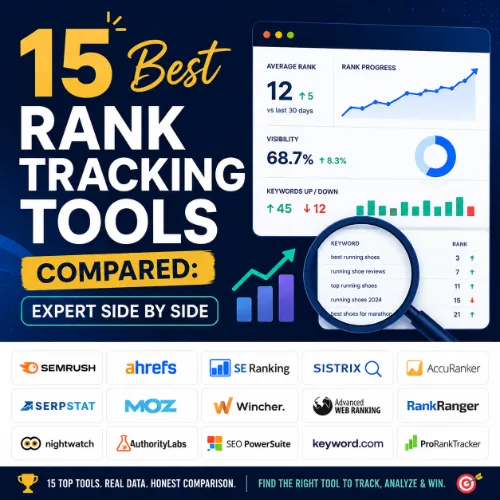
rank tracking tools compared Key Takeaways
Finding the right rank tracking tool is essential for any SEO strategy, but with dozens of options on the market, the decision can be overwhelming.
- We evaluated 15 tools based on accuracy, update frequency, keyword limit, SERP feature tracking, and user experience.
- Pricing varies widely, from free plans with limited keywords to enterprise solutions costing hundreds per month.
- The best choice depends on your specific needs, such as local SEO, agency reporting, or enterprise-scale tracking.
How We Compared These Rank Tracking Tools Compared
To give you a reliable recommendation, we assessed each tool across five critical criteria: accuracy of position data, update frequency (daily vs. weekly), maximum keyword tracking limits, support for local and mobile SERP tracking, and the quality of reporting features. We also considered customer reviews on platforms like G2 and Capterra.
Detailed Side-by-Side Comparison of 15 Tools
Below you will find each tool listed with its standout features, pricing, advantages, disadvantages, and the type of user who benefits most.
1. Ahrefs Rank Tracker
Key Features: Tracks organic and paid keywords, provides estimated traffic, monitors SERP features, integrates with the full Ahrefs suite.
Pricing: Starts at $99/month (Lite plan includes 750 tracked keywords).
Pros: Extremely accurate, robust data, excellent backlink and competitor analysis integration.
Cons: Can be expensive for small sites; limited historical rank data on lower tiers.
Best For: Agencies and in-house SEO teams who already use or need Ahrefs for backlink and site audit functionality.
2. SEMrush Position Tracking
Key Features: Tracks up to 500 keywords on Pro plan, includes daily updates, mobile vs. desktop tracking, custom reports.
Pricing: Starts at $139.95/month (Pro plan).
Pros: Comprehensive toolset, integrates with Google Analytics, strong competitor gap analysis.
Cons: Higher learning curve for beginners; can be pricey for solo freelancers.
Best For: Digital marketing agencies and seasoned SEO professionals who need an all-in-one platform.
3. Moz Pro Rank Tracker
Key Features: Daily rank updates, keyword suggestions, on-page optimization recommendations, real-time SERP analysis.
Pricing: Starts at $99/month (Standard plan includes 300 tracked keywords).
Pros: Clean UI, beginner-friendly, accurate for most queries, good customer support.
Cons: Lower keyword limits compared to competitors; limited advanced features.
Best For: Small businesses and SEO newcomers who value ease of use over maximum feature depth.
4. SE Ranking
Key Features: Unlimited keyword tracking on higher plans, white-label reports, competitor analysis, AI content generation.
Pricing: Starts at $44/month (Essential plan includes 700 keywords).
Pros: Very affordable for large keyword lists, solid reporting, good for agencies.
Cons: Data accuracy can vary slightly compared to Ahrefs; interface feels dated in places.
Best For: Budget-conscious agencies and teams managing many client projects.
5. Serpstat Rank Tracker
Key Features: Batch keyword analysis, competitor research, domain vs. URL tracking, mobile tracking.
Pricing: Starts at $59/month (Individual plan includes 150 tracked keywords).
Pros: Good value for money, excellent for competitor keyword research, multilingual support.
Cons: Rank tracking data updates may lag behind competitors; fewer integrations.
Best For: Freelancers and international SEO specialists who need cost-effective multi-language tracking.
6. Nightwatch Rankings
Key Features: Daily position checks, local SERP tracking, share of voice analysis, custom dashboards.
Pricing: Starts at $49/month (includes 1,000 keywords).
Pros: Excellent for local SEO, competitive pricing for high keyword volume, good reporting.
Cons: Less well-known brand; limited community resources.
Best For: Local businesses and marketers focusing on geo-specific search rankings.
7. AccuRanker
Key Features: Fast daily updates, SERP feature tracking, competitor monitoring, API access.
Pricing: Starts at $299/month (includes 1,000 keywords).
Pros: Lightning-fast updates, highly accurate, simple interface, strong API.
Cons: Expensive for smaller users; limited other SEO features beyond rank tracking.
Best For: SEO professionals who prioritize speed and accuracy above all else.
8. Pro Rank Tracker
Key Features: On-premise or cloud tracking, daily updates, custom reports, local pack tracking.
Pricing: Starts at $23.99/month (for 500 keywords).
Pros: Very affordable, flexible deployment, excellent for local businesses.
Cons: UI is basic and dated; lacks advanced analytics and integrations.
Best For: Small business owners who need simple, effective local rank tracking on a tight budget.
9. Rank Math SEO (Pro)
Key Features: Integrates with WordPress, includes Google Search Console data, local SEO module, keyword tracking. For a related guide, see 16 SEO Audit Tools Reviewed With Real Data: 2026 Guide!.
Pricing: Free (limited features) / Pro starts at $59/year (includes rank tracking).
Pros: Extremely affordable, tight WordPress integration, includes many other SEO features.
Cons: Rank tracking accuracy can be inconsistent; limited to 200 keywords on Pro plan.
Best For: WordPress site owners who want a bundled SEO plugin with basic rank monitoring.
10. SerpRobot
Key Features: Daily tracking, unlimited keywords on higher plans, mobile tracking, email reports.
Pricing: Starts at $39/month (for 300 keywords).
Pros: Simple to use, good for tracking large keyword sets, reliable data.
Cons: Very basic reporting; no advanced features like competitor analysis.
Best For: Users who need straightforward rank tracking without extra analytics bells and whistles.
11. Wincher
Key Features: Real-time rank tracking, competitor comparison, daily updates, user-friendly dashboard.
Pricing: Starts at $29/month (for 100 keywords).
Pros: Clean UI, real-time updates, affordable entry point.
Cons: Lower keyword limits on basic plans; limited integration with other SEO tools.
Best For: Freelancers and small businesses who want real-time rank visibility without complexity.
12. STAT (by Moz)
Key Features: Enterprise-grade tracking, historical data, local SERP tracking, API, custom reports.
Pricing: Custom pricing (usually starts around $500+/month).
Pros: Unmatched accuracy, huge keyword capacity, excellent for large-scale tracking.
Cons: Very expensive; overkill for most small to medium businesses.
Best For: Large enterprises and SEO agencies managing thousands of keywords across multiple sites.
13. Raven Tools
Key Features: Rank tracking, site audit, backlink monitoring, white-label reporting.
Pricing: Starts at $39/month (for 500 keywords).
Pros: Affordable for agencies, good reporting features, solid customer support.
Cons: Interface can be clunky; data updates less frequent than competitors.
Best For: Small to mid-sized agencies that need an all-in-one SEO tool suite with reporting.
14. AuthorityLabs
Key Features: Daily tracking, white-label dashboards, API, mobile tracking, local pack tracking.
Pricing: Starts at $89/month (for 1,000 keywords).
Pros: Excellent white-label capabilities, good for agencies, competitive pricing for volume.
Cons: No built-in site audit or backlink analysis; UI is functional but not modern.
Best For: Agencies that need customizable, white-label rank tracking for client reports.
15. GrowthBar
Key Features: Rank tracking, keyword research, content optimization, competitor analysis.
Pricing: Starts at $29/month (Standard plan includes 500 keywords).
Pros: Very affordable, AI-driven content suggestions, beginner-friendly.
Cons: Less accurate than premium tools; limited tracking depth.
Best For: Content marketers and small business owners who need a budget-friendly SEO assistant.
Quick Reference: Rank Tracking Tools Compared Summary Table
| Tool | Starting Price | Keyword Limit (Basic Plan) | Update Frequency | Best For |
|---|---|---|---|---|
| Ahrefs | $99/mo | 750 | Daily | All-in-one SEO pros |
| SEMrush | $139.95/mo | 500 | Daily | Agencies and pros |
| Moz Pro | $99/mo | 300 | Daily | Beginners and small biz |
| SE Ranking | $44/mo | 700 | Daily | Budget agencies |
| Serpstat | $59/mo | 150 | Weekly | Freelancers and multi-language |
| Nightwatch | $49/mo | 1,000 | Daily | Local SEO specialists |
| AccuRanker | $299/mo | 1,000 | Daily | Speed-focused pros |
| Pro Rank Tracker | $23.99/mo | 500 | Daily | Local small biz |
| Rank Math Pro | $59/yr | 200 | Daily | WordPress site owners |
| SerpRobot | $39/mo | 300 | Daily | Simple tracking only |
| Wincher | $29/mo | 100 | Real-time | Freelancers |
| STAT (Moz) | $500+/mo | Custom | Daily | Enterprise |
| Raven Tools | $39/mo | 500 | Weekly | Small agencies |
| AuthorityLabs | $89/mo | 1,000 | Daily | White-label agencies |
| GrowthBar | $29/mo | 500 | Weekly | Content marketers |
How to Choose the Right Rank Tracking Tools Compared for Your Needs
Consider your budget first, then your keyword volume. A local bakery needs different rank tracking tools compared to a national e-commerce brand. Always trial a tool before committing—most offer free trials from 7 to 30 days. For a related guide, see 15 Best AI SEO Tools Compared by Real SEOs in 2026.
Key Evaluation Steps
List your tracked keywords and desired update frequency. Check for local pack tracking if you run a local business. Look at reporting features if you need to present data to clients.
SEO Entities and Their Functions
Understanding key SEO entities helps you get the most from your rank tracking tools compared data.
- Keyword entities: organic keywords, keyword difficulty (KD), search volume, and SERP features (like featured snippets) show demand, competition, and opportunity for your tracked queries.
- Page entities: top pages and best by traffic reveal which URLs earn visibility and need rank monitoring most urgently.
- SERP entities: featured snippets, People Also Ask, and local packs tell you what content format the search engine rewards for your tracked keywords.
- Metrics entities: Domain Rating (DR), organic traffic, and traffic potential summarize authority and visibility at a glance.
Useful Resources
For additional reading on SEO tracking best practices, check out Moz’s Complete Guide to Rank Tracking. For deeper data on tool comparisons, visit G2’s Rank Tracking Software Category.
Frequently Asked Questions About Rank Tracking Tools Compared
Frequently Asked Questions About rank tracking tools compared
What is the most accurate rank tracking tool?
AccuRanker and Ahrefs are widely considered the most accurate, with daily updates and precise SERP position data, though STAT is best for enterprise accuracy.
Is there a free rank tracking tool?
Yes, Google Search Console offers free basic rank tracking, and Rank Math provides a limited free tier. However, dedicated tools like Wincher offer free trials but not permanent free plans.
How often do rank tracking tools update?
Most premium tools update daily, while budget-friendly options like Serpstat update weekly. Real-time tools like Wincher offer updates throughout the day.
Can rank tracking tools track local SEO?
Yes, tools like Nightwatch, Pro Rank Tracker, and SEMrush offer local pack tracking and city-specific SERP data for local SEO campaigns.
Do rank tracking tools affect website speed?
No, these tools use external servers to check SERPs, so they do not impact your website’s loading speed.
What is keyword difficulty in rank tracking?
Keyword difficulty (KD) is an entity metric that estimates how hard it is to rank for a keyword, based on the authority of currently ranking pages.
Can I track competitor keywords?
Yes, most tools like SEMrush, Ahrefs, and Serpstat allow you to add competitor domains and track their keyword positions.
What is the best rank tracking tool for agencies?
SE Ranking and AuthorityLabs are popular with agencies due to their white-label reporting, affordable pricing, and multi-client management features.
How many keywords should I track?
Start with your most important 20 to 30 keywords for a single site. As you grow, tracking 100 to 500 keywords is typical for a medium business.
Do rank tracking tools work for YouTube?
Some tools like Ahrefs and SEMrush can track YouTube video rankings, but dedicated YouTube search tracking is less common among general rank trackers.
What is the cheapest reliable rank tracking tool?
Pro Rank Tracker starts at $23.99/month and is reliable for local tracking. GrowthBar and Wincher also offer budget-friendly entry points.
Can rank tracking tools track mobile vs desktop?
Yes, premium tools like SEMrush, AccuRanker, and Moz Pro allow you to switch between mobile and desktop SERP tracking.
How do I check if rank tracking data is accurate?
Cross-check with Google Search Console for a baseline. Differences can occur due to personalization and location, which tools aim to neutralize.
What is SERP feature tracking?
SERP feature tracking monitors appearance in featured snippets, People Also Ask, local packs, and other non-standard search result formats.
Is rank tracking legal?
Yes, rank tracking is legal and a standard SEO practice. Tools use automated scripts to check public SERPs without violating terms of service when done responsibly.
Do I need rank tracking for SEO?
While not mandatory, rank tracking provides essential data to measure keyword performance and ROI, helping prioritize optimization efforts.
Can rank tracking integrate with Google Analytics?
Most modern tools like SEMrush and Ahrefs integrate with Google Analytics to combine rank data with traffic and conversion metrics.
What is the best free rank tracking tool?
Google Search Console is the best free option for basic rank tracking, but it lacks real-time updates and competitor features found in paid tools.
How long does it take to see rank changes?
Rank changes from SEO efforts can take days to weeks; daily tracking helps you notice trends early.
Can I export rank tracking reports?
Yes, most tools allow you to export reports as CSV, PDF, or HTML, with white-label options in agency-focused tools.







