

H1 Optimization Test explores how different H1 strategies—keyword‑rich, branded, and hybrid—impact relevance, stability, and trust in modern SEO, helping you choose the best heading approach for your site and niche.
Table of Contents
Introduction: Why H1 Optimization Still Matters in Modern SEO
Search engine optimization has evolved far beyond keyword stuffing and mechanical on-page tactics, especially as Google has clarified how it evaluates title links and main titles in its official documentation on title links in search results.
Today, Google evaluates pages through semantic understanding, entity relationships, user intent, and trust signals, and it explicitly considers the main visual title and heading elements such as <h1> when generating title links. Despite this evolution, one foundational element remains critically important: the H1 tag.
The H1 tag serves as the primary on-page signal that defines what a page is about and remains one of the strongest on-page indicators of topical focus.
While Google has clarified that H1s are not a “magic ranking button,” real-world SEO experiments and best-practice guides show that they influence relevance interpretation, indexing clarity, click behavior, and long-term ranking stability.
This article presents a structured H1 optimization test, comparing keyword-rich H1 tags with branded H1 tags, and offers a decision framework grounded in SEO, GEO, AEO, NLP, and entity-first principles—so you can choose the right H1 strategy for your site, niche, and stage of growth.
To understand how Google interprets titles and main headings, it’s helpful to review Google’s own documentation on how it generates and evaluates title links.
What Is an H1 Tag? (Beginner-Friendly Explanation)
An H1 tag is the main heading of a webpage; in HTML structure, it represents the highest-level heading and communicates the page’s primary topic to both users and search engines. In practical terms, an H1 is typically implemented as <h1>Your main heading</h1> and is treated as the page’s primary topic label.
SEO best-practice guides consistently describe the H1 as the first and most important visible heading on a page, helping establish context before a user reads a single paragraph. For a clear, beginner-friendly overview, see Moz’s guide on what an H1 tag is and why it matters for SEO.
Why the H1 Tag Matters
The H1 tag plays multiple roles simultaneously:
- Defines content hierarchy and helps structure headings correctly.
- Improves readability and user experience (UX) by signaling the main topic at a glance.
- Reinforces primary keyword placement in a natural, visible way that supports on-page relevance.
- Helps search engines understand page intent and match it to relevant queries.
- Supports semantic SEO and NLP parsing for modern search systems by clarifying topical focus early in the HTML.
Headings help search engines interpret structure and meaning, and a clear H1 gives Google and AI systems a strong starting point for understanding the page before analyzing supporting sections. For practical examples of heading usage, this guide on H1 tag examples and best practices breaks down different real-world patterns.
H1 vs Title Tag: A Critical Distinction
Although they often look similar, the H1 tag and the title tag serve different roles and should be optimized with different goals in mind.
Title Tag
The title tag:
- Appears in search results as the clickable title link.
- Influences rankings and click-through rate (CTR).
- Functions like a SERP advertisement designed to attract users.
Title tags are designed to attract clicks while signaling relevance to search engines, and they should balance keyword targeting with compelling copy. Moz’s title tag guide explains how to optimize title tags for visibility and CTR, including suggested length and keyword placement.
H1 Tag
The H1 tag:
- Appears on the page itself as the main visible heading.
- Defines the core topic for users and crawlers.
- Is optimized for clarity, comprehension, and content structure more than raw click attraction.
While the title tag sells the click, the H1 delivers on the promise made in the SERP, and the two should be semantically aligned without needing to be identical. For a deeper breakdown, see this explanation of the difference between title tags and H1 tags.
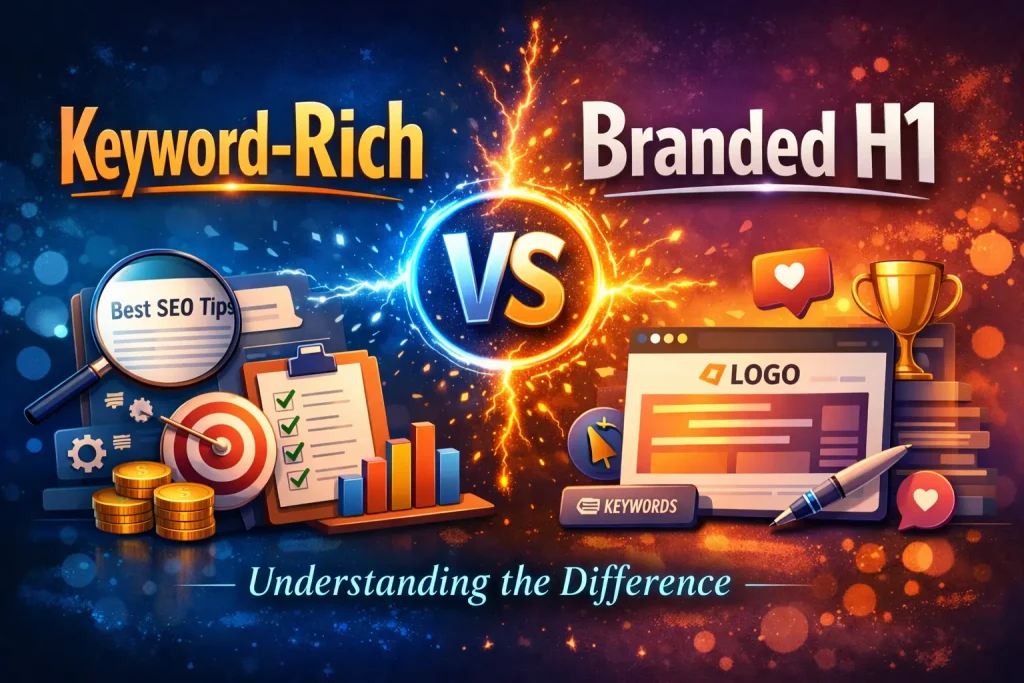
Keyword-Rich vs Branded H1: Understanding the Difference
Before diving into test results, it’s important to clearly define the two H1 strategies being compared.
Keyword-Rich H1 Tags
A keyword-rich H1 includes the primary keyword or phrase the page is targeting, such as:
Best Online Casino in the Philippines
This approach emphasizes topical relevance and is commonly recommended in H1 best-practice guides, which advise including your primary keyword in the H1 for clearer relevance signals. You can review Moz’s guidance on optimizing H1 tags with target keywords for more examples.
Advantages of Keyword-Rich H1s
- Strong alignment with non-branded search queries, especially informational and transactional queries.
- Faster relevance signals for new or low-authority pages where Google needs extra clarity.
- Clear intent matching for specific topics, products, or services.
Potential Downsides
- Can feel generic if overused or written poorly.
- Provides weaker brand reinforcement compared to branded H1s.
- Requires careful phrasing to avoid keyword stuffing and maintain readability.
Branded H1 Tags
A branded H1 focuses on brand identity, sometimes with minimal or no keyword targeting, for example:
Ultrarich88 Official Website
This approach emphasizes entity recognition and trust, aligning with how Google increasingly evaluates brands and entities rather than only keywords. Content optimization comparisons between titles and H1s often discuss the branding dimension in detail, as seen in this guide on optimizing titles vs H1s for branded visibility.
Advantages of Branded H1s
- Reinforces brand entity recognition and familiarity in users’ minds.
- Builds trust and authority, particularly in sensitive or competitive niches.
- Performs well for branded searches and often shows greater stability during core updates.
Potential Downsides
- Weaker relevance for generic, non-branded queries.
- Slower discovery for new content that lacks brand demand.
- Results depend heavily on existing brand awareness and search volume.
Experiment Setup & Results Overview

To evaluate these two strategies fairly, the H1 optimization test was designed under controlled conditions similar to standard SEO split testing methodologies.
For readers unfamiliar with SEO split testing, this overview of SEO split testing explains how controlled search experiments work, including A/B setups and measurement.
Test Setup
- Same niche and search intent across all test pages.
- Comparable content length and structure.
- Identical internal linking to avoid link-based bias.
- No backlink or URL changes during the test period.
- Stable technical SEO environment (same templates and performance).
The only variable changed was the H1 tag:
- Version A: Keyword-rich H1.
- Version B: Branded H1.
Supporting Case Studies
Public SEO split-testing platforms have run similar experiments on titles and H1s. For example, SearchPilot documents lessons learned from modifying H1s in controlled tests in their case study on SEO split-test lessons from adding “custom” to the H1.
Summary of Observed Results
- Keyword-rich H1s tended to align faster with non-branded queries and showed quicker uplift in relevance metrics.
- Branded H1s showed stronger stability over time, especially through volatile algorithm periods.
- Hybrid approaches often delivered the best balance of CTR and trust, combining descriptive keywords with brand names.
Deep Dive: Technical Mapping (The “Secret Sauce”)

One of the most overlooked aspects of H1 optimization is how the H1 interacts with backend code and structured data.
H1 & Schema.org Integration
To maximize effectiveness, the H1 text should semantically match the headline property in your Article or WebPage schema as defined by schema.org Article and schema.org WebPage. This alignment helps ensure that the main human-visible heading and the machine-readable headline are consistent.
This creates a triple-confirmation system:
- Title Tag → SERP relevance and clickability.
- H1 Tag → On-page entity and topic definition.
- Schema Markup → Machine-readable validation of the main subject.
When these three signals align, Google receives a consistent entity message, reducing ambiguity and ranking friction. Google’s structured data documentation provides further guidance on how schema markup helps search engines better interpret content.
Visualizing the Hierarchy: The Nesting Principle
Clean structure improves UX, accessibility, and SEO, and heading hierarchy should follow a logical nesting pattern.
Recommended Heading Structure
- H1 – Defines the main entity and topic for the page.
- H2 – Breaks the topic into semantic sub-sections.
- H3 – Addresses long-tail queries, FAQs, and sub-points within H2 sections.
This structure supports both users and crawlers by making content easier to scan and parse. A detailed explanation of how H1, H2, and H3 should work together is available in this heading hierarchy guide on understanding H1 vs H2 tags.
Advanced Nuance: The HTML5 “Multiple H1” Debate
Can You Have More Than One H1?
Technically:
- Yes. HTML5 allows multiple H1 elements within <section> tags and content sections, as supported by HTML specifications.
The technical specification allowing this behavior is described in W3C HTML documentation; for example, see the W3C’s HTML resources and discussions on heading elements and structure.
Practically (SEO & Accessibility):
- Most modern SEO and accessibility best-practice guides still recommend a single, clearly defined H1 per page for simplicity and clarity.
Why One H1 Remains Best Practice
- Screen readers often rely on a single primary heading to help users navigate content efficiently.
- Multiple H1s can dilute the primary topical signal, especially on simple pages.
- A single H1 provides a clear entry point for both users and crawlers.
Moz continues to recommend one H1 per page for clarity and consistency in its guide on H1 tag best practices.
The Contextual Intent Filter & Hybrid H1 Strategy
Not every niche should use the same H1 strategy; search intent and risk tolerance matter.
Choosing the Right H1 by Niche
- YMYL niches (health, finance): Branded or authoritative H1s emphasize trust and expertise.
- E-commerce: Keyword-rich, descriptive H1s match product-driven and category-driven searches.
- Local SEO: Geo-modified hybrid H1s anchor the entity to a location (e.g., “Dental Clinic in Cagayan de Oro – BrandName”).
Guidance on aligning H1s with search intent and page purpose is discussed in Moz’s H1 tag optimization guide.
The Hybrid H1 Approach
A hybrid H1 combines both relevance and branding, such as:
Best Online Casino in the Philippines – Ultrarich88
This approach is frequently recommended in modern H1 best-practice discussions for balancing keyword targeting and brand recognition. For more real-world patterns, see this marketer-focused guide on H1 tag examples and hybrid strategies.
Interactive Element: The “H1 Health Check”
Use this checklist to evaluate any page instantly:
- Does the H1 contain the primary seed keyword naturally?
- Is the H1 wrapped in a proper <h1> tag (not just styled text)?
- Is there only one H1 on the page?
- Does the H1 match the promise made in the meta title?
- Is the H1 visually the most prominent text on the page?
For a more detailed reference, Moz provides a comprehensive H1 optimization checklist that covers common issues like missing, duplicate, or multiple H1s.
FAQ: Common Questions About H1 Optimization
Does the H1 need to match the title tag exactly?
No. The title tag is optimized for the SERP and click-through rate, while the H1 is optimized for the on-page experience and readability; they should be semantically related, not identical. For additional context on balancing title and H1 alignment, see Moz’s guide on title tag optimization.
Are H1 tags necessary for ranking?
H1 tags are not strictly mandatory for ranking, but experiments and case studies show they help with relevance, structure, and clarity, often improving engagement and discoverability. Moz’s H1 SEO experiment discusses these effects in more detail in the article on H1 tags and SEO performance.
Conclusion: From Tactic to Framework
This H1 optimization test shows that there is no single “perfect” H1 formula; keyword-rich H1s excel at discoverability and intent matching, while branded H1s strengthen trust, authority, and long-term stability. The strongest results come from alignment across search intent, entity identity, semantic structure, and user experience, ideally supported by consistent schema markup.
When used correctly, the H1 tag is not just a heading—it is the foundation of your page’s identity in modern search and a key bridge between human-readable content and machine understanding.







