

Quick definition
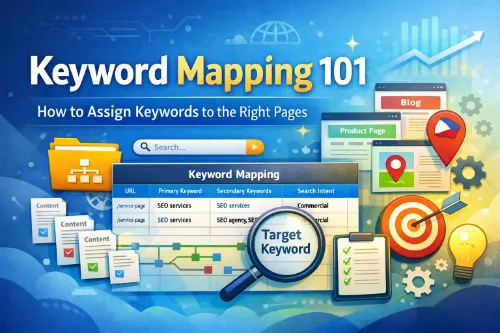
Keyword mapping is the process of assigning one primary keyword (plus closely related secondary keywords) to a specific URL so the right page ranks for the right query. You’ll often see this described in modern guides like this keyword mapping for SEO guide and this step-by-step keyword mapping tutorial. Your decisions are tracked in a keyword map (often a keyword mapping spreadsheet) to prevent keyword cannibalization, strengthen site architecture, and guide on-page SEO and internal linking strategy. Clear targeting like this is also recommended in many keyword mapping resources.
Why keyword mapping matters now
Even great content can underperform if your website doesn’t have clear URL targeting. Without a keyword to page mapping system, websites often end up with:
- Keyword cannibalization (SEO cannibalization): multiple pages competing for the same intent, a problem covered in depth in this keyword cannibalization guide.
- Wrong page ranking / ranking mismatch: Google ranks a blog post when your service page should rank.
- Duplicate intent pages: pages that look different but satisfy the same search intent.
- Thin/overlapping content: pages that repeat the same points without adding unique value.
- Index bloat (context-dependent): too many low-value pages getting indexed, diluting quality signals.
Keyword mapping reduces these problems by connecting keyword research, content mapping, and site structure planning into one system, echoing the workflows in SEO keyword mapping guides.
The core rule that makes keyword mapping work
A simple rule keeps everything clean:
- One target keyword per page (your primary keyword)
- Several secondary keywords that support the same intent
This does not mean “one keyword only.” It means one keyword owns the page’s main purpose, while related phrases support it naturally.
Common ways people refer to this process (use whichever fits your audience):
keyword mapping, keyword-to-URL mapping, keyword to page mapping, map keywords to pages, assign keywords to pages, keyword mapping document. All of these point to the same goal: clarity.
What “LSI keywords” should mean here
In modern SEO writing, “LSI keywords” is usually shorthand for:
- synonyms and close variants
- entities and related concepts
- common co-occurring phrases that appear in top-ranking pages
So in this article, when we use “LSI-style keywords,” we’re really talking about semantic coverage and NLP-friendly writing—covering the topic fully and naturally. You’ll see these phrases included throughout (naturally, not stuffed):
search intent mapping, intent-based mapping
keyword clustering, topic clusters, pillar page and cluster pages, supporting cluster structure
content-to-keyword map, content mapping, content gap analysis
internal linking strategy, optimization roadmap
title tag alignment, meta description alignment
keyword mapping template, keyword mapping spreadsheet, keyword map columns
rank tracking per page, keyword tracking by URL
Gather your keywords in a way that’s easy to map
Before you can map anything, you need a keyword list that isn’t messy. Good sources:
- Google Search Console queries (what you already rank for)
- competitor research (what similar sites rank for)
- keyword tools (Ahrefs, Semrush, etc.), similar to the tools evaluated in many keyword research and mapping articles.
Practical tip for PH/SEA sites: include geographic modifiers early if you’re doing GEO (location-based SEO), like:
“Philippines,” “Metro Manila,” “Quezon City,” “Cebu,” “Davao,” “BGC,” “Makati,” “Pasig,” “Laguna,” “Pampanga,” plus “near me” intent (common for services). At this stage, don’t overthink it; collect keywords, then organize.
Group keywords using keyword clustering
Keyword clustering means grouping keywords that share the same meaning and intent, so you can target them on one page (instead of creating multiple overlapping pages).
Example cluster for this topic:
Cluster: Keyword mapping guide
keyword mapping
keyword to page mapping
keyword-to-URL mapping
map keywords to pages
assign keywords to pages
target keyword per page
Cluster: Templates and spreadsheets
keyword mapping template
keyword mapping spreadsheet
keyword map columns
keyword map / keyword mapping document
Cluster: Problems and fixes
keyword cannibalization
SEO cannibalization
wrong page ranking
ranking mismatch
duplicate intent pages
thin/overlapping content
Clustering is the foundation of topic clusters and helps you build topical authority with a clean site structure.
Match each cluster to search intent
This is where search intent mapping (also called intent-based mapping) becomes the deciding factor. A simple intent framework:
- Informational: “what is keyword mapping”, “how to build a keyword map”
- Commercial: “best keyword mapping template”, “keyword mapping tools”
- Transactional: “hire SEO consultant”, “SEO services in Cebu”
- Navigational: “(brand) keyword mapping template”
Google’s goal is to show results that match what the searcher is looking for, so your job is to create the right page type for the intent, as outlined in many search intent SEO guides.
Audit your existing pages with content mapping
Now do a quick content mapping audit: list your current pages and what each page is “about.” This becomes your content-to-keyword map, which reveals overlap. Include:
homepage
service pages
blog posts
category pages (if e-commerce)
product pages (if e-commerce)
location pages / local landing pages (if local SEO)
important landing pages
This step is where you’ll catch:
- two posts covering the same intent
- a service page that’s too thin
- multiple pages that should be consolidated
It’s also where you spot “index bloat” risks (for example, low-value tag pages, parameter URLs, or near-duplicate pages created by filters).
Choose the right page type for each keyword cluster
This is the most common reason for wrong page ranking. Use these matching rules:
- Informational intent: blog post keyword mapping (guides, tutorials, checklists)
- Commercial intent: comparison pages, solution pages, category pages, or strong service pages
- Transactional intent: product pages or service pages designed to convert (pricing, packages, booking)
- Navigational intent: brand pages, homepage, or key hub pages
For local SEO (GEO):
- location pages / local landing pages mapping (one location page per area, with real differentiation)
For e-commerce:
- category page vs product page mapping (categories target broad demand; products target specific SKUs/models)
These patterns align with examples in keyword mapping process articles.
Assign one primary keyword per URL
Now you can finally assign keywords to pages. For each URL, pick:
- Primary keyword (the “owner”)
- Secondary keywords (variations that support the same intent)
- Notes (what needs improving)
Example:
URL: /keyword-mapping-101/
Primary keyword: keyword mapping
Secondary keywords: keyword-to-URL mapping, keyword to page mapping, map keywords to pages, assign keywords to pages, keyword map
This is what clean keyword-to-URL mapping looks like. If two URLs end up with the same primary keyword, that’s a red flag for keyword cannibalization unless the intent is clearly different.
Build your keyword mapping spreadsheet
A simple keyword mapping template is enough. You can build it in Google Sheets in under 15 minutes, similar to the free keyword mapping templates:
- URL
- Page type (blog/service/category/product/location)
- Primary keyword
- Secondary keywords
- Intent (informational/commercial/transactional/navigational)
- Current rank (optional)
- Notes / SEO brief per URL
- Internal links to add
- Status (keep, update, merge, redirect, create)
This becomes your keyword mapping document and your optimization roadmap for the next weeks or months.
Write an SEO brief per URL
An SEO brief per URL keeps writers and editors aligned (especially if you publish at scale). Include:
- primary keyword + intent
- target audience (PH only vs SEA vs global)
- key subtopics to cover (based on your clusters)
- suggested internal links (anchors + target URL)
- CTA (what you want users to do)
This is where you connect SEO to conversion and mirror processes used in professional SEO content briefs.
On-page alignment that supports your keyword map
Once the map is done, it becomes easier to optimize pages. Use these checks:
- Title tag alignment: include the primary keyword naturally, match intent (“guide,” “template,” “checklist,” “pricing,” etc.).
- Meta description alignment: match the promise to intent, include a natural secondary keyword where it fits.
- Headers and sections: H2s should reflect subtopics in your cluster and build a page that fully answers the intent (AEO-friendly).
Google’s documentation consistently emphasizes creating helpful, people-first content and strong page experience fundamentals, which you can review in Google Search Essentials.
Internal linking strategy (this is where maps become powerful)
A keyword map is useless if your internal links contradict it. Rule of thumb:
- Internal links should point to the page that “owns” the topic (the primary keyword page).
- Cluster pages should link to the pillar page.
- Pillar pages should link back to cluster pages.
This strengthens your supporting cluster structure and tells search engines which URL is the best canonical “answer” for a topic.
How to fix keyword cannibalization using keyword mapping
Keyword cannibalization happens when two or more pages satisfy the same intent, so Google swaps rankings or splits signals. Common signs:
- rankings bounce between two URLs
- impressions are split across multiple pages for the same query
- a low-converting page ranks instead of a high-converting page
Fix options (choose based on your situation):
- Merge and consolidate: combine the best content into one stronger page and update internal links to point to the winning URL.
- Redirect (when a page is no longer needed): use a 301 redirect if the old page should permanently pass users and signals to a new URL. Google treats redirects as strong signals for canonicalization, which you can confirm in their canonicalization documentation.
- Re-optimize (when both pages should exist): differentiate intent clearly (example: “what is keyword mapping” vs “keyword mapping template”), adjust title/meta/H1 and content focus.
- Canonical tags (special cases): use canonicalization when pages are near-duplicates but must exist (e-commerce variations, filtered views), as outlined in Google’s canonical URL guide.
Redirects and canonicals are both tools Google uses to understand canonical versions, but they’re used differently depending on your goal.
Tracking: keyword tracking by URL
Once mapped, measure results using:
- rank tracking per page (track the mapped keyword for the mapped URL)
- Google Search Console for queries and pages performance
This validates whether your keyword-to-URL mapping is working or if Google still prefers a different URL (which signals a mismatch or a stronger competing page).
Keyword mapping for different website types
Blog content sites
- Use blog post keyword mapping + topic clusters.
- Build a pillar page and cluster pages model:
- Pillar: keyword mapping
- Clusters: keyword mapping template, keyword cannibalization, internal linking strategy, search intent mapping
Service businesses (PH example)
- Main service page: “SEO services Philippines” (commercial/transactional intent)
- Supporting pages: “SEO services in Cebu,” “SEO services in Makati,” “SEO services in Davao”
- Blog support: “How keyword mapping prevents keyword cannibalization,” “Internal linking strategy for service websites.”
Local SEO (GEO)
- Do location pages/local landing pages mapping carefully:
- One page per location
- Add unique proof: testimonials, case studies, service areas, FAQs, photos, landmarks, pricing differences, local examples
- Avoid copy-paste pages (they become thin/overlapping content fast).
E-commerce
- Category page vs product page mapping:
- Category: broad intent (“running shoes Philippines”)
- Product: specific intent (“Nike Pegasus 40 price Philippines”)
- Watch duplicates created by filters, pagination, and parameters (often solved with canonicals/noindex rules depending on the case).
Common mistakes that keep sites stuck
- Mapping based only on search volume: intent match beats volume almost every time.
- Assigning too many unrelated keywords to one page: creates thin/overlapping content and weak relevance.
- Creating new pages instead of improving existing pages: increases duplicate intent pages and cannibalization.
- Ignoring technical basics:
- If you merge pages, ensure redirects are correct.
- Keep your XML sitemap clean.
- Use noindex intentionally where needed.
- Watch performance signals like Core Web Vitals when applicable (especially for mobile-heavy PH traffic), as highlighted in Google’s page experience documentation.
Google’s SEO documentation provides baseline best practices for making content discoverable and maintaining a healthy crawl/index state.
A simple keyword mapping example table
Here’s a mini example you can copy into a sheet:
URL: /keyword-mapping-101/
Primary keyword: keyword mapping
Secondary keywords: keyword-to-URL mapping, keyword to page mapping, map keywords to pages, assign keywords to pages, keyword map
Intent: informational
Notes: add template section, add FAQ, improve internal links
URL: /keyword-mapping-template/
Primary keyword: keyword mapping template
Secondary keywords: keyword mapping spreadsheet, keyword map columns, keyword mapping document
Intent: commercial/informational
Notes: include downloadable sheet, add examples
URL: /keyword-cannibalization/
Primary keyword: keyword cannibalization
Secondary keywords: SEO cannibalization, wrong page ranking, ranking mismatch, duplicate intent pages
Intent: informational
Notes: add fix flow (merge/redirect/re-optimize), add GSC screenshots later
These examples mirror real-world setups discussed in keyword mapping examples.
Quick checklist
- Each page has one primary keyword (target keyword per page).
- Secondary keywords support the same intent.
- No duplicate intent pages for the same cluster.
- Internal links point to the owning URL.
- Titles and metas match intent (title tag alignment + meta description alignment).
- You have an SEO brief per URL for content production.
- You track performance with keyword tracking by URL (rank tracking per page).
FAQs
What is keyword-to-URL mapping?
Keyword-to-URL mapping is assigning a keyword cluster to one specific page so that URL becomes the best match for that intent and query.
Can two pages target the same keyword?
Only if search intent is clearly different; if intent overlaps, it usually becomes keyword cannibalization.
Do I need a keyword mapping template?
You don’t need a fancy tool; a keyword mapping spreadsheet with clear keyword map columns is enough to run the system, or you can adapt a free keyword mapping template.
How does mapping help with “wrong page ranking”?
Mapping forces intent decisions; when intent matches page type, Google is more likely to rank the correct URL, which is a key theme in most keyword cannibalization and mapping tutorials.
What is keyword mapping in SEO?
Keyword mapping is assigning target keywords to specific pages/URLs so each page has a clear purpose and matches search intent.
Why is keyword mapping important?
It prevents keyword cannibalization, improves site structure, strengthens internal linking, and helps the right page rank for the right query.
What is a keyword map?
A keyword map is a document (often a spreadsheet) that lists each URL with its primary keyword, secondary keywords, intent, and optimization notes.
How do I choose the primary keyword for a page?
Pick the keyword that best matches the page’s main topic and search intent, and that you want that specific URL to rank for.
Can one page target multiple keywords?
Yes. Use one primary keyword and several closely related secondary keywords that share the same intent.
What is keyword cannibalization and how does mapping fix it?
Cannibalization happens when multiple pages compete for the same intent/keyword. Mapping helps you pick one “owner” page, then merge, redirect, or differentiate the others.
What’s the difference between keyword research and keyword mapping?
Keyword research finds keyword opportunities. Keyword mapping decides where those keywords should live on your site (which page targets what).
How often should I update my keyword map?
Update it whenever you publish new content, change URLs, merge pages, or notice ranking changes in Search Console.
What columns should a keyword mapping spreadsheet include?
Common columns: URL, page type, primary keyword, secondary keywords, intent, search volume, current rank, internal links, and status/notes.
How do I do keyword mapping for local SEO?
Map city/area keywords to dedicated location pages (with unique local content) and avoid copy-paste pages that cause overlap and cannibalization.
Final takeaway
Keyword mapping is one of the highest-ROI SEO processes because it turns random publishing into a system: keyword clustering → search intent mapping → content mapping → keyword-to-URL mapping → on-page alignment → internal linking → tracking. For more perspectives and examples, you can explore this keyword mapping overview and this comprehensive keyword mapping guide.







