

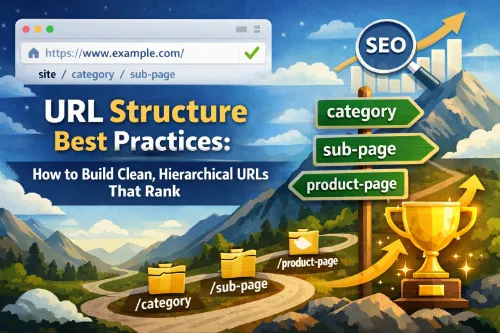
URL structure best practices is one of those fundamentals that quietly affects everything: crawlability, indexation, user trust, and click‑through rates. A clean, hierarchical URL structure helps search engines understand how your content is organized and helps users feel confident about where a link will take them.
In this guide, you’ll learn how to design SEO‑friendly URLs, build a logical hierarchy, integrate keywords naturally, and avoid common mistakes that can hold your site back.
This article is written to be simple, practical, and aligned with SEO, GEO (location intent), AEO (answer engine optimization), and modern NLP‑driven search.
1. What Is URL Structure and Why It Matters
A URL (Uniform Resource Locator) is the address of a page on your site, but it’s also a signal about what that page contains and how it fits into your overall site architecture. When your URL structure is messy, long, or inconsistent, you add friction for both users and crawlers.
A strong, SEO‑friendly URL structure typically:
- Reflects your content hierarchy (category → subcategory → detail page).
- Uses short, descriptive, human‑readable slugs.
- Avoids unnecessary parameters and random IDs on important pages.
- Makes it easy to understand the topic of a page just by looking at the URL.
In other words, URL structure is not just cosmetics; it’s part of how search engines interpret your site and how people decide whether to click.
2. Core Principles of Clean, SEO‑Friendly URLs
Before thinking about advanced technical details, make sure your URLs follow a few simple best practices.
Keep URLs Short, Simple, and Readable
Readable URLs are easier to understand, share, and trust. When a user sees a URL with clear words instead of a string of parameters, they’re more likely to click.
Example:
- Bad:
https://example.com/index.php?id=123&cat=9&session=567 - Good:
https://example.com/technical-seo/url-structure-best-practices/
The good example is a short URL for SEO: it’s descriptive, scoped to the topic, and easy to remember. Aim to remove noise from your slugs and focus on the words that actually describe the page.
For more examples of concise, SEO‑friendly URLs, see Shopify’s guide on SEO URL structure.
Use Lowercase Letters and Hyphens
For most sites, you should standardize on lowercase URLs and use hyphens to separate words. This avoids case‑sensitivity issues and keeps your structure consistent.
- Use:
https://example.com/technical-seo/url-structure/ - Avoid:
https://example.com/Technical_SEO/URL_Structure/
Hyphens in URLs help search engines and users parse the individual words. Underscores, spaces, and special characters can cause problems or make URLs harder to read.
Avoid Special Characters and Unnecessary Stop Words
Clean URL structure generally means avoiding characters like ?, &, =, and % in indexable URLs unless they are absolutely necessary. These are typical of dynamic URLs and parameters, which you may want to control or keep out of the main crawlable paths.
You should also remove stop words from URLs when they don’t add clarity. Words like “and,” “for,” “the,” and “of” usually don’t change the meaning of a slug.
- Better:
/url-structure-best-practices/ - Worse:
/the-best-practices-for-url-structure-and-seo/
Short, descriptive URLs are easier to scan in search results and easier for users to interpret.
3. Designing a Logical URL Hierarchy
A logical URL hierarchy shows how content on your site relates to other content. It mirrors your site architecture and helps both users and search engines understand which pages are core and which are supporting.
Start from Site Architecture
Before you publish or restructure URLs, map out your site architecture. Think in layers:
- Main sections or categories.
- Subcategories (if needed).
- Individual pages or posts.
For a site with a Technical SEO category, a simple hierarchy might look like:
/technical-seo//technical-seo/url-structure//technical-seo/url-structure/url-structure-best-practices/
This structure makes it clear that the URL structure article lives under Technical SEO and a subtopic. The URL hierarchy matches the content hierarchy, which supports both crawlability and relevance.
For more examples, see this detailed guide on SEO URL structure best practices.
Use Folders for Content Types
Use folders to group similar content types and make your website URL hierarchy predictable.
- Blog posts:
/blog/seo-friendly-urls/ - Product pages:
/products/seo-audit-tool/ - Service pages:
/services/technical-seo-audit/ - Local pages:
/services/seo-consulting/new-york/
Consistent category and subfolder URLs help users quickly understand what sort of page they’re visiting, and they help search engines understand how topics are grouped.
Avoid Overly Deep Structures
Over‑nested URL hierarchies can confuse users and waste crawl budget. Try to limit depth to three or four levels at most.
- Good:
/blog/url-structure/ - Not ideal:
/blog/seo/technical/on-page/guides/url-structure/2026/
Deep, complex paths make it harder for crawlers to reach important pages efficiently and increase the odds of orphan pages. A simpler website URL hierarchy is easier to manage and scale.
4. Integrating Keywords in URLs (Without Stuffing)
Keywords in URLs are still a minor ranking factor and a strong relevance signal for users, but they should be used carefully and naturally.
Choose a Primary Keyword for the Slug
Every indexable page should have a clear focus keyword. For this article, the primary phrase might be “URL structure best practices” or “URL structure for SEO.”
Turn that into a compact slug:
/url-structure-best-practices//url-structure-for-seo/
Using the primary keyword in the URL slug once is enough; avoid repeating variations just to squeeze in more terms.
Use Keyword‑Rich URLs Naturally
Keyword‑rich URLs should feel natural and aligned with the page title and H1, not like a list of phrases.
- Good:
/seo-friendly-urls-guide/ - Bad:
/url-structure-url-seo-friendly-url-structure-guide-for-seo/
The good example is a descriptive URL that clearly matches user intent. The bad example looks spammy and can hurt trust.
Use Related Phrases in the Content, Not the Slug
Instead of stuffing multiple variations into one slug, use semantically related phrases throughout the content, headings, and internal anchor texts. For example:
- “SEO‑friendly URL structure”
- “clean URL structure”
- “URL optimization best practices”
- “best URL structure for SEO”
- “descriptive URLs and readable URLs”
- “URL hierarchy” and “website URL hierarchy”
This approach supports NLP and answer‑engine understanding without over‑optimizing individual URLs.
5. URL Structure Best Practices by Site Type
Different site types have different constraints. Here is how to apply URL structure best practices to blogs, ecommerce stores, and local or service businesses.
Blogs and Content Sites
For blog and content sites, your URL structure should support evergreen content and topic clusters.
Good practices:
- Avoid dates in URLs unless you publish time‑sensitive news.
- Keep blog URL structure simple and topic‑focused.
- Use categories sparingly and only when they help users.
Examples:
/blog/url-structure-best-practices//technical-seo/seo-friendly-urls/
These are SEO‑friendly URLs: short, descriptive, and clearly tied to a topic. They fit naturally into a clean website URL hierarchy and are easy to update over time.
Ecommerce Sites
Ecommerce URL structure is more complex because you have categories, subcategories, filters, and product pages.
Good practices:
- Use descriptive category folders:
/mens/running-shoes/ - Keep product URLs clear:
/mens/running-shoes/nike-zoomx/ - Avoid exposing every filter combination as an indexable URL.
Dynamic vs static URLs is a big consideration here. Important, indexable pages should have static, descriptive URLs. Dynamic URLs with parameters (for sorting, filtering, or tracking) should be handled carefully to avoid duplicate content and crawl waste.
For detailed guidance, see Google’s documentation on ecommerce URL structure best practices.
Local and Service Businesses
For local SEO and GEO‑focused intent, it’s often effective to use URLs that combine service and location:
/plumbing-services/los-angeles//seo-consulting/new-york/
These SEO‑friendly URLs match how users search (“service + city”) and help answer engines understand both the service and the geography. Keep them readable and avoid stuffing multiple location variants into a single slug.
6. Handling URL Changes, Redirects, and Migrations
Changing URLs is one of the riskiest SEO actions you can take, so it needs to be planned and executed correctly.
When to Change URLs
Consider changing existing URLs only when:
- They are extremely long and unreadable.
- They use confusing parameters instead of descriptive slugs.
- They don’t match your current site architecture.
If a URL already ranks and performs well, think carefully before changing it. Often, the risk is higher than the potential gain.
Using 301 Redirects Correctly
When you do change a URL, you must implement 301 redirects from the old URL to the new one. This preserves as much link equity and history as possible.
Best practices:
- Redirect old URLs to the most relevant new page.
- Avoid redirect chains (A → B → C) and loops.
- Update internal links and sitemaps to point directly to the new URLs.
Thoughtful redirecting of old URLs helps maintain rankings and prevents users from hitting 404 pages.
HTTP to HTTPS and Domain Normalization
Many URL migrations involve moving from HTTP to HTTPS, or standardizing between www and non‑www versions. These changes are important for security and consistency.
When you handle an HTTP to HTTPS migration:
- Set 301 redirects from HTTP to HTTPS.
- Choose a preferred version (www or non‑www) and stick to it.
- Update canonical tags so they point to the correct, secure URLs.
- Refresh your XML sitemap with the final, canonical URLs.
Consistent protocols, domains, and paths make it easier for search engines to identify the right canonical versions and avoid duplicate signals.
7. Technical Details: Canonicals, Parameters, and Pagination
Technical configuration can make or break even a well‑designed URL structure. Three key areas to pay attention to are canonical URLs, URL parameters, and pagination.
Canonical URLs
Canonical URLs are used to indicate the “preferred” version of a page when multiple URLs serve similar or identical content. They are essential in situations like:
- Duplicate or near‑duplicate pages created by filters and sorting.
- Tracking parameters appended to URLs.
- Product variations with similar content.
By setting canonical URLs correctly, you consolidate ranking signals and help search engines understand which URL you want to appear in search results.
URL Parameters
URL parameters can quickly create SEO problems if they are not controlled. They are commonly used for:
- Sorting and filtering (e.g.,
?color=red&size=10). - Internal search (e.g.,
?q=running+shoes). - Tracking (e.g.,
?utm_source=newsletter).
To manage URL parameters effectively:
- Decide which parameterized URLs should be indexable and which should not.
- Use canonical tags to point parameterized URLs to a clean main version where appropriate.
- Consider blocking low‑value parameter combinations from indexing.
- Keep your primary, indexable URLs free of unnecessary parameters.
This protects your crawl budget and prevents the index from filling with near‑duplicates. For current guidance, see Google’s notes on URL parameter best practices.
Pagination and Faceted Navigation
For paginated content (like category pages or blog archives), keep URLs simple and predictable:
/blog/page/2//mens/running-shoes/page/3/
Combine this with internal linking and, where appropriate, structured data to help search engines understand the sequence. For faceted navigation, treat each facet carefully: not every combination needs to be indexable, and many can rely on a single canonical URL.
8. Common URL Structure Mistakes to Avoid
Even experienced teams sometimes make URL decisions that hurt performance. Here are some pitfalls to watch for.
Keyword Stuffing in URLs
Overloading URLs with keyword variations makes them look spammy and can damage trust and performance. Include your primary keyword once in the slug and keep the rest of the URL focused on clarity.
Avoid slugs like:
/url-structure-url-best-url-structure-seo-friendly-url/
They don’t help users and send the wrong signals to search engines.
Random IDs, Session Parameters, and Noise
Dynamic URLs with random IDs, session parameters, or tracking codes are often necessary in the background, but they shouldn’t be the main URLs you promote or allow to index widely.
Bad example:
/product.php?id=12345&session=abc678
Better example:
/products/seo-audit-tool/
Use clean, static, SEO‑friendly URLs for important pages, and control dynamic URLs with technical rules.
Inconsistent Conventions Across the Site
Mixing different conventions makes sites harder to manage and understand. Common inconsistencies include:
- Switching between uppercase and lowercase.
- Mixing hyphens, underscores, and spaces.
- Using different folder patterns for similar content types.
Standardize your URL conventions and apply them consistently so your site looks coherent and professional.
Overly Deep Folder Structures
Complex nested paths make URLs harder to scan and can bury important pages. Try to flatten deep paths where possible and keep the hierarchy intuitive. This also makes your internal linking and breadcrumb structure simpler to implement.
9. URL Structure Quick Checklist
Use this checklist when auditing or setting up URLs:
- Do keep URLs short, descriptive, and human‑readable.
- Do use lowercase letters and hyphens between words.
- Do align URLs with a clear, logical site hierarchy.
- Do choose one primary keyword for each slug.
- Do set canonical URLs for duplicate and parameterized pages.
- Do use 301 redirects when changing or consolidating URLs.
- Don’t change high‑performing URLs without a strong reason and a redirect plan.
- Don’t expose unnecessary filter combinations to indexing.
- Don’t mix multiple URL formats and naming conventions across the site.
For another practical checklist, you can refer to Yoast’s article on SEO‑friendly URLs.
10. Frequently Asked Questions
1. What is the best URL structure for SEO?
The best URL structure for SEO is short, descriptive, and matches your site hierarchy. Use clear folder names, concise slugs, lowercase letters, and hyphens, and make each URL reflect the main topic of its page.
2. Do keywords in the URL still matter?
Yes, but only to a limited extent. Keywords in the URL are a small ranking factor and a strong relevance signal for users. Include your primary keyword once in the slug and avoid stuffing multiple variations.
3. Should I change old URLs to improve SEO?
Only change old URLs when they are truly problematic—such as extremely long, confusing, or parameter‑heavy—and when you can implement proper 301 redirects. If a URL already ranks well and is understandable, changing it may do more harm than good.
4. Are dynamic URLs bad for SEO?
Dynamic URLs themselves are not bad, but uncontrolled parameters can create duplicate content and waste crawl budget. Important pages should use clean, static URLs, while dynamic URLs are managed via canonicals, noindex rules, or parameter handling settings.
5. How deep should my URL hierarchy be?
Aim to keep your URL hierarchy as shallow as practical, ideally no more than three to four levels deep. This keeps important pages closer to the homepage, improves crawl efficiency, and makes URLs easier to read and share.
11. Next Technical SEO Steps
Improving your URL structure is a high‑leverage move, but it’s most powerful when combined with other Technical SEO fundamentals. After cleaning up your URLs, consider:
- Reviewing your internal linking so key pages get enough internal authority.
- Optimizing your XML sitemap to reflect final, canonical URLs.
- Auditing crawlability and index coverage to catch any blocked or orphaned URLs.
- Working on Core Web Vitals and page speed to support better UX and rankings.
- Running regular technical SEO audits to catch new issues early.
For a broader context, see Google’s Search Central documentation on URL structure best practices. When you combine clean, hierarchical URLs with strong internal linking, smart index management, and solid technical hygiene, you create a site that search engines can crawl, understand, and rank more confidently—and that users find easy to navigate and trust.







