

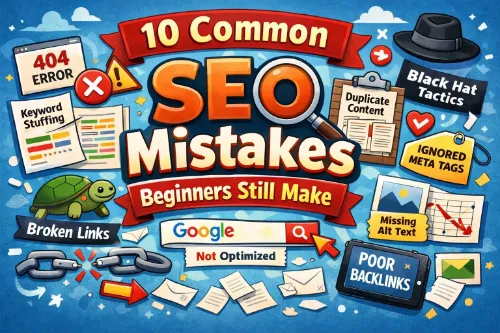
SEO can feel overwhelming for beginners, but most ranking problems come from a small set of common SEO mistakes that keep websites from getting the traffic they deserve. When you fix these SEO errors, you usually see better visibility, higher rankings, and more targeted visitors.
This guide walks through the 10 most common SEO mistakes beginners still make, why they hurt your rankings, and how to avoid them so your site can grow steadily over time.
1. Ignoring Proper Keyword Research
One of the biggest SEO mistakes beginners make is publishing content without any real keyword research. They guess what people search for, target the wrong keywords, or chase high-volume phrases that are way too competitive.
Instead of guessing, start with a simple keyword research process:
- Look for common SEO mistakes to avoid and related phrases your audience actually searches.
- Check search volume, keyword difficulty, and search intent using tools or guides like Semrush’s common SEO issues guide.
- Choose realistic long-tail keywords such as “SEO mistakes beginners make” or “SEO errors that hurt rankings.”
When you skip research, you risk targeting keywords no one types into Google or phrases that don’t match what your ideal readers want. Over time, this leads to thin traffic and poor results, even if your content is high quality.
2. Targeting the Wrong Search Intent
Another common SEO error is ignoring search intent. You might optimize a post for “SEO mistakes” when users actually want a checklist, examples, or fixes—not a theory-heavy guide.
Think about the main four types of search intent:
- Informational (learn something)
- Commercial (compare options)
- Transactional (buy something)
- Navigational (go to a specific site)
If someone searches for “common SEO mistakes,” they want a simple, practical list of SEO mistakes to avoid, not a sales page or a technical whitepaper. When your content does not match intent, users bounce quickly, which sends negative signals to search engines and hurts your rankings.
For a deeper explanation of intent and how it affects SEO, you can refer to KlientBoost’s SEO mistakes guide.
3. Keyword Stuffing and Over-Optimization
Beginners often read that they should “use keywords in content” and take it too far. This leads to keyword stuffing, where the main term appears unnaturally in every sentence, title, and heading.
Keyword stuffing issues create:
- Awkward, robotic content that turns readers off.
- Over-optimization signals that search engines can interpret as spam.
- Poor user experience and higher bounce rates.
Instead, use a natural keyword placement strategy:
- Include your focus keyword in the title, first paragraph, at least one subheading, and a few times in the body.
- Sprinkle in related terms like “on-page SEO mistakes,” “technical SEO mistakes,” and “keyword research mistakes.”
- Write primarily for humans and let the keywords support the topic, not dominate it.
If you want a deeper dive on how to avoid keyword stuffing, check out this keyword stuffing guide.
4. Publishing Thin, Low-Quality Content
Thin content is a classic SEO mistake that beginners still make. They publish short posts that barely scratch the surface of a topic and hope to rank against detailed guides and in-depth resources.
Examples of thin or low-quality content include:
- Short posts with no real value or examples.
- Articles that repeat generic advice without unique insights.
- Pages created only to target a keyword, not to help the reader.
To fix this, aim to create useful, comprehensive content that genuinely answers the user’s question. For a topic like common SEO mistakes, that means:
- Explaining what the mistake is.
- Showing how it impacts rankings and traffic.
- Giving clear, step-by-step guidance to fix the issue.
- Adding examples or simple case studies when possible.
Resources such as Hop Online’s SEO mistakes article can give you a feel for depth and structure.
5. Ignoring Title Tags and Meta Descriptions
Title tags and meta descriptions still play a crucial role in how your pages perform. A frequent beginner SEO mistake is leaving titles as auto-generated defaults or writing vague, non-clickable text.
Problems you see here:
- Missing title tags and meta descriptions.
- Titles that are too long, too short, or do not include the primary keyword.
- Meta descriptions that do not clearly explain the benefit of the page.
A simple formula for better SEO titles:
- Include the main keyword (for example: “common SEO mistakes”).
- Add clarity and a benefit (such as “and how to fix them”).
- Keep it readable and within typical length guidelines.
For meta descriptions, summarize the value of your page in one or two sentences, mention the core topic (such as “SEO mistakes beginners make”), and give users a reason to click. You can see practical examples in Siege Media’s common SEO mistakes guide.
6. Poor On-Page Structure (Headings, URLs, Readability)
Even if your content is good, poor structure can be a major on-page SEO mistake. Beginners sometimes:
- Use multiple H1 tags instead of one main H1.
- Skip subheadings and publish long, unbroken text blocks.
- Create long, unreadable URLs with random parameters.
To improve:
- Use a single H1 that clearly states your topic (for example, “10 Common SEO Mistakes Beginners Still Make”).
- Break content into logical sections with H2 and H3 headings, such as “technical SEO mistakes” or “on-page SEO mistakes.”
- Keep URLs short and descriptive, such as “/common-seo-mistakes/” instead of “/post12345?id=789.”
For more tips on headings, URLs, and structure, see the on-page recommendations inside SEO.com’s technical SEO basics.
7. Neglecting Internal Linking
Ignoring internal links is a common SEO issue that quietly hurts many sites. Beginners often publish new articles and never connect them logically to existing content.
Problems caused by bad internal linking:
- Search engines struggle to crawl and understand your site structure.
- Key pages do not receive enough internal authority.
- Users have no clear path to continue reading related content.
Simple internal linking best practices:
- Link from your general guides to more specific posts (for example, from a post on common SEO mistakes to one on “keyword research mistakes”).
- Use descriptive anchor text, such as “on-page SEO mistakes” or “local SEO mistakes for small businesses.”
- Add internal links in the body, not just navigation menus or footers.
Internal linking is covered as a core best practice in this technical SEO guide.
8. Slow Page Speed and Technical SEO Problems
Slow website speed is one of the technical SEO mistakes that many beginners overlook. Even if your content is great, a slow, clunky site can frustrate users and reduce your rankings.
Common speed-related SEO errors include:
- Large, uncompressed images.
- Too many scripts and plugins.
- No caching or content delivery optimization.
Basic fixes that beginners can implement:
- Compress images and use modern formats where possible.
- Remove unnecessary plugins or heavy scripts.
- Use a caching plugin and a reliable hosting provider.
Technical SEO mistakes are not only about speed. Broken internal and external links, missing security (HTTPS), and crawl errors also hurt your performance. Running simple audits and fixing these issues regularly can prevent bigger problems, as explained in this beginner’s guide to technical SEO.
If you prefer a visual walkthrough, you can also watch this technical SEO basics video.
9. Not Mobile-Friendly or Ignoring Mobile UX
With mobile-first indexing, mobile SEO mistakes can seriously damage your visibility. Many beginners design on desktop and forget to check what the site looks like on phones.
Typical mobile-related SEO mistakes:
- Text is too small to read without zooming.
- Buttons and links are hard to tap.
- Layouts break or overflow on smaller screens.
- Pop-ups block important content.
To avoid these errors:
- Use a responsive theme or design that adjusts to different screen sizes.
- Test your pages on multiple devices or use built-in responsive previews.
- Make sure fonts, buttons, and spacing are comfortable on touchscreens.
Guides like 11 common SEO mistakes from Siege Media show how lack of mobile optimization often appears alongside other issues like slow site speed.
10. Publishing and Forgetting (No Updates or Tracking)
Many beginners treat SEO as a “set it and forget it” project. They publish one post about common SEO mistakes and never come back to it. This is a big strategic error.
You should:
- Track performance with analytics tools and search console.
- See which keywords you are actually ranking for and where you can improve.
- Update old content with fresher examples, better explanations, and new internal links.
Over time, some SEO mistakes small businesses make include never revisiting successful posts or ignoring declining traffic. Regularly updating content keeps it relevant, helps you earn more clicks, and shows search engines your site is active and maintained.
For a practical framework, you can refer to Redefine Your Marketing’s post on common SEO mistakes.
Local SEO and GEO Considerations for Beginners
If you run a local business, there are extra local SEO mistakes to avoid. Beginners often forget to:
- Optimize their Google Business Profile.
- Use local keywords like “SEO services in [city]” alongside general SEO terms.
- Add consistent NAP (name, address, phone) information across their site and directories.
Local SEO mistakes for small businesses, such as ignoring reviews, missing location pages, or inconsistent contact details, make it harder for nearby customers to find you. Combining good on-page SEO with strong GEO signals gives you a better chance to rank in both local packs and organic results.
How to Avoid These SEO Mistakes Going Forward
To avoid repeating these SEO blunders, treat SEO as an ongoing process:
- Start every piece with clear keyword research and user intent.
- Create in-depth, high-quality content instead of thin articles.
- Optimize your title tags, meta descriptions, and on-page structure.
- Improve technical health, speed, and mobile experience.
- Build a habit of internal linking and content updates.
When you avoid these common SEO mistakes and focus on providing useful, readable, well-structured content, search engines can better understand your site, and users are more likely to stay, engage, and convert.
Frequently Asked Questions
1. What is the difference between on-page SEO and off-page SEO for beginners?
On-page SEO is everything you do on your website pages to help search engines understand and rank your content. This includes keyword usage, headings, title tags, meta descriptions, internal links, image optimization, page speed, and overall content quality. If you can edit it directly inside your CMS (like WordPress), it is usually on-page SEO.
Off-page SEO is about signals outside your website that influence how trustworthy and authoritative your site looks to search engines. This includes backlinks from other sites, brand mentions, reviews, and social signals. As a beginner, focus first on strong on-page SEO and a technically sound site, then gradually work on earning quality backlinks and building your brand.
2. How long does it usually take to see results after fixing common SEO mistakes?
SEO improvements take time, even when you fix big issues like thin content, missing meta tags, or slow page speed. Most websites start to see noticeable ranking and traffic improvements within 3 to 6 months, assuming you are consistently optimizing and publishing quality content. For very competitive niches or brand-new domains, it can take closer to 6 to 12 months to see strong, stable results.
Google also notes that different changes take different amounts of time to be reflected in search results, from a few hours to several months. Think of SEO like growing a garden: if you keep improving your content and site structure, the compound effect becomes clear over time, not overnight.
3. Do I still need SEO if I am running paid ads like Google Ads or Facebook Ads?
Yes, you still need SEO even if you run paid ads. Paid ads (PPC) stop sending traffic the moment you stop paying, while SEO builds long-term, organic visibility that can continue to drive visitors for months or years. SEO also helps improve user experience, site structure, and content quality, which benefits every traffic source, including your paid campaigns.
A balanced strategy often uses both: ads for immediate, targeted traffic and testing offers, and SEO for sustainable, compounding traffic and authority over time. Many businesses find that investing in SEO reduces their long-term reliance on paid ads because they start receiving more free, organic traffic.
4. How often should I update or refresh my old blog posts for better SEO?
There is no fixed rule, but a good practical target is to review and refresh important posts every 6 to 12 months, or sooner if rankings and traffic start to drop. When you update, focus on improving accuracy, depth, examples, internal links, and including any new keywords or questions people are searching for.
You should also update content when:
- Information becomes outdated (for example, old tools, prices, or tactics).
- New competitors publish stronger guides on the same topic.
- Search intent shifts or new subtopics become important.
Google recommends keeping content helpful, accurate, and up to date, especially in fast-changing topics. Small, regular improvements often perform better than rare, massive rewrites.
5. Is it bad for SEO to use AI tools to write my content?
Using AI tools is not automatically bad for SEO. Google has clarified that it cares more about content quality and usefulness than how the content was created. AI-generated content can perform well if it is accurate, helpful, edited by humans, and demonstrates real expertise and experience.
Problems arise when AI is used to mass-produce low-quality, generic content only to target keywords without considering user needs. The safest approach is to use AI as a writing assistant—helping with outlines, drafts, and idea generation—while you or your team add real insights, fact-checking, examples, and brand voice.
6. How many keywords should I target on a single page or blog post?
Instead of thinking in terms of a fixed number, think in terms of a primary topic and closely related secondary keywords. Usually, you will have:
- One main focus keyphrase (for example, “common SEO mistakes”).
- Several closely related variations and long-tail phrases that naturally fit into subheadings and sections.
Trying to target too many unrelated keywords on one page can dilute your relevance and confuse search engines. It is better to create one strong, focused page per main topic and then use internal links to connect to other, more specific topics.
7. Do I need an SSL certificate (HTTPS) for good SEO rankings?
Yes, you should absolutely use HTTPS and an SSL certificate. Google has confirmed that HTTPS is a ranking signal, and secure sites generally receive a small ranking boost over non-secure sites. Browsers also mark non-HTTPS sites as “Not Secure,” which can scare visitors away and hurt your credibility.
Using HTTPS improves both user trust and technical SEO, which are important parts of overall site quality. Most modern hosts provide free SSL certificates and simple setup, so there is almost no reason to stay on HTTP.
8. How important are backlinks compared to on-page optimization for a new website?
For a new website, on-page optimization and technical health should be your first priority—clean structure, fast loading, quality content, and good internal linking. Once that foundation is in place, backlinks become a major factor in how competitive you can be and how high you can rank for tougher keywords.
Backlinks act as “votes of confidence” from other sites, and high-quality, relevant links can dramatically boost your visibility. However, chasing links without solid content and user experience is risky; search engines expect a strong site first, then natural link growth over time.
9. Can changing my WordPress theme affect my current SEO rankings?
Yes, changing your WordPress theme can affect SEO, both positively and negatively. A new theme can change your site’s code structure, heading hierarchy, speed, mobile responsiveness, and Core Web Vitals—all of which influence rankings. If the new theme is bloated, slow, or poorly coded, your rankings and user engagement may drop.
Before and after switching themes, check:
- Page speed and performance scores.
- Mobile responsiveness and layout.
- Heading structure (H1, H2, etc.) and internal link visibility.
If you keep the same URLs, content, and metadata but move to a faster, more accessible theme, you may see SEO improvements instead of losses.
10. What is the safest way to handle 404 errors and deleted pages without hurting SEO?
The safest way to handle 404s depends on why the page disappeared. If a page is gone permanently but has a close replacement, use a 301 redirect to send users and search engines to the most relevant new page. This preserves as much link equity as possible and avoids confusing visitors.
If the page is truly obsolete and there is no suitable replacement, it is fine to let it return a proper 404 or 410 status, as long as it is not heavily linked or important for users. The key is to:
- Regularly audit for broken internal and external links.
- Fix or redirect important URLs.
- Keep your sitemap and internal links clean.
Handled well, 404s will not ruin your SEO; they only become a problem when they are widespread and affect important user paths.







