

image optimization for technical SEO Key Takeaways
Image optimization for technical SEO is one of the highest-impact improvements you can make to your website’s speed, user experience, and search rankings.
- Image optimization for technical SEO directly reduces page load times and improves Core Web Vitals like LCP.
- Choosing the right format (WebP, AVIF, or modern JPEG) can cut file sizes by 30–50 percent without losing quality.
- Implementing responsive images, lazy loading, and structured data ensures images work well on all devices and appear in rich SERP features.
Why Image Optimization tips for Technical SEO Matters in 2025
Search engines increasingly prioritize page experience signals. Large, unoptimized images are the number one cause of slow Largest Contentful Paint (LCP) times, which directly impacts both user experience and rankings. Beyond speed, properly optimized images help search engines understand context through filenames, alt text, and structured data, making your content more discoverable through image search and rich results.

Without deliberate image optimization for technical SEO, even well-written content can underperform because heavy pages drive up bounce rates and reduce crawl budget efficiency. For a related guide, see Technical SEO Mastery: 7 Proven Steps for a Higher Ranking Site.
Step 1: Choose the Right Image Format
Not all image formats are created equal for the web. Here is how the major formats compare:

| Format | Best Use Case | Compression | Browser Support |
|---|---|---|---|
| JPEG | Photographs, complex scenes | Lossy, moderate | Universal |
| PNG | Screenshots, logos, transparency | Lossless, larger files | Universal |
| WebP | General web use | Lossy/lossless, 25–35% smaller than JPEG | 97% of browsers |
| AVIF | High-quality images | Lossy/lossless, 50% smaller than JPEG | Growing support (Chrome, Firefox, Opera) |
| SVG | Icons, illustrations, logos | Vector, tiny file sizes | Universal |
For most websites, convert primary images to WebP as a baseline and serve AVIF as an enhanced option via the <picture> element. This is a core technique in how to optimize images for search engines while maintaining visual fidelity.
Step 2: Compress Images Without Sacrificing Quality
Compression reduces file size by removing unnecessary metadata and optimizing pixel data. Use tools like Squoosh or ImageOptim for lossy compression that is visually lossless. For lossless compression of PNGs, consider PNGGauntlet.
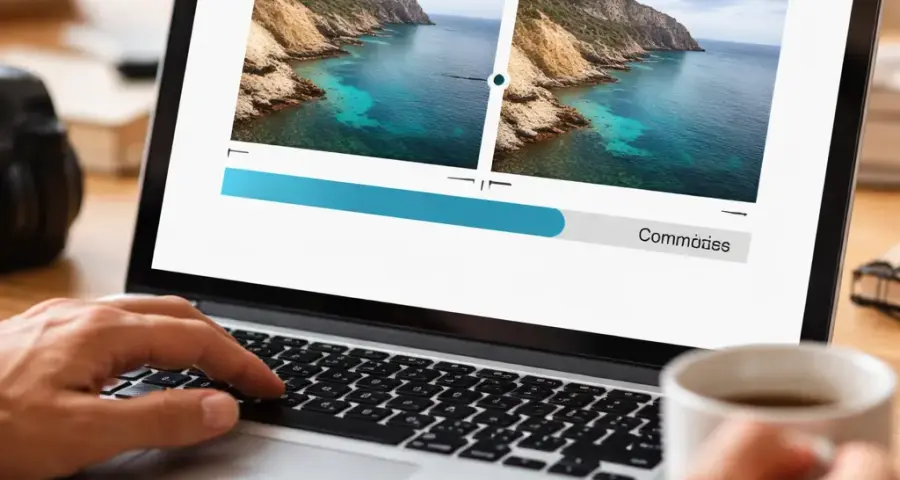
Aim for a target file size of under 100 KB for most content images and under 30 KB for thumbnails. Larger hero images can go up to 150 KB if they span the full viewport width. Integrating compression into your build process (e.g., using Webpack or Sharp) ensures every new image is automatically optimized.
Step 3: Implement Responsive Images with srcset and sizes
Responsive images ensure that a mobile phone does not download a 2000-pixel-wide desktop image. Use the srcset attribute to provide multiple resolutions and the sizes attribute to tell the browser how much space the image will occupy at different breakpoints.
and lt;img src=”photo-800.jpg” srcset=”photo-400.jpg 400w, photo-800.jpg 800w, photo-1200.jpg 1200w” sizes=”(max-width: 600px) 100vw, (max-width: 1200px) 50vw, 800px” alt=”Description of image” and gt;
This technique directly supports technical SEO image optimization by reducing wasteful bandwidth and improving LCP on mobile devices. For a related guide, see 7 Proven Technical SEO Best Practices for 2026 (Expert Guide).
Step 4: Enable Lazy Loading for Below-the-Fold Images
Lazy loading defers the loading of images until they are about to enter the viewport. Use the native loading="lazy" attribute for images that are not critical above the fold. For the hero image or the first large image, keep loading="eager" (the default) to avoid delaying LCP.
Combine lazy loading with explicit width and height attributes to prevent layout shifts (CLS). This is a simple but often overlooked part of image optimization for SEO.
Step 5: Use a CDN for Faster Image Delivery
A Content Delivery Network (CDN) caches your optimized images on servers around the world, delivering them from the location nearest to the user. This reduces latency and improves load times significantly. Many CDNs also offer on-the-fly image transformation — resizing, format conversion, and compression — so you can serve the perfect version for each device.
Popular options include Cloudflare, Cloudinary, and Fastly. Integrating a CDN is a high-leverage move in any technical SEO image optimization strategy.
Step 6: Fix Common Image SEO Mistakes
Missing or Poor Alt Text
Alt text helps search engines and assistive technologies understand what an image shows. Write descriptive, concise alt text that includes relevant keywords naturally. Avoid keyword stuffing and never leave alt text empty for meaningful images.
Wrong Image Dimensions
Serving an image that is much larger than its display size wastes bytes. Use the srcset technique above and ensure your CMS resizes images to the maximum display width needed (typically 1920px for full-width and 800px for content-width).
Blocked by robots.txt
If your images are stored in a directory blocked by robots.txt, search engines cannot crawl them. Check your robots.txt file and allow access to image directories unless you have a specific reason to block them.
Step 7: Add Structured Data for Images
Structured data helps search engines display your images as rich results, such as in Google Images with badges or as part of a product carousel. Use the ImageObject schema or the Product schema with an image property. You can embed this as JSON-LD in your page head or in the body for specific images.
Example snippet for a product image:
{ “@context”: “https://schema.org”, “@type”: “ImageObject”, “contentUrl”: “https://seomafiaclub.com “description”: “High-quality product shot showing the front view”, “name”: “Product Name Main Image” }
Including structured data is an advanced tactic in how to optimize images for search engines that can increase click-through rates from image search.
Best Practices Checklist
- Always start with the smallest acceptable file size after compression.
- Use descriptive, keyword-rich filenames (e.g., “handmade-ceramic-mug.jpg” instead of “IMG_4592.jpg”).
- Set explicit width and height in HTML to prevent CLS.
- Serve next-gen formats (WebP, AVIF) with fallback to JPEG/PNG.
- Test your images with Google PageSpeed Insights and use the “Serve images in next-gen formats” recommendation as a guide.
- Audit your site regularly using tools like Screaming Frog or Ahrefs Site Audit to find oversized or unoptimized images.
SEO Entities and Their Functions
Understanding the entities that affect image optimization for technical SEO helps you prioritize improvements:
- Technical SEO entities: Crawl issues, Core Web Vitals, and indexability status. These expose obstacles like oversized images that prevent good LCP scores.
- Page entities: Top pages, best by traffic, and broken pages. Look at your highest-traffic pages first — optimizing images there yields the biggest ranking gains.
- Metrics entities: Traffic value and organic traffic. After optimizing images, track improvements in these metrics to prove ROI.
- SERP entities: Featured snippets and image packs. Using structured data and alt text increases your chances of appearing in image search results.
Useful Resources
For deeper technical details on image formats and responsive images, refer to these authoritative sources:
- web.dev: Learn Images — Google’s complete guide to modern image techniques.
- MDN Web Docs: Responsive Images — Detailed documentation on srcset, sizes, and the picture element.
Frequently Asked Questions About image optimization for technical SEO
What is image optimization for technical SEO?
Image optimization for technical SEO is the process of reducing file sizes, choosing correct formats, implementing responsive techniques, and adding metadata so images load quickly and are easily indexed by search engines.
Why is image optimization important for SEO?
Optimized images improve page speed (a ranking factor), enhance user experience, reduce bounce rates, and help search engines understand your content through alt text and filenames.
What is the best image format for web SEO?
WebP is currently the best balance of compression and browser support. AVIF offers even smaller sizes but has less support. Always provide a JPEG or PNG fallback.
How do I compress images without losing quality?
Use lossy compression tools like Squoosh, ImageOptim, or TinyPNG. Set the quality slider to 80–85 percent — the visual difference is minimal, but file size drops significantly.
What is a good image file size for web pages?
Content images should be under 100 KB. Thumbnails under 30 KB. Hero images can go up to 150 KB if they span the full viewport width.
How do responsive images help SEO?
Responsive images (via srcset and sizes) ensure mobile users don’t download large desktop-sized images, reducing page weight and improving LCP scores.
What is lazy loading for images?
Lazy loading defers the loading of images until they are about to scroll into view. It saves bandwidth and speeds up initial page render for above-the-fold content.
Should I lazy load the hero image?
No. The hero image should load immediately (eager) because it often contributes to LCP. Lazy loading it would delay the main paint.
How do I set width and height to avoid layout shifts?
Always include explicit width and height attributes in the img tag (e.g., width=”800″ height=”600″). This reserves space in the layout before the image loads.
What is a CDN and why use it for images?
A CDN (Content Delivery Network) caches images on servers worldwide, delivering them from the closest location to the user. This drastically reduces load times.
How do I write good alt text for SEO?
Describe the image accurately and concisely, include a relevant keyword naturally, and avoid stuffing. For example, “Handmade ceramic mug on a wooden table” is better than “Mug ceramic handmade wood table”.
What is the best image size for featured images?
1200 x 628 pixels is the standard for social sharing and featured images. Keep the file size under 100 KB for optimal load speed.
Should I use PNG or JPEG for screenshots?
PNG is better for screenshots with text, sharp edges, or solid colors because it offers lossless compression. JPEG can cause artifacts around text.
What tools can I use to audit image SEO issues?
Google PageSpeed Insights, Lighthouse, Screaming Frog, and Ahrefs Site Audit tools all identify oversized images, missing alt text, and other image SEO issues.
How do I add structured data for images?
Use JSON-LD with the ImageObject schema, including contentUrl, description, and name fields. Insert it in the page head or body as a script tag.
Does image size affect Core Web Vitals?
Yes, large images directly increase LCP and can cause CLS if dimensions are not set. Optimizing images is one of the fastest ways to improve Core Web Vitals scores.
What is the difference between lossy and lossless compression?
Lossy compression reduces file size by discarding some image data (usually invisible to the human eye). Lossless compression keeps every pixel but achieves smaller reductions. For web photos, lossy is recommended.
How often should I audit my images for SEO?
At least quarterly, or whenever you publish a batch of new content. Use automated tools to scan for oversized images, missing alt text, and broken image links.
Can I use SVG for SEO?
Yes, SVG is great for icons and logos because it is vector-based and extremely small. Search engines can index SVG content if you include descriptive alt text.
What is the biggest mistake in image optimization for technical SEO?
The biggest mistake is ignoring image size entirely — uploading full-resolution camera images that are 5 MB or larger. This kills page speed and hurts rankings.







