

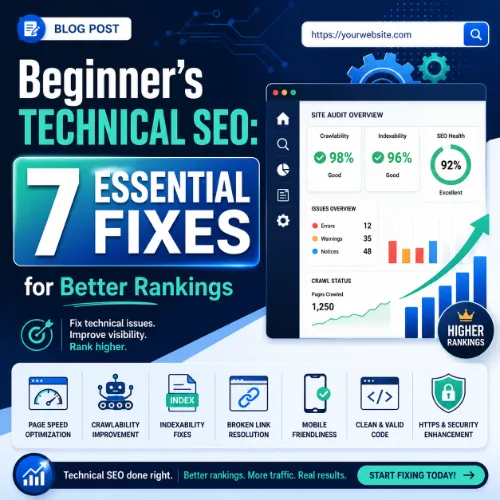
technical SEO Key Takeaways
A proper technical SEO foundation ensures search engines can find, crawl, and index your content so it has a chance to rank.
- Focus on technical SEO fundamentals — crawlability, indexability, and site speed — before chasing advanced tactics.
- Mobile-friendliness and structured data (schema markup) are now baseline requirements, not optional upgrades.
- Regular site audits and a clean internal link structure prevent ranking leaks and keep search engines happy.
What Is Technical SEO and Why Beginners Must Care
Think of technical SEO as the plumbing behind your website. If the pipes are clogged or broken, water can’t reach the faucet — no matter how beautiful the tap. Similarly, if search engines can’t crawl or understand your site, even the best content stays invisible in search results. For a related guide, see Technical SEO: Crawl and Index Your Site (Beginner Guide).
For beginners, technical SEO often feels intimidating because it involves server settings, code, and tools like Google Search Console. The truth is you don’t need to be a developer to fix the most common issues. This beginner technical SEO guide breaks down exactly what to check first. For a related guide, see Technical SEO Metrics That Actually Matter.
Step 1: Make Your Site Crawlable and Indexable
Check Your Robots.txt File
The robots.txt file tells search engine bots which pages they can or cannot visit. A common mistake is accidentally blocking important pages. Visit yourdomain.com/robots.txt and look for Disallow: / — if present, you’re blocking everything. The default should allow most pages unless you’re hiding admin areas.
Use Google Search Console’s URL Inspection Tool
Paste any key page URL into the URL Inspection tool inside Google Search Console. If it says “URL is not indexed,” request indexing. If it says “Crawled but not indexed,” there’s likely a quality or depth issue. This tool is your best friend for SEO basics for beginners.
Add an XML Sitemap
An XML sitemap is like a VIP invitation list for search engines. It lists all important pages on your site. Most CMS platforms (WordPress, Shopify) generate one automatically. Submit yours via Google Search Console under “Sitemaps.” Ensure it includes only canonical pages — no thin content or tag archives.
Step 2: Fix Page Speed for Both Desktop and Mobile
Google uses page speed as a ranking factor, and users abandon sites that take more than three seconds to load. Core Web Vitals (part of technical SEO) measure Largest Contentful Paint, First Input Delay, and Cumulative Layout Shift. Aim for LCP under 2.5 seconds, FID under 100 milliseconds, and CLS under 0.1.
Quick Wins for Faster Page Load
- Compress images — use WebP format and tools like Squoosh.
- Enable browser caching — set cache expiration headers for static resources.
- Minify CSS, JavaScript, and HTML — remove unnecessary characters and comments.
- Use a CDN — a content delivery network serves files from servers closer to the user.
Step 3: Ensure Mobile-Friendliness
Over 60% of web traffic comes from mobile devices. Google uses mobile-first indexing, meaning it primarily looks at your mobile version when deciding rankings. Run your site through Google’s Mobile-Friendly Test. If issues appear (text too small, elements too close together, clickable elements too close), fix them in your theme’s responsive settings.
Step 4: Use Schema Markup for Better SERP Visibility
Schema markup (structured data) helps search engines understand the context of your content. For a recipe page, you can add cooking time and calorie information. For a local business, you can add address and review stars. Use Google’s Structured Data Markup Helper or plugins like Schema Pro. The most common types for beginners are Article, LocalBusiness, FAQPage, and Product.
How to Test Your Structured Data
Use the Rich Results Test from Google. Paste the URL or code snippet; it will show any errors or warnings. Fix them one by one until the test passes.
Step 5: Fix Internal Links and Site Architecture
Internal links distribute authority across your site and help users (and bots) discover related content. A good technical SEO practice is to create a silo structure: group related topics under a parent page, link between them naturally, and avoid orphaned pages (pages with no internal links pointing to them). Keep your main navigation shallow — three to four clicks from homepage to deepest page.
Common Internal Link Mistakes to Avoid
- Using generic anchor text like “click here” instead of keyword-rich anchors.
- Linking to pages that return 404 errors.
- Overusing nofollow on internal links.
Step 6: Manage Redirects and Fix Broken Links
When you delete or move a page, set up a 301 redirect from the old URL to the new one. Broken links (404 errors) create a bad user experience and waste crawl budget. Use a tool like Ahrefs Webmaster Tools or Screaming Frog to find broken links on your site. Fix them by redirecting to relevant pages or restoring the content.
Step 7: Run a Regular Technical SEO Audit
Set a recurring calendar reminder to run a basic technical SEO audit every 30 days. Cover these checkpoints:
| Area to Check | Tool | What to Look For |
|---|---|---|
| Crawlability | Google Search Console | Blocked resources, crawl errors |
| Indexability | Site: search + GSC | Pages indexed vs. total pages |
| Page Speed | PageSpeed Insights | LCP, FID, CLS scores |
| Mobile Usability | Mobile-Friendly Test | Touch element spacing, font size |
| Broken Links | Ahrefs / Screaming Frog | 404 responses |
| Structured Data | Rich Results Test | Valid schema and no errors |
Useful Resources
Deepen your understanding with these authoritative guides:
- Google SEO Starter Guide — Official documentation from Google on crawling, indexing, and ranking.
- Ahrefs Technical SEO Guide — Comprehensive resource covering advanced topics like log file analysis and JavaScript SEO.
Frequently Asked Questions About technical SEO
What is the difference between technical SEO and on-page SEO?
Technical SEO focuses on backend factors like site speed, crawlability, and indexing. On-page SEO deals with content elements like headings, keywords, and meta tags.
Do I need coding skills to do technical SEO?
No. Many technical SEO tasks — like checking robots.txt or viewing crawl errors — can be done through user-friendly tools like Google Search Console and CMS plugins.
How often should I run a technical SEO audit?
Once a month is ideal for most sites. If you make major updates (redesigns, migrations, new sections), audit immediately afterward.
What is crawl budget?
It’s the number of pages a search engine bot crawls on your site within a given timeframe. Large sites with thousands of pages need to optimize crawl budget by removing thin or duplicate content.
Does page speed really affect rankings?
Yes. Google confirmed page speed as a ranking factor for both desktop and mobile. Core Web Vitals play a role, especially for competitive queries.
What is a canonical tag?
A canonical tag (rel=canonical) tells search engines which version of a page is the original or preferred one. It prevents duplicate content issues when similar URLs exist.
Should I block archive pages from search engines?
Usually yes. Tag and category archives often create thin content. Use noindex meta tags on these pages unless they offer unique value to users.
How do I find broken backlinks pointing to my site?
Tools like Ahrefs, Majestic, or Google Search Console’s Links report show which external sites link to pages that return 404 errors. Redirect those broken backlinks to relevant live pages.
What is a redirect chain?
It happens when URL A redirects to URL B, which then redirects to URL C. Long chains slow down page load and dilute link equity. Always redirect to the final destination directly.
Does HTTPS affect SEO?
Yes. Google uses HTTPS as a lightweight ranking signal. It also protects user data and builds trust. Switch from HTTP to HTTPS with a proper redirect plan.
What is the difference between dofollow and nofollow links?
Dofollow links pass authority (link juice) from one site to another. Nofollow links tell search engines to ignore the link for ranking purposes. Both types are natural in a healthy link profile.
How do I check if my site has duplicate content?
Search for a unique sentence from your page in quotes. If it appears on another domain, that’s duplicate content. Use a tool like Siteliner to find internal duplicates.
What is a 301 redirect?
A 301 redirect is a permanent redirect from one URL to another. It passes most of the original page’s link equity to the new destination. Use it when moving a page permanently.
Should I use a subdomain or subfolder for a blog?
From an SEO perspective, subfolders (example.com/blog) inherit the root domain’s authority better than subdomains (blog.example.com), which are treated as separate entities.
What is the fastest way to find crawl errors in Google Search Console?
Go to the “Pages” report in GSC. It shows indexed vs. non-indexed pages with reasons like “not found (404)” or “redirect error.” Sort by error type to prioritize fixes.
Can too many plugins hurt technical SEO?
Yes. Each plugin adds CSS, JavaScript, and database queries that can slow down your site. Audit your plugins quarterly and remove any that are redundant or poorly coded.
What is log file analysis?
It’s the process of examining server log files to see exactly which pages search engine bots crawled, how often, and with what response codes. Advanced SEOs use it to optimize crawl budget.
How do I know if a page is blocking mobile rendering?
Use the Mobile-Friendly Test tool. If it says “Page blocked due to robots.txt,” update your robots.txt to allow Google’s mobile crawler (Googlebot Smartphone) access to necessary CSS and JS files.
Is it okay to delete old blog posts?
Instead of deleting, consider updating or merging them. Deletion creates 404 errors unless redirected. If a post has no traffic and no backlinks, deleting with a 410 (Gone) status is acceptable.
What is the best next step after fixing these technical issues?
After you’ve secured crawlability, speed, and structured data, shift focus to content quality and link building. Technical SEO clears the path; great content drives the traffic.







