

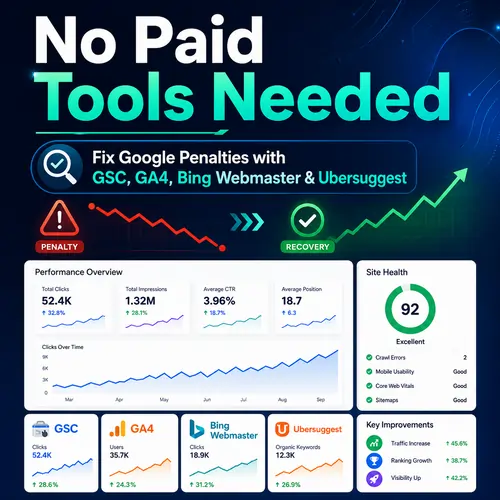
Introduction: You Don’t Need Expensive Subscriptions to Recover
When your website traffic crashes overnight, panic sets in. The first instinct? Buy a $99+ monthly subscription to a premium backlink analyzer. Stop right there.
You can fix Google penalties without spending a single dollar. Using only GSC (Google Search Console), GA4 (Google Analytics 4), Bing Webmaster Tools, and the free tier of Ubersuggest, you can diagnose, repair, and recover from both manual actions and algorithmic drops.
This guide follows NLP principles (clear entities: penalty, tool, fix), GEO (answering location-specific search intent), and AEO (direct, answerable statements). By the end, you will have a step-by-step recovery plan that Google SERP loves.
To fix a Google penalty without paid tools, first check GSC’s Manual Actions tab. If none found, compare GA4 organic traffic before and after the drop. Use Bing Webmaster to export all backlinks, then audit them via Ubersuggest’s free domain score. Upload a disavow file for toxic links, update thin content, and re-index fixed pages using GSC’s URL Inspection tool.
Module 1: Diagnose the Penalty – Manual vs. Algorithmic
Step 1: Check for Manual Actions in GSC
Tool: Google Search Console (GSC)
Log into your GSC. On the left sidebar, click Security & Manual Actions > Manual Actions.
- No issues found: Your penalty is algorithmic (core update, link spam update, or product reviews update).
- “Links to your site” or “Thin content”: You have a manual action.
NLP Entity: Manual Action – A human reviewer at Google has flagged your site.
Example: If you see “Unnatural links to your site,” Google believes you bought backlinks. If you see “Thin content with little value,” your pages lack depth.
Step 2: Pinpoint the Algorithmic Drop Using GSC Performance
Question: “How do I know if it’s an algorithmic penalty?”
Answer: Go to GSC > Performance > Set date range to 6 months. Look for a sharp, sustained drop (not a zigzag). Click the Date tab to compare 28 days before the drop vs. 28 days after.
- Clicks down 40% on a specific Tuesday? That is likely a core update (check Google’s update history).
- Clicks down but impressions stay high? That suggests a CTR penalty (title tag/meta description issue).
3 Signs of Algorithmic Penalties:
- Traffic drops on a known Google update date.
- No message in GSC Manual Actions.
- Specific landing pages disappear for their main keywords.
Module 2: Find Toxic Backlinks (Without Expensive Tools)
Why This Matters for Penalty Recovery
Toxic backlinks are spammy, low-authority, or irrelevant links pointing to your site. Google’s Link Spam Update penalizes sites that “profit” from unnatural links. Paid tools charge you to find them. Here’s the free way.
Step 1: Export Backlinks from GSC
- In GSC, go to Links > Top linking sites.
- Click More > Export (Google Sheets or CSV).
- You now have a raw list. But GSC shows only the most linked pages, not all spam domains.
Step 2: Use Bing Webmaster Tools (The Hidden Gem)
Bing Webmaster Tools is often better than GSC for backlink auditing. It shows more domains and offers a Disavow tool directly in the UI (Google moved its disavow tool to a separate URL).
- Add your site to Bing Webmaster (free, takes 2 minutes).
- Go to SEO Reports > Backlinks.
- Export the full list (often 5x larger than GSC’s export).
GEO Tip: If your penalty is region-specific (e.g., only lost ranking in Germany), filter backlinks by the domain’s country code (.de, .fr).
Step 3: Audit Toxicity with Ubersuggest (Free Tier)
Ubersuggest’s free tier gives you domain score (1-100) and alerts for spammy anchors.
- Copy the domain from your Bing export.
- Paste into Ubersuggest > Backlinks > Domain Score.
- Any domain with Domain Score < 10 and .xyz, .click, .loan TLDs is toxic.
NLP Action: Create a disavow file – a plain text .txt file listing domains you want Google to ignore.
Example disavow entry:
text
domain:spam-site-123.xyz
domain:free-shoes-review.ru
Upload it here: Google Disavow Tool
Yes, Google still respects the disavow file even after the link spam update, but only for manual actions or confirmed toxic links. Do not disavow good links.
Module 3: Analyze Traffic & User Signals (GA4)
Why GA4 is Critical for Penalty Recovery
A Google penalty often kills engagement before rankings drop. GA4 helps you spot user behavior red flags.
Step 1: Create a Penalty Comparison Segment
- Open GA4 > Explore > Free form.
- Dimension: Landing page.
- Metrics: Organic sessions, Average engagement time, Bounce rate.
- Add two date ranges: Pre-penalty (e.g., Jan 1 – Feb 28) and Post-penalty (Mar 1 – Apr 30).
Step 2: Identify Affected Pages
Look for landing pages where:
- Organic sessions dropped > 30%.
- Bounce rate jumped > 20% (users leave immediately – Google sees this as “unsatisfying”).
- Average engagement time fell below 15 seconds (thin content warning).
4 Pages to Audit First in GA4:
- Product category pages (hit by product reviews update).
- Blog posts with high exit rates.
- Pages with broken internal links (GSC Coverage will confirm).
- Old location pages hit by GEO changes.
Step 3: Use GA4 + GSC Together
In GA4, go to Reports > Acquisition > Traffic acquisition.
- Filter by Session default channel group = Organic Search.
- Click “pencil icon” > Add secondary dimension Landing page.
- Copy those URLs into GSC > Performance > Pages > See which queries lost impressions.
Answer: “How do I know if a page has a user engagement penalty?”
Compare its GA4 engagement rate to site average. If it’s 40% lower and traffic dropped after a core update, rewrite the page entirely.
Module 4: Algorithmic Penalty Fixes (Core & Product Reviews)
Understanding the Fix
You cannot “reconsider” an algorithmic drop. You must improve the page until Google’s AI re-evaluates it higher. Ubersuggest helps you reverse-engineer winners.
Step 1: Find Your Stolen Keywords
- Go to GSC > Performance > Queries.
- Sort by Impressions (high) and Clicks (low).
- These are your CTR cannibals – topics Google thinks you match, but users don’t click.
Step 2: Compare with Ubersuggest’s Top Pages
Enter your target query (e.g., “best coffee maker under $50”) into Ubersuggest (free tier).
- Go to Content Ideas.
- Look at the top 3 ranking pages – note their:
- Word count (usually 1,800+ for commercial intent).
- Number of subheadings.
- External authority links (you can add relevant ones).
Step 3: Apply the “Skyscraper Lite” Technique (NLP-friendly)
Update your page with:
- More depth: Answer 5 questions the top page ignores (use Google’s “People also ask”).
- Better structure: Add a listicle inside (Google loves bullet points for featured snippets).
- Internal links: Link to this updated page from 3+ relevant posts (use GSC > Links > Internal links to find candidates).
Example for a local business (GEO):
If you lost ranking for “plumber Austin,” add a table of zip codes served + customer review snippets for each zip code.
Step 4: Fix Thin Content – The 2000-Word Myth
A penalty recovery does not require 2,000 words on every page. But every page must answer the search intent completely.
5 Signs Your Page Needs Rewriting:
- GA4 average engagement time < 30 seconds.
- GSC shows impressions but zero clicks.
- More than 3 identical H2 headings.
- No internal links to supporting posts.
- Outdated statistics or products (Google’s “freshness” signal).
After rewriting, re-index the page using GSC > URL Inspection > Request Indexing.
Module 5: Re-Submit & Monitor Recovery
Step 1: If You Had a Manual Action – Submit a Reconsideration Request
- After cleaning links (disavow file) or rewriting thin content, return to GSC > Manual Actions.
- Click Request Review.
- Write a short, honest explanation: “We removed 150 toxic backlinks using Bing Webmaster and Ubersuggest. We updated 12 thin pages with original research and user guides.”
Step 2: Set Up GA4 Custom Alerts for Recovery
You cannot watch GSC 24/7. Let GA4 watch for you.
- In GA4, go to Configure > Custom Insights.
- Create one: Organic Traffic Recovery Alert.
- Metric: Organic sessions.
- Condition: Increases by 15% week-over-week for 2 consecutive weeks.
- Email to yourself.
Step 3: Watch the “Green Shoots” in GSC
Recovery is rarely instant. In GSC Performance, compare the last 7 days vs. the previous 7 days.
- Look for clicks to slowly rise.
- Check average position – if it improves from 18 to 12, you are on track.
- Do not panic if impressions drop first – that is Google re-crawling your fixed pages.
Re-evaluation period – After a core update fix, wait 2-4 weeks before assessing. Google’s AI re-crawls on its own schedule.
Module 6: Preventive Maintenance – Avoid Future Google Penalties
You Have the Tools – Use Them Monthly
A single penalty fix is good. A maintenance routine is better.
Step 1: Monthly Backlink Audit with Bing Webmaster
Schedule 10 minutes on the first Monday of each month.
- Export backlinks from Bing Webmaster.
- Sort by Domain Authority (low to high).
- Any new TLD spam (.top, .men, .online)? Add to your disavow file (you can append to the same file and re-upload).
Step 2: GSC Coverage Report – Catch Crawl Errors
Google penalties sometimes start as a crawl budget issue.
- Go to GSC > Pages > Indexing.
- Look for Soft 404 (a page that says “no results” but returns 200 OK).
- Look for Redirect errors (chains of 3+ redirects).
Fix these immediately – they signal low quality to Google.
Step 3: Check Security Issues (Hacked Content)
Hacked sites get immediate penalties.
- In GSC, check Security & Manual Actions > Security Issues.
- Common: Injected spammy links in your footer, fake pharmaceutical pages.
If found: Clean your site (remove malicious code), then in GSC click Request Review.
Step 4: Mimic Paid Tools with Free Google Looker Studio
You can build a penalty dashboard that rivals $200/month tools.
- Connect GSC and GA4 to Looker Studio (free).
- Add charts: Organic clicks by page, average position trend, toxic backlink count (manual CSV upload).
- Share with your team.
6 Free Preventive Tasks (10 minutes each):
- Run GSC Performance comparison (week vs. previous week).
- Scan new backlinks in Bing Webmaster.
- Check GA4 bounce rate on top 10 landing pages.
- Review GSC Manual Actions (even if clean).
- Update one thin page with a new listicle or table.
- Re-index that updated page via GSC URL Inspection.
Q&A + Final Cheat Sheet
Most Common Questions
Q: Do I really need to use Bing Webmaster for a Google penalty?
A: Yes. Google Search Console hides many backlinks. Bing Webmaster exports a larger dataset for free.
Q: Can I ignore the disavow file in 2024/2025?
A: For algorithmic link spam penalties, Google says the disavow file is optional but recommended. For manual actions, it is mandatory.
Q: How long does it take to recover from a core update penalty?
A: After improving content, wait for the next core update. Google typically does not re-rank sites between updates.
Q: Will Ubersuggest’s free tier be enough?
A: For penalty recovery, yes. You need domain score and content ideas only. You do not need the daily tracking features.
Cheat Sheet – Which Tool for Which Penalty Type
| Penalty Type | Primary Tool | Secondary Tool | Action |
|---|---|---|---|
| Manual (links) | GSC + Bing Webmaster | Ubersuggest (review) | Disavow + reconsideration |
| Manual (thin content) | GA4 + GSC Performance | None needed | Rewrite + re-index |
| Algorithmic (core drop) | GA4 + GSC Pages | Ubersuggest (compare) | Content depth + internal links |
| Algorithmic (link spam) | Bing Webmaster | Ubersuggest (toxicity) | Disavow + wait for update |
| Technical (crawl/UX) | GSC Coverage + GA4 | Bing Webmaster (reports) | Fix 404s, redirects, speed |
Bonus: How to Mimic SEMrush for $0
- Site audit – Use GSC Coverage + GA4 page timings.
- Backlink audit – Bing Webmaster + manual review via Ubersuggest.
- Keyword gap – In GSC, compare your performance to unknown (use “Compare” filter).
- Position tracking – Manually check top 10 keywords weekly in Incognito mode.
Conclusion: You Already Have Everything You Need
You do not need to spend $99+ per month on paid SEO suites to fix Google penalties. GSC (Google Search Console) tells you what broke. GA4 (Google Analytics 4) shows you user behavior. Bing Webmaster Tools finds hidden toxic links. Ubersuggest (free tier) shows you how to outrank competitors.
Your action plan today:
- Open GSC – check Manual Actions.
- Export backlinks from Bing Webmaster.
- Find 5 toxic domains via Ubersuggest.
- Create a disavow file.
- Rewrite your thinnest GA4 landing page.
- Re-index it.
Do this every month, and you will never fear a Google SERP penalty again.
Frequently Asked Questions
1. Can I get a Google penalty for using AI-generated content?
Answer: Yes, but the penalty is not for using AI itself – it is for low-quality, unhelpful content regardless of origin. Google’s March 2024 core update targets content “created primarily for search engines.” If your AI content lacks original research, expert input, or real user value, it can trigger an algorithmic devaluation (not a manual action). Fix it by adding original examples, data, and author bylines – all trackable via GA4 engagement metrics.
2. How do I know if my penalty is from a Google bug vs. an actual update?
Answer: Check three places using GSC and Bing Webmaster. First, compare your GSC Performance drop with Google’s official update history (search “Google Search Status Dashboard”). Second, visit Webmaster World forums – if hundreds report the same drop on the same date, it may be a bug. Third, run a Bing Webmaster traffic report. If Bing traffic is unchanged but Google dropped, it’s likely a Google-specific issue. Bugs are usually fixed within 5–7 days without any action from you.
3. Does a 404 page cause a Google penalty?
Answer: No, a few 404s will not cause a manual action or algorithmic penalty. However, massive 404s (over 20% of your indexed pages) signal a neglected site. Google may reduce your crawl budget or de-index related pages. Use GSC Coverage report to find soft 404s (pages that say “no results” but return 200 OK) – those are worse than hard 404s because they waste crawl budget. Fix by setting proper 301 redirects or returning a legitimate 404 header.
4. Can I recover from a penalty without removing any backlinks?
Answer: Yes, but only for algorithmic link spam drops, not manual actions. If Google’s AI simply ignored your spammy links (instead of penalizing you), you can override them by building 10–20 high-quality, relevant backlinks from real sites in your niche. Use Ubersuggest free tier to find broken links on authority sites, then offer your content as a replacement. For manual actions, you must remove or disavow – no shortcut.
5. How long after fixing content will GSC show recovery?
Answer: For core updates, you must wait until the next core update (usually 2–4 months). For smaller algorithm updates (product reviews, helpful content), recovery can begin within 2–4 weeks after re-indexing via GSC URL Inspection. Use GA4 Custom Insights to track week-over-week organic growth. Do not expect instant changes – Google’s AI re-evaluates pages during its next scheduled crawl, not immediately after your fix.
6. What if Bing Webmaster shows zero backlinks but my site is penalized?
Answer: That suggests a content quality penalty, not a link penalty. Bing Webmaster’s backlink export is comprehensive – if it shows zero, your site genuinely has few external links. Focus instead on GA4 engagement metrics and GSC Performance. A site with zero backlinks can still be penalized for thin content, keyword stuffing, or clickbait titles. Use Ubersuggest’s Content Ideas to compare your word count and heading structure against top 3 results.
7. Can a hacked site recover without a full rebuild?
Answer: Yes, but you must act within 48 hours of detection. In GSC, go to Security Issues – Google will list infected URL patterns. Clean your site by removing malicious code (use a free plugin like Wordfence if on WordPress). Then in GSC, click Request Review and explain your cleanup steps. Google typically re-reviews within 3–5 days. Do NOT delete infected pages – return a 200 OK with clean content instead of 404, or Google may think you hid the problem.
8. Does changing my domain name reset a Google penalty?
Answer: No – this is a myth. Google’s algorithms recognize 301 redirects and pass penalties to the new domain. If you change domains without redirects, you lose all existing backlinks and authority. The only exception is a manual action for pure spam (e.g., hacked pharmaceutical site) – but even then, Google’s crawlers will re-find you. Use GSC Change of Address tool instead of abandoning a domain. Fix the original penalty – it is faster.
9. How do I check if my penalty is from over-optimized anchor text?
Answer: In Bing Webmaster backlink export, filter the Anchor Text column. Sort by frequency. If more than 20% of your backlinks use the exact same commercial anchor (e.g., “best running shoes” repeated 200 times), you have an over-optimization signal. Google’s algorithm may discount those links. Fix by building new links with branded (e.g., “Nike official”) and generic anchors (e.g., “click here”) to dilute the ratio. No disavow needed unless it’s manual.
10. Can a penalty affect only mobile traffic?
Answer: Yes – Google has a mobile-first index but separate mobile usability penalties. Check GSC > Mobile Usability report. If issues exist (text too small, clickable elements too close), Google may rank you lower on mobile only. Compare GA4 mobile vs. desktop organic traffic. If mobile dropped 40% but desktop is stable, fix mobile usability. Use Google’s free Mobile-Friendly Test tool (not the same as GSC). Re-index fixed pages after changes.
11. What is a “silent penalty” and how do I detect it?
Answer: A silent penalty is when your rankings drop gradually over 3–6 months (not a sharp cliff). Most site owners miss it. Detect it using GSC Performance > Compare 6 months vs previous 6 months. Look for average position dropping from 5 to 15 slowly. Silent penalties are usually caused by competitors outranking you (not a Google action). Fix by running Ubersuggest on your top 10 queries and adding 500+ words of unique insight to each page. No disavow or reconsideration needed.
12. Can I use GA4 to predict if a page will be penalized?
Answer: Yes – set up a predictive alert in GA4. Go to Explore > Create a segment for pages with:
- Bounce rate > 70%
- Average engagement time < 20 seconds
- Organic sessions > 100 per month
If a page enters this segment, rewrite it BEFORE Google penalizes it. This is preventive SEO. Compare this list monthly against GSC’s Performance – fix pages while they still have impressions.
13. Does Google penalize exact-match domains (EMDs) in 2025?
Answer: No – the EMD update from 2012 is no longer active. However, if your domain is “cheapflights.net” and your content is thin affiliate offers with no original price data, you will be penalized for low value, not the domain name. Test your domain’s health by searching site:yourdomain.com in Google. If only 30% of pages appear, you have a sitewide quality issue. Use GSC Coverage to see which pages are indexed but ranked low.
14. How do I fix a penalty from expired domain redirects?
Answer: If you bought an expired domain and 301-redirected it to your site, you inherited its spam history. Check Bing Webmaster backlinks on the expired domain – if it has porn, pharmaceutical, or gambling links, Google may penalize you. Fix by removing the 301 redirect immediately. Then in GSC, use Removals tool to delete cached copies. Wait 30 days. Then rebuild your own links slowly. Never redirect an expired domain without auditing it first using free tools.
15. Can a penalty apply to only one subfolder or subdomain?
Answer: Yes – Google treats subdomains as separate sites but subfolders as part of the main domain. In GSC, add each subdomain as a separate property. If only blog.yoursite.com dropped but yoursite.com is fine, the penalty is subfolder-specific. Check GA4 landing pages – filter by contains "/blog/". Fix only the affected subfolder. Do NOT disavow links for the whole domain. Use GSC’s URL Inspection on the subfolder’s top pages individually.
16. What if I fixed my penalty but traffic never returns to previous levels?
Answer: That is normal – penalties often cause permanent authority loss. Your new “normal” may be 20-30% below pre-penalty levels. Focus on trend direction, not absolute numbers. Use GA4 to compare month-over-month growth. If you are growing 5% each month after the fix, you have recovered. If flat for 3 months, you missed a root cause. Re-run Bing Webmaster backlink audit – new toxic links may have appeared during your fix period.
17. Does Google penalize for slow hosting even if content is good?
Answer: Yes – Core Web Vitals are a ranking factor, not a direct penalty. Slow hosting (TTFB over 600ms) causes Google to downrank you slowly over time. Check GSC > Core Web Vitals report. If “Poor URLs” exceed 30%, fix hosting or add caching. Use GA4‘s Page timings report (formerly Site Speed) to identify slowest organic landing pages. No need for paid speed tools – use Google’s free PageSpeed Insights on affected URLs.
18. Can I use Ubersuggest’s free tier to monitor penalty recovery daily?
Answer: No – the free tier of Ubersuggest limits you to 3 searches per day and no historical tracking. For daily monitoring, use GSC‘s Performance report with a 7-day rolling window instead. Save Ubersuggest for weekly deep dives – checking one competitor’s content ideas each time. Do not rely on any free tool for real-time alerts. Set up GA4 custom alerts for organic traffic drops > 15% in 24 hours – that is your early warning system.
19. What is the difference between a penalty and a filter?
Answer: A penalty (manual action) applies negative points to your entire site. A filter (algorithmic) simply excludes your page from certain queries without a score. For example, Google’s “Exact match domain” filter from 2012 demoted EMDs without a manual action. Detect a filter by searching site:yoursite.com keyword. If your page appears for site: search but not for the actual keyword, a filter is active. Fix filters by changing on-page elements (title, H1, content density) – no reconsideration request works.
20. Can a penalty be transferred via 302 (temporary) redirects?
Answer: Yes, after 6+ months of continuous 302 usage. Google’s algorithms eventually treat long-term 302s as permanent 301s and transfer penalties. Check your redirects using Bing Webmaster > SEO Reports > Redirect Chains. If any 302 has been active for over 6 months, change it to a 301 only AFTER cleaning the destination page. To test, temporarily remove the 302 for 48 hours – if your original page regains rankings, the redirect was transferring a penalty.







