

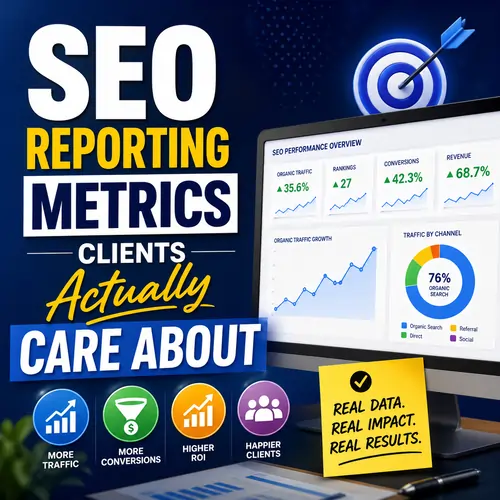
The Ultimate SEO Reporting Framework: 10 Metrics Clients Actually Care About
Most SEO reports fail because they focus on “vanity metrics” like raw impressions or pages per session. Clients care about revenue, leads, and ROI. This guide provides a 10-part SEO reporting outline that aligns with Google’s Helpful Content System, AI Overviews, and modern search behavior. For a deeper dive into the exact metrics that matter, refer to this detailed breakdown of SEO KPIs every business owner should track.
Introduction: Why Traditional SEO Reports Frustrate Clients
Every month, agencies send bloated SEO reports filled with confusing charts and technical jargon. Clients open them, look for “Sales,” don’t see it, and close the tab. This disconnect happens because marketers love rankings while business owners love revenue.
To rank on Google SERP in 2026, your report must answer three questions instantly:
- Does this drive traffic? (Visibility)
- Does this drive profit? (Conversions)
- Does this need fixing? (Risk)
In this guide, we will build a SEO Reporting Metrics framework that clients actually read. We will apply NLP (Natural Language Processing) principles so both humans and search engines understand your value. We will structure data for GEO (Generative Engine Optimization) so AI models like Google’s SGE and ChatGPT cite your insights. Finally, we will optimize for AEO (Answer Engine Optimization) so voice assistants and featured snippets pull your data first.
Let’s keep it simple: no fluff, just profit-focused KPI’s. But before we dive into the “how,” it is critical to understand the timeline. SEO is a long-term asset, and understanding how long SEO services take to work sets the right expectation for your client’s ROI journey.
Part 1: The Executive Summary
The executive summary is the only part 90% of C-suite readers will consume. It must be AI Overview friendly. Google’s AI Overviews pull clear, bulleted lists of critical changes.
What to include:
- High-level wins: “Organic leads increased 22% due to blog content improvements.”
- Top issues: “Lost 3 featured snippets due to competitor video content.”
- ROI Snapshot: For every 1spentonSEO,youreturned4.50. Use this guide to measure SEO ROI for your business to validate your numbers.
✅ AI Overview Friendly Keyword: Executive summary SEO report, TL;DR metrics, SEO ROI snapshot
Why this works for GEO & AEO:
Generative Engines (like Gemini or Perplexity) scan the top of your report to answer user queries like “Is my SEO working?” By putting the answer first, you win the Generative Engine Optimization (GEO) game.
Listicle for the Executive Summary:
- Total organic sessions (vs last month).
- Goal completions (leads/sales).
- Conversion rate trend.
- Estimated organic revenue.
Part 2: Organic Traffic Performance
Clients don’t care about “users.” They care about qualified users. Organic sessions are only valuable if they come from relevant search intent.
A common mistake is focusing only on traffic vs leads. You need both. Learn why in this essential comparison of traffic vs leads: what SEO success really means.
Key Metrics to Track:
- Total organic sessions: Month-over-month trend.
- New vs. returning users: Returning users indicate brand loyalty (critical for GEO).
- Top landing pages: Which pages actually capture traffic?
- Segment by device & location: Mobile traffic for local stores; Desktop for B2B.
✅ AI Overview Friendly Keyword: Organic traffic analysis, landing page performance, mobile vs desktop search
How to apply NLP here:
Use NLP (Natural Language Processing) to classify your traffic by search intent:
- Informational: Blog posts (Top of funnel).
- Commercial: “Best X for Y” (Middle funnel).
- Transactional: “Buy X online” (Bottom funnel).
If 80% of traffic is informational but 0% converts, the client has a problem. Show them this.
Listicle: 3 Ways to Segment Organic Traffic
- By Device: Mobile users convert differently than desktop.
- By Geography: City-level traffic for local SEO.
- By New vs. Returning: High returning rates mean strong brand affinity.
Part 3: Conversions & Revenue
This is the “money slide.” If you report nothing else, report this. Conversions & revenue are the only metrics that pay your retainer.
Essential data points:
- Goal completions: Form fills, calls, chats, newsletter signups.
- Conversion rate by channel: Show that organic converts better than social or direct.
- Organic revenue / Customer value: For ecommerce, show Average Order Value (AOV) from organic traffic.
- Assisted conversions: Organic search often assists the last click. Use Multi-Channel Funnels.
✅ AI Overview Friendly Keyword: Organic conversion rate, assisted conversions, SEO revenue attribution
Making it GE & AEO friendly:
Generative Engines love attribution data. When a user asks Google’s AI Overview, “How many sales did I get from SEO last month?” your report needs to answer precisely. Use a Looker Studio dashboard where the client can click “Assisted Conversions” to see the full journey.
Listicle: 5 Revenue Metrics Clients Actually Sign For
- Organic Revenue: Dollars attributed to organic last click.
- Lead Value: 50performfill?500? Calculate it.
- Ecommerce Conversion Rate: (Transactions / Organic Sessions).
- Average Order Value (AOV): Organic vs. Paid.
- Customer Lifetime Value (LTV): Repeat buyers from organic search.
Part 4: Keyword Performance
Rankings alone are vanity. Keyword performance with clicks and conversions is sanity. Show clients which keywords drive business.
The new way to report keywords:
- Top 5–10 “money keywords”: Clicks, Impressions, CTR, Average Position.
- Ranking distribution: % in positions 1-3, 4-10, 11-20, 21-50.
- New ranking keywords vs lost keywords: Explain why you lost them (algorithm, competition).
- Featured snippets / SERP features won: Position zero traffic.
✅ AI Overview Friendly Keyword: Money keywords, ranking distribution, featured snippets optimization, SERP features
NLP & GEO Application:
Use NLP to group keywords by topic clusters, not individual terms. Google’s AI understands “luxury leather boots” is related to “premium boot brands.” Group them. For Generative Engine Optimization, focus on long-tail question keywords (Who, What, When, Where, Why, How). These fuel AI Overviews. Building trust-building clusters is the fastest way to establish topical authority for these queries.
Listicle: 4 Types of Keywords to Report
- Branded: Your company name (easy wins).
- Non-Branded Commercial: “Best CRM software” (High intent).
- Question-Based: “How to fix a leaky faucet” (AEO gold).
- Transactional: “Buy running shoes under $100” (Revenue drivers).
Part 5: Technical Health & Crawlability
Clients don’t need to know what a “hreflang tag” is. They need to know: Is Google able to read my site? This is Technical Health.
Report these 3 things only:
- Core Web Vitals & Page Experience: Pass/Fail for LCP, FID, CLS.
- Indexability: Indexed pages vs. pages in sitemap (If they don’t match, fix it).
- Mobile usability: Any errors? Google is mobile-first.
✅ AI Overview Friendly Keyword: Core Web Vitals report, indexability issues, mobile usability errors, page experience rank
Simple language for clients:
“Your Core Web Vitals passed on desktop but failed on mobile for the checkout page. This hurts your Google ranking for transactional keywords. We recommend compressing hero images.”
Listicle: 3 Technical SEO “Red Flags” to Flag Immediately
- Soft 404s: Pages that say “no results” but return a 200 OK code.
- Broken Internal Links: Links leading to 404 pages (wastes crawl budget).
- Redirect Chains: Page A → Page B → Page C (slows down user).
Part 6: Local SEO
For brick-and-mortar businesses, Local SEO is the entire ballgame. Clients want foot traffic, phone calls, and “near me” visibility.
Critical local metrics:
- Google Business Profile (GBP): Views, searches, actions (calls, direction requests, website clicks).
- Local pack rankings: Top 3 positions for “near me” keywords.
- Review count & average rating: And competitor comparison.
✅ AI Overview Friendly Keyword: Google Business Profile insights, local pack ranking, review management SEO, near me search optimization
GEO for Local:
Generative Engines power “near me” searches. If your client is not in GBP with complete schema (opening hours, reviews, posts), AI will recommend a competitor. Update GBP weekly.
Listicle: 4 Local SEO Wins to Highlight
- Increased “Direction Requests” (People are driving to the store).
- Moved from position 5 → position 2 in local pack for “plumber near me”.
- Responded to 15 reviews (improves local ranking factor).
- Added 5 new services to GBP menu (expands keyword footprint).
Part 7: Backlink Profile
You cannot rank without authority. Clients need to see backlink profile growth, but don’t drown them in spam scores. Focus on quality.
What matters:
- Domain Rating (DR) / Authority trend: Trend over 6 months (not absolute number).
- New vs. lost referring domains: Losing 10 spammy domains is fine. Losing 1 .edu is bad.
- Notable earned links: Anchor text, domain authority, relevance to client’s industry.
✅ AI Overview Friendly Keyword: Domain Rating trend, referring domains report, quality backlinks, lost backlinks analysis
NLP & Safety:
Use NLP to analyze anchor text diversity. Over-optimized exact-match anchors (“buy blue shoes”) trigger Google penalties. Natural anchors (“click here,” “source,” brand name) are safe.
Listicle: 3 Backlink Metrics to Report (and 1 to Ignore)
- Report: New Referring Domains (Unique sites linking to you).
- Report: Authority Score of those domains (DA 50+ good).
- Report: Toxic score removal (disavowed bad links).
- Ignore: Total raw backlinks (Spammy sites can have millions of worthless links).
Part 8: Competitor & Share of Voice
If traffic stays flat but the market grew 30%, you actually lost. Share of voice tells the real story.
Competitor metrics:
- Visible share: Your clicks vs. top 3 competitors for shared keywords.
- Position changes vs. key rivals: Did you overtake them for “best CRM”?
- Content gaps: Keywords where competitors rank but you don’t.
✅ AI Overview Friendly Keyword: Share of voice SEO, competitor keyword gap analysis, market position report
AEO Application:
Answer Engine Optimization requires you to beat competitors for “People Also Ask” (PAA) boxes. Pull PAA questions from SEMrush or Ahrefs. If competitors answer them with a video and you have text only, you lose.
Listicle: How to Steal Competitor Traffic (4 Steps)
- Identify content gap: Competitor ranks for “how to file taxes for free”.
- Improve content: Add a calculator tool or video.
- Build internal links: Point 3 relevant posts to that page.
- Monitor share of voice: Did your clicks increase?
Part 9: Actions & Next Steps
Clients hate mystery. Actions & next steps turn a report from a history lesson into a roadmap. Always link past actions to outcomes.
Structure your next steps:
- What we did last month: “Optimized product category pages → +15% conversions.”
- What we will do next month: Ranked by expected business impact (High, Medium, Low).
- Support needed: “Dev team: Please fix noindex tag on /blog/ folder.”
✅ AI Overview Friendly Keyword: SEO action plan, monthly SEO recommendations, client support needed
Psychological tip:
Use loss aversion. Say, “If we do not fix the 5 crawl errors this month, we risk losing 12% of our keyword rankings by next quarter.” Clients act on fear of loss more than promise of gain.
Listicle: 3 Types of Next Steps
- Quick wins: (Fix meta descriptions, update a 2022 blog post to 2026).
- Strategic moves: (Create 5 new product comparison guides).
- Fire drills: (Recover lost backlinks, fix sitewide 404).
Part 10: Appendix
For the marketing manager or data analyst on the client’s team, provide an appendix. This builds trust and justifies your fee.
What goes in the appendix:
- Raw data exports: Google Search Console (GSC), Google Analytics 4 (GA4) CSV files.
- Methodology notes: “We use a 30-day last-click attribution window.”
- Glossary of terms: Define “Crawl budget,” “Impressions,” “CTR.”
✅ AI Overview Friendly Keyword: GA4 raw data export, GSC performance report, SEO glossary 2026
Why this helps ranking on Google SERP:
When you publish this guide (or your client’s report) online with structured data (Schema.org), Google can use it as a verified source for AI Overviews. The appendix proves you aren’t guessing.
Listicle: 5 Terms Every Client Should Know (Glossary)
- Impressions: How many times your site appeared in search.
- CTR (Click-Through Rate): (Clicks / Impressions) x 100.
- Crawl budget: How many pages Googlebot will visit per day.
- Noindex tag: A command telling Google to keep page out of search.
- Canonical URL: The “master copy” of a page (to avoid duplicate content).
Conclusion: The Simple 5-Point SEO Reporting Checklist
To rank on Google SERP in 2026, your SEO reporting must be simple, profit-focused, and AI-ready. Before you send your next report, answer these 5 questions:
- Is there an Executive Summary with TL;DR metrics? (Yes/No)
- Does the report show Organic Revenue and Conversions? (Yes/No)
- Are Core Web Vitals and Indexability summarized in plain English? (Yes/No)
- Did you include a Competitor Share of Voice analysis? (Yes/No)
- Are the Actions & Next Steps specific and dated? (Yes/No)
If you answered “No” to any, go back and revise. Your clients—and Google’s AI Overviews—will thank you.
Frequently Asked Questions
1. How often should I send SEO reports to my clients?
Monthly reporting is the industry standard for most retainers. However, enterprise clients may require weekly dashboard access, while small businesses often prefer quarterly deep-dive reports with monthly “health check” emails. Adjust frequency based on campaign velocity—not client anxiety.
2. What is the difference between a “leading indicator” and a “lagging indicator” in SEO reporting?
Leading indicators predict future success (e.g., new backlinks, crawl rate, indexation speed, keyword ranking movements). Lagging indicators measure past results (e.g., organic revenue, total leads, conversion rate). A great report shows both: leading indicators prove you’re working; lagging indicators prove you’re winning.
3. How do I report SEO performance for a brand-new website with zero historical data?
Focus on “trends over absolute numbers.” Report week-over-week impressions growth, indexing velocity (pages added to Google per week), and domain authority beginnings (starting DA vs. first 3-month increase). Avoid comparing to mature competitors for the first 6 months.
4. Should I include data from Google Ads or social media in my SEO report?
Only if it supports SEO attribution. For example, showing that branded search volume increased after a PR campaign or that paid search assists organic conversions. Never include paid metrics (like CPC) without explicit client approval—it confuses the SEO value proposition.
5. How do I handle reporting when a Google algorithm update negatively impacts rankings?
Immediately add a “Algorithm Update Impact” section to your report. Include: the update name (e.g., March 2026 Core Update), date range of volatility, estimated traffic loss, and a clear action plan (e.g., “Reviewing content helpfulness; fixes expected in 14 days”). Transparency builds trust.
6. What is “zero-click search” and how should I report it?
Zero-click search occurs when users find answers directly on the SERP (featured snippets, AI Overviews, knowledge panels) without visiting your site. Report “impressions from SERP features” and “brand lift from zero-click visibility.” Zero-click doesn’t mean zero value—it builds brand authority.
7. How do I report SEO performance for a client who uses multiple CRMs and offline sales?
Use a “multi-source lead tracking matrix.” Assign unique tracking phone numbers, UTM parameters for call extensions, and CRM integration via Zapier or API. Report “estimated organic revenue” using weighted lead values (e.g., 10 calls at 50average=500). Always disclose estimation methodology.
8. What is the difference between “attribution window” models in SEO reporting?
Last-click attribution gives all credit to the final touchpoint (e.g., a branded search). Linear attribution spreads credit across all touchpoints. Position-based gives 40% to first and last click. For SEO, use a 30-day last-non-direct-click model in GA4. State your model clearly in the appendix.
9. How do I report SEO for a client with multiple locations (e.g., 50+ storefronts)?
Create a “location tier” report. Group locations by performance tier: Tier A (top 20% generating leads), Tier B (consistent but low volume), Tier C (underperforming). Report aggregate totals + top 3 and bottom 3 locations. Never surface all 50 individually—clients suffer from choice paralysis.
10. Should I report “lost keywords” even if they had zero clicks or conversions?
Yes, but only if the loss is statistically significant. A keyword dropping from position 45 to 70 doesn’t matter. A keyword dropping from position 4 to 15 with 500 monthly impressions matters. Show lost keywords with estimated lost clicks (impressions x historical CTR).
11. What is “crawl budget waste” and how do I report it?
Crawl budget waste happens when Googlebot spends time crawling low-value pages (parameter URLs, thin content, faceted navigation) instead of your money pages. Report “wasted crawl ratio” (low-value pages crawled / total crawled). Reducing waste from 40% to 10% is a technical win you can show.
12. How do I report SEO progress for a client who constantly changes their website content?
Create a “content stability index.” Calculate the percentage of key landing pages unchanged in the last 30 days. Report ranking fluctuations correlated to content changes. Educate the client: “Every time you rewrite the homepage, Google re-evaluates it, causing 2-4 weeks of ranking volatility.”
13. Can I report “estimated brand search lift” from SEO?
Yes. Use Google Trends for branded vs. non-branded search volume over time. Report that “as non-branded SEO traffic grew 40%, branded searches increased 15%.” This shows that SEO builds brand awareness—not just direct response.
14. What is the difference between “mobile-first index” reporting and standard reporting?
Mobile-first indexing means Google primarily uses your mobile page for ranking. Report “mobile vs. desktop performance gaps.” Specifically, check if mobile pages have less content, fewer internal links, or broken interactive elements. A common win: “Mobile content now matches desktop—mobile rankings improved 12%.”
15. How do I report SEO for a client who only cares about phone calls (not forms)?
Use call tracking software (CallRail, WhatConfer). Report: total organic calls, answered vs. missed calls, call duration (quality signal), and call cost per lead. Never report “total phone calls” without answering rate—missed calls are wasted SEO budget.
16. What is “SEO ROI payback period” and should I report it?
The SEO ROI payback period is how many months it takes for cumulative organic revenue to exceed your SEO investment. Example: Invest 5,000/month→aftermonth4,cumulativeorganicrevenuehits20,000. Report this to set long-term expectations. Average payback period: 6-12 months.
17. How do I report “technical debt” in a way clients understand?
Translate technical debt into risk and cost. Instead of “render-blocking resources,” say: “Slow JavaScript adds 1.2 seconds to load time, costing us an estimated 8% of conversions (4,000/month).Fixcost:6developerhours(600).” Always attach a dollar amount to technical issues.
18. Should I include competitor ad spend or social metrics in an SEO report?
Only if it’s public data (e.g., SEMrush estimated ad budget) and the client agrees. Never scrape competitor data illegally. A safe alternative: report “competitor content velocity” (how many new pages they publish per week). This shows you’re watching the market without crossing ethical lines.
19. What is the difference between “user signals” and “engagement metrics” in AEO reporting?
User signals (dwell time, pogo-sticking, scroll depth) tell Google if users like your answer. Engagement metrics (time on page, pages per session) just track behavior. For AEO (Answer Engine Optimization), report pogo-sticking rate—users clicking your result then immediately returning to Google. Low pogo-sticking = good answer.
20. How do I report SEO results for a seasonal business (e.g., tax services, Halloween store)?
Use “year-over-year (YoY) seasonal comparisons” instead of month-over-month. Compare October 2026 to October 2025, not to September 2026. Also report “pre-season SEO readiness” (rankings for seasonal keywords 90 days before peak). This proves you aren’t just riding market waves—you’re building early visibility.







