

Written by John Michael Palmes
Technical SEO Specialist & Search Optimization Researcher
Canonicalization is one of the most misunderstood technical SEO concepts. Many website owners believe that simply adding a canonical tag solves duplicate content issues, but improper implementation can cause crawling inefficiencies, indexing problems, keyword cannibalization, and significant ranking losses.
Google relies on canonical signals to determine which version of a page should appear in search results. When these signals become inconsistent or conflicting, search engines may ignore your preferred version altogether.
In this guide, we’ll explore the 10 most common canonicalization mistakes that quietly damage SEO performance and how to fix them.
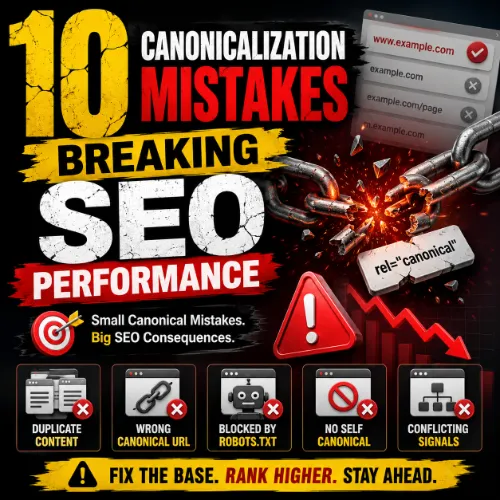
What Is Canonicalization in SEO?
Canonicalization is the process of telling search engines which URL version should be considered the primary version when multiple pages contain identical or substantially similar content.
A canonical tag looks like this:
<link rel="canonical" href="https://example.com/page/" />
The canonical URL consolidates ranking signals, backlinks, crawl budget, and indexing signals into a single preferred page.
Without proper canonicalization, search engines may:
- Index duplicate pages
- Split ranking signals
- Waste crawl budget
- Cause keyword cannibalization
- Display the wrong page in search results
1. Missing Self-Referencing Canonical Tags
One of the most common mistakes is not placing a canonical tag on unique pages.
Many SEOs assume canonical tags are only necessary when duplicate pages exist. In reality, every indexable page should include a self-referencing canonical.
Example
Correct:
<link rel="canonical" href="https://example.com/seo-guide/" />
Why It Hurts SEO
Without self-referencing canonicals:
- Google may choose its own preferred URL
- URL parameters can create duplicate versions
- Tracking URLs may become indexed
Solution
Add a self-referencing canonical tag to every indexable page.
2. Canonicalizing All Pages to the Homepage
Some websites incorrectly point every page’s canonical tag to the homepage.
Example
<link rel="canonical" href="https://example.com/" />
Used on every page.
Why It Hurts SEO
This tells search engines that all pages are duplicates of the homepage.
Consequences include:
- Deindexation of important pages
- Loss of keyword rankings
- Reduced organic visibility
Solution
Each page should reference itself or the most relevant equivalent page.
3. Using Canonicals on Paginated Content Incorrectly
E-commerce sites frequently canonicalize paginated pages to page one.
Example:
/page/2/
Canonical:
/page/1/
Why It Hurts SEO
Google may ignore deeper pages, causing:
- Product discovery issues
- Crawl inefficiencies
- Loss of indexed inventory
Solution
Use self-referencing canonicals for paginated pages unless the content is truly duplicated.
4. Canonicalizing to Redirected URLs
A surprisingly common technical error is pointing canonical tags toward URLs that already redirect.
Example
Canonical:
http://example.com/page
Redirects to:
https://example.com/page/
Why It Hurts SEO
Google receives mixed signals:
- Canonical says one URL
- Redirect points elsewhere
This creates unnecessary processing and confusion.
Solution
Always canonicalize directly to the final destination URL.
5. Conflicting Canonical and Noindex Signals
Some websites apply both:
rel="canonical"
and
meta robots="noindex"
on the same page.
Why It Hurts SEO
Search engines receive contradictory instructions.
Questions Google must answer:
- Should the page be indexed?
- Should ranking signals pass elsewhere?
Google may ignore one or both directives.
Solution
Choose one strategy:
- Canonical for consolidation
- Noindex for exclusion
Avoid combining both unnecessarily.
6. Multiple Canonical Tags on One Page
Technical SEO audits frequently uncover pages containing multiple canonical declarations.
Example:
<link rel="canonical" href="URL-A">
<link rel="canonical" href="URL-B">
Why It Hurts SEO
Search engines may:
- Ignore both tags
- Choose their own canonical
- Create indexing inconsistencies
Solution
Ensure only one canonical tag exists per page.
7. Canonicalizing Non-Duplicate Content
Some site owners attempt to force rankings by canonicalizing unrelated pages together.
Example
A page about:
SEO Audit Checklist
Canonicalized to:
Technical SEO Services
Why It Hurts SEO
Google evaluates content similarity before honoring canonicals.
If pages are substantially different:
- Canonicals are ignored
- Signals become diluted
- Relevance decreases
Solution
Only canonicalize pages that contain highly similar or duplicate content.
8. Inconsistent Internal Linking Signals
Internal links should reinforce canonical choices.
Many websites create confusion by linking to multiple URL variations:
Examples:
https://example.com/page
https://example.com/page/
https://www.example.com/page/
Why It Hurts SEO
Google uses internal links as canonical hints.
Conflicting URLs create:
- Signal fragmentation
- Duplicate discovery
- Crawl inefficiencies
Solution
Standardize all internal links to the preferred canonical URL.
9. Canonicalizing Across Domains Improperly
Cross-domain canonicals are useful for syndicated content but often implemented incorrectly.
Example
Site B republishes content from Site A.
Correct:
<link rel="canonical" href="https://sitea.com/original-article/" />
Why It Hurts SEO
Improper implementation can:
- Transfer ranking equity unintentionally
- Remove pages from indexing
- Cause ownership confusion
Solution
Use cross-domain canonicals only when content duplication is intentional.
10. Relying Solely on Canonicals Instead of Fixing Duplication
Canonical tags are hints, not directives.
Many websites use canonicals while leaving duplicate pages accessible through:
- URL parameters
- Session IDs
- Filter combinations
- Printer-friendly pages
Why It Hurts SEO
Google may ignore canonical hints when stronger signals suggest otherwise.
Solution
Combine canonicalization with:
- Proper redirects
- Parameter handling
- Crawl controls
- Internal linking consistency
Canonical tags should support technical SEO—not replace it.
How to Audit Canonicalization Issues
Use the following tools:
Google Search Console
Review:
- Duplicate without user-selected canonical
- Alternate page with proper canonical tag
- Crawled but not indexed reports
Screaming Frog
Identify:
- Missing canonicals
- Multiple canonicals
- Canonical chains
- Canonical loops
Sitebulb
Analyze:
- Indexability
- Canonical conflicts
- Internal linking inconsistencies
Ahrefs Site Audit
Monitor:
- Duplicate content
- Redirect chains
- Canonical errors
Canonicalization Best Practices
Follow these technical SEO principles:
✅ Use self-referencing canonicals
✅ Canonicalize only duplicate or near-duplicate pages
✅ Point canonicals to final destination URLs
✅ Maintain internal link consistency
✅ Avoid conflicting signals
✅ Audit regularly
✅ Use HTTPS versions consistently
✅ Monitor Search Console indexing reports
Final Thoughts
Canonicalization plays a crucial role in helping search engines understand your website’s preferred URLs. When implemented correctly, it consolidates ranking signals, reduces duplicate content issues, improves crawl efficiency, and strengthens organic visibility.
However, mistakes such as missing self-referencing tags, conflicting directives, redirect chains, and incorrect cross-domain implementations can significantly impact SEO performance.
Regular technical SEO audits and proper canonical management ensure that search engines index the right pages and attribute authority where it belongs. By fixing these 10 canonicalization mistakes, you’ll create a cleaner site architecture, improve crawl efficiency, and maximize your website’s ranking potential.
Frequently Asked Questions
1. Can canonical tags pass link equity to another page?
Yes. When Google respects a canonical tag, ranking signals such as backlinks, authority, and relevance can be consolidated toward the canonical URL. However, because canonicals are treated as hints, Google may choose a different canonical if it finds stronger signals elsewhere.
2. Do canonical tags affect crawl budget?
Indirectly, yes. Proper canonicalization helps search engines focus on preferred URLs instead of repeatedly crawling duplicate pages. This can improve crawl efficiency, especially on large websites with thousands of pages.
3. Should category pages have canonical tags?
Yes. Category pages should generally use self-referencing canonical tags unless there is a valid reason to consolidate them with another category page containing substantially identical content.
4. Can canonical tags be used for product variations?
Yes. Product variations such as size or color options can sometimes use canonical tags to point to a primary product page when the content is largely identical. However, unique variations with significant search demand may deserve their own URLs.
5. Does Google Search Console show canonical issues?
Yes. Google Search Console provides reports such as “Duplicate without user-selected canonical” and “Google chose different canonical than user,” which can help identify canonicalization problems.
6. Are canonical tags case-sensitive?
URLs themselves can be case-sensitive depending on the server configuration. It is best practice to maintain consistent URL casing and ensure canonical tags match the preferred URL exactly.
7. Should AMP pages use canonical tags?
Yes. AMP pages should generally include a canonical tag pointing to the corresponding non-AMP version, while the non-AMP page references the AMP version using the appropriate AMP markup.
8. Can canonical tags fix thin content issues?
No. Canonical tags are designed to handle duplicate or near-duplicate content, not low-quality or thin content. Thin pages often require content improvements, consolidation, or removal.
9. Is a canonical tag stronger than an XML sitemap signal?
Generally, yes. Canonical tags provide direct page-level guidance, while XML sitemaps simply suggest URLs for discovery and indexing. Google evaluates both signals alongside many others.
10. Can JavaScript-generated canonical tags be trusted?
Google can process JavaScript-rendered canonicals, but relying solely on JavaScript may create delays or inconsistencies. Server-side or HTML-rendered canonical tags are generally more reliable.
11. Should PDF files have canonical URLs?
Yes, when possible. PDF documents can specify canonical URLs through HTTP headers to indicate the preferred version if duplicate formats exist.
12. What is a canonical chain?
A canonical chain occurs when Page A canonicals to Page B, which canonicals to Page C. This creates unnecessary complexity and may weaken canonical signals. Canonicals should point directly to the preferred URL.
13. Can canonical tags help with syndicated content?
Yes. When content is republished on other websites, a cross-domain canonical can indicate the original source and help consolidate ranking signals to the original publisher.
14. Do canonical tags influence featured snippets?
Indirectly. Google generally pulls featured snippets from canonical versions of content, so ensuring the correct page is canonicalized can improve eligibility.
15. Should filtered URLs use canonical tags?
In many cases, yes. Filtered URLs created through faceted navigation often generate duplicate or near-duplicate pages. Canonical tags can help consolidate these URLs to the primary category page when appropriate.
16. Can hreflang and canonical tags work together?
Absolutely. International websites should use self-referencing canonical tags alongside hreflang annotations. Both signals serve different purposes and should complement one another.
17. How long does Google take to process canonical changes?
There is no fixed timeframe. Depending on crawl frequency and website authority, Google may recognize canonical changes within days or several weeks.
18. Should mobile and desktop versions share the same canonical?
For responsive websites, yes. If separate mobile URLs exist, canonical implementation should follow Google’s mobile-first indexing recommendations to avoid confusion.
19. Can canonical tags prevent duplicate content penalties?
Google does not typically issue penalties for duplicate content. However, canonical tags help prevent indexing issues and ranking signal dilution caused by duplicate pages.
20. What is the difference between a canonical tag and a 301 redirect?
A canonical tag suggests which URL should be preferred while keeping multiple URLs accessible. A 301 redirect permanently sends users and search engines to a new URL and is generally a stronger signal than a canonical tag.
About the Author
John Michael Palmes is a Technical SEO Specialist and Search Optimization Researcher focused on website architecture, indexing systems, crawling behavior, and search engine optimization best practices. Through SEO Mafia Club, he shares practical SEO strategies, technical audits, and data-driven insights to help businesses improve organic search performance.
Author Profile: https://seomafiaclub.com/expert/john-michael-palmes/
Connect with John:







