

manage noindex nofollow disallow Key Takeaways
Properly managing manage noindex nofollow disallow directives is essential for guiding search engines through your site while preserving your crawl budget and ranking potential.
- Learn the precise function of manage noindex nofollow disallow and how each directive affects crawling vs. indexing.
- Discover the most common misapplications that cause deindexed pages, lost traffic, and wasted crawl budget.
- Follow a clear implementation workflow that prevents the five critical errors most site owners make.
Why You Need to Manage Noindex Nofollow Disallow Correctly
Search engines rely on tiny signals—robots.txt rules, meta robots tags, and link attributes—to understand how to treat your pages. When these signals conflict or are applied incorrectly, the results can be devastating: important pages vanish from search, low-value pages dilute your index, and your site’s overall authority suffers. For a related guide, see Core Web Vitals Checklist for WordPress: Optimize Your Site for 2026 SEO Success.

Understanding the difference between these three directives is the first step. Disallow blocks crawling (used in robots.txt), noindex prevents indexing (used in meta tags or HTTP headers), and nofollow tells search engines not to follow links on a page (used as a meta tag or link attribute). Each serves a distinct purpose, and they are not interchangeable.
The 5 Critical Errors When You Manage Noindex Nofollow Disallow

Error 1: Using Disallow Instead of Noindex
This is the most damaging mistake. A robots.txt disallow vs noindex confusion often leads site owners to block a page from crawling when they only intended to prevent indexing. When a page is disallowed in robots.txt, Google can’t crawl it—and therefore cannot see the noindex tag. The page may still appear in search results with a thin or no description, or worse, get indexed based on external signals.
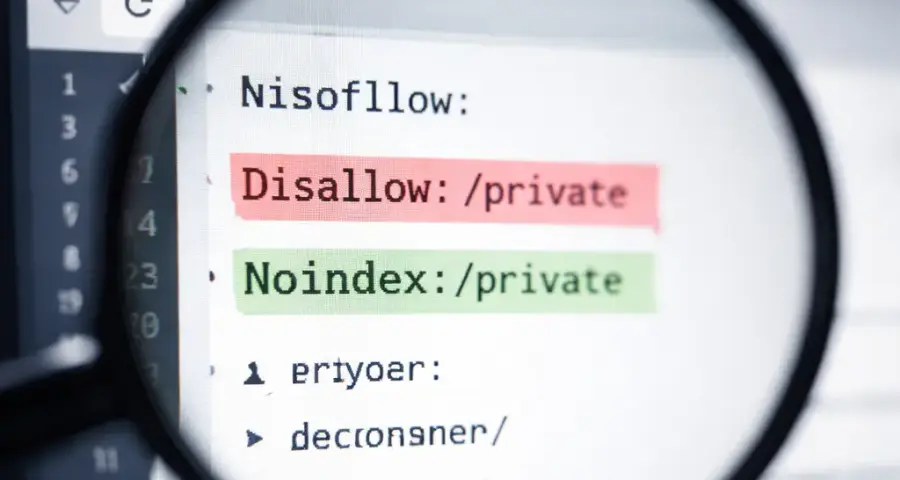
Best practice: Always use the noindex meta tag for pages you want hidden from search results. Reserve disallow in robots.txt for sections you never want crawled (like admin areas or staging environments).
Error 2: Applying Nofollow to Every External Link
Some SEOs apply a blanket nofollow vs noindex SEO approach, thinking nofollow protects link equity. While nofollow prevents passing PageRank, it also signals to Google that you don’t endorse the linked site. Overusing nofollow on legitimate, high-quality external links can hurt your own site’s credibility and user experience.
Best practice: Use nofollow sparingly—only for user-generated content, paid links, or untrusted sources. For natural editorial links to authoritative resources, let them pass link equity.
Error 3: Forgetting That Noindex Requires Crawlability
A page with a noindex tag must be crawlable for the directive to be seen. If you also disallow the same URL in robots.txt, the noindex tag will never be discovered. This creates a “noindex blocked by robots.txt” situation that can leave the page indexed indefinitely.
Best practice: Never block a noindexed page in robots.txt. Use the Google URL Inspection Tool to verify the page is crawlable and the tag is detected.
Error 4: Using Disallow for Thin or Duplicate Content Pages
Many site owners block thin pages from crawling thinking it helps SEO. In reality, blocking crawlers prevents Google from seeing the noindex tag (if applied) and wastes the crawl budget. For thin content, paginated archives, or duplicate pages, the correct approach is to use noindex or canonical tags—not disallow.
Best practice: Evaluate each page type: use noindex for low-value pages you don’t want in the index; use canonical for duplicates; and keep disallow for non-public pages only.
Error 5: Misconfiguring Robots.txt for Subdomains
Robots.txt directives apply to individual subdomains. A disallow rule on www.example.com will not affect blog.example.com. Similarly, a noindex tag on www.example.com/page won’t carry over to an AMP or mobile subdomain.
Best practice: Manage robots.txt and meta tags separately for each subdomain. Audit all subdomains to ensure the correct directives are in place.
Understanding Robots.txt Disallow vs Noindex and When to Use Each
This table clarifies the core differences between these two directives so you never confuse them.
| Directive | Where It Lives | What It Does | When to Use |
|---|---|---|---|
| Disallow | robots.txt | Blocks crawling (but not indexing) | Admin pages, staging sites, API endpoints, search result pages |
| Noindex | Meta tag or HTTP header | Prevents indexing (requires crawlability) | Thin content, duplicate pages, thank-you pages, archives |
| Disallow + Noindex | Both | Blocks crawling and prevents indexing (combo) | Only when you are certain the page won’t be indexed via other signals |
The key rule: if you want a page out of search results, noindex it. Do not try to achieve this with disallow alone, as Google may still index the URL based on external links.
Step-by-Step Guide to Manage Noindex Nofollow Disallow
Step 1: Audit Your Current Directives
Use a tool like Ahrefs Site Audit or Google Search Console’s Index Coverage report to find pages that are blocked from crawling, tagged noindex, or have conflicting signals. Export a list of these pages and categorize them by intent.
Step 2: Decide the Fate of Each Page Type
For each URL or URL pattern, ask: should this page be crawled but not indexed? Should it be crawled and indexed? Or should it never be touched by bots? Your answers will determine the correct directive:
- Public, useful content: allow crawling, remove any noindex tag.
- Low-value or duplicate: allow crawling but add a noindex tag.
- Private or system pages: disallow in robots.txt (and optionally noindex if they might leak).
- UGC or paid links page: use meta robots nofollow (not link-level nofollow) if the whole page is untrusted.
Step 3: Implement Changes in the Correct Order
Always remove a disallow before adding a noindex tag, not the other way around. This ensures Google can crawl the page and discover the noindex directive. After making changes, use the URL Inspection Tool to confirm the tag is detected.
Step 4: Monitor and Re-audit
After implementation, check Google Search Console’s Index Coverage report again. Look for “Excluded by ‘noindex’ tag” and “Blocked by robots.txt” statuses to ensure your directives are working as intended. Schedule a quarterly audit to catch new pages that may need treatment.
SEO Entities and Their Functions
When auditing and implementing manage noindex nofollow disallow, understanding these SEO entities helps you make informed decisions:
- Website / Domain entities: A root domain audit shows whether directives apply site-wide, while subdomain-level checks (e.g., blog.example.com) reveal misconfigurations.
- Page entities: Top pages by traffic and best pages by links help prioritize which URLs must remain indexable and crawlable. Broken pages and internal pages can be candidates for noindex or disallow.
- Technical SEO entities: Crawl issues, redirect chains, canonicals, and indexability status expose obstacles that prevent proper directive application.
- Metrics entities: Organic traffic drops after a noindex implementation can be isolated using URL-level data. DR and UR changes alert you to unintended authority loss.
Useful Resources
For deeper reading on robots.txt and meta tag management, explore these authoritative guides:
Properly implementing these directives protects your site’s search visibility and ensures Google’s resources are spent on your best content. Revisit your robots.txt and meta tags quarterly, and always test changes before publishing at scale. For a related guide, see Schema Markup Explained: How to Improve Search Visibility.
Frequently Asked Questions About manage noindex nofollow disallow
What is the difference between noindex and disallow?
Noindex prevents a page from appearing in search results but allows crawling. Disallow blocks crawling entirely, which can prevent Google from seeing a noindex tag.
Can I use disallow and noindex together on the same page?
Yes, but only when you’re certain the page won’t be indexed via external signals. In most cases, it’s safer to allow crawling so Google sees the noindex tag.
Does nofollow affect indexing?
No, nofollow only tells search engines not to follow links on a page. It does not prevent the page itself from being crawled or indexed.
Where do I place a noindex tag?
In the <head> section of a page as a meta tag: <meta name="robots" content="noindex" />, or in an HTTP response header.
Does robots.txt disallow stop indexing?
Not always. Google may still index a disallowed URL if it finds external links pointing to it. This is why noindex is more reliable for removal.
What happens if I use noindex on a page that is also disallowed?
Google cannot crawl the page, so it never sees the noindex tag. The page may remain indexed or appear with a thin snippet.
How do I check if a page is using noindex?
Use Google’s URL Inspection Tool, view page source, or check the HTTP response headers if the directive is set server-side.
Should I use nofollow on all external links?
No. Only use nofollow on links you don’t want to endorse, such as paid links, user-generated content, or untrusted sources.
Can I use nofollow as a meta tag instead of on individual links?
Yes, <meta name="robots" content="nofollow" /> applies nofollow to all links on the page. Use this sparingly, as it also weakens internal link signals.
What is a crawl budget?
Crawl budget is the number of URLs Google will crawl on your site within a given timeframe. Wasting it on low-value pages can delay indexing of important content.
Does disallow use up crawl budget?
Yes, Google still spends resources fetching and reading robots.txt and parsing the disallow directive. Properly using noindex reduces crawling pressure.
How do I remove a page from Google immediately?
Use the Google URL Removal tool for temporary removals. For permanent removal, apply a noindex tag and ensure the page remains crawlable.
Can I set noindex for a whole subfolder?
You cannot set noindex via robots.txt for a subfolder. You must apply a meta tag or HTTP header to each page, or use a server-level rule (like .htaccess) to inject the header.
What is the best way to handle duplicate content?
Use a canonical tag pointing to the preferred URL. Avoid noindex unless the duplicate is a completely separate page with no value to index.
Does noindex affect link equity flow?
No. A noindexed page can still accumulate and pass link equity to other pages. Nofollow is what prevents link equity from flowing.
How do I test if my robots.txt is working?
Use Google’s robots.txt Tester in Search Console or the URL Inspection Tool, which shows which rules apply to a given URL.
Should I disallow search result pages on my site?
Yes, internal search result pages (e.g., /search/?q=…) should be disallowed in robots.txt to prevent thin content from being indexed.
Can a noindex tag be ignored by Google?
Google generally respects the noindex tag, but it can take time to process. The page may remain in search results for a few days after discovery.
What is the difference between noindex and indexifembedded?
Indexifembedded tells Google to index a page if it is embedded in another indexed page (e.g., in an iframe). Noindex always blocks indexing regardless of embedding.
How do I audit noindex tags across my site?
Use a site audit tool like Ahrefs, Screaming Frog, or Semrush. Check the “Noindex” filter in page reports to see all pages with the tag.







