

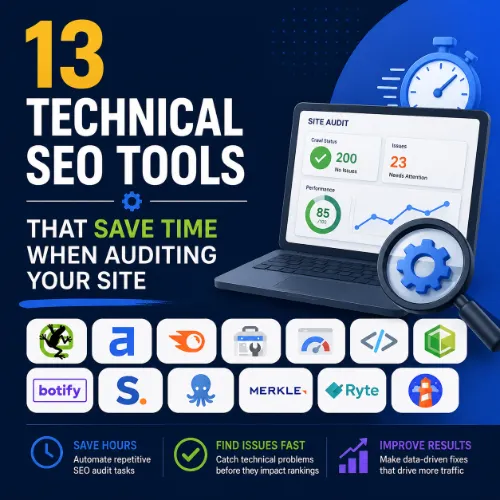
technical SEO tools that save time Key Takeaways
Search engines increasingly reward sites that load fast, render without errors, and follow technical best practices.
- Automated crawlers like Screaming Frog and DeepCrawl flag broken links, redirect chains, and duplicate content in minutes instead of hours.
- Performance tools such as PageSpeed Insights and GTmetrix simplify Core Web Vitals diagnostics with actionable reports.
- Log file analyzers and structured data testers turn complex audits into straightforward workflows, even for non-developers.
Why Technical SEO Tools That Save Time Matter in 2025
Search engines increasingly reward sites that load fast, render without errors, and follow technical best practices. Yet many publishers skip deep technical audits because they assume the process is too labor-intensive. The reality is that modern technical SEO tools that save time handle the heavy lifting, leaving you with clear next steps rather than raw data dumps. For a related guide, see 11 Technical SEO Automation Ideas for Agencies: Smart Tools to Scale Faster.
These tools reduce audit time from days to hours. They also catch issues like soft 404s, missing meta tags, and crawl budget waste that manual checks often miss. Below you will find 13 of the most reliable tools, each with key features, the specific time-saving benefit, and a practical tip to get the most out of it. For a related guide, see 25 Best SEO Tools Compared for 2026.
1. Screaming Frog SEO Spider
This desktop-based website crawler is a staple for technical SEOs. It analyzes up to 500 URLs for free and can handle thousands more with a paid license.
Key Features
- Extracts meta data, headings, images, and page titles
- Detects redirect chains and broken links
- Exports data into CSV or Excel for custom analysis
Time-Saving Benefit
Instead of manually visiting each page, you crawl the entire site in one go. The tool surfaces errors in a dashboard, so you jump straight to fixes.
Practical Tip
Use the “Filter” tab to isolate 4xx and 5xx status codes. This cuts your review time by 60% because you focus only on problem URLs.
2. Google Search Console
Free and directly from Google, Search Console tells you exactly how the search engine sees your site. It covers indexing status, crawl errors, and Core Web Vitals.
Key Features
- Index coverage report with specific error codes
- URL inspection tool for per-page diagnostics
- Core Web Vitals report with field data
Time-Saving Benefit
You do not need to guess which pages are indexed. The reports surface crawl anomalies and indexation gaps instantly.
Practical Tip
Set up email alerts for new crawl errors. This proactive approach catches issues like accidental noindex tags before they hurt rankings.
3. Ahrefs Site Audit
Ahrefs offers a cloud-based site audit that checks 100+ technical issues. It integrates with its backlink and keyword tools, giving you a full picture in one place.
Key Features
- Automatic crawl schedule (daily or weekly)
- Priority scoring for each issue based on severity
- Integration with Ahrefs Webmaster Tools (free tier available)
Time-Saving Benefit
You set the audit once and let it run on autopilot. Each report highlights the most critical fixes first, so you do not waste time on low-impact issues.
Practical Tip
Use the “Issues” report sorted by “Pages Affected.” Fixing a single root cause, like a broken template, can resolve hundreds of page-level errors at once.
4. Google PageSpeed Insights
This free tool analyzes page speed on both mobile and desktop, drawing from real-world Chrome User Experience Report data and lab-based Lighthouse tests.
Key Features
- Core Web Vitals assessment (LCP, FID/INP, CLS)
- Opportunity and diagnostic sections with specific recommendations
- Lab data vs. field data comparison
Time-Saving Benefit
You get a tailored improvement list instead of guessing which resource is slow. Each suggestion includes estimated time savings.
Practical Tip
Run PageSpeed Insights on your top 10 traffic pages. The aggregated findings often reveal a pattern, such as oversized images or slow third-party scripts, that you can fix sitewide.
5. DeepCrawl (Now Lumar)
DeepCrawl is an enterprise-grade web crawler that handles large sites with millions of URLs. It excels at visualizing site structure and crawl budget.
Key Features
- Automated daily crawls with change logs
- Crawl budget analysis
- Custom JavaScript rendering support
Time-Saving Benefit
For sprawling e-commerce or news sites, DeepCrawl identifies which pages waste crawl budget and which are underindexed. That insight alone saves hours of manual log analysis.
Practical Tip
Enable the “JavaScript rendering” setting if your site loads content dynamically. Many static crawlers miss these pages, leading to false error reports.
6. GTmetrix
GTmetrix provides waterfall charts and performance grades based on Lighthouse and its own proprietary metrics. It is especially useful for tracking speed improvements over time.
Key Features
- Timeline view of page load sequence
- Video playback of load process
- Multi-location testing
Time-Saving Benefit
The waterfall chart pinpoints exactly which CSS/JS file blocks rendering. Instead of hunting through code, you address specific loading bottlenecks.
Practical Tip
Use the “History” tab after each optimization to confirm that your changes improved the score. This prevents reverting to a slower version accidentally.
7. Semrush Site Audit
Semrush’s Site Audit tool covers 130+ technical checks and is fully integrated with its SEO toolkit, including keyword tracking and competitor analysis.
Key Features
- On-page SEO checker per URL
- Crawlability and indexability reports
- Share of Voice tracking for competitive comparison
Time-Saving Benefit
You can combine site audit findings with competitor backlink data in one dashboard, eliminating context switching between tools.
Practical Tip
Schedule weekly automated crawls and connect the data to Google Looker Studio for a real-time technical health dashboard.
8. Sitebulb
Sitebulb is a visual desktop crawler that generates clear, prioritized audit reports. Its interface is designed for clients and non-technical stakeholders.
Key Features
- Project-level dashboards with issue grouping
- Hint-based recommendations (similar to Lighthouse)
- Exportable reports in PDF or HTML
Time-Saving Benefit
Sitebulb creates ready-to-present audit summaries. You skip the step of formatting raw crawl data into client-friendly reports.
Practical Tip
Use the “Project” view to compare multiple audits over time. This highlights whether your fixes are actually reducing the total issue count.
9. WAVE Web Accessibility Evaluation Tool
Accessibility issues often overlap with technical SEO problems, such as missing alt text or improper heading hierarchy. WAVE identifies both.
Key Features
- Browser extension for on-page evaluation
- Contrast ratio checks
- Detailed error descriptions and remediation guidance
Time-Saving Benefit
Instead of manually reviewing each page’s accessibility, WAVE scans the live page and marks issues inline. It cuts QA time by half.
Practical Tip
Run WAVE on your top landing pages during every content update. Small fixes like missing aria labels can improve both usability and search visibility.
10. Merkle’s Schema Markup Generator
Structured data is critical for rich results, but writing JSON-LD manually is error-prone. Merkle’s free tool generates valid schema code instantly.
Key Features
- Supports Article, Product, FAQ, LocalBusiness, and more
- Preview how the rich result will appear in SERPs
- Output formatted JSON-LD ready to paste
Time-Saving Benefit
You skip the trial-and-error of writing schema by hand. The tool reduces implementation time from 20 minutes to less than 2 minutes per page.
Practical Tip
After generating schema, test it with Google’s Rich Results Test before deploying. This catches syntax errors before they go live.
11. Google’s Structured Data Testing Tool
Even though Google deprecated the old tester, the new Rich Results Test still validates structured data and shows errors or warnings.
Key Features
- Real-time validation by URL or code snippet
- Detailed error messages with line numbers
- Screenshot preview of eligible rich results
Time-Saving Benefit
You can test schema changes before publishing, avoiding indexation issues that require a separate debugging session later.
Practical Tip
Bookmark the Rich Results Test in your browser toolbar. It takes two clicks to verify any page’s structured data during a content audit.
12. Log File Analyzer (Splunk or ELK Stack)
Log file analysis reveals exactly how Googlebot crawls your site. Tools like Splunk (open source) or the ELK Stack parse server logs to show crawl frequency, IP addresses, and response times.
Key Features
- Crawl frequency by user-agent (Googlebot, Bingbot)
- Status code breakdown per crawl request
- Crawl budget visualization over time
Time-Saving Benefit
You see which pages Googlebot prioritizes versus which it ignores. This data is invaluable for large sites where crawl budget is a limiting factor.
Practical Tip
Start by filtering log entries to only Googlebot requests. Compare those to your sitemap to uncover pages that are sitemapped but never crawled.
13. GTmetrix vs. PageSpeed Insights: When to Use Each
Both tools measure page speed but serve different needs. Use PageSpeed Insights for field data (real user metrics) and GTmetrix for detailed waterfall analysis during optimization.
Time-Saving Benefit
Running both takes about 5 minutes total and gives you a complete picture: real-world performance plus lab-level debugging. You avoid the back-and-forth of using only one tool and guessing the rest.
Practical Tip
Run PageSpeed Insights first to identify the biggest Core Web Vitals problem. Then switch to GTmetrix to drill into the specific resource causing that issue.
SEO Entities and Their Functions
Understanding common SEO entities helps you interpret tool reports more accurately. Here are the most relevant ones for technical audits:
- Root Domain / Subdomain — Crawl tools often report issues at the domain level, but problems may be limited to a subdomain. Always verify the entity scope.
- Organic Keywords and Keyword Difficulty — Technical errors, such as slow load times, can reduce keyword rankings even if content is strong. Tools like Ahrefs correlate page-level Core Web Vitals with keyword position changes.
- Backlink Referring Domains — Broken backlinks (links pointing to 404 pages) waste link equity. Site audit tools identify these so you can set up redirects.
- Core Web Vitals — These metrics (LCP, INP, CLS) are direct ranking factors. Tools like PageSpeed Insights and Search Console measure them.
- Crawl Budget — The number of pages Googlebot crawls in a given period. Log file analyzers and DeepCrawl help manage it by highlighting wasted crawl events.
Useful Resources
For a deeper understanding of crawl budget management, see Google’s official guide on managing crawl budget for large sites. For a comprehensive comparison of site audit tools, check out this detailed review on Ahrefs SEO tools and their audit features.
Frequently Asked Questions About technical SEO tools that save time
What are technical SEO tools that save time?
These are software tools that automate the detection of site structure issues, crawl errors, page speed problems, and indexability errors. They remove manual inspection steps, cutting audit time by 50% or more.
How do I choose the right technical SEO tool?
Consider your site size, budget, and technical skill level. Free options like Google Search Console cover basics; paid tools like Screaming Frog or Ahrefs provide deeper analysis for larger sites.
Do these tools replace manual auditing completely?
No. Tools surface issues, but you still need human judgment to prioritize and implement fixes. They reduce the data gathering time, not the decision-making time.
Can I use multiple tools together?
Yes, and it is common. For example, use Screaming Frog for a quick crawl, then PageSpeed Insights for speed, and Search Console for index coverage. Each tool fills a different gap.
How often should I run a technical SEO audit?
At least monthly for small sites and weekly for large ones. Automating the process with tools like Ahrefs or DeepCrawl ensures you catch regressions quickly.
What is a crawl budget?
Crawl budget refers to the number of URLs Googlebot crawls on your site within a given period. Technical tools help you avoid wasting that budget on low-value pages.
Are free technical SEO tools worth using?
Absolutely. Google Search Console, PageSpeed Insights, and the Rich Results Test are free and highly valuable. They are often the first line of defense in an audit.
What is the biggest time-waster in technical SEO?
Manually checking each page for issues like broken links or missing meta tags. Tools automate this entirely, saving hours per audit.
Do these tools work for JavaScript-heavy sites?
Some tools, like DeepCrawl and Screaming Frog, support JavaScript rendering. Others, like basic crawlers, may miss dynamic content. Check each tool’s rendering support before purchasing.
How do I fix redirect chains found by an SEO tool?
Redirect chains occur when URL A redirects to B, which redirects to C. Update the original link (A) to point directly to the final destination (C). Tools like Screaming Frog list all chains for you.
What is the difference between a site audit and a crawl?
A crawl is the process of scanning pages. A site audit includes that crawl plus analysis and recommendations. Tools like Ahrefs and Semrush perform both in one workflow.
Can technical SEO tools harm my site?
No, they are read-only. However, if you follow their recommendations blindly without testing, you could accidentally remove important files or rewrite robots.txt incorrectly. Always test changes in staging first.
How do I measure the ROI of a technical SEO tool?
Track time saved per audit, number of issues caught before they impact rankings, and the increase in organic traffic after fixes. Most paid tools pay for themselves within a few months.
What is the best tool for Core Web Vitals?
Google PageSpeed Insights is the gold standard for Core Web Vitals because it uses real user data. GTmetrix and Lighthouse are excellent complements for debugging.
Do I need a developer to use these tools?
Not necessarily. Tools like Search Console, PageSpeed Insights, and the Rich Results Test are designed for non-developers. More advanced tools like log file analyzers may require basic technical knowledge.
How do I integrate site audit data with my reporting?
Export CSV files from most crawlers and import into Google Sheets or Looker Studio. Ahrefs and Semrush offer direct dashboard integrations for continuous reporting.
What is the most overlooked technical SEO issue?
Soft 404s—pages that return a 200 status code but show a “not found” message. They waste crawl budget and mislead search engines. Tools like DeepCrawl detect them by analyzing content similarity.
Can these tools help with schema markup?
Yes. Google’s Rich Results Test validates schema, and Merkle’s tool generates it. Site audit tools also flag missing or incorrect structured data.
How do I handle duplicate content found by a tool?
Use canonical tags to point search engines to the preferred version. Tools like Screaming Frog and Sitebulb list duplicate pages so you can set canonicals efficiently.
What is the first tool I should use as a beginner?
Start with Google Search Console. It is free, easy to use, and surfaces the most common technical issues like index coverage errors and Core Web Vitals problems.







