

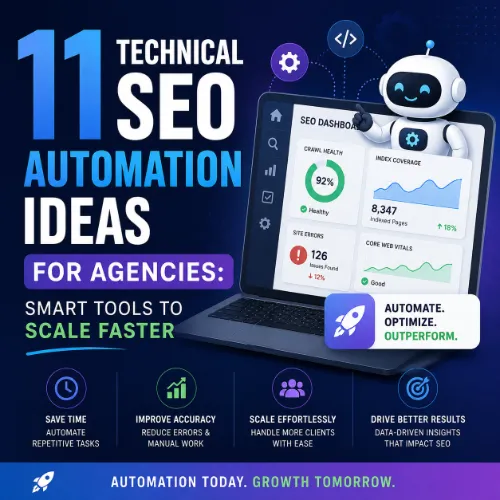
technical SEO automation ideas for agencies Key Takeaways
Technical SEO is the backbone of every successful site, but manual audits and repetitive fixes drain agency resources.
- technical SEO automation ideas for agencies save dozens of hours per month by handling crawling, monitoring, and reporting automatically.
- Smart automation tools integrate with your existing stack (Google Search Console, Ahrefs, Screaming Frog) to detect issues in real time.
- Agencies that automate technical SEO retain more clients because they catch problems before rankings drop.
Why Agencies Need Technical SEO Automation Ideas
Running an agency means juggling dozens of client sites, each with its own technical quirks. Manual technical SEO — crawling, checking redirects, monitoring Core Web Vitals — takes hours every week. Worse, human oversight causes missed issues, broken links, and lost rankings. That is why smart agencies invest in technical SEO automation ideas for agencies that replace repetitive tasks with reliable, scheduled workflows. For a related guide, see How Vibe Coding Improves AI Content and Automation Workflows.
Automation does not replace strategic thinking. It frees your team to focus on high-value work: content strategy, link building, and client communication. Below are 11 specific, actionable automation ideas that fit into any agency workflow. For a related guide, see Gemini Based Automation for SEO Crawling and Content Clustering.
1. Automate Site Crawling and Change Detection
Scheduled crawls catch new issues before they affect rankings. Tools like Screaming Frog SEO Spider and Sitebulb can run nightly and email reports when they find broken links, missing title tags, or redirect chains. Pair this with Slack or email alerts so your team responds within hours, not days.
How to Set It Up
Configure Screaming Frog with a CSV export of all client URLs. Run a crawl every 24 hours and compare the output to the previous day. Use a script or Zapier to flag any new 404s or canonical conflicts.
2. Automate Core Web Vitals Monitoring with CrUX Data
Google’s Chrome User Experience Report (CrUX) gives real user metrics for LCP, FID, and CLS. Instead of checking each client site manually, use a tool like DebugBear or Treo to pull daily CrUX data and alert you when a page falls below the “good” threshold.
Benefit for Agencies
You can show clients a trend line of their Core Web Vitals over time, proving the impact of your optimizations. Automated alerts let you fix regressions before they hurt rankings.
3. Automate Log File Analysis
Log files reveal how Googlebot actually crawls a site. Instead of parsing gigabytes of raw logs by hand, use a tool like Loggly, Sumo Logic, or the Log File Analyzer by Screaming Frog. Schedule weekly imports and generate reports that highlight crawl budget waste, blocked resources, and inefficient crawl paths.
4. Automate Broken Link Checking and Redirect Mapping
Broken links harm user experience and waste crawl budget. Use a service like Dr. Link Check or W3C Link Checker to scan all client sites weekly. When a broken link is found, automatically generate a redirect suggestion based on the URL pattern or closest matching live page.
Pro Tip
Combine this with a 301 redirect manager like Redirection (WordPress plugin) or a server-side script that applies redirects automatically after review.
5. Automate Hreflang Tag Validation
International sites often have messy hreflang implementations that confuse search engines. Use Aleyda Solis’s Hreflang Tags Generator Tool or the Hreflang Checker by Merkle to validate tags in bulk. Schedule a weekly check and flag any missing return tags or conflicting language annotations.
6. Automate Structured Data Testing at Scale
Rich results depend on correct schema markup. Instead of testing each page manually, use Google’s Rich Results API or a tool like Schema.dev to validate structured data across all client pages. Automate a weekly report that shows which pages have errors, warnings, or missing required fields.
7. Automate Index Coverage Monitoring
Google Search Console’s Index Coverage report changes daily. Use a tool like SearchAtlas or RankSense to pull this data via API and compare it to the previous day. Alert your team when “Excluded” pages spike or when “Submitted URL marked ‘noindex’” errors appear.
8. Automate XML Sitemap Generation and Submission
Every client site needs an up-to-date XML sitemap. Use a plugin like Yoast SEO or Rank Math that auto-generates sitemaps and pings Google. For custom sites, write a cron job that rebuilds the sitemap nightly and submits it via the Indexing API.
9. Automate Canonical and Duplicate Content Checks
Duplicate content dilutes ranking signals. Run a nightly crawl with DeepCrawl or Sitebulb that flags pages with missing or conflicting canonicals. Automatically generate a report that shows the percentage of pages with correct, missing, or wrong self-referencing canonicals.
10. Automate SEO Reporting for Clients
Clients want monthly reports, but building them by hand takes hours. Use a dashboard tool like Google Data Studio, Looker Studio, or AgencyAnalytics to pull data from Google Search Console, Ahrefs, and your crawl results. Schedule reports to send automatically every month with personalized commentary from your team.
11. Automate Crawl Budget Optimization Alerts
Large sites waste crawl budget on low-value pages (filtered categories, paginated archives, session URLs). Set up a scheduled crawl that identifies these pages and sends a weekly list of candidates for noindex or removal. This saves Googlebot time and helps important pages get crawled more frequently.
SEO Entities and Their Functions
Understanding the entities behind your automation helps you choose the right metrics and tools.
- Website / Domain entities: Root domain, subdomain, and URL-level analysis let you pinpoint whether an issue affects the whole site, a section, or a single page.
- Keyword entities: Organic keywords, keyword difficulty (KD), search volume, and SERP features show demand, competition, and ranking opportunity.
- Backlink entities: Referring domains, anchor text, and dofollow/nofollow links help evaluate link quality and outreach priorities.
- Page entities: Top pages, broken pages, and internal pages reveal which URLs earn visibility or need repair.
- Technical SEO entities: Crawl issues, redirect chains, canonicals, duplicate content, Core Web Vitals, and indexability status expose obstacles that prevent crawling or ranking.
- Metrics entities: Domain Rating (DR), URL Rating (UR), organic traffic, and referring domains count summarize authority and search visibility.
How to Choose the Right Technical SEO Automation Ideas for Agencies
Not every automation idea fits every agency. Start by auditing your current workload: which tasks take the most time? Which issues cause the most client churn? Prioritize automation for high-frequency, high-impact tasks like broken link checking and crawl monitoring. Next, evaluate tools by their API availability, integration with your existing stack, and cost per client.
Useful Resources
For deeper guidance on crawl budget optimization, read Google’s official documentation on crawl requests. To learn more about structured data validation, check Google’s Rich Results API guide.
Frequently Asked Questions About technical SEO automation ideas for agencies
What is the best tool for automating site crawls?
Screaming Frog SEO Spider is the most popular choice because it supports scheduling, CSV exports, and custom extraction rules.
Can I automate Core Web Vitals monitoring for free?
Google’s PageSpeed Insights API is free, but you will need a script or a tool like DebugBear to pull daily data and generate alerts.
How often should I run automated crawls?
For most client sites, nightly crawls are sufficient. High-traffic ecommerce sites may benefit from hourly checks.
Does automation replace human SEO analysis?
No. Automation handles repetitive data collection and alerts, but humans interpret results and decide on strategic changes.
How do I integrate automated crawl reports with client dashboards?
Use Looker Studio or AgencyAnalytics to pull crawl data via API and display it alongside Google Search Console and Ahrefs metrics.
What is the biggest mistake agencies make with SEO automation?
Automating everything without review. Always set up manual approval steps for redirects, noindex tags, and sitemap submissions.
Can I automate hreflang checks for multiple client sites?
Yes. Use Aleyda Solis’s Hreflang Tags Generator Tool or the Merkle Hreflang Checker. Both support bulk URL inputs.
Does automation help with Core Web Vitals compliance?
Yes. Automated monitoring catches regressions quickly, but actual improvements still require front-end optimization work.
How much time can an agency save with technical SEO automation?
Depending on the number of clients, agencies report saving 15–40 hours per month after implementing automated crawling and reporting.
What is the best way to automate redirect mapping?
Use a tool like Redirection (WordPress) or a custom script that checks a spreadsheet of old URLs against current ones and creates 301s automatically.
Can I automate duplicate content detection?
Yes. Sitebulb and DeepCrawl both have duplicate content reports that flag similar pages and suggest canonical fixes.
How do I automate SEO reports for non-technical clients?
Use Looker Studio or AgencyAnalytics to create visual dashboards with charts for traffic, rankings, and crawl health, and schedule monthly email delivery.
Is it safe to automate sitemap submission?
Yes. Use a cron job or a plugin to ping Google and Bing automatically every time the sitemap is regenerated. Always verify the sitemap is valid first.
What should I automate first in a new client engagement?
Start with crawl monitoring and broken link checking. These catch the most common issues and show immediate value to clients.
Can automation help with log file analysis?
Yes. Tools like Loggly and Sumo Logic parse raw logs and generate reports on crawl frequency, crawl budget waste, and blocked resources.
How do I handle alerts without getting overwhelmed?
Set up priority tiers. Critical issues (server errors, noindex on important pages) trigger immediate Slack or email alerts. Low-priority issues go into a weekly digest.
Does Google allow automated structured data testing?
Yes. Google’s Rich Results API supports batch testing. Rate limits apply, so schedule checks outside peak hours.
Can I automate index coverage monitoring for multiple Google Search Console properties?
Yes. Use SearchAtlas or a custom script with the Search Console API to pull index coverage data for all properties daily.
What is the cheapest way to automate technical SEO for agencies?
Use free tools like Google Search Console API, PageSpeed Insights API, and Screaming Frog (free tier up to 500 URLs) combined with Zapier or n8n workflows.
How do I choose between Sitebulb and DeepCrawl for automation?
Sitebulb has a friendlier UI and better reporting visuals. DeepCrawl offers more advanced scheduling and API integrations. Choose based on your team’s technical comfort.







