

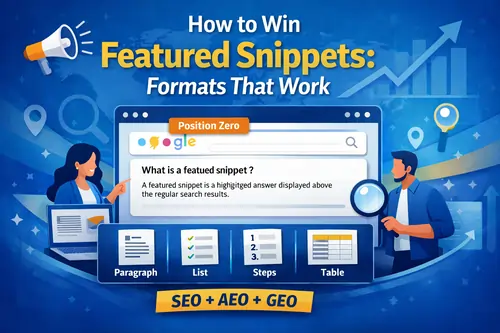
Quick Answer: What is a featured snippet?
A featured snippet is a highlighted answer that appears above the regular organic listings in Google—often called Position Zero. It pulls a short section of content (a paragraph, list, steps, or table) from a webpage to answer a query directly in the Google answer box (also referred to as the featured snippet box).
Google officially explains featured snippets in its Search Central documentation.
If your goal is to win more visibility from SERP features, this is one of the most practical wins in modern SEO.
Why featured snippets matter (even with zero-click searches)
Featured snippets can boost:
- Brand authority (your site becomes the “trusted answer”)
- Click potential (higher organic CTR / click-through rate)
- Top-of-page visibility (even if you’re not #1 organically)
- Answer Engine Optimization (AEO) performance
- Voice search optimization (voice assistants often read snippet-style answers)
According to industry studies by platforms like Ahrefs and SEMrush, featured snippets frequently appear for question-based queries and can significantly influence CTR.
Yes—snippets can contribute to zero-click searches. Google has acknowledged this behavior in broader discussions about evolving search experiences. But you can still benefit by:
- Giving a clear answer, then hinting at additional steps or templates
- Building brand recall (branded searches matter long-term)
- Winning multiple placements (snippet + organic result + People Also Ask entries)
Think of featured snippets as a visibility multiplier.
The 4 Featured Snippet Formats That Work (and When to Use Each)
Google typically extracts one of these four formats. Winning becomes much easier when you match the format to search intent.
1) Paragraph snippet (definition snippet)
A paragraph snippet is the most common, especially for:
- “what is” queries
- Definition queries
- “why does…” questions
Google often pulls concise definitions from well-structured pages, as explained in its guide to creating helpful, people-first content.
Snippet-friendly rule: Put the answer immediately under the relevant heading, usually within 40–60 words.
Example structure
What is a featured snippet?
A featured snippet is a highlighted result shown above normal organic listings that answers a user’s question directly. It may appear as a short paragraph, list, steps, or table and is often called Position Zero because it sits at the top of Google search results.
Then expand below with deeper explanation.
2) List snippet (bullet list snippet)
Common for:
- “types of” queries
- “examples of…”
- “benefits of…”
- “best…”
Example
Types of featured snippets
The most common featured snippet types include:
- Paragraph snippet (definition snippet)
- List snippet (bullet list snippet)
- Numbered list snippet (steps snippet)
- Table snippet (comparison table snippet)
Tip: Keep bullets short and consistent. Avoid turning them into mini paragraphs.
3) Numbered list snippet (steps snippet)
Best for:
- “how to” queries
- Tutorials
- Processes
Google often extracts step-based answers and may enhance them when structured properly with HowTo structured data.
Example
How to win featured snippets
- Find question-based keywords with snippet potential.
- Check the current snippet format in Google.
- Match that format (paragraph, list, steps, or table).
- Add an answer block directly under your H2/H3.
- Improve clarity, structure, and internal links.
- Monitor performance in Google Search Console.
4) Table snippet (comparison table snippet)
Ideal for:
- “vs” queries
- Comparisons
- Feature differences
- Requirements
Google’s documentation on structured data explains how structured clarity improves content understanding — even if it doesn’t guarantee snippet selection.
Example
Paragraph vs list vs table snippet: which should you use?
| Query intent | Best snippet format | Example trigger |
|---|---|---|
| Definition | Paragraph snippet | “What is SEO?” |
| Options | List snippet | “Types of backlinks” |
| Process | Numbered list snippet | “How to compress images” |
| Comparison | Table snippet | “GA4 vs UA” |
Keep tables simple with clear headers.
Bonus Formats: Video Snippet and Image Snippet
You may also see:
- Video snippet (often from YouTube tutorials)
- Image snippet
Improve eligibility by:
- Embedding a relevant video and summarizing steps clearly
- Using descriptive image alt text (Google explains alt text best practices in its image SEO guide)
- Keeping primary text extractable
How to Choose the Right Snippet Format (Intent Mapping)
Use this cheat sheet:
- “what is” → paragraph snippet
- “how to” → numbered list snippet
- “types of” → list snippet
- “vs” / compare → table snippet
Practical rule: Mirror the format already shown in the SERP.
Snippet-Ready Page Structure (SEO + NLP + AEO Friendly)
Google favors strong hierarchy and clarity, aligned with its Search Quality Evaluator Guidelines.
Recommended structure
- H1 (topic + primary keyword)
- Short intro (2–4 lines)
- TL;DR (optional but powerful)
- Question-based H2/H3 headings
- Snippet blocks directly under headings
- Examples and comparisons
- FAQ section
- Conclusion + next step
Use People Also Ask (PAA) to Multiply Snippet Chances
People Also Ask (PAA) reveals real user questions.
To use it:
- Search your main keyword.
- Expand 5–10 PAA questions.
- Turn them into H2/H3 sections.
- Add the best ones into your FAQ section.
Google discusses evolving SERP features in its Search documentation overview.
Structured Data: Schema Markup That Supports AEO
Schema markup doesn’t guarantee a featured snippet, but it supports eligibility for rich results.
Useful structured data:
- FAQ schema
- HowTo schema
- Article / Organization schema
This strengthens Answer Engine Optimization (AEO).
Google Search Console: Find Snippet Opportunities You Already Have
Google Search Console is one of the fastest ways to identify snippet potential.
Steps
- Go to Performance → Search results
- Filter queries ranking in positions 2–8
- Look for question-based queries
- Add snippet bait blocks
- Monitor CTR and impressions
Google’s official guide to performance reports is here: webmasters
GEO: Philippines-Friendly Snippet Strategies
If targeting Filipino audiences:
- Use PH examples naturally
- Focus on mobile-first formatting
- Target queries like:
- “how to renew passport online philippines”
- “requirements for [service]”
- “how to apply for [program]”
Google emphasizes mobile-first indexing in its documentation
PH users are heavily mobile-first, so short paragraphs and clean lists matter more.
Featured Snippet Optimization Checklist
Before publishing:
- Primary keyword used naturally
- Question-based H2
- Answer immediately under heading
- 40–60 word definition block
- Correct format used
- 3–6 PAA questions included
- FAQ section added
- Clean HTML lists/tables
- Internal links added
- Structured data implemented
- Tracked in Google Search Console
FAQ (AEO-Friendly)
What is Position Zero?
Position Zero refers to the featured snippet area above normal organic results where Google displays a direct answer.
Does schema markup guarantee a featured snippet?
No. Structured data helps clarity and rich results eligibility, but snippet selection is based on relevance and extractability, according to Google Search Central.
Do featured snippets increase traffic?
Not always. Some queries become zero-click searches. However, improved brand visibility and CTR often compensate.
Final Strategy: Win Featured Snippets Consistently
To win featured snippets:
- Target clear question-based intent
- Match existing snippet format
- Add snippet bait under H2/H3
- Keep answers concise, then expand
- Add FAQ + PAA coverage
- Strengthen internal linking
- Refresh pages ranking 2–8
Featured snippets reward clarity. The best-structured pages often beat longer, less extractable content.







