

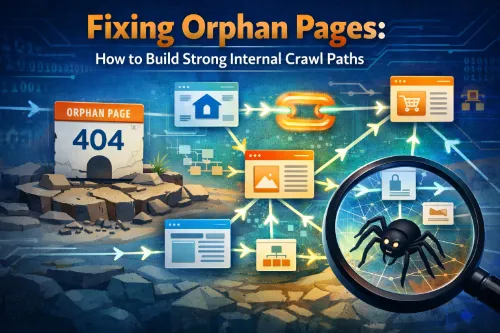
Fixing Orphan Pages: How to Build Strong Internal Crawl Paths
Orphan pages are one of the most common and most overlooked technical SEO issues on growing websites. They quietly waste crawl budget, weaken your internal link structure, and hide valuable content from both users and search engines.
This guide explains what orphan pages are, how they affect SEO, how to find them using a simple workflow, and how to fix them by building strong internal crawl paths. You’ll also see how to prevent new orphan pages from appearing as your site grows.
What Are Orphan Pages?
An orphan page is any URL on your site that has no internal links pointing to it.
The page might still:
- Exist in your CMS or database
- Be included in your XML sitemap
- Receive traffic from external backlinks or paid campaigns
…but if users and crawlers can’t reach it by following internal links from other pages, it’s considered an orphan page.
For a deeper primer, you can see how Semrush defines and explains orphan pages and how they affect SEO.
Orphan pages vs deep or low‑linked pages
It helps to distinguish orphan pages from other problem URLs:
- Orphan pages: Have zero internal inlinks; crawlers can’t reach them by following internal links.
- Deep pages: Are technically linked, but buried several clicks from the homepage (for example, 5+ clicks deep).
- Low‑linked pages: Have only one or two weak internal links, often from low‑value locations such as old tag archives.
All of these can hurt performance, but orphan pages are the most severe because they break your internal crawl paths completely.
How orphan pages are created
Most websites don’t create orphan pages on purpose. They appear naturally over time as you edit and grow the site:
- Site redesigns or migrations where old sections are dropped from navigation, but the URLs remain live.
- Category or tag cleanups where content is re‑categorized and internal paths are never updated.
- PPC, email, or social landing pages that are created, used briefly, and then forgotten.
- Auto‑generated URLs like filter pages or internal search result pages that aren’t integrated into menus or templates.
- Partial content pruning where pages are removed from menus but not redirected or deindexed.
Without periodic checks, these unlinked pages accumulate and slowly undermine both crawlability and information architecture.
How Orphan Pages Hurt SEO
Orphan pages cause several direct and indirect SEO issues, from crawl inefficiencies to missed revenue opportunities.
1. Wasted crawl budget and poor crawlability
Search engines have a limited crawl budget for each domain. When a page is orphaned, crawlers struggle to discover and recrawl it and have no clear path to understand where it sits in your structure.
Guides like Hike SEO’s article on orphan pages show clearly how these URLs hurt crawlability and fragment the user journey.
2. Weak internal link structure and link equity
Internal links pass link equity, highlight important URLs, and define your internal crawl paths and content clusters.
When a page has no internal links, it receives almost no internal link equity. Even if it has good content or external backlinks, it sits outside your internal linking strategy and is far less likely to rank.
3. Broken content clusters and topical authority
Content clusters and hub‑and‑spoke architecture are central to modern SEO.
In a healthy structure:
- A hub page targets a broad topic
- Supporting pages cover subtopics
- Strong internal linking ties everything together
Orphan pages sit outside these clusters and don’t reinforce topical authority, which several technical SEO guides identify as a key drawback.
4. Poor user experience and missed conversions
From a user perspective, orphan pages don’t appear in navigation, content hubs, or related posts and can be hard to discover unless you know the exact URL.
If those URLs are service pages, city pages, or important resources, they represent missed opportunities for leads, sales, and engagement.
How to Identify Orphan Pages
To fix orphan pages, you need a structured way to find them by comparing “all URLs that exist” with “all URLs found via internal links.”
Step 1: Build a master URL list
First, collect every URL that should be on your radar:
- CMS export of all published pages, posts, and products
- XML sitemaps submitted to Google Search Console
- Analytics landing pages and pages with sessions over the last 3–6 months
- Search Console indexed URLs and “discovered/crawled” URLs without indexation
- Any legacy or campaign URLs you track separately
Articles like Mangools’ explanation of orphan pages and Conductor’s academy guide on orphan pages show this same multi‑source approach.
Step 2: Crawl your site
Next, run a full internal crawl of your domain starting from the homepage.
You can use:
- Screaming Frog (see this detailed tutorial: How to find orphan pages in Screaming Frog)
- Cloud tools like Semrush Site Audit (walkthrough in Semrush’s orphan pages guide)
- Other crawlers that support sitemap or analytics integrations
Make sure the crawl captures internal HTML pages, inlink counts, crawl depth, and basic meta information for each URL.
Step 3: Compare lists and isolate orphan pages
Now compare your master list with the crawl list:
- URLs in the master list that don’t appear in the crawl are likely orphan pages
- URLs that appear in the crawl but have zero internal inlinks are effectively orphan or near‑orphan pages
Guides like the SEO Works orphan pages guide outline the same idea—compare sitemap, crawl, and analytics data to surface unlinked URLs.
Step 4: Prioritize what to fix
Not every orphan page is worth saving. Prioritize by:
- Traffic and conversions
- External backlinks
- Strategic role (services, locations, core informational content)
- Relevance and freshness
SRV Media’s article on fixing SEO orphaned pages is a good example of this impact‑first mindset.
Fixing Orphan Pages: Rebuilding Internal Crawl Paths
Once you’ve identified important orphan pages, you can reintegrate them into your internal link structure and improve your crawl paths.
1. Reintegration with contextual internal links
The fastest and most natural fix is to add contextual internal links from relevant content.
Process:
- For each priority orphan page, find several related pages already getting traffic and crawl activity.
- Add contextual links in the body content using descriptive, natural anchor text that mirrors real queries (for example, how to fix orphan pages, internal linking strategy, improving crawlability with internal links).
- Include these links in “Related articles” or “Further reading” sections where appropriate.
Both Semrush and SRV Media highlight creating internal links from high‑traffic pages as the simplest and most effective fix.
2. Use hubs, categories, and breadcrumbs
To avoid one‑off patches, connect orphan pages into your broader structure:
- Create or strengthen hub pages and topic clusters that list and summarize key subpages, including formerly orphan pages.
- Ensure each URL sits under the right category or tag and that those archives are crawlable and visible in navigation.
- Implement breadcrumbs so every page has a clear path back up the hierarchy.
OWDT’s guide on what orphan pages are and why they hurt rankings emphasizes using content clusters and topic‑based linking to keep your site connected.
3. Improve navigation for key pages
Some orphan pages are high‑value and should live in main navigation or key menus.
You can:
- Add core service and product pages directly to top navigation or mega menus
- Feature critical guides or resources in your footer or sidebar
- Create a “Resources” or “SEO Guide” section that highlights your best evergreen content
Semrush’s website architecture best practices show how clean navigation supports crawlability and avoids orphan pages.
4. Redirect, noindex, or delete low‑value orphans
Not all orphan pages deserve to stay live. For each URL, decide whether to:
- Keep and improve (upgrade content and reintegrate with internal links)
- Merge and 301 redirect to a stronger, related page
- Noindex but keep accessible for utility pages
- Delete and redirect obsolete content to the closest relevant URL
Both Mangools and AIOSEO’s WordPress tutorial recommend consolidating thin or outdated orphan content and managing redirects carefully.
Building a Sustainable Internal Linking Strategy
Fixing the current orphan pages is one project; avoiding new ones is an ongoing process.
Design content clusters and hub‑and‑spoke structures
Before publishing new content, decide where it fits:
- Which hub or parent page it supports
- Which existing pages will link to it at launch
- Which pages it will link out to
Every new URL should get internal links from existing content and be clearly integrated into a topic cluster or category. This mirrors how users think about topics and how search systems interpret relationships.
Simple internal linking rules for your team
Create a short checklist:
- No new page goes live without at least one crawlable internal link from an existing page.
- Key pages must have multiple internal links from different contexts (body copy, hubs, navigation).
- Click depth to important URLs should stay as low as reasonably possible.
- Avoid creating new URL types (filters, thin archives, tracking variants) unless they have a clear place in your architecture.
Several technical SEO checklists recommend adding “orphan page checks” and “internal link checks” as standing items in your regular audits.
A Practical Orphan Page Cleanup Workflow
Here’s a repeatable workflow you can plug into your technical SEO process:
- Collect all URLs
Export URLs from your CMS, XML sitemaps, analytics, and Search Console. - Run a full crawl
Use a crawler like Screaming Frog or a cloud tool like Semrush Site Audit and crawl from the homepage.- See How to scan orphan pages and How to find orphan pages in Screaming Frog for concrete configuration tips.
- Identify orphan and near‑orphan pages
Compare the crawl with your master list to isolate URLs missing from the crawl or showing zero internal inlinks. - Prioritize by impact
Sort by traffic, conversions, backlinks, and strategic value. - Decide on actions
For each URL, choose to keep and improve, merge and redirect, noindex, or delete and redirect. - Reintegrate key pages
Add contextual internal links, connect pages to hubs or categories, and adjust navigation where appropriate. - Align sitemaps and indexation
Update XML sitemaps and ensure they only contain URLs that are live, valuable, and properly internally linked. - Re‑crawl and verify
Run another crawl to confirm that important pages now have internal inlinks and reasonable crawl depth. - Schedule regular audits
Repeat monthly or quarterly, as recommended in many technical SEO checklists and tools.
For WordPress users, AIOSEO’s Link Assistant offers a more automated way to detect and link to orphan posts directly inside the dashboard.
FAQs: Orphan Pages and Internal Crawl Paths
What is an orphan page in SEO?
An orphan page is a URL on your site that has no internal links pointing to it. It may still exist in your CMS or XML sitemap, but users and crawlers cannot reach it by following internal links from other pages.
Are orphan pages bad for SEO?
Yes, when valuable content is orphaned, it wastes crawl budget, receives little or no internal link equity, sits outside your content clusters, and is much less likely to rank or convert.
How do I find orphan pages on my website?
Combine URL exports from your CMS, sitemaps, analytics, and Search Console, then compare them to a full crawl from tools like Screaming Frog or Semrush Site Audit to find URLs that exist but are not reachable via internal links.
How do I fix orphan pages?
Decide whether each orphan page should be kept, merged, redirected, or removed. For pages you keep, add contextual internal links from relevant content, connect them to hub or category pages, and update navigation where appropriate.
How often should I check for orphan pages?
Most guides recommend checking at least quarterly, and more frequently after migrations, redesigns, or major content pushes, so you can catch new orphan pages early.
How do I identify orphan pages if my analytics tracking is incomplete or missing?
You can compare your XML sitemap URLs against a full crawl using tools like Screaming Frog, Sitebulb, or Ahrefs. Export all discovered URLs, then cross-reference with server logs or sitemap data. Any URL not found in the crawl but present in the sitemap or logs is likely orphaned.
Do orphan pages affect Core Web Vitals or only crawling and indexation?
Orphan pages primarily impact crawling, indexation, and link equity flow. However, if they remain indexed and have poor performance metrics, they can indirectly affect overall site quality signals. The main risk is reduced visibility, not Core Web Vitals directly.
Can orphan pages still rank if they have strong external backlinks but zero internal links?
Yes, they can rank if they have strong backlinks. However, without internal links, they won’t effectively pass authority to other pages, and search engines may treat them as less integrated within your site’s structure, limiting long-term performance.
What’s the best way to fix orphan pages on JavaScript-heavy (SPA) websites?
Ensure internal links are rendered server-side or are crawlable without user interaction. Use server-side rendering (SSR) or dynamic rendering, and verify crawlability using Google Search Console’s URL Inspection and third-party crawlers configured for JavaScript rendering.
How often should I audit for new orphan pages on large, frequently updated sites?
For enterprise or news-style sites, run audits monthly or after major content uploads. For smaller sites, quarterly audits are usually sufficient. Frequent publishing increases the risk of accidental orphan creation, especially when content workflows are decentralized.
Fixing orphan pages is one of the highest‑impact technical SEO tasks you can run. By rebuilding strong internal crawl paths and following best practices from trusted resources like Semrush, Hike SEO, OWDT, Mangools, Conductor, AIOSEO, and SEO Works, you make your site easier to crawl, easier to understand, and far more effective at turning content into real results.







