

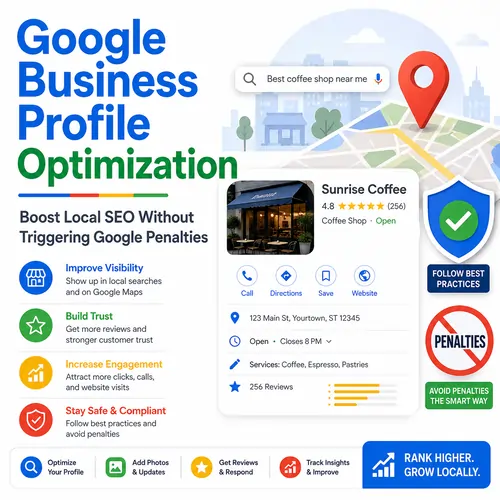
The 2026 Guide to Google Business Profile Optimization: Boost Local SEO Without Triggering Google Penalties
If you want to dominate local search results, Google Business Profile optimization is non-negotiable. However, one wrong move—like keyword stuffing your business name or buying fake reviews—can lead to an immediate suspension.
This guide teaches you how to boost local SEO without triggering Google penalties using ethical, AI-friendly strategies. We will cover GEO (Generative Engine Optimization) so Google’s AI Overviews recommend you, AEO (Answer Engine Optimization) so voice assistants cite you, and NLP so search engines understand your context naturally.
1. Why Google Penalizes GBP Profiles (And How to Avoid It)
Google’s goal is trust. When you boost local SEO through deception, you violate the Google Business Profile guidelines . Common triggers include:
- Using a virtual office without permanent staffing.
- Adding city/state in business name (e.g., “Joe’s Pizza NYC”).
- Review gating – asking only happy customers to leave reviews.
- Duplicate profiles for the same location.
According to Google’s Business eligibility and ownership guidelines , businesses must make in-person contact with customers during stated hours. Virtual offices and co-working spaces without permanent signage do not qualify.
To avoid suspension, always use your legal business name, a physical address where you meet clients, and never create a second profile for the same location.
2. Foundation: Claim & Verify with Absolute Accuracy
Before any optimization, claim your listing via Google Maps or search. Use real business details only.
Non-Negotiable Rules:
- Business name – Exactly as registered. No “best” or “2026” appended. Google explicitly prohibits marketing taglines, store codes, and service information in business names .
- Precise address – Must match utility bills. No P.O. boxes.
- Local phone number – Area code must match your city. The phone number must be under the direct control of the business .
Voice search users ask, “Where is the nearest plumber open now?” If your address and hours are inconsistent, voice assistants will skip you.
External Resource: Review the complete guidelines for representing your business on Google to ensure compliance before verification .
3. Profile Completeness Without Over-Optimization
Complete every field, but never spam.
4. Content Optimization That Ranks
Content inside your GBP directly influences local pack ranking.
a) Posts (1–2 per week)
- Types: Events, offers, what’s new, products.
- Avoid: Clickbait or coupon-only posts without context.
- NLP Keywords: Use variants like “limited-time offer,” “grand opening,” “holiday hours.”
b) Q&A (Answer Engine Gold)
- Preemptively answer common questions (own Q&A section).
- Never fake questions from dummy accounts – Google detects IP patterns.
- AEO Example: Q: “Do you offer emergency service on Sundays?” A: “Yes, from 8 AM to 8 PM. Call our local number.”
c) Products/Services
- List with real prices and descriptions.
- Prohibited: Keyword stuffing like “Plumber plumber plumber services.”
5. Visuals: The Underrated Local Ranking Factor
Photos and videos signal activity and authenticity.
Photo Best Practices:
- Minimum 50 high-quality images – exterior, interior, team at work, products, parking.
- Geotagging – Embed GPS coordinates into image metadata.
- No stock photos – Google’s AI compares your uploaded images with street view.
For developers and advanced users, Google’s Places API Photo service allows programmatic access to location photos, with support for images up to 4800×4800 pixels .
Video Optimization:
- Short (30–60 seconds).
- Show real customer interactions or behind-the-scenes.
- Avoid stock footage or music that violates copyright.
6. Reviews: Ethical Growth Only
Reviews are the #1 local ranking factor, but also the #1 penalty risk.
Ethical Review Process:
- Direct ask – Send the GBP short URL after service delivery.
- No incentives – Never offer discounts, gift cards, or free items for reviews.
- Respond to all – Thank positive reviews. For negatives, apologize and offer resolution offline.
What Google Prohibits:
- Buying reviews.
- Review swapping with other businesses.
- Asking only for 5-star reviews (review gating).
When someone asks, “Is this business trustworthy?” Google’s AI will scan for review response patterns. A history of defensive or angry replies will hurt you.
7. Local Citation & Backlink Consistency
Citations are mentions of your NAP on other websites. They reinforce trust.
🗹 NAP Uniformity
Your name, address, phone must be identical across:
- Yelp, BBB, Apple Maps, Nextdoor, industry directories.
- Even abbreviations matter: “St.” vs. “Street.”
🗹 Embed Maps
Add the Google Map iframe to your website’s contact page. This creates a strong signal between your GBP and your site.
🗹 Use Google Search Console for Performance Tracking
Integrate Google Search Console (GSC) to monitor how your local landing pages perform in search results. GSC is a free tool that provides direct data on impressions, clicks, and keyword rankings from Google . According to industry research, active use of GSC can lead to up to a 15% increase in website visibility .
❌ Avoid
- Low-quality directory spam (100+ irrelevant directories).
- Automated citation blasts (Google flags sudden spikes).
8. Monitoring & Penalty Prevention Checklist
Weekly maintenance prevents surprise suspensions.
Dashboard Checks:
- Review “Info” tab for unauthorized edits (competitors or bad actors can suggest edits).
- Check “Insights” for sudden drops in views or calls.
Prohibited Actions (Zero Tolerance):
- Fake engagement
- Paid reviews
- Misleading categories (e.g., “hotel” when you are a hostel)
- Duplicate profiles for the same business
If suspended: Do not create a new profile. Use Google’s Business Profile appeals tool to submit a reinstatement request .
9. Performance Tracking Without Manipulation
Track metrics that matter without trying to “game” them.
| Metric | What It Tells You |
|---|---|
| Non-branded vs branded search queries | New customer discovery |
| Direction requests | Intent to visit |
| Call clicks | High purchase intent |
| Photo views | Engagement quality |
Warning Signs:
- Sudden stop in profile edits access → possible suspension review.
- All reviews disappear → algorithm penalty.
Use Google Search Console to see which local landing pages drive clicks to your GBP. Optimize those pages for conversational queries. GSC’s Performance Report shows you exactly which queries generate impressions and clicks, helping you identify content gaps .
External Resource: Learn how to use Google Search Console for SEO including keyword research, technical health monitoring, and backlink analysis .
10. Advanced Do’s & Don’ts (Penalty Hotspots)
External Resource: Service-area businesses must hide their address; review the complete service-area business guidelines .
11. Recovery Plan (If You Are Already Penalized)
If you wake up to a suspended or disabled profile, follow this exact recovery plan based on Google’s official suspension appeal process .
Step 1 – Identify the trigger
Recent changes? Fake review burst? Category spam? Check email for Google notification. According to Google support threads, suspensions can happen even to long-standing 13-year-old profiles, often triggered by major address changes, unverified edits, or algorithm updates .
Step 2 – Clean up
Remove any prohibited content, photos, or attributes. Delete duplicate profiles yourself before appealing.
Step 3 – Verify again
If offered video verification, record:
- Your storefront with visible address.
- Equipment or tools.
- A live clock showing current date and time.
Step 4 – Appeal
Use the official Google Business Profile appeals tool . Attach:
- Lease agreement or utility bill for the business (electricity, phone, water, or internet) .
- Business license .
- Tax certificates.
- Signage photo.
⚠️ Important: Once you open the evidence form, you must submit it within 60 minutes or it won’t be attached to your appeal . Ensure all documents show the business name and address exactly as they appear on your profile .
Step 5 – Wait (Do not spam)
Submitting multiple appeals resets the queue. Wait 5–7 business days. Check your appeal status in the appeals tool .
External Resource: Step-by-step guide on how to fix suspended or disabled profiles directly from Google Support .
10 Signs You Are About to Trigger a Google Penalty
Use this checklist monthly to stay compliant with Google’s Additional Terms of Service .
- ☐ Your business name includes city or “best.”
- ☐ You manage GBP from a foreign IP using VPN.
- ☐ You have two listings for the same address.
- ☐ You asked customers to write reviews on your tablet.
- ☐ Your description repeats “plumber NYC” five times.
- ☐ You added stock photos from Canva.
- ☐ You have zero negative reviews (suspiciously perfect).
- ☐ Your address is a UPS store or virtual office.
- ☐ You changed categories three times in one month.
- ☐ You stopped responding to Q&A for over six months.
If you checked any – fix it today.
Conclusion: Rank Smarter, Not Riskier
Google Business Profile optimization is the most powerful lever for local SEO, but only if you respect the rules. By applying GEO (Generative Engine Optimization) you make your content AI Overview-friendly. With AEO (Answer Engine Optimization) you win voice search. And using NLP ensures your business details feel natural, not robotic.
Remember: Google penalties are avoidable. Use real business details, build ethical reviews, and monitor your dashboard weekly. Do that, and you will boost local SEO for years without a single suspension.
Key Resources Referenced in This Guide:
- 📘 Google Business Profile Guidelines for Representing Your Business
- 🚨 Fix Suspended or Disabled Profiles – Google Support
- 📊 Google Search Console – Official Tool
- 🔧 Business Profile Appeals Tool
- 🏢 Business Eligibility and Ownership Guidelines
- 📸 Places API Photo Service Documentation
How to rank higher on Google Maps without breaking rules
Final NLP Keyword Cluster: local pack results, spam filters, manual actions, redressal form, business license, utility bill, signage photo, real business details, NAP consistency, duplicate profiles, review gating, fake reviews burst, service area without staff onsite, virtual office, co-working space.
Frequently Asked Questions
1. Can I use a UPS Store or Regus address for my Google Business Profile?
Answer: No. Google explicitly prohibits using mailbox services, virtual offices, or co-working spaces unless you have permanent, dedicated staff onsite during business hours. If you operate from a shared space, you must either hide your address (as a service-area business) or use a different physical location that meets Google’s eligibility rules.
2. What happens if I move my business to a new city? Do I create a new GBP or edit the old one?
Answer: You must update your existing GBP with the new address, then request verification again. Do not create a new profile for the same business name. If you leave the old profile active, Google will flag it as a duplicate and may suspend both listings. After moving, also update your website, citations, and social media.
3. Can two different businesses share the same address on Google Maps?
Answer: Yes, but only if they are legally distinct entities (different business names, licenses, tax IDs, and phone numbers). Examples: a dentist and a bakery in the same strip mall. However, if both businesses share the same phone number or owner, Google may merge them or flag them as spam.
4. Does Google penalize seasonal businesses that close for 3 months?
Answer: Not automatically. You should mark yourself as “temporarily closed” during the off-season using the GBP dashboard. Do not delete the profile or change hours to “closed every day.” When you reopen, update hours and post a “We’re back!” post. Repeated pattern of closing without updating hours will reduce trust signals.
5. Can I offer a discount to customers who leave a review if I don’t ask for positive reviews?
Answer: No. Google prohibits any form of incentives for reviews, regardless of whether you ask for honesty. This includes gift cards, free drinks, raffle entries, or “review for a chance to win.” The only exception is that you can ask for reviews in a neutral way and provide a link—no reward attached.
6. How long does Google take to approve a new business profile after verification?
Answer: After you complete verification (postcard, phone, video, or email), Google typically activates the profile within 2–3 business days. However, some profiles enter a “quality review” that can take up to 5–7 days. During this period, your profile may be visible but editable only by you. If no edits appear after 14 days, contact GBP support.
7. Can I manage multiple locations from one Google account without getting penalized?
Answer: Yes, that is allowed and encouraged. Use Google’s Business Profile Manager or Location Groups to organize up to hundreds of locations. The penalty risk only appears if you manage duplicate profiles for the same location, or if you use the same phone number across multiple unrelated businesses.
8. What is the maximum number of categories I can select for one GBP?
Answer: You can select 1 primary category and up to 9 additional categories. However, Google recommends no more than 5–7 total. Adding too many irrelevant categories (e.g., a pizza place also selecting “hair salon”) is considered category spam and can trigger a manual penalty.
9. Can I delete a negative review without replying?
Answer: You cannot delete reviews. Only Google can remove reviews that violate their policies (spam, fake, profanity, off-topic, or conflicts of interest). You can flag a review for removal, but Google approves less than 10% of flags. Your best defense is to reply professionally and continue earning positive reviews.
10. Does adding 360° virtual tour photos help with local ranking?
Answer: Yes, but indirectly. 360° photos (including Street View Trusted tours) increase user engagement time and click-through rates, which Google interprets as positive user signals. They do not directly boost ranking, but higher engagement often correlates with better local pack positions. However, low-quality 360° images can hurt perception.
11. My business operates from home. Can I hide my address and still rank locally?
Answer: Yes. Select “I deliver goods and services to my customers” during setup. Your address will be hidden from the public, but you must still verify it privately with Google. You will rank based on your service areas (cities, postal codes), but you may rank lower than storefront competitors in dense urban areas.
12. What is the difference between “primary category” and “additional categories” in GBP?
Answer: Your primary category is the single most important descriptor of your business (e.g., “Italian restaurant”). It carries the most weight for ranking. Additional categories are secondary descriptors (e.g., “Pizza restaurant,” “Caterer”). Google recommends choosing a primary category that matches your website’s main focus. Changing your primary category too often can confuse Google’s algorithm.
13. Can I add my GBP to Google Maps if I don’t have a website?
Answer: Yes. A website is not required to create a GBP. However, without a website, you lose the ability to add service links, booking buttons, and structured data. Google may also rank you lower compared to competitors with authoritative websites. You can use a free Google Site or a simple one-page landing page as a minimum.
14. How does Google handle a business that shares a lobby or reception desk with other companies?
Answer: You must have a suite or unit number to distinguish your space, even if you share a common entrance. Google requires a unique identifier (e.g., “Suite 200” or “Floor 3, Desk B4”) if multiple businesses operate at the same street address. Without a unit number, Google may flag the listing as duplicate or inaccurate.
15. Does changing my business hours frequently affect my local ranking?
Answer: Yes, negatively if done excessively. Google sees frequent hour changes (more than once per week outside of holidays) as a sign of instability or untrustworthiness. Update hours only for real reasons: new seasonal schedules, holiday closures, or permanent changes. For temporary closures (e.g., staff training), use “Special Hours” instead of editing regular hours.
16. Can I list a phone number that forwards to a call center in another state?
Answer: No. Your GBP phone number must connect to a local number that is answered at your business location during stated hours. Call forwarding to an off-site call center violates Google’s guidelines if the call center does not represent your business directly. Exceptions exist for national franchises with local store numbers that route to a central reservation system, but those must be disclosed.
17. What is a “soft suspension” and how is it different from a full suspension?
Answer: A soft suspension means your profile is still visible but you cannot edit or respond to reviews. You may also see missing photos or attributes. A full suspension means your profile is completely removed from Maps and search. Soft suspensions are often caused by address inconsistencies or algorithm flags, while full suspensions typically follow manual reviews after violations like fake reviews.
18. How long after I stop actively managing my GBP will Google penalize me?
Answer: Google does not automatically penalize for inactivity. However, after 6 months of no posts, no Q&A responses, no review replies, and no photo uploads, your profile’s trust signals degrade. Competitors who are active will outrank you. After 12+ months of complete inactivity, Google may mark your business as “unclaimed” or allow public edits to override your data.
19. Can I use emojis in my Google Business Profile posts or description?
Answer: Yes, but sparingly. Emojis are allowed and can increase click-through rates by 5–10% in some industries (e.g., restaurants, salons, retail). However, overusing emojis (more than 2–3 per post) looks unprofessional and may be flagged as spam if combined with excessive punctuation (e.g., “!!!🔥🔥🔥”). Avoid emojis entirely in your business name and description.
20. What is a “reinstated after appeal” timeline for a suspended GBP?
Answer: Once you submit a successful appeal with valid documents (utility bill, business license, signage photo), Google typically reinstates your profile within 5–10 business days. However, some cases take 3–4 weeks if additional review is needed. During reinstatement, your profile may show as “pending” or disappear temporarily. Do not create a new profile while waiting—that will cause a permanent block.







