

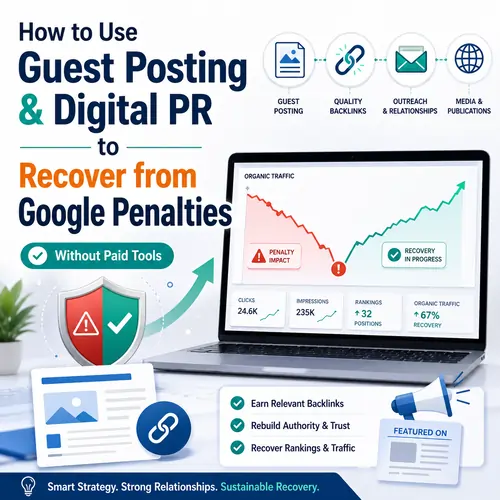
The Manual Recovery Roadmap: How to Use Guest Posting & Digital PR to Fix Google Penalties (Zero Paid Tools)
Introduction: Why Your Link Building Got You Banned
You wake up one morning. Traffic is down 80%. You check Google Search Console. A manual action detected warning appears. Your heart sinks.
Google penalties are terrifying. Whether it’s a manual action (a human reviewer at Google flagged your site) or an algorithmic penalty (like Penguin 4.0 or a Core Update), the result is the same: your organic traffic vanishes.
Here’s the cruel irony: you need backlinks to recover, but the wrong backlinks caused the crash in the first place.
So what do you do? Buy more links? Absolutely not.
The only sustainable path is using legitimate guest posting (content-driven, not link-driven) and earned digital PR (press coverage, not purchased placements). And you can do it all without paid tools like Ahrefs, SEMrush, or Moz.
📖 External resource: Read Google’s official Search Quality Evaluator Guidelines to understand what Google values.
Phase 0: Diagnosis Before Action (Crucial Context)
Before you write a single guest post, you must answer one question: What type of Google penalty do I have?
How to Check for a Manual Action (Free)
Open Google Search Console → Navigate to Security & Manual Actions → Click on Manual Actions.
- If you see “No issues detected” → you have an algorithmic penalty.
- If you see a description like “Unnatural links to your site” → you have a manual action.
🔗 External resource: Review Google’s official Manual Actions report guide for detailed explanations.
How to Identify Toxic Backlinks Without Paid Tools
You cannot fix what you cannot see. Here is the free method to find dangerous links:
- In Google Search Console, go to Links → Top linking sites.
- Export the list to Google Sheets.
- Use this Google dork to investigate each domain:
site:suspiciousdomain.com yourkeyword
Warning signs of toxic backlinks:
- Sites in foreign languages unrelated to your niche
- Pages with 50+ outbound links
- “Blogrolls” or “resources” pages with zero content
- Any site offering “pay for link”
Do You Need a Disavow File?
If you find spammy backlinks, create a disavow file (a simple .txt file). Upload it via Google’s Disavow Tool.
📖 External resource: Access the official Google Disavow Tool and read their disavow guide.
How Guest Posting Helps Recover from Google Penalties (The Right Way)
Not all guest posting is equal. The kind that caused penalties involves:
- Exact-match anchor text (“best running shoes” linked to your product page)
- Mass publishing on low-quality directories
- Reciprocal linking (“you link to me, I’ll link to you”)
The recovery-safe guest posting method focuses on EEAT: Experience, Expertise, Authoritativeness, and Trustworthiness.
🔗 External resource: Learn more about Google’s EEAT framework from the official Google Search Central Blog.
Rule #1: Relevance over Domain Rating
Many recovery guides obsess with Domain Rating (DR) . Ignore that. A DR 20 site in your niche is better than a DR 80 site about cryptocurrency.
Finding Guest Post Targets Without Ahrefs (Free Methods)
You do not need expensive tools. Use Google search operators:
| Search Operator | What It Finds |
|---|---|
"write for us" + "digital marketing" | Active guest post opportunities |
"contribute to our site" + "health blog" | Contributor guidelines |
"guest post by" + "your competitor" | Where your competitor publishes |
"author by" + "your niche" | Bylined articles |
Pro tip: Use inurl:guest-post or intitle:write for us for targeted results.
📖 External resource: For a complete list of Google search operators, refer to Google’s advanced search help page.
The Cold Email That Works (Free Template)
Most outreach fails because it asks for a link from sentence one. Instead, use value-first pitching.
Subject line: Quick question about your [Recent Article Title]
Body:
Hi [Name],
I loved your piece on [Topic]. Specifically, the section about [Detail] was eye-opening.
I recently recovered my own site from a Google penalty by fixing [Specific Issue]. I documented the entire process.
Would you be open to a 500-word guest post sharing those lessons? No links to money pages—just raw value for your readers.
Best,
[Your Name]
Anchor Text Strategy for Penalized Sites
This is the most important section of this guide.
| Anchor Type | Example | Safe % After Penalty |
|---|---|---|
| Brand name | “Acme Corp” | 60-70% |
| Raw URL | https://acme.com/blog | 10-15% |
| Generic | “click here”, “this guide” | 10-15% |
| Partial match | “recovery strategies” (not “buy recovery strategy”) | 5-10% |
| Exact match | Avoid completely | 0% |
🔗 External resource: Read Google’s official guidance on link schemes and unnatural links.
Tracking Outreach in Google Sheets (Free CRM Alternative)
Create columns for:
- Target site URL
- Contact name + email
- Date of outreach
- Follow-up date (+7 days)
- Status (No reply / Accepted / Rejected)
This replaces tools like Pitchbox or BuzzStream completely.
📖 External resource: Use this free Google Sheets outreach template (make a copy for yourself).
Digital PR on a $0 Budget (Earned, Not Bought)
Digital PR is the art of earning links from journalists, news sites, and industry authorities. Unlike guest posting (where you write for another blog), digital PR gets you mentioned because you provided value—not because you asked.
Why Digital PR Is Penalty-Proof
Google’s algorithms treat earned media differently from paid links. A link from a news site that discovered your data organically? That signals trust. A link from a “sponsored post” on a random blog? That signals manipulation.
🔗 External resource: Read about digital PR best practices from the Public Relations Society of America.
Free Data & Original Research (The Backlink Magnet)
You do not need a budget. You need a Google Form.
Step-by-step:
- Create a 5-question survey about your industry using Google Forms.
- Post it on LinkedIn, Reddit, and Twitter (X).
- Collect 50+ responses.
- Create a free chart using Google Sheets or Canva (free tier).
- Write a 400-word summary titled “New Data: [Surprising Finding].”
Publish this on your own site first. Then email journalists.
Finding Journalists Without Cision or Meltwater
Use these free methods daily:
- Help a Reporter Out (HARO) – Still free, now part of Cision. Check @HARO on Twitter.
- Sourcebot – Free tier available. Visit Sourcebot.
- Twitter/X search:
"looking for sources" + "your industry"or"need an expert for a story"
📖 External resource: Sign up for free at HARO (Help a Reporter Out).
Type this into Google:"CEO of [Competitor]" + "said" + "in an interview" + "2025"
That finds journalists who recently quoted someone like you.
The Newsjacking Method (Works Every Time)
Newsjacking = adding new information to an old news story.
- Find an old news article (2022-2023) about a topic in your niche.
- Use Google’s
before:2023-01-01operator. - Verify if any facts have changed.
- Contact the original journalist:
*“Hi [Name], your 2022 story on [Topic] was great. We just published updated data showing [Contradiction/New Finding]. Thought you might want to revisit.”*
Journalists love updates. This yields earned links within days.
🔗 External resource: Learn more about newsjacking strategies from industry experts.
Building an Expert Roundup (Hybrid Tactic)
An expert roundup combines digital PR and guest posting.
Steps:
- Identify 10 micro-influencers in your niche on Twitter.
- DM each: “What’s one tool you use to recover from Google penalties?”
- Compile answers into a blog post on your own site.
- Email each expert: “We featured your answer. Feel free to share.”
Most experts will link to your roundup from their own blog or social media. No paid tools required.
The 60-Day Recovery Workflow (No Tools Calendar)
Here is your week-by-week recovery plan.
Weeks 1-2: Cleanup + Disavow
- Day 1-3: Export backlinks from Google Search Console.
- Day 4-7: Manually review each linking domain. Flag toxic ones.
- Day 8-10: Create disavow file (one domain per line, starting with
domain:). - Day 11-14: Submit disavow file via Google’s Disavow Tool.
Weeks 3-4: Identify Targets
- Find 20 guest post targets using Google dorks (list above).
- Find 10 journalists using Twitter search and HARO.
- Create a Google Sheets tracker with all contacts.
Week 5: Publish Safe Guest Posts
- Pitch 3-5 sites.
- Secure 2-3 accepted guest posts.
- Write content with brand anchors only (no money keywords).
- Include links to your blog content, not product pages.
Week 6: Launch Digital PR Asset
- Publish original data on your own site (survey results, chart, case study).
- Create a one-paragraph pitch for journalists.
- Send personalized emails to your 10 journalist targets.
Week 7: Amplification
- Follow up with journalists who did not reply (one time only).
- Share your expert roundup on LinkedIn and Twitter.
- Monitor Google Search Console for new incoming links.
Week 8: Reconsideration Request (Manual Penalties Only)
- If you had a manual action, submit a reconsideration request.
- In the request, list every step you took:
- Disavowed X domains
- Removed Y bad links
- Published Z legitimate guest posts
- Earned W digital PR mentions
- Be humble, detailed, and honest.
🔗 External resource: Submit your reconsideration request via Google Search Console.
How to Measure Recovery Without Paid Tools
You do not need expensive rank trackers. Use free Google tools.
Google Search Console (GSC)
- Links tab → Top linking sites: Are the new links coming from real publishers?
- Performance tab → Compare date ranges (penalty date vs today).
- Coverage tab → Are indexing errors dropping?
Manual Rank Tracking (The “Incognito Method”)
- Open Chrome Incognito Mode.
- Type
site:yoursite.com keyword - Record the position (page 1, 2, or 3).
- Track 5-10 keywords in a spreadsheet weekly.
The Organic Impressions Test
In GSC Performance:
- Look at Total Impressions over 6 months.
- If impressions are rising while clicks are flat → recovery has started (you are reappearing in SERPs).
- Once clicks rise → full recovery.
📖 External resource: Learn how to use Google Search Console for rank tracking.
Critical Warnings & Pitfalls
Avoid these mistakes at all costs:
| Mistake | Why It’s Dangerous |
|---|---|
| Guest post networks | Sites that publish 50+ guest posts daily are deindexed regularly. |
| Mass email outreach | Sending 1,000 identical emails gets your domain flagged as spam. |
| Keyword-rich anchors | Using “best blue widgets” after a Penguin penalty triggers a second penalty. |
| Buying “recovery services” | Anyone promising “penalty removal in 7 days” is using PBNs. Run. |
| Ignoring nofollow links | A natural profile needs 30-40% nofollow links. Too many dofollow looks manipulative. |
🔗 External resource: Read Google’s Webmaster Guidelines to understand what is explicitly forbidden.
Case Study: Ecommerce Site Hit by Penguin
Niche: Sustainable outdoor gear
Penalty type: Algorithmic (Penguin 4.0)
Symptoms: Traffic down 78% in 4 days
Cause: 2,000+ backlinks with exact-match anchor “buy bamboo socks” from low-quality directories.
Recovery plan (no paid tools):
- Week 1-2: Disavowed 1,850 toxic domains.
- Week 3-4: Found 15 guest post targets via
"write for us" + "sustainable fashion". - Week 5: Published 3 guest posts using brand anchors only.
- Week 6: Surveyed 200 customers (“What sustainability feature matters most?”). Pitched results to 10 journalists.
- Week 7: Got a backlink from a major eco-news site (DR 65).
- Week 8: Submitted reconsideration request (even for algorithmic penalty—still helpful).
Result at week 12:
- Traffic back to 80% of pre-penalty levels.
- New link profile: 90% brand/generic anchors, 10% partial match.
- No paid tools used. Total cost: $0.
📖 External resource: Read real Google penalty recovery case studies from the official Google Search Console community.
Conclusion: Your No-Tool Recovery Checklist
You do not need Ahrefs. You do not need SEMrush. You do not need Moz.
You need:
- Google Search Console – free
- Google Sheets – free
- Google Docs – free
- Email – free
- This guide – free
Final Action Steps
- Identify penalty type (Manual vs Algorithmic)
- Export backlinks from GSC
- Create disavow file
- Find 20 guest post targets using Google dorks
- Write 3 value-first pitches (no link requests)
- Publish 2-3 safe guest posts (brand anchors only)
- Run a free survey (Google Forms)
- Pitch data to 10 journalists (Twitter + HARO)
- Build an expert roundup on your own site
- Submit reconsideration request (if manual)
- Track impressions in GSC weekly
To recover from a Google penalty without paid tools: first identify if you have a manual action or algorithmic penalty. Use Google Search Console to find toxic backlinks and create a disavow file. Find legitimate guest posting opportunities using Google dorks like
"write for us" + "your niche". Pitch value-first emails with brand anchors only. For digital PR, create original survey data or an expert roundup, then contact journalists via free platforms like HARO or Twitter. Track recovery using Google Search Console impressions and manual rank tracking in incognito mode. Avoid guest post networks, mass outreach, and exact-match anchor text. Submit a reconsideration request within 60 days to restore your organic traffic.
Frequently Asked Questions
1. Can guest posting cause a Google penalty by itself?
Answer: No. Guest posting alone does not cause a penalty. Google penalizes the intent behind the link, not the guest post itself. If you guest post solely to manipulate rankings with exact-match anchor text or publish on low-quality sites, that triggers a penalty. If you guest post to share expertise with brand or generic anchors, it is perfectly safe.
2. How long after disavowing links will Google remove a manual penalty?
Answer: After you submit a disavow file and a reconsideration request, Google typically responds within 2 to 4 weeks. However, the actual removal of the penalty can take up to 45 days for full algorithmic reprocessing. Manual actions are lifted faster—often within 7 to 14 days—if Google approves your request.
3. Should I delete old guest posts that have toxic backlinks?
Answer: Only delete guest posts if they contain exact-match anchor text pointing to money pages. Otherwise, edit them. Change those anchors to your brand name, generic phrases like “click here,” or remove the link entirely. Deleting useful content can hurt your site’s authority. Google prefers remediation over removal.
4. Does nofollow guest posting help with Google penalty recovery?
Answer: Yes, significantly. A natural backlink profile contains 30% to 40% nofollow links. After a penalty, acquiring nofollow guest posts from reputable sites signals natural growth to Google. Nofollow links also drive direct traffic and referrals, which indirectly improves engagement metrics that Google monitors.
5. Can I use the same guest post on multiple sites after a penalty?
Answer: Never. Duplicate content across multiple guest posts is a red flag. Google’s algorithms detect identical articles syndicated across domains. Each guest post must be 100% unique. Rewrite the angle, examples, and data for each target site. Unique content builds trust; duplicate content builds suspicion.
6. How many guest posts per month are safe after a Google penalty?
Answer: 2 to 4 guest posts per month is the safe zone. Publishing more than 6 per month on a penalized site looks unnatural. Focus on quality over quantity. One guest post on a high-authority niche site is worth more than ten on low-quality directories. Spread your outreach across 8 to 12 weeks.
7. What is the difference between a manual action and a Penguin penalty?
Answer: A manual action is a human reviewer at Google flagging your site. You see it in Google Search Console under “Manual Actions.” A Penguin penalty is algorithmic—Google’s software detects unnatural link patterns automatically. Manual actions require a reconsideration request. Penguin penalties require link cleanup and waiting for the next Penguin update.
8. Can digital PR help if I have no existing brand authority?
Answer: Yes. Digital PR builds authority from scratch. You do not need fame. You need original data, a unique angle, or a contrarian opinion. Journalists care about newsworthiness, not brand size. A small survey of 50 customers can earn a backlink from a major news site if the finding is surprising or useful.
9. How do I find journalist emails without paying for tools?
Answer: Use the free email finder method:
- Find the journalist’s Twitter/X profile.
- Look for their “email” button or “website” link.
- Use the pattern
firstname@publication.comorfirstname.lastname@publication.com. - Verify with a free tool like Hunter’s free email verifier (limited uses).
- Search
"firstname lastname" + "email"in Google.
10. Will removing all backlinks guarantee penalty recovery?
Answer: No. Over-cleaning your backlink profile is a mistake. Removing all backlinks leaves your site with zero authority. Google expects a natural mix of good, neutral, and some bad links. Only remove or disavow links that are spammy, irrelevant, or manipulative. Keep legitimate links even if they are low quality.
11. Can social media shares replace backlinks during penalty recovery?
Answer: No, but they help. Social media shares are nofollow links (generally). They do not directly pass PageRank. However, they drive referral traffic and brand signals. Increased brand searches from social media tell Google that real people find you valuable. Use social shares as a supplement, not a replacement for backlinks.
12. How do I know if a guest post site is considered “low quality” by Google?
Answer: Check these 4 red flags:
- The site accepts every guest post submission without editing.
- The site publishes 10+ guest posts per day.
- Every article has 3+ exact-match anchor links.
- The site has no “About Us” page or author bios.
Run the domain through Google’s PageSpeed Insights (free). Slow, ad-heavy, broken sites are low quality.
13. What anchor text percentage is considered unnatural after Penguin?
Answer: Google Penguin triggers when more than 10% to 15% of your backlinks use the same exact-match anchor text for a commercial keyword. For example, 20% of links saying “buy running shoes” is dangerous. After a penalty, keep exact-match anchors below 5% and branded anchors above 60%.
14. Can I recover from a Google penalty without disavowing any links?
Answer: Yes, if the penalty is algorithmic and the toxic links are less than 5% of your profile. You can outgrow a Penguin penalty by adding 10x more high-quality links than toxic ones. However, for manual actions, you must disavow or remove the specific unnatural links Google identified.
15. How does internal linking affect Google penalty recovery?
Answer: Internal linking is critical and often overlooked. After a penalty, update your internal links to use descriptive, natural anchors instead of keyword-stuffed ones. Fix broken internal links using a free tool like Screaming Frog’s free version (500 URLs). A clean internal link structure helps Google recrawl and reevaluate your site faster.
16. Should I continue building links while waiting for Google’s reconsideration review?
Answer: Yes, but carefully. Continue building legitimate guest posts and earned digital PR during the waiting period. Showing Google that you are actively improving your link profile strengthens your reconsideration request. Do not stop link building. Just do it safely—brand anchors, no paid links, relevant sites only.
17. What free tools can replace Ahrefs for backlink checking during recovery?
Answer: Use these 4 free alternatives:
- Google Search Console – Your own backlinks.
- Bing Webmaster Tools – Another data source.
- Moz Link Explorer (free tier) – Limited but useful.
- SEO Review Tools (free backlink checker) – Aggregates public data.
None are as powerful as Ahrefs, but combined, they give a 70% picture of your link profile.
18. Can a Google penalty affect my other websites in the same Search Console account?
Answer: Not automatically. Google penalizes specific domains or subdomains. However, if you use the same link network (e.g., the same PBN or guest post service) across multiple sites, a penalty can spread. Google’s algorithms cross-reference link patterns. Keep your penalized site’s link building completely separate from your healthy sites.
19. How does Core Web Vitals impact recovery from a link penalty?
Answer: Core Web Vitals do not directly fix a link penalty, but they influence overall ranking recovery. After cleaning your backlinks, Google still evaluates page experience. A site with poor Core Web Vitals (slow loading, layout shifts) will recover slower than an identical site with excellent vitals. Use Google’s PageSpeed Insights (free) to diagnose issues.
20. What is the fastest way to get a digital PR backlink without original data?
Answer: Use the broken link + replacement method:
- Find a popular news article in your niche from 2021-2023.
- Check if any external link in that article is broken (404 error).
- Create a similar or updated resource on your own site.
- Email the journalist: “Found a broken link on your page. Here is a working replacement from my site.”
Journalists fix broken links within 24 hours. This works even without original data.







