

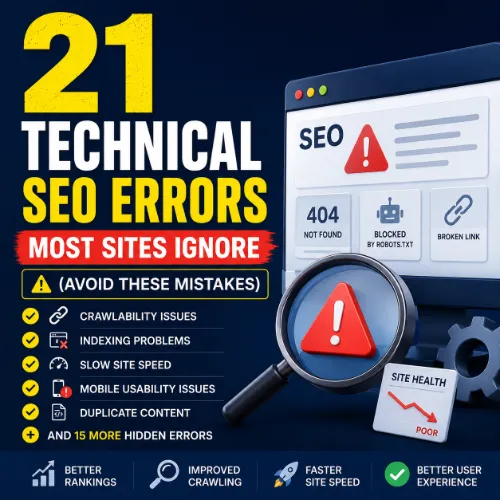
technical SEO errors Key Takeaways
Most websites suffer from silent technical SEO errors that block search engines from properly crawling, indexing, and ranking their pages.
- The most damaging technical SEO errors include crawl budget waste, broken redirect chains, and missing canonical tags.
- Regular site audits using tools like Ahrefs or Screaming Frog can catch these mistakes before they cost you traffic.
- Addressing even five of these 21 errors can lead to a measurable boost in page experience and search rankings.
Why Technical SEO Errors Silently Hurt Your Rankings
Technical SEO is the foundation of any successful search strategy. While most marketers focus on keywords and backlinks, common technical SEO issues like slow page speed, duplicate content, and improper indexing often go unnoticed. These errors send mixed signals to Google, reduce your crawl budget, and frustrate users. The worst part? You may not even know they exist until your traffic drops. For a related guide, see How Google Cloud Improves Technical SEO Performance at Scale.
Understanding these technical SEO mistakes to avoid is the first step. The second is taking action. Below are 21 errors that plague sites of all sizes, along with clear fixes you can implement today. For a related guide, see Seo Optimization Guide: 9 Warning Signs and Better Options.
21 Technical SEO Errors You Must Fix in 2025
1. Missing or Incorrect Canonical Tags
When multiple URLs serve similar content, search engines need a signal to know which version is the original. Without a canonical tag — or with a broken one — Google may index the wrong page, diluting ranking signals. Fix: Add a self-referencing canonical tag to every page and ensure it points to the correct URL.
2. Broken Redirect Chains
Redirect chains happen when Page A redirects to Page B, which redirects to Page C. Each hop adds latency and wastes crawl budget. Use Ahrefs Broken Link Checker to identify chains longer than two hops and flatten them to a single 301 redirect.
3. Orphan Pages with No Internal Links
Pages that have no internal links pointing to them are effectively invisible to crawlers. Even if they appear in your sitemap, Google may not prioritize them. Conduct a site audit and ensure every important page is linked from at least one other page on your site.
4. Blocked Resources in robots.txt
Accidentally blocking CSS, JavaScript, or image files via robots.txt can prevent Google from rendering your page properly. Test your robots.txt in Google Search Console and unblock any resources needed for rendering.
5. Slow Core Web Vitals Scores
Largest Contentful Paint (LCP), First Input Delay (FID), and Cumulative Layout Shift (CLS) directly impact user experience and rankings. Optimize images, use a CDN, and reduce JavaScript execution time to improve scores.
6. Duplicate Content Without 301s or Canonicals
Duplicate content confuses search engines and splits ranking signals. Use 301 redirects for exact duplicates and canonical tags for similar pages. Avoid lazy approaches like copying product descriptions across categories.
7. Missing XML Sitemap or Sitemap Errors
Your XML sitemap tells Google which pages to crawl. If it’s missing, outdated, or includes redirecting URLs, Google wastes time discovering non-existent pages. Validate your sitemap in Google Search Console at least monthly.
8. Incorrect Use of noindex Tags
A misplaced noindex tag can accidentally remove your most valuable pages from search results. Audit your site for unintended noindex tags, especially on category pages or archived posts.
9. Poor Mobile Responsiveness
Google uses mobile-first indexing. If your site isn’t fully responsive on mobile devices, you risk losing rankings. Use Google’s Mobile-Friendly Test to check and fix layout issues.
10. Thin or Duplicate Title Tags
Title tags that are missing, too long, or duplicated across pages harm click-through rates and relevance. Each page should have a unique, descriptive title tag under 60 characters.
11. Slow Server Response Time (TTFB)
Time to First Byte (TTFB) measures how quickly your server responds. A TTFB above 200ms can hurt Core Web Vitals. Consider upgrading hosting or using a CDN to reduce latency.
12. Non-HTTPS or Mixed Content Warnings
Security is a ranking signal. If your site is still on HTTP or loads insecure resources (mixed content), users will see warnings and Google may penalize you. Switch to HTTPS and fix all mixed content errors.
13. Broken Internal Links
Internal links pointing to 404 pages create a poor user experience and waste crawl budget. Use a tool like Screaming Frog to crawl your site and fix or redirect broken internal links.
14. Missing or Malformed Structured Data
Schema markup helps search engines understand your content and can unlock rich results. If your structured data is missing or contains errors, you miss out on featured snippets and other SERP features. Test with Google’s Rich Results Test.
15. Pagination Issues (rel=”next” / rel=”prev”)
For multi-page articles or category listings, missing or incorrect pagination tags can confuse crawlers. Use correct rel="next" and rel="prev" tags or, better yet, implement infinite scroll with proper URL handling.
16. Overly Deep Site Architecture
Pages buried more than three clicks from the homepage receive less authority and crawl priority. Flatten your site structure by adding direct links from high-authority pages to deep content.
17. JavaScript-Based Content That Isn’t Prerendered
Google can now render JavaScript, but it still struggles with complex SPAs or content loaded dynamically. Implement server-side rendering or pre-rendering for critical pages to ensure they are indexed.
18. Missing Alt Text for Images
Images without alt text miss out on image search traffic and hurt accessibility. Add descriptive, keyword-rich alt text to every image, but avoid keyword stuffing.
19. Crawl Budget Wasted on Low-Value Pages
Google allocates a limited crawl budget per site. If your site has thousands of thin, low-value pages (e.g., filter combinations, tag pages), Google may miss important pages. Use Google’s official crawl budget guidance to prioritize high-value URLs.
20. Hreflang Tag Errors for Multilingual Sites
Wrong or missing hreflang tags cause language and regional targeting issues. A German user might see the English version of a page. Validate your hreflang implementation using Google Search Console’s International Targeting report.
21. Not Monitoring Index Coverage Reports
Google Search Console shows errors, warnings, and valid pages in its Index Coverage report. Ignoring this report means you miss issues like “Submitted URL not found (404)” or “Crawled – currently not indexed.” Check the report weekly and fix flagged errors.
How to Prevent Common Technical SEO Issues
Prevention is better than cure. Set up a monthly technical SEO audit that checks for crawl errors, broken links, redirect chains, and Core Web Vitals. Use tools like Ahrefs, Screaming Frog, and Google Search Console to generate reports. Create a checklist and assign ownership of each item to a team member.
Also, implement a staging environment to test changes before they go live. This prevents new technical SEO mistakes to avoid from reaching production.
Useful Resources
Learn more about technical SEO from these authoritative sources:
- Google’s Official Technical SEO Guide – Comprehensive documentation on crawl, index, and rendering best practices.
- Ahrefs Technical SEO Blog – In-depth articles covering audits, Core Web Vitals, and site architecture.
Fixing these 21 technical SEO errors will put your site on a solid foundation. Begin with a full site audit, prioritize the errors listed above, and monitor your index coverage reports weekly. Your rankings will thank you.
Frequently Asked Questions About technical SEO errors
What is the most common technical SEO error?
Missing or incorrect canonical tags are among the most frequent technical SEO errors, often caused by CMS misconfiguration or duplicate content issues.
How do I find technical SEO errors on my site?
Use tools like Google Search Console, Ahrefs Site Audit, or Screaming Frog to crawl your site and identify issues like broken links, duplicate content, and crawl errors.
Can technical SEO errors hurt my rankings?
Yes. Issues like slow page speed, broken links, and incorrect indexing signals can directly reduce your organic rankings and visibility.
How often should I check for technical SEO issues?
At least once a month for most sites. Larger sites with frequent updates should run a weekly automated audit.
What is crawl budget and why does it matter?
Crawl budget is the number of URLs Google will crawl on your site within a given timeframe. Wasting it on low-value pages can delay indexing of important content.
Is duplicate content a technical SEO error?
Yes. Duplicate content without proper canonical tags or 301 redirects is a critical technical error that splits ranking signals.
Do redirect chains affect SEO?
Absolutely. Each redirect adds latency and reduces link equity. Chains longer than two hops should be flattened to a single 301 redirect.
What is a noindex tag and how does it cause problems?
A noindex tag tells search engines not to index a page. If accidentally applied to high-value pages, those pages disappear from search results.
How does page speed affect technical SEO?
Page speed is a direct ranking factor through Core Web Vitals. Slow pages lead to higher bounce rates and lower rankings.
What is an orphan page?
An orphan page has no internal links pointing to it. Search engines struggle to find it, which means it rarely gets indexed or ranked.
Why is mobile responsiveness considered technical SEO?
Because Google uses mobile-first indexing. If your site is not mobile-friendly, your rankings in both mobile and desktop search can suffer.
What are Core Web Vitals?
Core Web Vitals are a set of real-world metrics measuring load speed (LCP), interactivity (FID), and visual stability (CLS). They are part of Google’s page experience ranking signals.
How do I fix a broken internal link?
Tools like Screaming Frog or Ahrefs can crawl your site and identify 404 pages. You can then update the link to point to a working URL or create a 301 redirect.
What is the effect of blocked CSS/JS in robots.txt?
If Google can’t load CSS or JS, it may not render the page correctly, leading to incomplete indexing or misjudged page layout.
Do I need an XML sitemap for a small site?
Yes. Even small sites benefit from a sitemap because it ensures search engines know about all your pages, especially if you have a few orphan pages.
What is mixed content?
Mixed content occurs when a secure HTTPS page loads insecure HTTP resources (like images or scripts). Browsers block or warn about such content, hurting user trust and SEO.
How does JavaScript affect indexing?
Google can render JavaScript, but heavy JS can delay indexing or cause content to be missed. Pre-rendering or server-side rendering is recommended for critical content.
What is hreflang and why is it important?
Hreflang tags tell Google which language or regional version of a page to show in search results. Incorrect implementation can confuse users and waste crawl budget.
Can I fix all technical SEO errors in one day?
Depends on the site size. For a site with under 1,000 pages, most errors can be addressed within a day if you have a clear audit report and developer support.
What is the first technical SEO error I should fix?
Start with broken internal links and redirect chains. They are easy to fix and have an immediate positive impact on user experience and crawl efficiency.







