

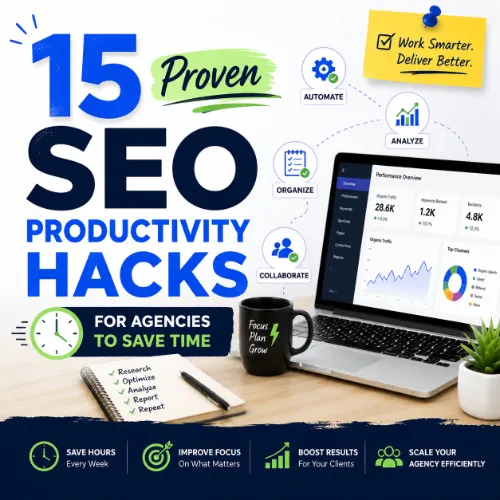
SEO productivity hacks for agencies Key Takeaways
Running an SEO agency means juggling client reporting, keyword research, content audits, and link building — often with tight deadlines.
- Automate routine reporting and data collection with tools like Ahrefs and Google Data Studio.
- Use smart keyword clustering and content templates to speed up editorial workflows.
- Streamline client communication with pre-built templates and a shared task board.
Why SEO Productivity Hacks for Agencies Matter Right Now
The SEO landscape moves fast. Algorithm updates, new SERP features like AI Overviews, and rising client expectations mean agencies must work smarter, not harder. Adopting SEO productivity hacks for agencies isn’t just about saving a few minutes; it’s about freeing up capacity to focus on strategic work that drives revenue. When you automate repetitive tasks, you reduce human error, improve consistency, and make your entire team more effective. For a related guide, see Productivity Hacks for Developers Using Vibe Coding.
The Cost of Inefficiency in Agency SEO
Every hour spent manually pulling reports or formatting spreadsheets is an hour not spent on analysis, outreach, or optimisation. For a mid-sized agency handling 15+ clients, that waste can easily exceed 20 hours per week. Implementing the right SEO productivity hacks for agencies directly improves your bottom line.
15 SEO Productivity Hacks for Agencies to Implement Today
1. Build a Centralised Client Dashboard in Google Data Studio
Stop manually copying data into separate spreadsheets. Connect Ahrefs, Google Search Console, and Google Analytics to a single Looker Studio (formerly Data Studio) dashboard. Create one master template, then duplicate it for each client. Update the data source, and your monthly report is ready in minutes.
Impact: Cuts reporting time from 3 hours to 30 minutes per client.
Quick Tip: Use Ahrefs API to pull organic traffic, keyword rankings, and backlink changes directly into your dashboard.
2. Use Ahrefs Site Audit for Weekly Technical Checks
Instead of crawling each site manually, schedule weekly Ahrefs Site Audit crawls. Set up custom alerts for critical issues like 404 pages, broken backlinks, or missing meta descriptions. Review the report once per week and assign fixes to team members.
Impact: Catches technical SEO issues before they impact rankings.
Quick Tip: Filter your audit by “new issues” each week to focus only on what changed.
3. Create Keyword Clusters Before Writing a Single Page
Rather than targeting one keyword per page, group semantically related terms into clusters. Use Ahrefs Keywords Explorer to find parent topics and related terms. Then build one comprehensive pillar page targeting the cluster.
Impact: Improves topical authority and reduces content creation time by 40%.
Quick Tip: Export your keyword list, remove exact duplicates, and use a formula to tag each keyword with a cluster name.
4. Automate Backlink Monitoring with Ahrefs Alerts
Set up Ahrefs Alerts for every client domain. Receive instant email notifications when you gain or lose backlinks. This eliminates the need for weekly manual checks.
Impact: Reacts instantly to lost links and outreach opportunities.
Quick Tip: Create separate alerts for new dofollow links — those have the highest value for organic rankings.
5. Use Content Templates to Standardise Briefs
Create a library of reusable content brief templates for blog posts, landing pages, and product pages. Include sections for target keyword, search intent, competitor URLs, suggested headings, and internal linking opportunities.
Impact: Writers produce first drafts 50% faster because briefs are clear and consistent.
Quick Tip: Include the top 3 SERP features (e.g., People Also Ask, featured snippet) in every brief so writers optimise for featured results.
6. Prioritise Tasks with the ICE Scoring Method
For every optimisation opportunity, assign an ICE score (Impact, Confidence, Ease). Multiply the three scores to get a priority number. Tackle tasks with the highest ICE scores first.
Impact: Focuses your team on changes that deliver the biggest ranking improvement per hour worked.
Quick Tip: Use a simple spreadsheet where each task row calculates the ICE score automatically.
7. Batch Content Audits by Topic Cluster
Instead of auditing random pages, review all pages within one topic cluster at the same time. Check for keyword cannibalisation, thin content, outdated stats, and missing internal links. Update the entire cluster in one pass.
Impact: Reduces context-switching and improves content quality across related pages.
Quick Tip: Use Ahrefs Site Explorer to pull a list of all URLs under a specific subfolder (e.g., /blog/topic-x/).
8. Use AI for First-Draft Meta Descriptions and Title Tags
Leverage AI writing assistants to generate 5-10 variations of title tags and meta descriptions for each page. Edit and humanise the best option. This is one of the quickest SEO productivity hacks for agencies — it turns a 15-minute task into a 2-minute task.
Impact: Reduces time spent on page optimisation across bulk updates.
Quick Tip: Always add a primary keyword near the beginning of the title tag, and keep it under 60 characters.
9. Create a Shared Link Building Prospect List
Use Ahrefs Content Explorer to find broken link opportunities and unlinked brand mentions. Store all prospects in a shared spreadsheet with columns for domain, contact email, link type, and status. Assign prospects to team members.
Impact: Eliminates duplicate outreach and keeps your link building pipeline organised.
Quick Tip: Sort the prospect list by Domain Rating (DR) so your team targets high-authority sites first.
10. Use Browser Extensions for Quick SEO Checks
Install the Ahrefs SEO Toolbar and another SEO extension (e.g., Detailed SEO Extension). Use them to instantly check page title, meta description, headings, schema, and Hreflang tags without opening multiple tools.
Impact: Speeds up page-level auditing during content reviews.
Quick Tip: Make the Ahrefs Toolbar the default — it also shows the Page Authority (URL Rating) for any page you visit.
11. Standardise Client Onboarding with a Checklist
Create an agency-standard onboarding checklist that covers: tool accounts setup, data source connections, historical performance import, competitor identification, and goal setting. Use a project management tool like Asana or ClickUp to automate task creation from the checklist.
Impact: New clients go live in days instead of weeks, and nothing gets missed.
Quick Tip: Include a step to import the client’s top 100 organic keywords into Ahrefs Rank Tracker on day one.
12. Use Snippet Templates for Common Client Emails
Pre-write email templates for common client communications: monthly report summary, issue notification, strategy update, and meeting follow-up. Customise the client name and key data points before sending.
Impact: Reduces email writing time by 70% and ensures consistent messaging.
Quick Tip: Store templates in a shared Google Doc or a tool like TextExpander for instant access.
13. Run Competitor Analysis in Under 15 Minutes
Open Ahrefs Site Explorer, enter a competitor domain, and go to the “Organic Keywords” report. Filter by the keywords you also target. Note the pages where the competitor ranks higher, and identify content gaps (keywords they rank for that you don’t).
Impact: Quickly finds easy ranking opportunities without exhaustive competitor research.
Quick Tip: Use the “Content Gap” tool in Ahrefs to compare up to 5 competitor domains at once.
14. Schedule Weekly “SEO Hygiene” Hours
Block out one hour every Friday for your team to fix small issues: update broken internal links, fix duplicate meta descriptions, add missing alt text, and remove orphan pages. Use a shared task list to track progress.
Impact: Prevents small issues from snowballing into major technical SEO problems.
Quick Tip: Run a fresh Ahrefs Site Audit before the hygiene hour so your team has a current list of fixes.
15. Use a Single Source of Truth for Reporting Data
Avoid discrepancies between client reports by pulling all data from one integrated platform. Use Ahrefs as your central data source for keyword rankings, backlinks, and site health, then export to Looker Studio for visualisation.
Impact: Eliminates confusion when team members use different tools for the same metric.
Quick Tip: Set up a weekly data refresh schedule so reports always show the latest information.
SEO Entities and Their Functions
Understanding the key entities that power your reporting and analysis helps you choose the right SEO productivity hacks for agencies. Here is a quick reference:
- Root domain, subdomain, and URL-level analysis — Identify whether performance belongs to the entire website, a section (blog.example.com), or a single page (example.com/page).
- Organic keywords, keyword difficulty (KD), search volume, and SERP features — Show demand, competition level, ranking opportunity, and which SERP layout (featured snippet, local pack, AI Overview) your content needs to match.
- Referring domains, dofollow/nofollow links, and broken backlinks — Reveal authority, link quality, link risk, and which sites to prioritise for outreach or disavowal.
- Top pages, best by links, best by traffic, and broken pages — Highlight which URLs earn visibility, links, or traffic, and which need repair.
- Content entities (articles, authors, topics, published dates) — Help evaluate editorial quality, freshness, authorship, and link attraction.
- Featured snippets, People Also Ask, sitelinks, AI Overviews, video results, and local packs — Indicate what content format and answer structure the search engine rewards for a given query.
- Crawl issues, redirect chains, canonicals, duplicate content, Core Web Vitals, and indexability status — Expose technical obstacles that prevent crawling, ranking, or a good page experience.
- Competing domains, content gap opportunities, and shared keywords — Show where rivals win traffic and where your agency can close the gap.
- Link opportunities, broken link prospects, unlinked mentions, and outreach targets — Turn analysis into actionable prospect lists for earning high-quality backlinks.
- Domain Rating (DR), URL Rating (UR), Ahrefs Rank (AR), traffic value, and referring domains count — Summarise domain authority, URL strength, market value, and search visibility at a glance.
Useful Resources
For deeper dives into specific workflows, check out the official Ahrefs Blog for detailed guides on keyword research, site audits, and link building. Also read the Google SEO Starter Guide to ensure your foundational technical SEO is solid.
Frequently Asked Questions About SEO productivity hacks for agencies
What are SEO productivity hacks for agencies ?
They are workflows, automation strategies, and tools that help SEO agencies complete tasks faster, reduce manual work, and focus on high-impact activities.
How can Ahrefs improve agency productivity?
Ahrefs centralises keyword research, site audits, backlink monitoring, and competitor analysis in one platform, eliminating the need to switch between multiple tools.
Which reporting tool works best with Ahrefs for agencies?
Google Looker Studio (Data Studio) integrates natively with Ahrefs via the API, allowing you to build custom, automated client dashboards.
Can small agencies benefit from these hacks?
Absolutely. The SEO productivity hacks for agencies listed above are designed to scale — small teams gain the most because they have less bandwidth to waste.
How do I choose the right SEO productivity hack to start with?
Start with the one that saves the most time in your current bottleneck. For most agencies, that is automated reporting (hack #1) or keyword clustering (hack #3).
What is keyword cannibalisation and how do I avoid it?
Keyword cannibalisation occurs when multiple pages on your site target the same primary keyword. Use Ahrefs Site Explorer to find all URLs ranking for the same term, then consolidate content.
How often should I run a site audit for my clients?
Weekly is ideal. Use Ahrefs Site Audit to schedule automatic crawls and receive alerts for new critical issues.
What is the ICE scoring method in SEO?
ICE stands for Impact, Confidence, and Ease. Each optimisation opportunity is scored from 1 to 10 for each factor, and the product gives a priority score for task ordering.
Do I need technical skills to implement these hacks?
Most hacks require only basic familiarity with tools like Ahrefs, Google Sheets, and Looker Studio. No coding is necessary for the hacks listed here. For a related guide, see 15 Productivity Hacks Inside Google AI Studio for Developers.
How can I speed up content creation for clients?
Create reusable content brief templates, batch keyword research, and use AI for first drafts of meta descriptions and title tags. This is one of the most effective SEO productivity hacks for agencies.
What is a link building prospect list?
It is a spreadsheet of websites that are likely to link to your client’s content — found via broken link opportunities, unlinked mentions, or competitor backlink analysis.
How do I track link building progress across multiple clients?
Use a shared CRM or project management board. Tag each prospect with the client name and link type. Ahrefs Alerts will notify you when new links appear.
What is the biggest time-waster in agency SEO?
Manual reporting across multiple data sources is the most common productivity killer. Automating it with Looker Studio and Ahrefs can reclaim 5-10 hours per week.
Should I use the same productivity hacks for all clients?
Yes — the core workflows (reporting, auditing, keyword research, content creation) apply to almost every client. Customise only the specific keywords and competitors.
How do I prevent team burnout while implementing these hacks?
Focus on one or two hacks per quarter. Automate gradually, and ensure every team member has a clear role in the new workflow.
Is it worth investing in premium SEO tools for productivity?
Yes. A tool like Ahrefs often pays for itself by saving dozens of hours per month on manual research, audits, and reporting.
What is the best way to onboard a new client quickly?
Use a standardised onboarding checklist (hack #11) that includes connecting tools, importing historical data, and setting up rank tracking on day one.
How do I handle clients who want daily reporting?
Set up a shared Looker Studio dashboard that refreshes daily. Give the client a link so they can check metrics anytime without asking you for updates.
Can AI replace human SEO strategists in agencies?
No — AI is excellent for automation and first drafts, but strategic judgment, client communication, and creative link building still require human expertise.
Where can I learn more about SEO productivity hacks for agencies ?
Read the Ahrefs Blog and Google SEO Starter Guide linked in the Useful Resources section above. Also subscribe to industry newsletters for ongoing tips.







