

How to Stay in Flow State While Doing Vibe Coding Key Takeaways
Staying in flow state while vibe coding involves a deliberate mix of environment design, prompt discipline, and task structuring.
- How to stay in flow state while doing vibe coding begins with minimizing external interruptions and setting clear session goals.
- Vibe coding focus improves when you break complex features into small, structured prompts that preserve cognitive continuity.
- AI coding concentration thrives in a distraction-free environment with a consistent prompting rhythm and regular micro-breaks.
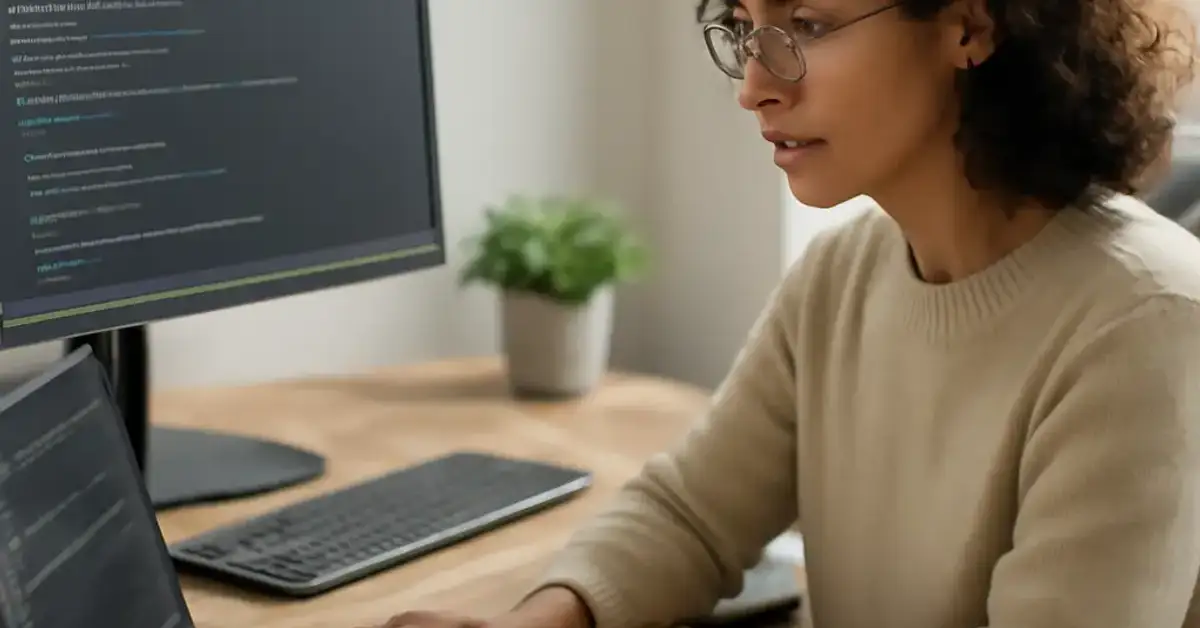
What Developers Need to Know About Flow State in Vibe Coding
Flow state — that effortless zone where code flows from mind to screen — has always been the holy grail of programming. With the rise of AI-assisted development, the path to flow has shifted. Flow state coding now depends on how well you orchestrate your interaction with tools like ChatGPT, Copilot, or Cursor. Understanding this new dynamic is the first step to mastering how to stay in flow state while doing vibe coding.
When you vibe code, you offload syntax and boilerplate to the AI, freeing your brain for higher-level logic. Yet this partnership can backfire if your prompts are vague or your environment chaotic. The goal is to maintain a rhythm where each prompt-response cycle feels like a natural extension of your thinking.
The Core Principles of Developer Productivity Flow with AI
Developer productivity flow in an AI-assisted workflow rests on three pillars: clear goals, structured interaction, and environmental control. Without these, even the best AI tools become sources of friction.
Clear Goals Prevent Cognitive Drift
Before you open your editor, define what you want to accomplish. A vague intention like “build a user dashboard” creates ambiguity. Instead, specify: “Create a React component that pulls data from /api/users and displays it in a table with search and pagination.” This clarity helps the AI generate relevant output and keeps your mind locked on the objective.
Structured Interaction Preserves Momentum
Treat each prompt as a mini-task. For example, if you’re building an authentication flow, break it into prompts: “Write a login form with email and password fields,” then “Add validation to check for empty fields,” then “Connect the form to the /api/login endpoint.” This approach maintains AI coding concentration by giving the model focused context and reducing the need for lengthy explanations.
Environmental Control Reduces Interruptions
A notification ping, a Slack message, or even the temptation to check email can destroy minutes of deep work programming. Set your phone to Do Not Disturb, close unnecessary browser tabs, and use a dedicated workspace. These small changes compound into hours of uninterrupted coding workflow optimization.
How Vibe Coding Affects Concentration and Productivity
The relationship between vibe coding and concentration is double-edged. On one hand, AI handles repetitive tasks, letting you stay in the creative zone longer. On the other, poorly crafted prompts or constant tool-switching can fragment your attention.
When Vibe Coding Enhances Flow
When your prompts are precise — and you resist the urge to edit every line the AI produces — you can sustain software development flow state for extended periods. The AI becomes a pair programmer who never tires, and you stay focused on architecture and logic.
When It Disrupts Flow
Common disruptors include: asking the AI to rewrite entire files, switching between multiple AI tools mid-session, or overthinking the output. Each interruption forces a mental reset. To protect your vibe coding focus, commit to one tool per session and accept minor imperfections until the next iteration cycle. For a related guide, see How Vibe Coding Improves AI Content and Automation Workflows.
Structuring Tasks to Maintain Cognitive Continuity
Task decomposition is the secret weapon of AI assisted programming productivity. Instead of one giant prompt, sequence a series of small, logical steps. This method mirrors how your brain naturally solves problems — chunk by chunk.
Example: Building a Search Feature Step by Step
- Prompt 1: “Create a search input component in React with a useState hook for the query.”
- Prompt 2: “Add a useEffect that debounces the query by 300ms and calls /api/search?q={query}.”
- Prompt 3: “Display the results in a list with loading and empty states.”
Each prompt builds on the previous one, and your mind never has to switch contexts. This technique supports prompt engineering focus by keeping each request narrow and actionable.
Comparing Traditional Coding vs. AI-Assisted Workflows
The differences between traditional and AI-assisted coding go beyond tooling — they affect how you enter and maintain flow.
| Aspect | Traditional Coding | AI-Assisted Coding (Vibe Coding) |
|---|---|---|
| Context switching | High (manual research, syntax lookup) | Low (AI provides code instantly) |
| Deep work duration | Often 45–90 minutes | Can extend to 2–3 hours with good prompting |
| Mental load | High (memory for syntax and APIs) | Moderate (focus on logic, not syntax) |
| Interruption recovery | Slow (15–25 min to re-enter flow) | Fast (AI reorients you quickly) |
Context switching reduction is the biggest win for vibe coding. By keeping your attention on the problem rather than the mechanics of coding, you preserve coding mental clarity and extend your productive windows.
Environment Setup and Disciplined Prompting for Sustained Flow
Your physical and digital environment directly influences developer deep work habits. Even the best prompting skills can’t overcome a cluttered desk or a noisy room.
Designing Your Coding Environment
- Physical space: A quiet room, comfortable chair, and adequate lighting. Noise-canceling headphones help if you can’t control background sounds.
- Digital space: Close all apps except your code editor and AI tool. Use full-screen mode to hide the OS dock and taskbar.
- Time blocks: Schedule 90-minute flow sessions with a clear start and end. Use a timer to enforce breaks.
Disciplined Prompting Techniques
AI coding tools productivity depends on how you frame requests. Follow a consistent structure:
- Context: “I’m building a Node.js API for a bookstore.”
- Task: “Write a route that returns all books in stock, ordered by title.”
- Constraints: “Use Express.js and return JSON. Include error handling for empty results.”
This pattern reduces ambiguity, helping the AI produce usable output faster. It also reinforces your own mental model, which strengthens no code workflow efficiency and low code development focus when using visual builders.
Troubleshooting Common Flow Breakers
Even with perfect preparation, flow can collapse. Here are the most common triggers and how to recover quickly.
What Breaks Flow State During AI-Assisted Development?
- Ambiguous prompts: The AI returns irrelevant code, forcing you to re-explain. Solution: Pause and refine your prompt with more context.
- Tool friction: Copy-pasting between AI and editor creates lag. Solution: Use integrated tools like Cursor or GitHub Copilot Chat.
- Perfectionism: Rewriting every line the AI produces destroys momentum. Solution: Accept the first pass and refactor in a dedicated session.
Habits That Support Deep Work in Coding Projects
Developing developer deep work habits takes practice, but the payoff is enormous. Start with these routines:
- Morning coding blocks: Most people have peak focus in the morning. Protect this time for vibe coding.
- Single-tasking: Resist the urge to multitask. Focus on one feature or bug at a time.
- Regular breaks: Use the Pomodoro technique (25 minutes work, 5 minutes break) or similar to prevent mental fatigue.
- Retrospective: After each session, note what helped or hindered flow. Adjust your approach accordingly.
How AI Tools Help Maintain Continuous Workflow
Modern AI coding tools productivity features are designed to minimize friction. Autocomplete, inline suggestions, and natural language commands let you stay in the editor without switching contexts. Tools like GitHub Copilot, Tabnine, and Cursor reduce context switching by anticipating your next move and generating code that fits your current file.
For no code workflow efficiency and low code development focus, platforms like Bubble and Retool now integrate AI assistants that translate natural language into visual logic. This allows non-developers to prototype rapidly while maintaining flow.
Useful Resources
For deeper reading on flow state and productivity in software development, check out these resources:
- Nielsen Norman Group: The Flow State in Design and Development — Research-based insights on achieving and measuring flow.
- Cal Newport: Deep Work Rules for Focused Success — Practical rules for deep work that apply directly to AI-assisted coding.
Mastering how to stay in flow state while doing vibe coding is a skill that compounds over time. Every session you protect from distraction, every prompt you refine, and every environment tweak you make brings you closer to sustained, effortless productivity. Start small, stay consistent, and let the flow carry you. For a related guide, see Productivity Hacks for Developers Using Vibe Coding.
Frequently Asked Questions About How to Stay in Flow State While Doing Vibe Coding
How to stay in flow state while doing vibe coding ?
To stay in flow, minimize distractions, define a clear goal before each session, break work into small prompts, and use a consistent AI tool. Take short breaks every 90 minutes to maintain mental clarity.
What helps developers maintain focus during AI coding sessions?
Structuring prompts into small, logical steps, eliminating notifications, and using full-screen mode help maintain focus. Also, commit to one AI tool per session to avoid context switching.
How does vibe coding affect concentration and productivity?
Vibe coding can enhance concentration by offloading repetitive tasks, but poorly crafted prompts or constant tool switching can fragment attention. Clear prompts and a clean environment amplify benefits.
What techniques improve flow state in programming?
Techniques include task decomposition, time blocking, using a single AI tool, pre-writing prompt templates, and taking regular breaks to prevent cognitive fatigue.
How can you avoid distractions while using AI coding tools?
Close all non-essential apps and browser tabs, put your phone in another room, use noise-canceling headphones, and schedule coding sessions during your peak focus hours.
What environment is best for staying in flow during coding?
A quiet, clutter-free space with good lighting, a comfortable chair, and minimal visual noise. Digital minimalism — only your code editor and AI tool visible — also matters.
How do developers structure tasks to maintain flow state?
They break features into small, sequential subtasks, each represented by a single prompt. This preserves cognitive continuity and prevents the need to reload context.
Why is flow state important in vibe coding?
Flow state maximizes productivity, creativity, and code quality. It reduces mental fatigue and makes coding feel effortless, especially when collaborating with AI.
What breaks flow state during AI-assisted development?
Common breakers include ambiguous prompts, switching AI tools mid-task, notifications, perfectionism, and physical discomfort like poor posture or hunger.
How can prompts improve coding focus and continuity?
Well-structured prompts reduce ambiguity, allowing the AI to generate relevant code quickly. This keeps your mind on the problem rather than on re-explaining context.
How do experts stay productive during long coding sessions?
They use time-blocking, take strategic breaks every 90 minutes, stay hydrated, and maintain a consistent prompt rhythm. They also review their session notes to refine their workflow.
What routines support deep work in coding projects?
Morning deep work blocks, a pre-session planning ritual, eliminating all distractions, and ending each session with a note on what to tackle next all support deep work.
How does context switching affect vibe coding performance?
Context switching forces your brain to reload task goals and tool knowledge, draining mental energy and extending the time to re-enter flow. Minimizing switches is critical.
What habits improve mental clarity in programming?
Regular exercise, adequate sleep, a clean workspace, single-tasking, and journaling after each session all improve mental clarity and sustain flow over time.
How can AI tools help maintain continuous workflow in coding?
AI tools provide instant code completion, error checking, and refactoring suggestions, reducing the need to leave your editor. Integrated tools like Cursor keep you in flow.
What is the difference between flow state in traditional vs. AI-assisted coding?
Traditional coding requires more memory for syntax and APIs, leading to frequent context switches. AI-assisted coding offloads that burden, allowing longer, deeper focus on logic and architecture.
How long does it take to enter flow state in vibe coding?
Most developers enter flow after 10–20 minutes of uninterrupted focus. A clear starting prompt and a distraction-free environment can shorten this to under 10 minutes.
Can vibe coding be used for complex enterprise software?
Yes, but it requires disciplined task decomposition and incremental prompting. Complex systems benefit from breaking architecture into smaller, testable components.
How do you recover flow after an interruption?
Review your last completed prompt, re-read the AI’s output, and immediately send the next logical prompt. Avoid checking emails or social media before resuming.
What should beginners know about staying in flow during vibe coding?
Start with simple, well-defined tasks. Practice writing clear prompts. Don’t fixate on perfect code the first time — iterate. Protect your focus time fiercely, even if it’s only 30 minutes.







