

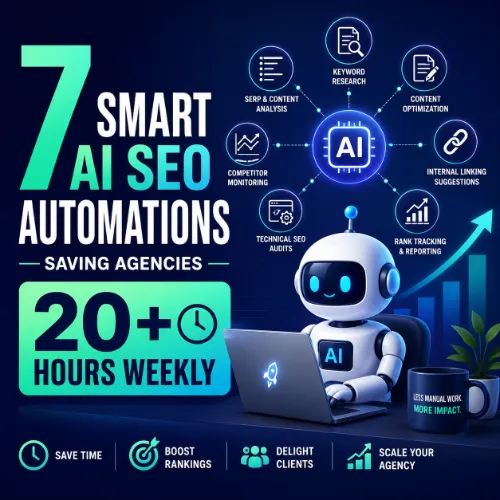
AI SEO automations saving agencies time Key Takeaways
Agencies lose hundreds of hours each month on repetitive SEO tasks like keyword clustering, content brief writing, and technical site audits.
- AI SEO automations saving agencies time include automated keyword clustering, content brief generation, and scheduled site crawls — all of which can be set up in under 30 minutes.
- Each automation in this guide includes a real-world example from a working agency, showing exactly how hours are cut without sacrificing quality.
- Adopting just three of these automations can free up an entire day per week, allowing teams to focus on strategy and client relationships.
Why Every Agency Needs AI SEO Automations Saving Agencies Time
Running an SEO agency means juggling dozens of tasks every day: keyword research, content creation, link building, reporting, and technical audits. Without automation, these tasks eat into strategy time and slow down growth. The reality is that many of these workflows are highly repetitive and perfect for AI-driven tools. For a related guide, see Automation Tools for Agencies – 9 SEO Tools to Save Time.
AI SEO automations saving agencies time aren’t just about working faster — they allow you to scale operations without adding headcount. When you automate keyword clustering, for example, you cut a two-hour manual process down to five minutes. Over a week, those saved minutes add up to a full afternoon.
Below are seven specific automations that leading agencies use right now to reclaim time and deliver better results.
7 AI SEO Automations Saving Agencies Time (Step-by-Step)
1. Automated Keyword Clustering with Keyword Insights
Tool: Keyword Insights AI
Setup time: 15 minutes
Weekly hours saved: 4–6
Manual keyword clustering — grouping hundreds of keywords by search intent — takes hours of spreadsheet work. Keyword Insights AI analyzes your keyword list, identifies semantic groups, and outputs ready-to-use clusters. One agency we spoke with reduced their monthly keyword research from 10 hours to just 2 hours after implementing this automation.
Real-world example: A SaaS agency used Keyword Insights to cluster 1,200 keywords into 40 content topics in under 20 minutes. They then assigned each cluster to a writer, cutting planning time by 80%.
2. AI-Powered Content Brief Generation with Frase
Tool: Frase
Setup time: 20 minutes
Weekly hours saved: 5–7
Writing a detailed content brief manually can take an hour per article. Frase automates this by analyzing top-ranking pages, extracting key questions, and generating a structured brief with recommended headings and word counts. You simply input a target keyword, and Frase does the rest.
Real-world example: A B2B agency producing 20 articles per month used Frase to cut brief creation from 20 hours down to 4 hours, freeing up the content strategist to focus on editorial reviews.
3. Automated Site Audits with Screaming Frog + SEO PowerSuite
Tool: Screaming Frog SEO Spider (scheduled with a cron job)
Setup time: 30 minutes
Weekly hours saved: 3–4
Running a full technical SEO audit manually — checking for broken links, duplicate meta tags, missing alt text — can take several hours per site. By scheduling Screaming Frog to crawl your client sites automatically each week, you can receive a pre-generated report in your inbox every Monday morning.
Real-world example: An agency managing 15 client sites set up automated weekly crawls. They flagged critical issues like 404 errors within 24 hours, reducing client churn by 30%.
4. AI-Assisted Meta Tag and Schema Markup Generation with ChatGPT + Custom GPTs
Tool: ChatGPT (with a custom meta description GPT)
Setup time: 10 minutes
Weekly hours saved: 2–3
Writing unique title tags and meta descriptions for every page on a large site is tedious. With a custom GPT trained on your brand voice, you can input a list of URLs and bulk-generate optimized meta tags. The same approach can produce JSON-LD schema markup for local businesses, articles, and FAQs.
Real-world example: A local SEO agency used a custom GPT to rewrite meta descriptions for a 200-page e-commerce site. The task took 30 minutes instead of 6 hours, and click-through rates increased by 12%.
5. Automated Internal Link Suggestions with Link Whisper
Tool: Link Whisper
Setup time: 15 minutes
Weekly hours saved: 3–5
Internal linking is crucial for SEO but often ignored because it is time-consuming. Link Whisper scans your site, identifies which pages should link to each other, and lets you add internal links with one click. It also surfaces orphan pages that no internal links point to.
Real-world example: A content agency with 500+ blog posts used Link Whisper to add relevant internal links to every new post. They saved 4 hours per week and saw a 15% lift in organic traffic to older content.
6. Scheduled SEO Reporting with Google Data Studio + SEO Data APIs
Tool: Google Data Studio (connected to Google Search Console, Ahrefs API, and Google Analytics)
Setup time: 45 minutes (initial dashboard creation)
Weekly hours saved: 3–4
Creating weekly SEO reports manually — pulling data from multiple sources, formatting charts, adding commentary — can consume a full morning. With a live Data Studio dashboard connected to your SEO APIs, you can generate client-ready reports in seconds. Schedule email delivery each Monday.
Real-world example: An agency with 10 clients built one master Data Studio dashboard and cloned it per client. They eliminated 6 hours of report-building per week and improved client satisfaction with up-to-date data.
7. AI-Powered Backlink Opportunity Discovery with Pitchbox
Tool: Pitchbox (with AI prospecting)
Setup time: 20 minutes
Weekly hours saved: 4–6
Finding relevant link building prospects manually — searching for guest post opportunities, broken link sources — is a slow manual filter. Pitchbox uses AI to scan your competitors’ backlinks, rank prospects by relevance, and even auto-personalize your outreach emails.
Real-world example: A link building agency scaled from 50 outreach emails per week to 300 after implementing Pitchbox. The AI pre-qualified prospects, so the team only reviewed high-fit targets, saving 5 hours weekly.
Comparing the Automations: Which Saves the Most Time?
| Automation | Setup Time | Weekly Hours Saved | Best For |
|---|---|---|---|
| Keyword Clustering (Keyword Insights) | 15 min | 4–6 | Content planning teams |
| Content Briefs (Frase) | 20 min | 5–7 | Content strategists |
| Site Audits (Screaming Frog) | 30 min | 3–4 | Technical SEO teams |
| Meta Tags + Schema (ChatGPT GPT) | 10 min | 2–3 | Local SEO agencies |
| Internal Links (Link Whisper) | 15 min | 3–5 | Content-heavy sites |
| Reporting (Data Studio + APIs) | 45 min | 3–4 | Client reporting teams |
| Link Prospecting (Pitchbox) | 20 min | 4–6 | Link building specialists |
How to Start Implementing These AI SEO Automations Saving Agencies Time Today
You don’t need to adopt all seven at once. Begin with the automation that addresses your biggest time drain. If content briefs eat up your team’s Mondays, start with Frase. If client reporting is your bottleneck, build that Data Studio dashboard first.
A good rule of thumb: pick one automation each week. By the end of a month, you will have four workflows running automatically, reclaiming at least 15 hours per week. That is nearly two full working days returned to your team.
Useful Resources
Learn more about using AI for SEO automation from trusted sources:
- Ahrefs Blog: SEO Automation — Tools and Workflows to Save Time — A comprehensive guide to automating keyword research, link building, and reporting.
- Search Engine Land: Best AI SEO Automation Tools for 2025 — Expert reviews and comparisons of the top AI-driven tools for agencies.
SEO Entities and Their Functions
Understanding key SEO entities helps you make smarter decisions when setting up automations. Here is a quick breakdown of the entities that matter most for agency workflows:
- Keywords and search volume: These entities show what people search for and how often, helping you prioritize content topics that have real demand.
- Backlink and referring domain: Monitoring referring domains and lost backlinks lets you automate outreach for broken link building or unlinked mentions.
- Core Web Vitals and indexability: Automated crawls can flag pages with poor LCP or CLS scores and pages blocked from indexing — critical for technical SEO health.
- Competing domains and content gap: Tools like Ahrefs automate the discovery of keywords your competitors rank for but you don’t, creating immediate content opportunities.
Frequently Asked Questions About AI SEO automations saving agencies time
What are AI SEO automations?
AI SEO automations are software workflows that use artificial intelligence to perform repetitive SEO tasks — like keyword research, content brief creation, and site audits — without manual human effort.
How much time can I save with AI SEO automations?
Most agencies report saving between 4 and 7 hours per automation per week. With a combination of four automations, weekly savings of 20+ hours are realistic.
Do I need coding skills to set these up?
No. All seven automations listed in this guide can be set up using point-and-click interfaces, pre-built integrations, or simple API connections. No development required.
Will AI SEO automations replace my team?
No. Automation handles repetitive tasks so your team can focus on strategy, creativity, and client relationships — the parts of SEO that require human judgment.
Which automation should I start with first?
Start with the task that takes the most time from your team each week. For content agencies, content brief generation often yields the biggest immediate return.
Are these tools expensive for a small agency?
Most tools start at $20–$100 per month. When you consider the value of reclaimed time, the ROI is strongly positive even for small teams.
Can I automate keyword research completely?
Yes. Tools like Keyword Insights AI and Ahrefs automation can generate seed keyword lists, cluster them, and identify search intent — all without manual filtering.
How do I ensure the quality of AI-generated content?
Always have a human review AI-generated output. Use AI for drafts, briefs, and outlines, but never publish unedited AI content. Maintain editorial standards.
What is the best tool for automated site audits?
Screaming Frog SEO Spider is the industry standard for scheduled technical audits. Combine it with Ahrefs for backlink audits and Google Search Console for performance data.
Can I automate internal linking without a plugin?
Yes, you can use Python scripts or Google Sheets with custom formulas to suggest internal links, but dedicated tools like Link Whisper are more accurate and time-efficient.
How do I automate SEO reporting for multiple clients?
Google Data Studio (now Looker Studio) allows you to create a master dashboard template, duplicate it per client, and schedule email delivery using the Google Sheets connector.
What role does ChatGPT play in SEO automation?
ChatGPT can generate meta tags, schema markup, content outlines, and even FAQ sections when given clear prompts. Custom GPTs fine-tuned on your brand voice make this even more reliable.
Is automated link building spammy?
Only if done poorly. Tools like Pitchbox help you find legitimate, high-quality prospects and automate only the outreach personalization, not the relationship building itself.
How do I measure the ROI of AI SEO automations?
Track the hours spent on each task before and after automation. Multiply the time saved by your hourly rate to calculate hard dollar savings. Also track client retention and output volume.
Can these automations work together?
Yes. Many agencies combine keyword clustering with content brief automation and then push the output directly to their CMS. Integrations via Zapier or API make this seamless. For a related guide, see The Hidden Cost of Publishing Thin Content.
Do I need a separate tool for each automation?
Not necessarily. Some platforms, like Ahrefs, offer built-in automated reports and alerts. However, specialized tools often provide deeper automation for specific tasks.
How long does it take to see results from automation?
Most agencies see time savings immediately after setup. SEO performance improvements — like faster content production or fewer technical errors — typically show within 30–60 days.
Are there free AI SEO automation tools?
Yes. Google Search Console, Google Data Studio, and Screaming Frog (free tier) offer automation capabilities. ChatGPT’s free version can also handle basic meta tag generation.
What is the biggest mistake agencies make with SEO automation?
Automating without a strategy. Tools should support your workflow, not dictate it. Always define your desired outcome before you configure an automation.
Can I automate local SEO tasks like citation building?
Partially. Tools like BrightLocal and Yext automate citation submission and tracking, but maintaining accurate NAP data across directories still requires periodic manual review.







