

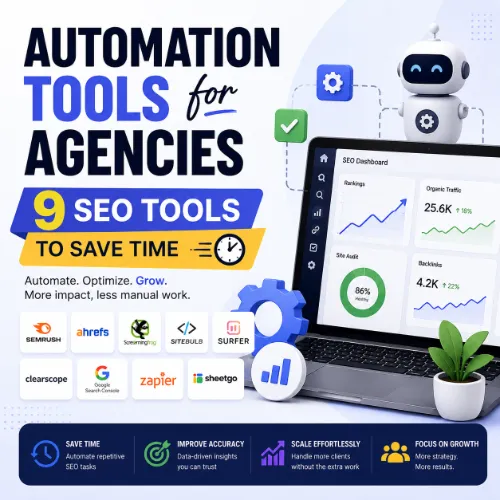
SEO automation tools for agencies Key Takeaways
SEO automation tools for agencies turn repetitive tasks like reporting, rank tracking, and site auditing into automated workflows.
- The best SEO automation tools for agencies combine rank tracking, backlink monitoring, and reporting in one dashboard.
- Automation reduces manual data pulls by up to 80%, letting you deliver faster insights and proactive recommendations.
- Look for tools with white-label reporting and multi-client management to maintain brand consistency and efficiency.
Why Agencies Need Dedicated SEO Automation Tools
Running an SEO agency means juggling client expectations, algorithm updates, and mountains of data. Manual rank checks, backlink audits, and content gap analyses eat hours every week. Dedicated SEO automation tools for agencies handle those repetitive tasks in the background, so your team can interpret results and recommend strategies instead of copying and pasting numbers into spreadsheets. For a related guide, see 11 Technical SEO Automation Ideas for Agencies: Smart Tools to Scale Faster.
Automation also improves accuracy. When a tool pulls keyword positions from multiple locations or checks 404 errors across dozens of client sites, it eliminates human error. Clients appreciate consistent reporting and faster response times. And for agency owners, scalable automation directly improves profit margins.
What to Look for in an Agency SEO Tool
Not every SEO tool is built for agency workflows. Before you choose, evaluate these criteria:
- Multi-client dashboards – Can you manage 10, 50, or 200+ projects from one login?
- White-label reporting – Does it let you remove the tool’s branding and add your own?
- API access – Can you connect it to your CRM, Slack, or custom dashboard?
- Automated alerts – Does it notify you when rankings drop, backlinks are lost, or technical issues arise?
- Scalable pricing – Are plans based on projects, keywords, or users? Which model fits your agency’s growth?
Top 9 SEO Automation Tools for Agencies
Here are nine proven SEO automation tools for agencies, ranked by their automation capability, reliability, and agency-friendly features.
1. Ahrefs
Ahrefs is a full-featured SEO suite with powerful automation for rank tracking, backlink monitoring, and site audits. Its Projects feature lets you set up automated daily crawls and receive email alerts when critical issues appear. The Batch Analysis tool speeds up link profile comparisons across multiple domains, essential for competitive audits and prospecting.
Best for: Agencies that need a single platform for keyword research, competitor analysis, and technical audits.
2. Semrush
Semrush excels at reporting automation. Its My Reports feature builds white-label PDF reports that update automatically when you add new data. Position Tracking runs daily checks for thousands of keywords across multiple devices and locations. The tool also offers a Client Portal where you can share real-time dashboards without giving login access.
Best for: Agencies that prioritize client reporting and branded deliverables.
3. SE Ranking
SE Ranking is built for agencies from the ground up. It includes automated rank tracking, competitor monitoring, and a full website audit engine. Its white-label option removes all branding and allows custom domain reports. The tool also automates competitor keyword discovery, showing you when rival domains rank for terms you don’t target yet.
Best for: Growing agencies that want an affordable, scalable alternative to enterprise suites.
4. Moz Pro
Moz Pro provides automated crawl testing and rank tracking with a straightforward interface. Its Campaign feature runs weekly site audits and sends actionable recommendations. The tool’s keyword research workflows include automated SERP feature analysis, helping you identify if a keyword triggers a featured snippet or local pack — useful when optimizing for content and local SEO. For a related guide, see 7 AI SEO Automations Saving Agencies 20+ Hours Weekly – Proven Workflows.
Best for: Agencies that value simplicity and clear, visual reporting.
5. Screaming Frog SEO Spider
While primarily a desktop crawler, Screaming Frog offers command-line automation for agencies that need to schedule recurring site audits on a server. You can automate XML sitemap validation, redirect chain detection, and custom extraction of schema data. Combined with its API, you can build automated workflows that run on a cron job and push results to Google Sheets or a database. For a related guide, see Build SEO Automation Tools Using Vibe Coding Workflows (Proven).
Best for: Technical SEO specialists who want low-level control over crawl automation.
6. Rank Math (WordPress Plugin)
For agencies managing WordPress sites, Rank Math automates on-page SEO tasks. It bulk-edits meta titles and descriptions, auto-generates XML sitemaps, monitors 404 errors, and sends alerts when content is thin or duplicate. Its Schema Markup module auto-adds structured data based on content type. The built-in Redirection Manager automates URL mapping after site migrations or content restructures.
Best for: Agencies with a high volume of WordPress client sites.
7. Google Search Console + Looker Studio
Google Search Console provides raw data: impressions, clicks, average position, and technical errors. When you connect it to Looker Studio (formerly Google Data Studio), you can build automated dashboards that refresh daily. This combo is free and infinitely customizable for agency reporting. Add filters to view data per client, create branded templates, and schedule email deliveries.
Best for: Agencies that want a free, no-limits reporting layer without third-party costs.
8. Monitor Backlinks
Monitor Backlinks focuses on link-building automation. It tracks new and lost backlinks, monitors competitor link activity, and sends weekly digests via email. The tool’s disavow file generator automates the process of cleaning toxic links. For outreach, it organizes prospects by domain authority and anchor text profile, letting your team automate the qualification step.
Best for: Agencies that run dedicated link-building services and need ongoing backlink surveillance.
9. DeepCrawl (Now Lumar)
Lumar (formerly DeepCrawl) is an enterprise-level crawler that automates complex technical audits across thousands of pages. It integrates with Google Analytics, Search Console, and custom APIs to build automated reports on crawl budget, duplicate content, and Core Web Vitals. The tool supports scheduled daily crawls and sends alerts when thresholds are breached — critical for large-client sites with frequent changes.
Best for: Enterprise agencies and in-house teams managing large or dynamic websites.
Comparison Table: Key Features at a Glance
| Tool | Automated Rank Tracking | White-Label Reports | API Access | Starting Price (approx.) |
|---|---|---|---|---|
| Ahrefs | Yes | Yes (Lite plan) | Yes | $99/mo |
| Semrush | Yes | Yes (Guru plan) | Yes | $229.95/mo |
| SE Ranking | Yes | Yes | Yes | $55/mo |
| Moz Pro | Yes | Yes (Medium plan) | Yes | $99/mo |
| Screaming Frog | No (crawl only) | No | Yes | £149/yr |
| Rank Math | No | N/A (plugin) | Limited | Free / $59/yr Pro |
| GSC + Looker Studio | Yes (via GSC) | Yes (custom) | Yes | Free |
| Monitor Backlinks | No | Yes | Yes | $49/mo |
| Lumar (DeepCrawl) | No | Yes | Yes | Custom quote |
How to Choose the Right Automation Tool for Your Agency
Your ideal SEO automation tools for agencies depend on your client mix and service offerings. If you focus on content marketing, tools with automated keyword gap analysis (like Ahrefs or Semrush) are essential. For technical SEO shops, Screaming Frog or Lumar should be at the center of your stack. If you manage many small-to-medium clients on a budget, SE Ranking or a free combo of GSC + Looker Studio may be all you need.
Consider these three filters:
- Client count and keyword volume – Some tools charge per project or per keyword. Match pricing to your workload.
- Integration ecosystem – Does the tool connect to your CRM, Slack, or reporting platform?
- Learning curve – Can your team adopt it quickly, or will setup delay client deliverables?
SEO Entities and Their Functions
Understanding how these tools analyze data starts with recognizing the key entities they measure:
- Root domain vs. subdomain vs. URL – Automated tools can audit at any level. Root domain analysis shows overall site authority; subdomain or URL analysis helps isolate performance of a blog or a specific landing page.
- Organic keywords and KD – Tools track which queries drive traffic and how difficult they are to rank for, using search volume and competition metrics.
- Referring domains and anchor text – Automated backlink checks reveal link quality, dofollow/nofollow ratios, and exact anchor text usage — essential for disavow and outreach planning.
- Top pages by traffic – Identifying which URLs earn the most organic visits helps replicate success across other content.
- SERP features – Knowing if a keyword triggers a featured snippet, People Also Ask box, or local pack tells you what content format to create.
- Core Web Vitals and indexability – Automated crawls surface issues like slow loading, duplicate content, or blocked pages that hurt rankings.
Useful Resources
For a deeper dive into agency SEO workflows, explore these guides:
- Ahrefs Blog: The Best SEO Tools in 2025 – Comprehensive breakdown of SEO tools for all budget levels.
- Semrush Blog: SEO Tools Every Agency Should Use – Practical advice for configuring tools inside an agency environment.
Choosing the right SEO automation tools for agencies is a strategic decision that affects your team’s efficiency, reporting quality, and bottom line. Start with the three tools that best match your agency’s primary service line, and scale up as you grow.
Frequently Asked Questions About SEO automation tools for agencies
What are SEO automation tools for agencies?
They are software platforms that automatically perform repeated SEO tasks such as rank tracking, site auditing, backlink monitoring, and reporting. Designed for agencies, they often include multi-client management and white-label features.
How do SEO automation tools save time?
They replace manual data collection with scheduled checks and instant alerts. A tool can track 1,000 keywords across 10 clients in minutes — work that would take hours if done by hand.
Can I use free tools for agency SEO automation?
Yes. Google Search Console combined with Looker Studio is a powerful free option for reporting and basic rank tracking. However, free tools often lack multi-client dashboards and advanced competitive analysis.
Which is the best all-in-one SEO automation tool for agencies?
Ahrefs and Semrush are the strongest all-in-one contenders. Ahrefs is superior for backlink and keyword analysis, while Semrush excels in reporting automation and PPC data integration.
Do these tools offer white-label reports?
Many do. Semrush, SE Ranking, Ahrefs (on Lite plan), and Moz Pro offer white-label or custom-branded reporting. Some, like Lumar, provide it at enterprise tiers.
What is the most affordable SEO automation tool for small agencies?
SE Ranking starts at $55 per month and includes rank tracking, competitor analysis, and white-label reports. For a free option, Google Search Console plus Looker Studio is ideal.
Can I automate technical SEO audits?
Yes. Tools like Screaming Frog (with command-line automation), Lumar, and Ahrefs Site Audit run scheduled crawls and email alerts when new issues appear.
Do these tools integrate with my CRM or project management system?
Most offer API access. Ahrefs, Semrush, and SE Ranking have native integrations with Slack, Google Sheets, and Zapier. Screaming Frog’s API lets you push crawl data into any custom system.
How do I handle multiple clients in one tool?
Use tools with a “Projects” or “Campaigns” feature. Ahrefs, Semrush, and SE Ranking let you create separate projects per client, each with its own keywords, settings, and report schedule.
What features should I prioritize when choosing a tool?
Prioritize automated rank tracking, white-label reporting, multi-client management, API access, and integration with your existing tech stack. Also consider keyword limits and pricing scalability.
Are there tools that automate content optimization?
Yes. Semrush’s SEO Writing Assistant and Ahrefs’ Content Gap feature automate topic and keyword recommendations. Rank Math automates meta tags and schema markup for WordPress sites.
Can I track local SEO with automation tools?
Yes. Semrush and SE Ranking support local SEO tracking — tracking keywords in specific cities, monitoring local packs, and managing Google Business Profile data within the dashboard.
How often should SEO audits be automated?
For most clients, a weekly automated crawl is sufficient. For high-traffic e-commerce or news sites, daily crawls are recommended to catch issues like broken links or crawl bloat quickly.
What are the risks of over-automation in SEO?
Relying too heavily on automation can lead to missed context — such as when a keyword drops due to a seasonal trend, not a technical issue. Always pair automation with human analysis and strategy.
Do SEO automation tools help with competitor analysis?
Absolutely. Ahrefs, Semrush, and SE Ranking automate competitor keyword discovery, backlink comparisons, and content gap analysis — revealing where rivals are gaining visibility that you can target.
Is there a tool that automates link building outreach?
Monitor Backlinks automates link qualification and disavow generation but not full outreach. For outreach automation, you’d pair it with tools like Pitchbox or BuzzStream that handle email sequencing.
Can I automate reporting for clients who don’t use the same tool?
Yes. Use white-label reports via Semrush, SE Ranking, or Looker Studio. You can generate branded PDFs or share live dashboards via link — the client never needs their own login.
How do I train my team on new SEO automation tools ?
Start with the tool’s official academy (Ahrefs Academy, Semrush Academy) and assign one team member to become the internal expert. Create simple SOPs for common workflows like “set up a new client project.”
What is the difference between rank tracking and SERP feature tracking?
Rank tracking monitors keyword position in organic results. SERP feature tracking monitors whether a keyword triggers additional elements like featured snippets, People Also Ask boxes, or local packs. Both are valuable for optimization.
Can I use these tools for YouTube SEO automation?
Some tools offer limited YouTube tracking. Ahrefs can show how many organic search clicks come to YouTube videos. For dedicated YouTube keyword and rank tracking, you may need a separate video SEO tool.







