

technical SEO for beginners Key Takeaways
Mastering technical SEO for beginners means understanding how search engines crawl, index, and rank your site — and fixing the hidden issues that hold you back.
- Learn why crawlability and indexation are the first steps in any technical SEO for beginners strategy.
- Discover how site structure, page speed, and mobile-friendliness directly impact your rankings.
- Get a clear action plan with checklists, tables, and next steps — no prior experience needed.
Why Technical SEO Tricks for Beginners Matters More Than You Think
You’ve written great content and built a few backlinks, but your pages still aren’t ranking. The culprit is often technical SEO: the behind-the-scenes work that tells search engines your site exists, what it’s about, and whether it’s trustworthy. For beginners, technical SEO can feel overwhelming — but it doesn’t have to be. Think of it as the plumbing of your website: when it works, no one notices; when it breaks, everything floods. For a related guide, see On-Page vs Off-Page vs Technical SEO (Complete Guide).
Without proper technical optimization, even the most well-written article can stay invisible. Search engines like Google use automated bots (crawlers) to explore the web. If your site makes it hard for those bots to move around, they’ll give up and move on. That’s why technical SEO for beginners starts with one goal: make your site easy to find and easy to understand for both humans and machines.
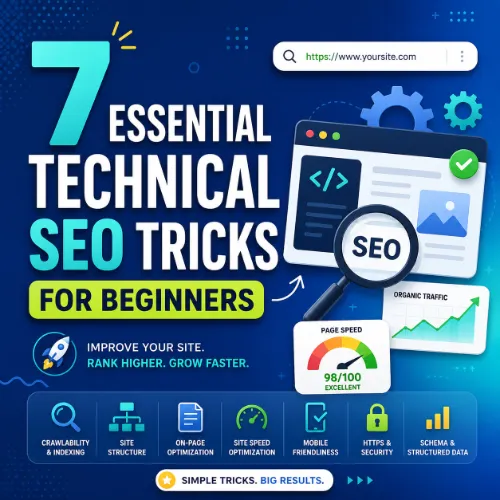
7 Essential technical SEO for beginners Tricks
Below are seven actionable tricks you can start applying today. Each one addresses a core area of technical SEO: crawlability, indexing, site structure, page speed, mobile-friendliness, structured data, and ongoing monitoring.
Trick 1: Make Sure Google Can Crawl Your Site
Crawlability is the foundation. If a search bot can’t access your pages, they won’t appear in search results. Start by checking your robots.txt file — it tells bots which pages to crawl and which to ignore. Avoid accidentally blocking important pages like your blog or product categories.
Next, review your XML sitemap. A sitemap is a list of all the pages you want indexed. Submit it through Google Search Console so the crawler knows where to look first. Tools like Ahrefs Webmaster Tools can also help you spot crawl errors quickly.
Trick 2: Control Which Pages Get Indexed
Not every page on your site belongs in search results. Thin content, duplicate pages, or admin URLs should stay hidden. Use the noindex meta tag to tell Google, “Don’t list this page.” For canonical URLs, point duplicate versions (like example.com/page and example.com/page?ref=123) to the original using a rel="canonical" tag. This prevents split ranking signals.
Trick 3: Build a Logical Site Structure
A flat, logical hierarchy helps both users and bots navigate your site. Aim to keep important pages no more than three clicks from the homepage. Use descriptive, keyword-rich URLs. Create a clear menu structure with categories and subcategories. Breadcrumb navigation also helps — it shows search engines the relationship between pages and improves the user experience.
| Site Structure Element | Best Practice | Common Mistake |
|---|---|---|
| URL format | Short, descriptive, use hyphens | Long strings of numbers or underscores |
| Navigation depth | Key pages within 3 clicks | Pages buried 5+ clicks deep |
| Breadcrumbs | Include structured data markup | No breadcrumbs or plain text only |
| Internal links | Link to related content naturally | No internal links to cornerstone pages |
Trick 4: Optimize Page Speed for Core Web Vitals
Page speed is a direct ranking factor, and Core Web Vitals (LCP, FID, CLS) measure the real-world user experience. Compress images, enable browser caching, and minify CSS and JavaScript. Use tools like Google PageSpeed Insights or GTmetrix to identify specific bottlenecks. For beginners, a good start is switching to a faster hosting provider and using a lightweight theme.
Trick 5: Ensure Mobile-Friendliness
Google uses mobile-first indexing, meaning the mobile version of your site is the primary version for ranking. Check your site with Google’s Mobile-Friendly Test. Key elements: readable text without zooming, adequate tap targets (buttons), and no horizontal scrolling. A responsive design that adapts to any screen size is the gold standard.
Trick 6: Add Structured Data (Schema Markup)
Structured data helps search engines understand your content more precisely and can earn you rich results like star ratings, FAQs, or recipe boxes. Start with the most relevant schema for your content: Article, LocalBusiness, Product, or FAQ. Use Google’s Structured Data Markup Helper or a plugin like Schema Pro to implement it without coding. Test your markup with the Rich Results Test afterward.
Trick 7: Monitor, Audit, and Iterate
Technical SEO is not a one-time setup. Regular site audits catch broken links, crawl errors, and duplicate content before they hurt your rankings. Schedule a monthly check using tools like Screaming Frog or Ahrefs Site Audit. Pay special attention to 404 errors, redirect chains, and pages with slow load times. Fix issues in order of impact: start with pages that have the most traffic potential. For a related guide, see 7 Technical SEO Audit Templates You Can Steal for Better Rankings.
Common Mistakes Beginners Make in technical SEO for beginners
Even well-meaning site owners trip up. Here are the most frequent missteps:
- Blocking CSS or JS files in robots.txt — Google needs these to render your page correctly.
- Using multiple H1 tags — stick to one per page.
- Ignoring 404 errors — every dead link wastes crawl budget.
- Overusing “noindex” — only use it for pages you truly want hidden.
- Neglecting image alt text — it’s accessible and helps image search.
SEO Entities and Their Functions
Understanding key SEO entities helps you make smarter decisions during optimization. Here are the most relevant ones for technical SEO for beginners:
- Website / Domain entities: Root domain, subdomain, and URL-level analysis show whether performance belongs to the whole site or a specific section like
blog.example.com. - Technical SEO entities: Crawl issues, redirect chains, canonicals, duplicate content, Core Web Vitals, and indexability status expose obstacles that prevent crawling or ranking.
- Page entities: Top pages, best by links, best by traffic, and broken pages reveal which URLs earn visibility, links, traffic, or need repair.
- SERP entities: Featured snippets, People Also Ask, sitelinks, and video results show what content format and answer structure the search result rewards.
- Metrics entities: DR (Domain Rating), UR (URL Rating), organic traffic, and referring domains count summarize authority, URL strength, and search visibility.
Useful Resources
For a deeper dive into crawl budget management, read Google’s guide on managing crawl budget. To learn more about structured data, visit the Schema.org getting-started guide.
Now that you’ve mastered these seven technical SEO for beginners tricks, it’s time to put them into action. Start with one area — perhaps crawlability or page speed — and work through the checklist. Consistent, small improvements will compound into better rankings and a smoother experience for your visitors.
Frequently Asked Questions About technical SEO for beginners
What is technical SEO in simple terms?
Technical SEO is the process of optimizing your website’s infrastructure so search engines can crawl, index, and rank your pages efficiently. It covers things like site speed, mobile-friendliness, and URL structure.
Do I need to know coding for technical SEO?
No, but basic HTML knowledge helps. Many technical SEO tasks can be done with plugins and tools, but understanding tags like noindex or canonical is useful.
How long does it take to see results from technical SEO changes?
It varies. Fixing a crawl error might show improvements within days, while speed optimizations can take weeks to reflect in rankings. Patience is key.
What is a crawl budget?
Crawl budget is the number of pages Googlebot will crawl on your site within a given time frame. Making your site faster and eliminating low-value pages helps Google spend that budget on your important content.
What is the difference between crawling and indexing?
Crawling is the discovery phase where Googlebot finds your pages. Indexing is the process of storing those pages in Google’s database. A page can be crawled but not indexed if it’s blocked or low quality.
How do I check if my site is indexed?
Search for site:yoursite.com in Google. The results show all indexed pages. For a more detailed view, use Google Search Console’s Coverage report.
What is a canonical tag?
A canonical tag (rel="canonical") tells search engines which version of a page is the primary one when duplicate content exists. It consolidates ranking signals to the preferred URL.
What are Core Web Vitals?
Core Web Vitals are a set of real-world speed metrics: Largest Contentful Paint (loading), First Input Delay (interactivity), and Cumulative Layout Shift (visual stability). They are ranking signals in Google’s page experience update.
How do I optimize images for SEO?
Compress images using tools like TinyPNG, use descriptive file names (e.g., blue-widget.jpg), and always fill in the alt text attribute with a natural description.
What is a robots.txt file?
Robots.txt is a text file that tells search engine crawlers which parts of your site they can or cannot access. Place it in your site’s root directory.
What is an XML sitemap used for?
An XML sitemap lists all important pages on your site and helps search engines discover them quickly. It’s especially useful for new sites or pages that aren’t well linked internally.
What is a 301 redirect and when should I use it?
A 301 redirect permanently points one URL to another. Use it when you delete a page, change URLs, or merge websites. It preserves most of the original page’s ranking power.
How do I find broken links on my site?
Use a tool like Ahrefs Site Audit or Screaming Frog to scan for 404 errors. Google Search Console also reports broken links under the Coverage section.
What is HTTPS and why does it matter for SEO?
HTTPS encrypts data between the user and your server. Google treats HTTPS as a positive ranking signal and labels non-HTTPS sites as “Not Secure” in browsers.
Does duplicate content hurt my rankings?
Google generally handles duplicate content without penalties, but it can dilute ranking signals. Use canonicals or noindex to manage duplicates and consolidate authority.
What is structured data in SEO?
Structured data (schema markup) is code added to your site that helps search engines understand your content context. It can enable rich snippets like star ratings, FAQs, or event listings.
How often should I do a technical SEO audit?
At least once a month for active sites. If you make frequent changes, weekly audits help catch issues early. Use a tool that provides a crawl report and prioritization score.
What is the first thing a beginner should fix in technical SEO?
Start with crawlability. Submit your XML sitemap to Google Search Console, check for blocking directives in robots.txt, and fix any 404 errors on important pages.
Can plugins help with technical SEO?
Yes, plugins like Yoast SEO, Rank Math, or All in One SEO handle many foundational tasks such as sitemaps, canonicals, and meta tags. They’re great for beginners.
Is technical SEO the same as on-page SEO?
No, but they overlap. On-page SEO focuses on content and keyword usage. Technical SEO covers the infrastructure: speed, crawlability, indexing, and code-level optimizations. Both are essential.







