

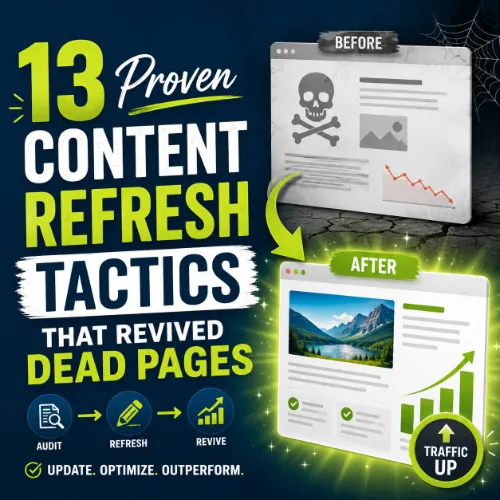
content refresh tactics Key Takeaways
Every website has a graveyard of posts that once brought in solid traffic, then faded into obscurity.
- Effective content refresh tactics start with a data-driven content audit, not guesswork.
- Updating statistics, improving readability, and adding internal links can restore a page’s SERP position within weeks.
- Repurposing old content into new formats (video, infographic, listicle) often drives more engagement than a total rewrite.
Why Content Refresh Tactics Matter for SEO
Search engines reward freshness. A post published in 2020 that hasn’t been touched since may still rank for low-competition terms, but it inevitably loses ground as newer, more relevant content appears. By applying deliberate content refresh tactics, you signal to Google that your page is still the best answer for a query. More importantly, you give readers up‑to‑date information, which improves dwell time, reduces bounce rate, and earns social shares. For a related guide, see What Is Zero Click Content? How to Write Answers That Rank Without Clicks.
1. Conduct a Full Content Refresh Audit
Before you touch a single word, identify exactly which pages are underperforming. Use a tool like Google Search Console or Ahrefs to sort your pages by traffic decline over the last 6–12 months. Look for pages that once generated consistent traffic but now get fewer than 50 visits per month. These are your prime revival candidates.
How to prioritize pages
Focus on pages that target keywords with decent search volume (100+ monthly searches) and low-to-medium keyword difficulty. A page about “best budget espresso machines” with a sudden drop in ranking is a perfect target. The content refresh tactics you apply here will have the highest chance of success.
2. Update Outdated Statistics and Examples
Nothing screams “old content” like a statistic from 2017. Replace every dated stat with the most recent data available. If you referenced a case study, find a newer one from a reputable source. Similarly, swap old product screenshots and examples for current versions. This single tactic often restores a page’s credibility and ranking within a few weeks.
3. Improve Readability and Formatting
Old posts tend to have long, unbroken walls of text. Break them up with short paragraphs (2–3 sentences max), bullet points, and clear subheadings. Add a table of contents for long guides. Better readability lowers bounce rate and increases time on page—two signals that help revive dead pages.
4. Add or Refresh Internal Links
When you updated your site over the past year, you likely published new pillar pages and blog posts that never got linked from older articles. Go through each target page and add 3–5 contextual internal links to your newer, high-authority content. This passes link equity and helps search engines understand the relationship between old and new pages.
5. Merge Thin Pages Into Comprehensive Guides
If you have three separate posts about “email marketing subject lines,” “email marketing timing,” and “email marketing segmentation,” combine them into a single, thorough guide. A consolidated page earns more backlinks, has higher topical authority, and ranks for a broader set of keywords. This is one of the most powerful content refresh tactics for content clusters.
6. Add a Video or Visual Summary
Embedding a short video (2–3 minutes) that summarizes the post’s key points increases engagement and can earn a featured snippet spot. If video feels too heavy, create an infographic or a simple comparison table. Visual content breaks up text and gives readers a reason to stay longer.
7. Tighten Your Title Tag and Meta Description
Your old title tag may be too long, boring, or keyword-stuffed. Rewrite it to match current search intent and include the primary keyword near the front. For the meta description, craft a compelling value proposition that includes a benefit (e.g., “Learn the 5 email templates that boosted open rates by 40%”). This directly improves click-through rates.
8. Refresh the Introduction and Conclusion
Often the opening paragraph of a dead page starts with something generic like “In today’s digital world…” Replace it with a hook that addresses a current pain point or recent trend. Similarly, update the conclusion with a stronger call-to-action, new resources, or a link to a related updated guide.
9. Add New External Links to Authoritative Sources
Linking to high-authority external pages (like government data, industry reports, or major publishers) improves your page’s trustworthiness. Run a quick search for recent studies or reports on your topic and add them as references. Google appreciates well-sourced content and often lifts pages that cite reputable domains.
10. Optimize for Featured Snippets and People Also Ask
Review the “People Also Ask” box for your target keyword and see what questions are being asked. If your page can answer one of those questions concisely (in 40–50 words), reformat that section as a numbered list or a paragraph with bolded key terms. This is a proven way to revive dead pages and earn zero-click traffic.
11. Update the Publication Date (and Note It)
Change the visible publication date to the current month and year. Add a small note at the top: “Last updated: March 2025.” This signals freshness to both users and search engines. However, only do this if you’ve made substantive changes—not just the date.
12. Promote the Updated Content
Once you’ve applied these content refresh tactics, don’t just let the page sit. Share the updated version on your social channels, include it in your next email newsletter, and reach out to website owners who linked to the old version to let them know it’s been refreshed and improved. This can earn you new backlinks.
13. Submit an Update Request in Google Search Console
After all updates are live, use the “URL Inspection” tool in Google Search Console and click “Request Indexing.” This tells Google to recrawl the page quickly. Combined with the other tactics, this often leads to a ranking recovery within 7–14 days. For a related guide, see 7 Content Signals Google Still Values.
SEO Entities and Their Functions
When applying content refresh tactics, understanding key SEO entities helps you make smarter decisions:
- Page entities (top pages by traffic, broken pages) show which URLs need immediate attention.
- Keyword entities (search volume, keyword difficulty, SERP features) tell you whether a revived page can realistically rank.
- Backlink entities (referring domains, new/lost backlinks) reveal which pages lost authority and which ones might earn new links.
- Technical SEO entities (crawl issues, Core Web Vitals) identify obstacles that prevent a refreshed page from performing well.
Useful Resources
For deeper guidance on content audits and updates, check out:
Frequently Asked Questions About content refresh tactics
What are content refresh tactics ?
Content refresh tactics are specific actions you take to update, optimize, and improve older pages on your website so they regain search visibility, traffic, and engagement.
How often should I refresh my content?
For high-priority pages, every 6–12 months is recommended. For evergreen topics, an annual review is usually enough unless the industry changes faster.
What is a dead page?
A dead page is a URL that once generated traffic and/or rankings but now receives little to no organic visits, often due to outdated information, algorithmic changes, or increased competition.
Can content refresh tactics harm my rankings?
If done poorly—like only changing the date without updating content—Google may flag the page as deceptive. Substantive updates with clear improvements are safe and beneficial.
How long does it take to revive a dead page?
With a thorough update and a reindex request, you may see improvements within 1–3 weeks, though it can take up to two months for full recovery depending on competition and domain authority.
Should I delete dead pages instead of refreshing them?
Only delete pages if they have zero search value or are purely spammy. If a page ever had traffic, it likely still has some residual authority—refreshing is almost always better than deleting.
What is a content audit?
A content audit is a systematic review of all pages on your site to evaluate performance, relevance, accuracy, and SEO health. It identifies which pages need updating, merging, or removal.
How do I find my dead pages?
Use Google Search Console’s “Performance” report filtered by “Pages,” sort by clicks or impressions, and look for pages with a clear downward trend. Ahrefs’ “Top Pages” report also works well.
Do I need to update images when refreshing content?
Yes. Replace blurry or outdated images, add alt text if missing, and compress them for speed. Updated visuals improve user experience and page load times.
What is a 301 redirect, and when should I use it?
A 301 redirect permanently points one URL to another. Use it when you merge two pages or delete a page and want to preserve link equity.
Is it better to update old posts or write new ones?
For low-effort wins, updating old posts is faster and often yields quicker results because the page already has some authority. New content is necessary for entirely new topics or gaps.
Can content refresh tactics help with Google algorithm updates?
Yes. Many algorithm updates reward quality, relevance, and freshness. A well-timed refresh can restore a page that was hit by an update.
Should I change the URL when refreshing content?
Rarely. Changing the URL breaks existing backlinks and social shares. Only do it if the URL is a mess of random numbers. Otherwise, keep the same URL and update the content.
How many internal links should I add to a refreshed page?
Aim for 3–5 new internal links from relevant existing pages, and ensure the refreshed page itself links out to 1–2 newer posts. Balance is key.
What is the best tool for content refresh planning?
Ahrefs is excellent for identifying pages with traffic drops and keyword opportunities. Google Search Console is free and sufficient for initial audits.
Do I need to update the meta description after a refresh?
Yes. An updated meta description can improve your click-through rate, especially if you incorporate a compelling value proposition or current data.
Can refreshing content improve domain authority?
Indirectly. When refreshed pages earn more traffic, shares, and backlinks, your overall domain authority tends to improve over time.
Should I include a “last updated” date?
Yes. It builds trust with readers and tells search engines the content is current. Place it near the title or at the top of the article.
What’s the biggest mistake in content refreshing?
Only updating the date without improving the content itself. This can trigger Google’s “soft 404” detection or simply fail to recover rankings because nothing actually changed.
Is refreshing content cheaper than creating new content?
Yes. Refreshing an existing page typically takes 30–50% of the time and cost compared to writing and promoting a brand-new article from scratch.







