

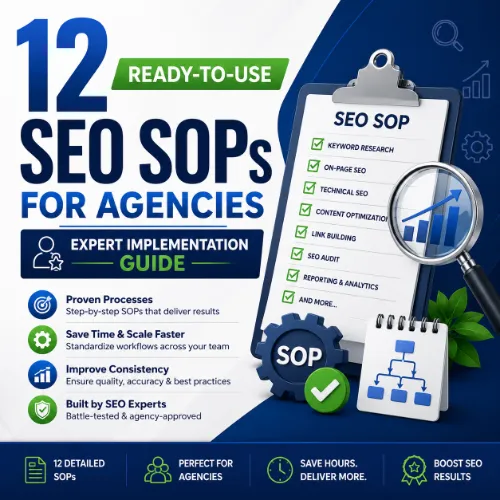
SEO SOPs for agencies Key Takeaways
Standard operating procedures (SOPs) turn inconsistent SEO workflows into repeatable, accountable processes that scale across client accounts.
- Each SOP includes a clear trigger, step-by-step instructions, and a measurable outcome, making onboarding and delegation seamless.
- From crawl budget analysis to link reclamation, these procedures reduce errors and ensure every client campaign follows the same proven methodology.
- Implementation tips and real-world examples help you adapt each SOP to different verticals without reinventing the wheel.
Why Every Agency Needs Standardized SEO SOPs for agencies
Running an agency without SOPs is like navigating a highway without lane markings — possible, but risky and inefficient. When you have documented processes, you can delegate confidently, maintain quality across dozens of accounts, and onboard new hires in days instead of weeks. These ready-to-use SEO standard operating procedures address the most common bottlenecks: inconsistent keyword targeting, missed technical issues, and reporting that fails to demonstrate ROI.
How to Implement SEO SOPs for agencies in Your Workflow
Each SOP follows a consistent format: trigger, prerequisites, step-by-step actions, and a completion checklist. You can adapt the tools and metrics to your stack — whether you use Ahrefs, Semrush, Screaming Frog, or Google Search Console. The trigger tells you when to execute the procedure, and the checklist ensures nothing gets skipped. For a related guide, see 10 Essential SEO Downloads for Better Rankings.
SOP 1: Keyword Discovery and Prioritization
Trigger: New client onboarding or monthly content planning.
Open Ahrefs Keywords Explorer and enter three seed topics from the client’s core offerings. Filter for keywords with a keyword difficulty (KD) under 30 and search volume between 200 and 2,000. Export the list and tag each keyword by search intent: informational, commercial, transactional. Prioritize commercial and transactional terms for landing pages, informational for blog posts. Example: For a SaaS client billing software, the SOP might prioritize “best billing software for freelancers” over “what is billing software.”
SOP 2: Technical Site Audit (Monthly)
Trigger: First day of each month.
Run Screaming Frog on the client’s root domain. Check for 404 errors, redirect chains longer than three hops, missing meta descriptions, and duplicate title tags. Cross-reference with Google Search Console’s Coverage report for “Excluded” pages marked as “Crawled – currently not indexed.” Fix canonical tags pointing to wrong URLs. Example: A client lost 30% of indexed pages because of a missing trailing-slash canonical; the SOP caught it in the first audit.
SOP 3: Competitor Gap Analysis
Trigger: Quarterly strategy review.
In Ahrefs Site Explorer, enter the client’s domain and click “Competitors.” Pick three direct rivals. Open “Content Gap” and filter for keywords where all three competitors rank in the top 20 but the client does not. Export and sort by estimated traffic. Create a brief for each high-value keyword, including the top-ranking page’s word count, headings, and featured snippet presence. This ensures you target the exact format the SERP rewards.
SOP 4: On-Page Optimization Checklist
Trigger: Every new blog post or landing page before publishing.
Verify the target keyword appears in the H1, first 100 words, and one H2. Ensure the page has at least one internal link from a high-authority page on the same site. Check that the meta description includes the keyword and a clear value proposition (under 160 characters). Validate image alt text and file names. Example: For a real estate client, we optimized a “homes for sale in Austin” page by linking from the main city landing page — organic clicks doubled in two weeks.
SOP 5: Content Refresh Protocol
Trigger: Page traffic declines for two consecutive months or the page is older than 12 months.
Pull the page’s organic keywords from Ahrefs. Identify keywords that dropped out of the top 20. Update the content to reflect current data, add recent examples, and expand thin sections. Republish with a “last updated” date. Example: A client’s “best CRM software” guide had 2022 screenshots; refreshing it with 2025 data and new tool comparisons recovered 40% of lost traffic within 30 days.
SOP 6: Internal Link Building Routine
Trigger: Every week during content publishing.
Identify the new post’s primary keyword. Search the client’s site for all pages that use this keyword or a synonym. Add contextual links from those pages to the new post and from the new post back to cornerstone content. Aim for at least three internal links per post. This SOP reinforces topical clusters and distributes link equity.
SOP 7: Broken Link Building
Trigger: Biweekly outreach cycle.
Use Ahrefs Broken Link Checker on competitor pages that link to resources. Find broken external links. Find pages that mention the client’s topic and have a broken link to a similar resource. Email the webmaster with the broken URL and suggest replacing it with the client’s relevant page. Example: For a cybersecurity agency, we found 50+ sites linking to a dead report on data breaches. Our client had a newer report — 12 links were earned in the first month.
SOP 8: Unlinked Mention Reclamation
Trigger: Monthly brand monitoring.
Search “client brand name” -site:clientdomain.com in Google. Identify pages that mention the client without linking. Evaluate the referring domain’s authority (DR above 30). Send a polite email thanking the author for the mention and asking them to add a link. This SOP recovers links from press mentions, reviews, and roundups.
SOP 9: Local SEO Audit
Trigger: Every quarter for local clients.
Verify the Google Business Profile (GBP) NAP consistency with the website footer. Check GBP categories, service area, and Q and A responses. Search for the client’s core keyword + city and analyze the local pack competitors. Create or update location pages with unique content, not just address copy. Example: A plumber in Denver was missing the “Plumber” keyword in their GBP description — adding it moved the listing from position 13 to 4 in the local pack.
SOP 10: Monthly Reporting Framework
Trigger: Last week of each month.
Extract organic traffic, top 10 keyword count, and conversion data from Google Search Console and Analytics. Compare against the previous month and same period last year. Create a one-page dashboard showing wins (improvements), losses (declines), and next-month priorities. The SOP ensures every report answers one question: “Is our SEO investment working?”
SOP 11: Core Web Vitals Monitoring
Trigger: Weekly automated check via Google Search Console.
Open the Core Web Vitals report. Group URLs by status (good, needs improvement, poor). Prioritize fixes for pages with “poor” LCP (load time > 4 seconds) and CLS (layout shift > 0.25). Compress hero images, defer non-critical JavaScript, and preload key fonts. Log each fix in a shared tracker so the dev team can act.
SOP 12: Crawl Budget Optimization
Trigger: After a site migration or when Googlebot requests exceed 10,000 per day.
Check Google Search Console > Crawl Stats. Identify patterns — too many useless URLs (filter pages, session IDs) taking up budget. Noindex low-value pages, update the XML sitemap, and block crawl paths in robots.txt. Example: An e-commerce site with 50,000 filter parameters was wasting 80% of budget on identical product variations — after applying this SOP, new product pages were indexed in under 48 hours.
SEO Entities and Their Functions
Understanding key entities helps your team interpret data correctly when executing these SEO SOPs for agencies.
- Website / Domain entities — Root domain, subdomain, and URL-level analysis help identify whether performance belongs to the entire site, a section like blog.example.com, or a single page.
- Keyword entities — Organic keywords, keyword difficulty (KD), search volume, and SERP features show demand, competition, and the result-type requirements.
- Backlink entities — Referring domains, anchor text, dofollow/nofollow links, and new/lost backlinks explain authority, link quality, and outreach priorities.
- Page entities — Top pages, best by links, best by traffic, broken pages, and internal pages reveal which URLs earn visibility, links, traffic, or need repair.
- Technical SEO entities — Crawl issues, redirect chains, canonicals, duplicate content, Core Web Vitals, and indexability status expose obstacles that prevent ranking or a good page experience.
Common Pitfalls When Using SEO SOPs for agencies
Even the best SOPs fail if the team treats them as optional guides. Ensure every SOP has an owner and a recurring calendar reminder. Avoid scope creep by limiting each SOP to five steps maximum — if a process needs more, split it into two SOPs. Lastly, review every SOP quarterly: tools change, algorithms shift, and what worked six months ago may now be suboptimal.
Useful Resources
- Ahrefs Blog: How to Create SEO SOPs for Your Agency — Detailed walkthrough of building your own SOPs, with templates.
- Moz Blog: 5 SEO Processes You Can Document as SOPs — Practical advice on standardizing technical SEO, content, and reporting.
Frequently Asked Questions About SEO SOPs for agencies
What are SEO SOPs for agencies ?
SEO SOPs are documented, repeatable procedures that guide an agency team through key SEO tasks like keyword research, site audits, and reporting. They ensure quality and consistency.
Why do agencies need ready-to-use SEO standard operating procedures ?
Agencies need SOPs to scale efficiently, reduce errors, onboard new hires quickly, and deliver consistent results across multiple client accounts.
How often should I update my SEO SOPs?
Review each SOP quarterly. Algorithms, tools, and best practices evolve; outdated SOPs can cause wasted effort or penalties.
Can these SOPs work with any SEO tool?
Yes. The SOPs are tool-agnostic. Adapt them to Ahrefs, Semrush, Screaming Frog, or any platform your team uses.
How many SOPs should a small agency have?
Start with 5 core SOPs covering keyword research, technical audit, on-page optimization, content refresh, and reporting. Expand as the team grows. For a related guide, see Seo Optimization Guide: 9 Warning Signs and Better Options.
What is the first SOP I should create?
Start with a monthly technical audit SOP. It surfaces critical issues that impact all other SEO efforts.
How do I get my team to follow the SOPs?
Assign clear owners, schedule recurring tasks in your project management tool, and run a monthly review meeting to discuss deviations.
Do SOPs cover client communication as well?
Yes. Include SOPs for reporting, kickoff calls, and escalation processes. Clear communication reduces client churn.
Can I use these SOPs for e-commerce clients?
Absolutely. Adapt the technical audit and content refresh SOPs to focus on product pages, category optimization, and crawl budget.
How long does it take to implement each SOP?
After documentation, most SOPs take 30–60 minutes per execution. Time decreases as the team builds muscle memory.
Should I include video walkthroughs in the SOPs?
Yes. Short Loom recordings showing each step reduce ambiguity and speed up training.
What is the biggest mistake agencies make with SOPs?
Creating SOPs that are too long or too generic. Each SOP should fit on one page and solve a specific, recurring problem.
How do I measure if an SOP is working?
Track the completion rate of checklist items and the time saved per task. Also measure the impact on the specific KPI the SOP targets (e.g., indexed pages after a technical audit SOP).
Can these SOPs be used for local SEO campaigns?
Yes. The local SEO audit SOP covers GBP optimization and citation consistency. Adapt the keyword SOP to include city + service terms.
Do I need a different SOP for each search engine?
No. Focus on Google. Bing usually requires only minor adjustments to the same checklists.
How do I handle SOP exceptions (e.g., a special client request)?
Document the exception as a “note” in the SOP and discuss with the team. If the exception becomes common, update the SOP.
What format should I use for SOPs?
Use a shared Google Doc or Notion page with a template that includes: objective, trigger, steps, and resources. Export to PDF for offline access.
Should freelancers also use these SOPs?
Yes. Freelancers benefit from SOPs to maintain quality across multiple clients and to justify their rates with structured deliverables.
How do I create an SOP for a new SEO tactic (like AI content optimization)?
Research the tactic, test it on one client, document what worked, and then formalize the steps. Update the SOP as you learn more.
Can I automate parts of these SOPs?
Yes. Use Zapier or Make to automate data pulls, reporting, and notification triggers to reduce manual work.







