

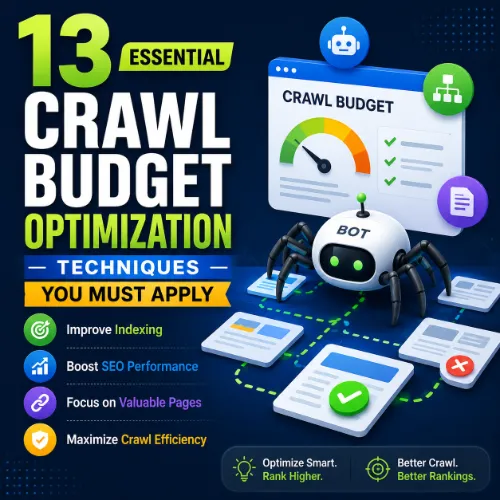
crawl budget optimization techniques Key Takeaways
Understanding and applying crawl budget optimization techniques is essential for ensuring search engines discover and index your most important pages efficiently.
- Effective crawl budget optimization techniques help search engines prioritize high-value pages over thin or duplicate content.
- Small improvements in server speed, internal linking, and URL structure can yield significant gains in crawl efficiency.
- Regular monitoring with tools like Google Search Console and log file analysis is critical to sustain gains.
Why crawl budget optimization techniques Matter for Modern SEO
Search engines allocate a limited budget of crawls to each website. If your site has thousands of low-value pages, Googlebot may waste its allowance there, missing critical updates to your cornerstone content. Applying targeted crawl budget optimization techniques ensures that every crawl request counts toward better indexing and higher rankings. For a related guide, see How Google Cloud Improves Technical SEO Performance at Scale.
13 Proven crawl budget optimization techniques to Improve Indexing Efficiency
1. Audit and consolidate thin content
Pages with little unique value (e.g., auto-generated tag pages, duplicate product descriptions) can consume crawl budget without helping rankings. Use a site audit tool to identify pages with fewer than 300 words or low text-to-HTML ratio. Merge or remove them, and apply noindex tags where deletion isn’t possible.
2. Fix broken links and redirect chains
Broken links send Googlebot into dead ends, wasting budget. Redirect chains (e.g., A → B → C) also consume extra requests. Regularly check for 404s and redirect loops using Google Search Console’s coverage report and fix them promptly.
3. Optimize XML sitemaps
Submit a clean, prioritized sitemap that includes only indexable URLs. Exclude parameters, paginated archives with canonical tags, and pages blocked by noindex. Keep each sitemap under 50 MB or 50,000 URLs to ensure quick parsing.
4. Improve server response time (TTFB)
If your server takes longer than 200 ms to respond, Googlebot may slow down crawls or skip pages. Use a reliable hosting provider, enable caching, and implement a CDN to lower Time to First Byte (TTFB). Fast servers encourage more frequent and deeper crawls. For a related guide, see How SEO Professionals Use Google Cloud for Data Driven Optimization.
5. Use internal linking strategically
Link from high-authority pages to deep, important pages that need indexing. This helps Googlebot discover them faster. Avoid orphan pages (no internal links) and keep click depth to 3 or fewer from the homepage for priority content.
6. Block non-critical URLs with robots.txt
Prevent Googlebot from wasting time on admin folders, filter parameters, search result pages, and staging environments. Use robots.txt wisely—but never block CSS or JavaScript files, as that can harm rendering.
7. Set a reasonable crawl rate in Google Search Console
Google allows you to adjust the crawl rate if your site is large or has limited server capacity. Reducing the rate can prevent overload while still allowing steady indexing. For most sites, the default is fine.
8. Consolidate duplicate versions of pages
Use 301 redirects or rel=”canonical” tags to tell Google which version of a page to index. Common duplicates include www vs non-www, HTTP vs HTTPS, trailing slashes, and URL parameters. Fewer duplicate pages mean more budget for unique content.
9. Leverage the URL Parameters tool
In Google Search Console, specify how Googlebot should treat parameters like session IDs, tracking codes, or sorting options. Telling Google to ignore irrelevant parameters can stop thousands of wasted crawl attempts.
10. Monitor and reduce soft 404 errors
Pages that return a 200 status but display little or no content (e.g., empty search results) trick Googlebot into wasting budget. Use log file analysis or crawl tools to detect soft 404s and mark them as 404 or redirect them.
11. Prioritize Core Web Vitals
Google may reduce crawl frequency if pages have poor loading performance, especially on mobile. Optimize LCP, FID, and CLS by compressing images, removing render-blocking resources, and using lazy loading for below-the-fold content.
12. Use hreflang tags correctly for multilingual sites
Improper hreflang implementation can cause Googlebot to crawl multiple language versions of the same page unnecessarily. Ensure each language variant points to its correct alternate URL and includes a self-referential hreflang tag.
13. Conduct regular log file analysis
Server logs reveal exactly which pages Googlebot actually crawled, how often, and at what time. Compare this with your sitemap and important pages to find discrepancies. Tools like Screaming Frog Log File Analyser or Ahrefs Log File Analyzer can automate the process.
Best Practices for Sustaining crawl budget optimization techniques
Apply the techniques above in order of impact: start with server speed and broken links, then move to content audits and internal linking. Use Google Search Console’s Crawl Stats report to monitor the number of pages crawled per day. If you see it dropping without reason, investigate immediately.
Set a monthly reminder to review robots.txt, sitemaps, and duplicate content. Larger sites (over 10,000 pages) should consider a full crawl budget audit quarterly. Smaller sites may only need a check every six months.
Useful Resources
Google’s official guide on managing crawl budget for large sites provides in-depth advice from the search engine itself.
Search Engine Journal’s crawl budget optimization guide offers additional case studies and community best practices.
Frequently Asked Questions About crawl budget optimization techniques
What is crawl budget?
Crawl budget is the number of URLs a search engine will crawl on your site within a given time frame. It is determined by your site’s popularity and server capacity.
How can I check my site’s crawl budget?
Use Google Search Console’s Crawl Stats report to see the average number of pages crawled per day and the time spent downloading them.
Does crawl budget affect SEO rankings directly?
Indirectly. If important pages are not crawled, they cannot be indexed and thus cannot rank. Good crawl management ensures your best content gets discovered.
What wastes crawl budget the most?
Thin content, duplicate URLs, broken links, redirect chains, and server errors are the biggest budget drainers.
Should I block all parameter URLs?
Only block parameters that create duplicate or useless pages (e.g., session IDs, sort orders). Always test with a small set first to avoid blocking valuable content.
How does page speed affect crawl budget?
Slower pages reduce the number of URLs Googlebot can request in a given session. Improving TTFB and overall performance can increase crawl frequency.
Can I force Google to crawl more pages?
You cannot force a higher budget, but you can request indexing via the URL Inspection tool for a few important pages. Focus on making your site faster and more linkable.
Does a large sitemap help crawl budget?
Yes, a clean sitemap that excludes low-value URLs helps Googlebot prioritize better. But a bloated sitemap with thousands of useless URLs harms efficiency.
How often do you need to audit crawl budget?
For sites with over 10,000 pages, audit quarterly. For smaller sites, a semi-annual check plus monthly monitoring of crawl stats is sufficient.
What is the difference between crawl budget and crawl rate?
Budget refers to the number of URLs crawled within a set period; rate is the speed (requests per second). Both are part of the overall crawl management.
Can a thin content penalty affect crawl budget?
If a site is algorithmically demoted due to thin content, Googlebot may reduce crawl frequency as trust decreases. Fixing content quality can restore budget.
Should I use noindex or disallow for unimportant pages?
Use noindex for pages that should be crawled but not indexed (e.g., filter pages). Use disallow only for resource-heavy, non-value pages that don’t need indexing.
How does internal linking improve crawl budget?
Googlebot discovers new pages by following links. Strong internal linking means fewer dead ends and more efficient use of each crawl session.
Does WordPress affect crawl budget?
WordPress itself does not limit budget, but plugins that generate thousands of archive pages, tags, and categories can inflate the number of unimportant URLs.
Can I reduce crawl budget for test sites?
Yes, block test or staging subdomains via robots.txt to prevent Googlebot from wasting budget on them. Better still, password-protect them.
What is a good crawl budget percentage?
There’s no universal number, but if your most important pages are being crawled at least once a week and you see indexed pages increasing, your budget is healthy.
Do social shares increase crawl budget?
Not directly. However, links from social platforms can lead to more external backlinks, which can increase site authority and indirectly attract more crawls.
What is the best tool for crawl budget analysis?
Google Search Console for basic stats, and a log file analyzer (e.g., from Screaming Frog or Ahrefs) for detailed, server-side insights into actual bot behavior.
Does HTTPS affect crawl budget?
Switching to HTTPS alone does not change budget, but ensuring all HTTPS pages return 200 and have no mixed content issues avoids budget waste.
Can crawl budget optimization help mobile indexing?
Absolutely. With mobile-first indexing, most crawling is done by Googlebot Smartphone. The techniques above (speed, structure, clean sitemaps) directly benefit mobile crawl efficiency.







