

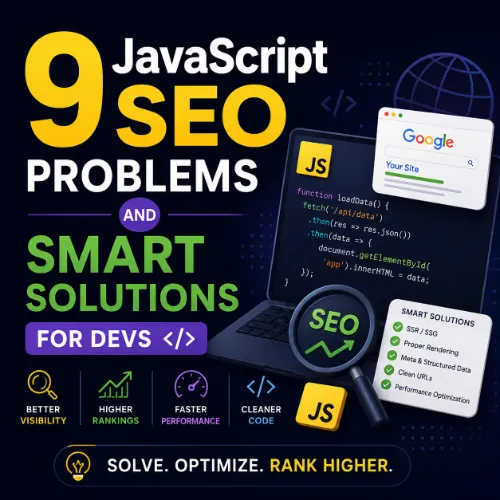
JavaScript SEO problems and solutions Key Takeaways
JavaScript frameworks power modern web apps, but they can block search engines from seeing your content.
- Search engines can render JavaScript, but they handle it differently than static HTML and #8212; delays and bot budgets can hurt indexing.
- Common issues include blocked resources, broken internal linking, and slow first contentful paint. Each problem has a clear, testable fix.
- Server-side rendering, dynamic rendering, and proper hydration are proven solutions that maintain user experience and SEO performance.
Why JavaScript SEO Problems and Solutions Matter in 2025
Modern single-page applications (SPAs) and frameworks like React, Vue, and Angular deliver fast, interactive experiences. But that same JavaScript can create invisible barriers for search engine bots. If your content relies on client-side rendering, you might be unknowingly hiding your best pages from Google. For a related guide, see How Google Cloud Improves Technical SEO Performance at Scale.
Understanding JavaScript SEO problems and solutions helps you build sites that are both developer-friendly and search-engine-friendly. The following nine issues are the most common roadblocks developers face, along with clear, actionable solutions. For a related guide, see How Developers Use Vibe Coding for API Based Content Systems.
1. Blocked JavaScript Resources
The Problem
If your robots.txt file blocks Googlebot from fetching JavaScript and CSS files, the crawler can’t render your page correctly. It sees an empty shell instead of your actual content.
The Solution
Check Google Search Console’s URL Inspection tool for rendering issues. Never block JavaScript or CSS in your robots.txt. Allow all resources that are critical for rendering, and test with the “Fetch as Google” feature.
2. Infinite Scroll Without Proper Pagination
The Problem
Infinite scroll loads new content dynamically, but search engine bots may never see content beyond the first “page.” This leads to massive content being ignored in the index.
The Solution
Implement a separate URL for each logical page or section. Use the history.pushState API to update the URL as the user scrolls, and include a static sitemap pointing to those URLs. Avoid relying solely on JavaScript-loading indicators.
3. Client-Side Rendering Without SSR
The Problem
Pure client-side rendering means the browser (and Googlebot) must execute JavaScript before seeing any content. This adds latency and can cause incomplete indexing, especially for secondary pages.
The Solution
Adopt server-side rendering (SSR) or static site generation (SSG) with frameworks like Next.js (React) or Nuxt.js (Vue). SSR sends fully rendered HTML to the browser, making content immediately available to search engines.
4. Broken Internal Links Loaded by JavaScript
The Problem
When navigation links are injected via JavaScript after the page loads, Googlebot may not discover them during its initial crawl. This leaves deep pages stranded and removes the link equity flow.
The Solution
Always include baseline HTML anchor tags with href attributes in your navigation. Add JavaScript event listeners for enhanced UX, but never remove the underlying static links. Use tools like Ahrefs Site Audit to detect orphan pages.
5. Slow Time to First Contentful Paint (FCP)
The Problem
JavaScript-heavy sites often suffer from poor Core Web Vitals, especially First Contentful Paint. Google uses these metrics as ranking signals, so slow rendering hurts both user experience and SEO.
The Solution
Optimize your JavaScript bundles: code-split with dynamic imports, lazy-load non-critical components, and remove unused CSS/JS. Measure FCP using Google PageSpeed Insights and iterate on improvements.
6. Missing or Incorrect Canonical Tags
The Problem
Dynamic JavaScript applications can produce multiple URLs serving virtually identical content. Without a clear canonical tag, Google may split ranking signals across duplicate pages or choose the wrong URL to index.
The Solution
Generate canonical tags server-side or inject them before the <head> is fully parsed. Verify canonical tags using the URL Inspection tool to ensure they point to the preferred version of each page.
7. Deferred or Asynchronous Content Loading
The Problem
Some sites load main content with a delay or via user interaction (like clicking a “Load More” button). Googlebot may not trigger those interactions, leaving the most important text unindexed.
The Solution
If content is critical for SEO, include it in the initial HTML response. Use asynchronous loading only for supplemental features (comments, related posts). For dynamic content, implement prerendering or dynamic rendering with a service like Rendertron.
8. Hard-to-Crawl Single-Page Application (SPA) Routes
The Problem
SPAs often use client-side routing without a corresponding server-side fallback. Bots that don’t execute JavaScript will always see the same root HTML, regardless of the route.
The Solution
Set up server-side rendering for each route, or implement dynamic rendering that serves a static HTML snapshot to crawlers while serving the full SPA to users. Generate a complete XML sitemap with all SPA routes and submit it via Google Search Console.
9. Neglecting Structured Data in JavaScript
The Problem
Structured data (JSON-LD) injected after page load may not be recognized by Google if it’s blocked by JavaScript execution issues. Missing or malformed schema means you lose rich results like featured snippets and product markup.
The Solution
Embed structured data directly in the server-rendered HTML or as early as possible in the <head>. Test with Google’s Rich Results Test and monitor for structured data errors in Google Search Console.
How to Diagnose Your Own JavaScript SEO Problems and Solutions
Start with Google Search Console’s Index Coverage report. Look for pages marked “Crawled – currently not indexed” or “Discovered – currently not indexed” — these are often caused by JavaScript issues. Use Ahrefs Webmaster Tools to run a site audit and spot rendering problems, broken links, and slow pages in one dashboard.
From there, inspect individual URLs with the URL Inspection tool and compare the rendered HTML against what your server delivers. Differences signal JavaScript blocking your content.
SEO Entities and Their Functions
When diagnosing JavaScript SEO problems and solutions, these entities help you pinpoint the issue:
- Website / Domain entities: Root domain and URL-level rendering analysis reveals whether problems affect the entire site or specific sections.
- Technical SEO entities: Crawl issues, redirect chains, and indexability status expose the obstacles preventing Googlebot from rendering JavaScript correctly.
- Page entities: Top pages and broken pages show which URLs are losing link equity or failing to index.
- Metrics entities: Organic traffic and traffic value help you prioritize which JavaScript issues to fix first.
Useful Resources
- Google’s JavaScript SEO Basics Guide — Official documentation on how Google crawls, renders, and indexes JavaScript-powered content.
- Ahrefs JavaScript SEO Guide — Deep dive into common JavaScript pitfalls with real-world examples and testing methods.
Frequently Asked Questions About JavaScript SEO problems and solutions
What is the most common JavaScript SEO problem?
The most common issue is blocked JavaScript resources due to incorrect robots.txt rules, preventing Googlebot from rendering content.
Does Google execute JavaScript?
Yes, Googlebot renders JavaScript in a modern Chromium-based browser, but it does so in a second wave, which can delay indexing.
Should I use SSR or CSR for SEO?
For content-heavy sites, server-side rendering (SSR) is safer for SEO because it sends fully rendered HTML on the first request.
Can dynamic rendering hurt SEO?
If implemented correctly, dynamic rendering helps SEO by serving static HTML to bots. Improper configuration may cause cloaking penalties, so test thoroughly.
How do I check if Google can see my JavaScript content?
Use the URL Inspection tool in Google Search Console to see the rendered HTML and compare it to your source code.
What is FCP and why does it matter for JavaScript SEO?
First Contentful Paint (FCP) measures when the first text or image is painted. Slow FCP caused by heavy JavaScript can hurt Core Web Vitals and rankings.
How do I fix infinite scroll for SEO?
Implement separate URLs for each logical section, use history.pushState, and submit a static sitemap with those URLs.
Does Google index lazy-loaded images?
Yes, Google indexes images that are lazily loaded via native lazy loading or JavaScript, as long as the image URL is present in the DOM.
Should I use Next.js for better SEO?
Yes, Next.js offers SSR and static generation out of the box, making it a strong choice for SEO-sensitive React applications.
How do canonical tags interact with JavaScript?
Canonical tags should be set server-side or injected early in the <head> to ensure Googlebot reads them before any JavaScript modifies the page.
Can I use Google Tag Manager without hurting SEO?
Yes, as long as you don’t load critical content exclusively through GTM tags that depend on JavaScript execution.
What is the best tool to find JavaScript SEO issues?
Google Search Console combined with Ahrefs Site Audit or Screaming Frog SEO Spider gives you both server-side and rendering coverage.
Do single-page applications (SPAs) rank well?
SPAs can rank well, but only if they implement SSR or dynamic rendering. Client-side-only SPAs often struggle with deep page indexing.
How does JavaScript affect Core Web Vitals?
Heavy JavaScript delays First Contentful Paint and Largest Contentful Paint, harming both LCP and CLS if layout shifts occur during hydration.
What is hydration in JavaScript?
Hydration is the process where JavaScript attaches event listeners to server-rendered HTML, making a static page interactive without re-rendering the entire DOM.
Should I block Googlebot from crawling JavaScript files?
No. Blocking JavaScript prevents Googlebot from rendering your pages correctly. Always allow access to JS and CSS in your robots.txt.
How long does it take Google to index JavaScript content?
Google may queue JavaScript-based pages for a second round of rendering, which can delay indexing by days or weeks compared to static HTML.
What is the difference between crawling and rendering?
Crawling is downloading the HTML file; rendering is executing JavaScript to produce the final visible page. Both must succeed for full indexing.
Can I use inline JSON-LD with client-side rendering?
Yes, but embed it in the static HTML so that Googlebot can read it immediately without waiting for JavaScript to execute.
How do I fix orphan pages in a JavaScript app?
Generate a complete XML sitemap listing every internal route, and ensure your navigation includes static anchor tags with href attributes.







