

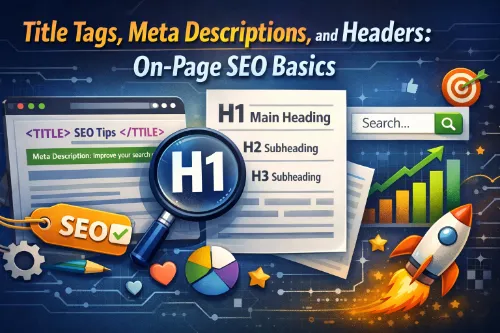
On-Page SEO Basics: Title Tags, Meta Descriptions, and Headers
On-page SEO is the foundation of how search engines understand your website and decide when to show your pages in search results. It focuses on elements you control directly on your pages, such as title tags, meta descriptions, headers, internal links, and content structure. If you get these basics right, you make it easier for search engines, users, and AI overviews to quickly understand what your page is about and when to surface it.
For many businesses, on-page SEO sits alongside broader SEO services and technical work, but it’s often the fastest area to improve because you can change titles, metas, and headings without a full redesign. When your pages are well-optimized, they support everything else you do with link building, local SEO, and content marketing.
What Is On-Page SEO?
On-page SEO refers to all the optimizations you make directly on individual pages to improve search visibility and user experience. It includes:
- Title tags and meta descriptions
- Header tags (H1, H2, H3, etc.)
- Content quality and formatting
- Internal links and anchor text
- Image alt text and media context
- URL structure and basic technical elements
On-page SEO works best when it’s aligned with your broader technical SEO and site health. If you’re still sorting out crawling, indexing, and performance, a detailed technical SEO audit and a review of common technical SEO issues will give your on-page work a stronger foundation. From there, you can build out a clear on-page SEO checklist for service-based websites and keep every new page aligned with best practices.
Why Title Tags, Meta Descriptions, and Headers Matter
Title tags, meta descriptions, and headers work together as the “preview” and “outline” of your page. They help search engines:
- Understand the main topic and subtopics
- Match your content to specific queries and search intent
- Identify sections that can power snippets or AI-generated summaries
At the same time, they help readers quickly decide whether your page is relevant. Strong, descriptive titles and metas improve CTR, while scannable headers keep users engaged. If you’re optimizing service pages, pairing sound on-page fundamentals with focused on-page SEO services can lift both rankings and conversions.
Title Tags: Getting the Fundamentals Right
What Is a Title Tag?
A title tag is an HTML element that specifies the title of a web page. It appears as the main clickable headline in search results and in the browser tab. For a guide like this, a suitable title tag might be:
“On-Page SEO Basics: How to Optimize Title Tags, Meta Descriptions, and Headers”
This tells users and search engines that your page focuses on practical on-page SEO basics.
Best Practices for Title Tags
Use these simple guidelines when writing title tags:
- Keep titles concise and descriptive
Avoid long, cluttered titles that get cut off. Aim for a clear phrase that communicates the main idea. - Place your primary keyword early
If your focus is “on-page SEO basics,” try to place that near the beginning of the title. This helps both relevance and CTR. - Match search intent
If the page is a guide, use words like “basics,” “guide,” “checklist,” or “tutorial.” For landing pages, you might focus on outcomes, like “On-Page SEO Services for Service Businesses.” - Write for humans first
Don’t stuff every variant into your title. Instead, use natural language and let related content, internal links, and supporting pages (such as content optimization vs keyword stuffing) carry additional phrases. - Make your titles unique
Each page should have its own distinct title tag. This is especially important when you manage many URLs, such as large ecommerce sites or enterprise SEO services for large websites. - Align with your H1
Keep your title tag and H1 closely aligned so users get what they expect when they click through.
Meta Descriptions: Driving Click-Throughs
What Is a Meta Description?
A meta description is the short, descriptive snippet shown below the title tag in search results. It doesn’t directly affect rankings, but it strongly influences click-through rate. A good meta description:
- Summarizes what the page covers
- Reinforces relevance with key phrases
- Highlights a clear benefit or outcome
Search engines sometimes rewrite meta descriptions based on the query, but providing a strong one gives them a solid default.
Best Practices for Meta Descriptions
When writing meta descriptions:
- Briefly explain what the page is about in one to three sentences.
- Include your main keyword and a related phrase naturally.
- Focus on benefits: what the user will learn or gain.
- Add a soft CTA like “Learn more,” “See the checklist,” or “Get the full guide.”
- Make each description unique to the page.
For example, if your page targets service businesses, you might link to resources like how to optimize landing pages for search engines or what SEO services can and cannot guarantee to deepen understanding for readers who want next steps.
Header Tags (H1–H6): Structuring Your Content
What Are Header Tags?
Header tags (H1, H2, H3, etc.) help both users and search engines understand your content structure. They outline the hierarchy of topics:
- H1 for the main topic
- H2 for major sections
- H3 and below for subsections and details
Search engines rely on this structure to parse topics, questions, and subtopics, which is essential for NLP, AI overviews, and featured snippets.
Best Practices for H1
- Use only one H1 per page.
- Make it descriptive and closely aligned with your title tag.
- Include your primary keyword naturally (for example, “On-Page SEO Basics: Title Tags, Meta Descriptions, and Headers”).
Best Practices for H2s and H3s
- Use H2s for main sections (“Title Tags,” “Meta Descriptions,” “Headers”).
- Use H3s for specific angles or tasks (“Best Practices,” “Examples,” “Common Mistakes”).
- Add related phrases and questions naturally in headings, like “On-page SEO basics for service websites” or “How do header tags help rankings?”
- Structure content so a reader can skim the H2s and understand the whole page.
If you want a complete reference, you can cross-link to a dedicated on-page SEO basics guide and a detailed piece on internal linking improves rankings to support this section.
AI Overview & NLP-Friendly Writing
Modern search results increasingly show AI-generated summaries and answer-style overviews. To make your content AI overview–friendly:
- Use clear, informative headings that mirror common questions users ask.
- Provide short, direct answers near the top of each section.
- Use natural language, with synonyms and related terms.
- Structure content with listicles, bullets, and step-by-step explanations.
- Cover the topic with enough depth to establish topical authority.
Beyond on-page elements, you can strengthen your broader strategy with pieces like SEO content planning for topical authority, how blog clusters support SEO service pages, and search intent optimization for better rankings. These help search engines see how your on-page SEO basics article fits into a larger cluster.
Simple On-Page SEO Checklist
Use this quick checklist every time you publish a new page:
- Define the primary keyword and search intent for the page.
- Write a unique title tag with the primary keyword near the beginning.
- Create a clear, benefit-focused meta description with a soft CTA.
- Set a single H1 that reflects the main topic of the page.
- Break content into logical sections using H2 and H3 headings.
- Write body content in simple language that answers real user questions.
- Add internal links to relevant resources, such as technical SEO services or on-page SEO services, where helpful.
- Include descriptive alt text for images.
- Check page speed and Core Web Vitals using guides like page speed impacts SEO performance and Core Web Vitals for SEO.
- Review the page on mobile and desktop to ensure a smooth user experience.
If you want to go beyond basics, pair this checklist with a deeper SEO audit services guide so you know when to audit vs build a full strategy.
GEO and Business-Type Considerations
On-page SEO basics apply across regions, but GEO and business model shape the details:
- Local businesses can link to resources like local SEO services for small businesses, local SEO audit guide for Philippine businesses, or Google Business Profile optimization services to reinforce local intent.
- Ecommerce brands benefit from pages such as ecommerce SEO services for online stores, category page SEO best practices for ecommerce, and product page SEO tips that improve organic sales.
- Enterprise sites managing thousands of URLs can refer to managing SEO for thousands of pages, enterprise technical SEO challenges and solutions, and SEO governance for large organizations.
No matter your size, strong title tags, meta descriptions, and headers help your pages perform better within these broader strategies.
On-page SEO basics focus on optimizing elements you control on each page, especially title tags, meta descriptions, and header tags. A strong title tag highlights your primary keyword and clearly describes the topic, while a unique meta description summarizes the value of the page and encourages clicks. Well-structured H1, H2, and H3 headings organize your content so users and search engines can quickly find answers. When you support these fundamentals with healthy technical SEO, smart internal linking, and relevant resources like on-page SEO services or SEO audit services, your pages are more likely to rank, earn clicks, and appear in AI-powered overviews.
Frequently Asked Questions
1. What is the difference between on-page SEO and off-page SEO?
On-page SEO focuses on elements you control on your website, such as titles, meta descriptions, headers, content quality, internal links, and URL structure. Off-page SEO focuses on external signals like backlinks, brand mentions, and digital PR that point to your site.
2. How many keywords should I target on a single page?
Most pages work best with one primary keyword or key phrase and several closely related secondary terms. This helps you stay focused while still covering semantic variations and related questions users have.
3. Do I need to include my keyword in every heading?
No. Include your primary keyword in the H1 and at least one H2 where it makes sense, then use related phrases and questions in other headings. Over-optimizing every heading with the exact same keyword can look unnatural and hurt readability.
4. How often should I update on-page SEO on existing articles?
Review important pages at least every 6–12 months, or after major algorithm updates or traffic shifts. Updating titles, metas, headers, and content to match current search intent can restore or improve rankings over time.
5. Is it okay to change a page’s title tag after it is already ranking?
Yes, you can update title tags to improve relevance and CTR, as long as you keep the core topic the same. Monitor clicks and rankings after the change; if performance drops, you can refine or roll back the update.
6. Can I use more than one H1 on a page?
Modern HTML and CSS technically allow multiple H1s, but most SEO best-practice guides still recommend using a single, clear H1 per page. One main H1 keeps the topic hierarchy simple for search engines and users.
7. How important is page speed for on-page SEO?
Page speed and Core Web Vitals are confirmed ranking factors and a key part of on-page experience. Faster pages reduce bounce rates and make your optimized content, titles, and headers more effective.
8. Does using HTTPS affect on-page SEO?
Yes. HTTPS is part of Google’s page experience signals and is considered a ranking factor. A secure site also increases user trust, which supports conversions from your organic traffic.
9. Should I optimize meta descriptions if Google often rewrites them?
Yes. Well-written meta descriptions still appear frequently in search results and guide how search engines summarize your page. Even when Google rewrites them, your content and headings often influence that rewrite.
10. Where should I place my primary keyword in the content?
Include your primary keyword in the title tag, H1, early in the introduction, at least one subheading, and naturally throughout the body. Also use it in image alt text and the URL when appropriate.
11. How long should an on-page SEO article be?
There is no fixed word count, but comprehensive, well-structured content that fully covers a topic tends to perform better. Focus on answering user questions clearly and thoroughly rather than hitting a specific length.
12. Are listicles good for on-page SEO?
Yes. Lists and step-by-step sections are easy to scan and work well for snippets and AI-powered overviews. They also help you structure related subtopics under clear headings, improving NLP understanding.
13. Do images and alt text matter for on-page SEO?
Yes. Optimized images with descriptive file names and alt text enhance accessibility and give search engines more context about the page. They can also help your pages show up in image search results.
14. How many internal links should I add to a page?
There is no strict number, but internal links should be added wherever they genuinely help users discover related content. Use descriptive anchor text and avoid stuffing dozens of links that add no real value.
15. Does using schema markup count as on-page SEO?
Yes. Schema markup is often grouped with on-page or technical SEO because it lives in your page’s code and helps search engines understand entities and content types. It can improve rich results and click-through rates.
16. Should every page target a different keyword?
Ideally, yes. Each important page should focus on a distinct primary keyword or intent to avoid cannibalization. Supporting pages can target related long-tail queries and link back to your main hub page.
17. Is keyword density still important?
Rigid keyword density targets are outdated. Search engines now focus more on overall relevance, semantics, and intent. Use your primary term naturally and focus on covering related topics and questions instead.
18. What on-page elements matter most for mobile users?
Readable fonts, scannable headings, fast load times, and mobile-friendly layouts are critical on mobile. Long blocks of text, slow pages, and intrusive pop-ups can undermine even well-optimized titles and metas.
19. How do I make my on-page SEO more AI-overview friendly?
Use question-based headings, give direct answers in the first sentence or two of each section, and structure content with bullets and clear subtopics. Cover related questions users might ask so AI systems see your page as a comprehensive resource.
20. How can I tell if my on-page SEO changes are working?
Track impressions, clicks, average position, and CTR in Google Search Console before and after updates. Also monitor engagement metrics like time on page and bounce rate in your analytics to see how users respond.







