What SEO Clients Need to Know that Crawlability and indexability are two of the most important technical SEO concepts your clients need to understand if they want consistent organic growth. They determine whether search engines can find, understand, and actually rank your content in search results and AI Overviews.
If Google can’t crawl your pages, it can’t see them.
If Google can’t index your pages, it can’t show them.
For strong SEO (and AI Overviews), your website must be:
- Easy for bots to crawl (clear structure, working links, no unnecessary blocks).
- Eligible to be indexed (no wrong noindex tags, no messy duplicates, helpful content).
When crawlability and indexability work together, you get:
- More pages showing in search.
- Better visibility in AI Overviews for your key topics.
- Higher chances to rank for local and global keywords that matter to your business.
If you want a broader view of how this fits into your overall strategy, you can explore this guide on SEO services.
1. Crawlability vs Indexability: Simple Definitions that SEO Clients Need to Know
Let’s keep this in plain, client-friendly language with light NLP and AEO thinking baked in.
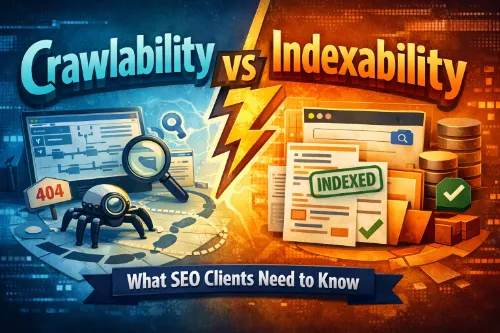
- Crawlability: How easily search engine bots (like Googlebot) can access and navigate your website’s pages. Think: Can the “SEO robot” reach this page through your internal links and sitemaps, without hitting dead ends or being blocked?
- Indexability: Whether those crawled pages are allowed and worthy to be stored in Google’s index and shown in search results. Think: After the robot finds a page, will Google actually keep it and be willing to show it to users?
You can have:
- A crawlable page that is not indexable (for example, it has a noindex tag).
- An indexable-looking page that is practically invisible because bots never crawl it (for example, orphaned, no links pointing to it).
Both must work together for real-world SEO results.
For a deeper dive into how this sits inside broader technical SEO services, you can reference this guide on technical SEO services.
2. Why SEO Clients Should Care
Clients don’t need to know every technical detail, but they do need to understand the business impact.
When crawlability and indexability are poor, you’ll see:
- Great content that never ranks.
- Blog posts that never appear for brand or local queries.
- Product or service pages missing from the SERPs and AI Overviews.
- “Discovered – currently not indexed” or “Crawled – currently not indexed” type messages in Google Search Console.
When crawlability and indexability are strong, you’ll see:
- More pages appearing for relevant search terms.
- Better coverage for long-tail, local, and informational queries.
- Stronger presence in AI Overviews for your niche topics.
- More consistent organic traffic and leads.
For GEO and local SEO (for example, “plumber in Davao City” or “SEO agency Philippines”), good crawlability and indexability help ensure your local landing pages and location-specific content are properly surfaced. You can see how this pairs with broader local SEO services for small businesses and local SEO ranking factors for multi-location brands.
3. Crawlability Explained
Crawlability answers the question: “Can search engines reach and explore my content easily?”.
Key Elements That Affect Crawlability
- Site structure and internal linking
Clear hierarchies, logical silos, and properly mapped internal links make it much easier for bots to move through your content. A great place to start is by learning how internal linking improves rankings. - Robots.txt and blocked paths
Robots.txt should block only low‑value or sensitive areas (like admin, cart, or certain parameter URLs), not your main content sections. A detailed technical SEO audit will typically include reviewing your robots.txt, XML sitemaps, and crawl directives. - Broken links, redirect chains, and dead ends
Too many 404s and long redirect chains confuse bots and waste crawl budget. These issues are classic technical SEO issues that show up in audits and should be prioritized early. - Crawl budget and infinite URLs
Large sites with filters, facets, and internal search can accidentally create millions of near-duplicate URLs, which consume crawl budget without adding value. This is especially critical for ecommerce sites, where you should combine crawl work with technical SEO for Shopify, WooCommerce, and Magento. - Server performance and errors
Frequent 5xx errors, timeouts, or very slow pages can cause Googlebot to slow down or reduce crawl frequency on your domain. Investing in page speed and Core Web Vitals is crucial, so it’s worth checking guides on page speed impacts SEO performance and Core Web Vitals for SEO.
Simple Example for Clients
Imagine your site as a city:
- Internal links are roads.
- Robots.txt and meta directives are gates and signs.
- Crawlability is: can the delivery driver (Googlebot) drive through the city, get to each neighbourhood, and not get stuck in dead ends?
If important streets are blocked or broken, the driver never reaches your best shops (your key pages).
4. Indexability Explained
Indexability answers the question: “Is this page allowed and worthy to appear in Google’s search results and AI Overviews?”.
Key Elements That Affect Indexability
- Meta robots and x‑robots-tag
noindextells Google not to store the page in its index, which is useful for low-value URLs but dangerous if added to money pages. - Canonical tags
Canonicals tell Google which version of similar content is the “main” page. Misconfigured canonicals are a classic finding in SEO audit services and in more focused technical SEO audits. - Duplicate, thin, or low-quality content
If many pages are near-duplicates, boilerplate, or offer very low value, Google may choose not to index them. This is where smart content SEO services: strategy, writing, and optimization and content optimization vs keyword stuffing come into play. - Content quality and relevance (NLP perspective)
Google uses NLP to understand topics, entities, and intent, so pages that clearly answer common user questions in natural language are more likely to be indexed and surfaced in AI Overviews. Planning around SEO content planning for topical authority and search intent optimization for better rankings helps here. - Technical rendering and blocked resources
If key CSS or JS files are blocked from bots, pages might not render correctly, and Google might misjudge or skip them.
Simple Example for Clients
Back to our city metaphor:
- Indexability is like deciding which shops get listed in the official city directory or map app.
- If a shop opts out (noindex) or looks low-quality / duplicated, it may not appear, even though it physically exists and is reachable.
5. Crawlability vs Indexability: Side-by-Side
| Aspect | Crawlability | Indexability |
|---|---|---|
| Main question | Can bots reach and read this page? | Can this page be stored and shown in results? |
| Focus | Access, discovery, navigation | Inclusion, eligibility, quality |
| Controlled by | Robots.txt, internal links, site structure | Meta robots, canonicals, content quality |
| Typical issues | Broken links, 4xx/5xx, crawl traps | Noindex, duplicates, thin content, bad canonicals |
| Symptom | Pages missing from crawl reports | “Crawled but not indexed” / low impressions |
Better crawlability and indexability also amplify the impact of your on-page SEO basics and more advanced on-page SEO services.
6. Signs You Have Crawlability Problems
Here are practical, AI overview–friendly list points you can use directly in content.
6 Crawlability Red Flags to Watch
- Important pages are many clicks from the homepage
If your main service, location, or product pages are buried deep in your structure, Google may crawl them less often. - Lots of 404 errors and redirect chains
Long redirect paths and broken links waste crawl budget and make bots less efficient on your site. - Robots.txt blocks key sections
Accidentally blocking directories like/blog/,/services/, or/category/can hide entire sections from search engines. - Orphan pages with no internal links
If a page has no internal links pointing to it, Google may not discover or prioritize it, even if it’s in your sitemap. - Faceted navigation creates endless URLs
Complex filter combinations on ecommerce or directory sites can create millions of near-duplicate URLs that eat up crawl budget. For online stores, pair this work with ecommerce SEO services for online stores. - Server timeouts or frequent 5xx errors
Unstable hosting makes Googlebot cautious and can reduce crawl frequency on your domain.
7. Signs You Have Indexability Problems
7 Indexability Issues That Hurt Your SEO
- Key pages have a noindex tag
An incorrectly configured template or plugin can add noindex to important pages, removing them from search. These often show up in SEO audit reports. - “Crawled – currently not indexed” in Google Search Console
This status often signals low value, duplication, or uncertain quality in Google’s eyes. - Canonical tags pointing away from important pages
If you canonicalize a primary page to a different URL, you may be telling Google to ignore it. - Large numbers of very similar pages
Thin city/location pages, weak category pages, or boilerplate product descriptions can cause Google to index only a subset. See category page SEO best practices for ecommerce and product page SEO tips that improve organic sales. - Soft 404s and thin content
Pages with very little unique content, placeholder text, or aggressive ads may be treated as low value. - Blocked scripts or styles
If Google can’t render your layout or main content because of blocked resources, it might avoid indexing the page. - Auto-generated tag and archive pages
Many CMS setups create tag/category archives that add little value, causing index bloat and confusion.
8. How to Improve Crawlability
Use simple SEO best practices, with GEO and AEO awareness baked in.
- Create a clear, logical site structure
Group content into sensible categories (services, locations, blog topics). Service businesses can follow this on-page SEO checklist for service-based websites. - Strengthen internal linking
Link from high-traffic pages to money pages and important informational guides, using descriptive anchor text. For more detail, review how internal linking improves rankings. - Fix broken links and reduce redirect chains
Update old links to point directly to the final, correct URL, and remove long redirect chains. - Optimize robots.txt carefully
Block low-value areas (for example, /wp-admin/, certain parameters) and ensure essential content is not blocked. - Submit and maintain XML sitemaps
Include only canonical, indexable URLs that you actually want to rank. - Upgrade hosting and performance
Use fast, reliable hosting and caching, and work on Core Web Vitals. The guides on page speed impacts SEO performance and Core Web Vitals for SEO are ideal resources here.
9. How to Improve Indexability
- Audit meta robots directives
Ensure important pages (service, category, location, pillar content) are indexable, while low-value pages can be noindexed. Many agencies surface these issues through recurring SEO audit services. - Clean up canonical tags
Use self-referencing canonicals on unique, primary pages and consolidate duplicates to one strong canonical. - Consolidate thin and duplicate content
Merge overlapping articles into stronger guides and redirect or remove weak pages. This aligns with content refresh services for old website pages. - Improve content depth and clarity
Answer key user questions directly in simple language, supporting search intent. Guides on keyword research services for lead generation, commercial vs informational keywords in SEO campaigns, and keyword mapping for service pages and blogs are helpful here. - Make rendering and UX bot-friendly
Don’t block important CSS or JS, and avoid intrusive interstitials. - Use structured data where relevant
Add schema for local business, products, FAQs, and services to support richer results and AI Overviews.
10. GEO, AEO, and NLP Considerations
To make your crawlability vs indexability content GEO‑aware and AI Overview friendly:
- Include location signals naturally by mentioning the regions or cities you serve in your on-page copy and headings. For example, see the local SEO audit guide for Philippine businesses.
- Write in natural, question-answer format that reflects how people speak and search.
- Use simple, conversational language to help both users and NLP systems better understand your content.
- Add bullet-point summaries and listicles so your content is easy to skim and easy for AI systems to parse.
When these principles are combined with well-structured content SEO services: strategy, writing and optimization, you build topical authority that supports both crawlability and indexability.
- Crawlability is about access: can search engines find and move through your pages quickly and reliably.
- Indexability is about inclusion: can those pages be stored in Google’s index and shown in search results and AI Overviews.
- You need both: if your site is not crawlable, Google never sees your content; if it is not indexable, Google never shows it.
- Improve crawlability by fixing internal links, errors, robots.txt issues, site structure, and performance.
- Improve indexability by using correct meta robots and canonicals, consolidating thin or duplicate content, and creating high-quality, helpful pages.
- When crawlability and indexability are healthy, your SEO, local visibility, and AI Overview presence all improve together.
Frequently Asked Questions
How do I know if Google is crawling my website at all?
You can check whether Google is crawling your site by looking at the Crawl Stats and Pages reports in Google Search Console, which show crawl activity and coverage for your URLs.
How often does Google crawl a typical business website?
Crawl frequency depends on site authority, content freshness, and technical health, but most small business sites are crawled anywhere from daily to every few days for key pages.
Can I ask Google to crawl or recrawl specific pages?
Yes, you can request indexing for a URL in Google Search Console’s URL inspection tool, which prompts Google to recrawl and reevaluate that page.
Does switching from HTTP to HTTPS affect crawlability or indexability?
Moving to HTTPS can improve trust and security signals, but you must implement proper 301 redirects and update internal links so Google can crawl and index your new secure URLs correctly.
Are XML sitemaps required for Google to index my site?
XML sitemaps are not mandatory, but they strongly help search engines discover and prioritize important URLs, especially on larger or more complex sites.
What is the difference between ‘noindex’ and blocking a page in robots.txt?
A noindex tag lets Google crawl but then exclude the page from the index, while robots.txt blocking prevents crawling entirely and may stop Google from seeing a noindex directive on that URL.
Can a page be indexed even if it is not in my sitemap?
Yes, Google can find and index pages through internal and external links, even if they are not listed in your XML sitemap, as long as they are crawlable and meet quality thresholds.
Does mobile-friendliness impact crawlability and indexability?
Google primarily uses mobile-first indexing, so pages that are difficult to use on mobile or render poorly may be crawled and indexed less effectively, which can hurt visibility.
How do broken internal links affect my SEO performance?
Broken internal links create crawl dead ends and can waste crawl budget, leading to coverage gaps and poor user experience, which ultimately reduce your chances to rank.
What is a ‘crawl error’ and how serious is it?
Crawl errors occur when bots cannot access a page due to issues like 404s, server errors, or blocked resources, and persistent errors on important URLs can directly limit what gets indexed.
Can duplicate title tags and meta descriptions cause indexability issues?
Yes, large-scale duplication of titles and descriptions can confuse search engines about which pages are unique or most relevant, contributing to indexation problems and diluted rankings.
Do hreflang tags affect crawlability or only indexability?
Hreflang mainly influences how different language or regional versions are indexed and served, but incorrect implementations can create conflicts that reduce effective indexation.
How does site speed influence crawling and indexing?
Slow server response and heavy pages can cause crawlers to process fewer URLs per visit, which limits how much of your content gets crawled and can delay indexing of new or updated pages.
Can too many low-value pages hurt my stronger pages?
Yes, a large volume of thin or low-quality URLs can waste crawl budget and create index bloat, making it harder for search engines to focus on and rank your best content.
What role do log files play in understanding crawlability?
Server log files show exactly which bots hit which URLs and when, helping you spot crawl patterns, wasted crawl budget, and technical issues that standard tools may miss.
Is it bad if my website has multiple URL variations for the same page?
Uncontrolled URL variants (with parameters, uppercase, or trailing slashes) can split signals and confuse search engines, so they should be normalized and controlled with redirects and canonicals.
How long does it usually take for crawl or index changes to show effects?
After you fix crawl or index issues, it can take anywhere from a few days to several weeks for Google to recrawl, reprocess, and reflect improvements in coverage and rankings.
Can a good backlink profile improve how often my site is crawled?
Websites with stronger authority and quality backlinks tend to be crawled more frequently and more deeply, which can speed up indexation and updates.
Do JavaScript-heavy websites have more indexability risks?
Yes, JavaScript-heavy pages may require extra processing for rendering, and if scripts are blocked or misconfigured, search engines may struggle to see or trust key content.
How can I monitor crawlability and indexability on an ongoing basis?
You can combine Google Search Console reports with regular crawls from tools like Screaming Frog or Sitebulb to track errors, coverage changes, and technical issues over time.