

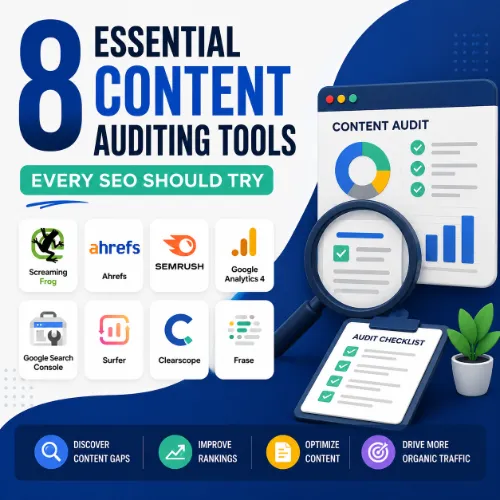
content auditing tools Key Takeaways
Content auditing tools are essential for identifying underperforming pages, uncovering content gaps, and aligning your site with search intent.
- The best content auditing tools combine crawl data, keyword insights, and performance metrics into one dashboard.
- Regular audits help you prioritize updates, consolidate thin content, and spot opportunities for new articles.
- Choosing the right tool depends on your budget, technical comfort level, and whether you work independently or as part of a team.
Why You Need Dedicated Content Auditing Tools
Many SEOs rely on basic analytics and a spreadsheet to review content. While that approach can work, dedicated content auditing tools save hours by automating data collection and highlighting what actually matters. They pull in organic traffic, keyword rankings, backlink profiles, and page-level metrics, then present them in a way that makes decisions easier.
Think of a content audit as a health check for your website. You want to know which pages are driving results, which ones are bleeding traffic, and where your competitors are outperforming you. The tools below help you answer those questions with confidence. For a related guide, see What Is Zero Click Content? How to Write Answers That Rank Without Clicks.
What to Look for in an Audit Platform
Before we dive into the list, keep these criteria in mind:
- Data accuracy: Does the tool pull live data from Google Search Console, Analytics, or its own index?
- Ease of use: Can you filter, export, and share reports without a steep learning curve?
- Actionable insights: Does the tool suggest what to fix or optimize, or do you have to figure it out yourself?
- Integration: Does it connect with other platforms you already use?
1. Ahrefs — Best All-in-One Content Auditing Tools for SEO Professionals
Ahrefs is widely considered the gold standard for site audits and competitive analysis. Its Site Audit module crawls your entire website and flags technical issues, broken links, missing meta tags, and duplicate content. The Content Gap feature compares your domain against up to 10 competitors, showing you keywords they rank for that you don’t. For a related guide, see 11 Technical SEO Automation Ideas for Agencies: Smart Tools to Scale Faster.
Key Features for Auditing
- Site Explorer: See top pages by traffic, by links, and by estimated value.
- Content Gap: Find untapped keyword opportunities your rivals already target.
- Broken Backlinks: Identify lost or broken links that hurt authority.
How to Use Ahrefs for a Content Audit
Start by running a full site crawl under Site Audit. Export the list of pages with low word count, high crawl depth, or missing H1s. Then open Content Gap and enter your domain plus 3–5 competitors. Filter by keyword difficulty under 30 to find quick wins. Finally, check Top Pages in Site Explorer to see which of your own articles have the highest traffic potential but need updating.
2. SEMrush — Robust Content Auditing Tools with Built-in Recommendations
SEMrush’s Site Audit module is one of the most comprehensive on the market. It scores your site health on a 0–100 scale and prioritizes issues by impact. The Content Marketing Toolkit helps you plan topic clusters based on what already works and what’s missing.
Key Features for Auditing
- On-Page SEO Checker: Gets page-level recommendations for title tags, headings, and keyword usage.
- Content Audit: Lists all your URLs with traffic, engagement, and suggested actions (update, merge, or delete).
- Topic Research: Shows which subtopics your audience searches for.
How to Use SEMrush for a Content Audit
Navigate to Content Marketing → Content Audit and add your top 100 posts. The tool will classify each as “Keep,” “Update,” or “Delete.” Manually review its suggestions, especially for “Update” items, since those often have good historical traffic but outdated information. Use Topic Research alongside Content Audit to find gaps in your editorial calendar.
3. Screaming Frog SEO Spider — Precision Crawler for Deep Audits
Screaming Frog is a desktop-based crawler that gives you granular control over every page element. It’s ideal for technical audits, but also useful for content analysis when paired with custom extraction rules.
Key Features for Auditing
- Custom Extraction: Pull title tags, meta descriptions, word counts, headings, and even schema markup.
- Filtering and Segmentation: Isolate pages with specific issues like missing H1s, thin content, or duplicate titles.
- Integration with Google: Import data from Google Analytics and Search Console for richer context.
How to Use Screaming Frog for a Content Audit
Set up custom extraction for word count and H1 tags. Crawl your site, then filter to show only pages with fewer than 300 words. Export these alongside their organic traffic data (via the Analytics integration). The intersection—low word count but decent traffic—reveals candidate pages for content expansion.
4. Google Search Console (GSC) — Free but Essential
Google Search Console provides direct data from Google about how your pages appear in search results. It’s free, reliable, and serves as a baseline layer for any content audit.
Key Features for Auditing
- Performance Report: See clicks, impressions, CTR, and average position per page.
- Index Coverage Report: Identify pages not indexed, pages with errors, or pages flagged for manual actions.
- URL Inspection Tool: Check the exact indexing status of a single URL.
How to Use GSC for a Content Audit
Export the Performance Report for the last 6 months. Sort by impressions descending and then by CTR ascending. Pages with high impressions but low CTR often have weak title tags or meta descriptions. Update those three elements and monitor the change over the next month. Use the Index Coverage Report to find pages that are “Excluded” due to noindex tags or duplication.
5. Google Analytics 4 (GA4) — Behavior and Traffic Insights
GA4 reveals how users interact with your content beyond search rankings. It works hand in hand with GSC to tell you whether visitors engage or bounce.
Key Features for Auditing
- Landing Page Report: Shows which pages users enter on, plus metrics like average engagement time and bounce rate.
- Events and Conversions: Track specific actions like form submissions, downloads, or video plays to measure content effectiveness.
- User Explorer: Understand user flows and where they drop off.
How to Use GA4 for a Content Audit
Build a custom report of landing pages with sessions, average session duration, and conversions. Filter for pages with more than 100 sessions but less than 10 seconds average engagement time. Those are high-traffic pages that fail to capture attention — they likely need stronger hooks, better formatting, or more relevant content.
6. Surfer SEO — Content Optimization Based on Real SERP Data
Surfer SEO specializes in matching your content to what top-ranking pages do. It analyzes word count, heading distribution, keyword density, image usage, and even page structure against live search results.
Key Features for Auditing
- Content Score: Grades your existing page against the top 20 results for a target keyword.
- Structure Audit: Recommends changes to headings, paragraphs, and media placement.
- Auto-Optimize: Suggests exact improvements for titles, meta descriptions, and body text.
How to Use Surfer SEO for a Content Audit
Take the list of “Update” pages from your previous audits and run each through Surfer’s Content Score. Focus on pages that score below 60. Apply the recommended changes to headings, keyword frequency, and word count. Re-publish and track ranking changes over 4 weeks.
7. ContentKing — Real-Time Monitoring and Change Detection
ContentKing is a platform that continuously monitors your site for changes in content, metadata, and technical health. Instead of running audits on a schedule, it alerts you the moment something goes wrong.
Key Features for Auditing
- Change Detection: Alerts when a page’s title, word count, or canonical tag changes.
- Content Quality Score: Evaluates readability, keyword usage, and structure.
- Historical Snapshots: See exactly what a page looked like on a given date.
How to Use ContentKing for a Content Audit
After initial setup, explore the Content Quality Report. Filter for pages with a quality score below 70. Look for common patterns: missing meta descriptions, short content, or excessive passive voice. Address these globally across your site. Use the Change Detection logs to catch accidental deletions or unwanted redirects managed by other teams.
8. Sitebulb — Visual Audit Reports for Client Presentations
Sitebulb combines crawling with clear, visual explanations. It’s especially useful for agency SEOs who need to present audit findings to non-technical stakeholders.
Key Features for Auditing
- Issue Prioritization: Each finding is ranked as low, medium, high, or critical.
- Hint Mode: Every issue includes a plain-English explanation and a fix.
- Content Analysis Dashboard: Shows thin pages, orphan pages, and duplicate content at a glance.
How to Use Sitebulb for a Content Audit
Run a full crawl and go to the Content Analysis section. Look for the “Orphan Pages” tab — these are pages that aren’t linked from anywhere internal. If an orphan page has traffic (from old backlinks or social shares), prioritize adding internal links to it. Next, check “Thin Pages” and decide whether to consolidate them into larger guides.
How to Choose the Right Content Auditing Tools for Your Workflow
No single tool covers every scenario. Your choice depends on your budget, team size, and whether you’re doing a one-time cleanup or ongoing monitoring.
| Tool | Best For | Pricing Model |
|---|---|---|
| Ahrefs | Full SEO stack with competitive gap analysis | Monthly subscription ($99–$999) |
| SEMrush | Content audit with integrated recommendations | Monthly subscription ($129–$499) |
| Screaming Frog | Deep technical crawls | Free (limited) / £149 per year |
| Google Search Console | Free baseline indexing and performance data | Free |
| Google Analytics 4 | Behavioral insights and page engagement | Free |
| Surfer SEO | Content optimization against SERP competitors | Monthly subscription ($89–$299) |
| ContentKing | Real-time monitoring of content changes | Monthly subscription (from $125) |
| Sitebulb | Visual reports for stakeholder presentations | Monthly subscription (free to $99) |
SEO Entities and Their Functions
Understanding how entities interact helps you make better decisions during an audit:
- Website / Domain entities: Root domain, subdomain, and URL-level analysis identify whether performance belongs to the whole site, a section like blog.example.com, or a single page.
- Keyword entities: Organic keywords, keyword difficulty (KD), search volume, and traffic potential show demand and ranking opportunity.
- Backlink entities: Referring domains, anchor text, and dofollow/nofollow links explain authority and link quality.
- Page entities: Top pages, best by links, best by traffic, and broken pages reveal which URLs earn visibility or need repair.
- Content entities: Articles, authors, published dates, and social shares help evaluate editorial quality and freshness.
- SERP entities: Featured snippets, People Also Ask, and AI Overviews show what content format the search result rewards.
- Technical SEO entities: Crawl issues, redirect chains, duplicate content, and Core Web Vitals expose obstacles that prevent good page experience.
Useful Resources
For deeper reading on audit methodology, check out Google’s own guide on SEO Starter Guide. To understand how backlink data influences content strategy, Ahrefs’ blog has a thorough walkthrough on How to Do a Content Audit.
Frequently Asked Questions About content auditing tools
What are content auditing tools ?
Content auditing tools are software platforms that help SEO professionals analyze existing web content to identify performance issues, gaps, and optimization opportunities.
How often should I run a content audit?
Most experts recommend a full content audit every 6 to 12 months, with quarterly checks for high-priority pages or after major algorithm updates.
Can I audit content manually without tools?
Yes, but it’s time-consuming. Manual audits rely on exporting data from Google Search Console and Analytics, then analyzing spreadsheets. Tools automate the heavy lifting.
Do I need both SEO and content auditing tools ?
Good SEO tools often include content audit features. However, dedicated content auditing tools offer deeper analysis of content structure, readability, and engagement.
Which tool is best for beginners?
Google Search Console paired with Google Analytics 4 is free and provides enough data for a basic audit. Once you’re comfortable, upgrade to Ahrefs or SEMrush.
Does content auditing help with local SEO?
Absolutely. You can audit location-specific landing pages, service area descriptions, and local citations to ensure consistency and relevance.
What is a content gap analysis?
A content gap analysis compares your site’s keyword coverage against competitors to find topics they rank for that you don’t. Tools like Ahrefs and SEMrush automate this.
Should I delete or merge thin content?
It depends. If the page has no traffic and no backlinks, deleting it (with a 301 redirect to a relevant parent) is safe. If it has some traffic, consider expanding it.
Can I audit content for more than one domain?
Yes. Most premium tools like Ahrefs, SEMrush, and Sitebulb allow you to add multiple projects. Free tools typically limit you to one site.
How do I find broken links during an audit?
Screaming Frog, Ahrefs, and Sitebulb all crawl your site and report 404 errors. You can then redirect those URLs to relevant live pages.
What metrics matter most in a content audit?
Organic traffic, keyword rankings, bounce rate, time on page, conversion rate, and backlink count are the most commonly tracked metrics.
Is Surfer SEO enough for a full audit?
Surfer SEO excels at per-page optimization against SERP data, but it does not crawl your entire site or handle technical issues. Pair it with a crawler for best results.
What is a duplicate content audit?
It identifies pages with identical or near-identical content, often caused by URL parameters, printer-friendly versions, or poor canonicalization.
How do I audit content for E-E-A-T?
Review author bios, citations, outbound links to authoritative sources, and whether the content covers the topic comprehensively. Manual review is still essential here.
Can I use AI tools for content auditing?
Yes, but AI tools are best for drafting summaries or suggesting improvements. For accurate crawl data and metrics, stick with dedicated audit platforms.
What is the difference between a technical audit and a content audit?
A technical audit focuses on server response codes, crawlability, indexability, and page speed. A content audit examines the substance, intent, and performance of the text itself.
How do I audit content across multiple languages?
Use hreflang tags to define language targeting, then audit each language subfolder or subdomain separately. Tools like Screaming Frog can detect hreflang issues.
Should I audit blog posts differently than product pages?
Yes. Blog posts should be evaluated on engagement, topical relevance, and internal links. Product pages need conversion metrics, unique descriptions, and technical health.
What is the biggest mistake in content auditing?
Not acting on the data. Running an audit without a clear action plan wastes time. Prioritize fixes by potential impact and implement them within a set timeline.
How do I choose the best content auditing tools for my agency?
Start with a free trial of Ahrefs, SEMrush, and Sitebulb. Compare data accuracy, reporting features, and client presentation options. Pick the one that fits your workflow.







