

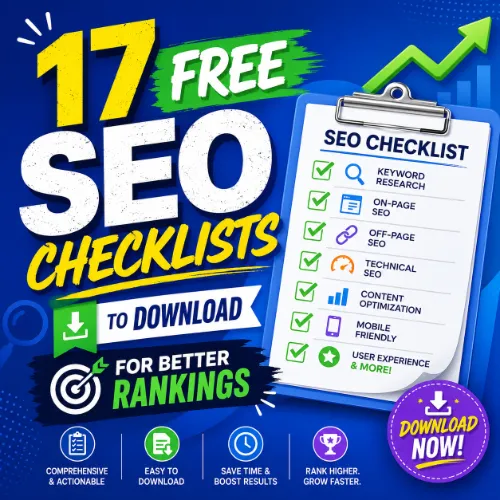
SEO checklists Key Takeaways
This checklist covers crawlability, indexation, site speed, mobile friendliness, and structured data.
- Free downloadable SEO checklists cover technical audits, content optimization, link building, and local SEO.
- Each checklist includes a tailored CTA so you can immediately apply the steps to your site.
- Using structured checklists saves time, reduces errors, and helps you track progress across multiple campaigns.
What Makes a Great SEO Checklist?
Not all SEO checklists are created equal. A high-quality checklist should be actionable, prioritized by impact, and regularly updated to reflect search engine changes. It should also include space for notes or tracking so you can measure what you have completed.
The 17 checklists below cover everything from site architecture to content refreshes. Each one is designed to be downloaded, printed, or stored in your project management tool. Use them as standalone guides or combine them to build a complete SEO workflow.
17 Free Downloadable SEO Checklists
1. Technical SEO Audit Checklist
This checklist covers crawlability, indexation, site speed, mobile friendliness, and structured data. It helps you identify issues like broken links, duplicate content, and slow-loading pages. Download here: Moz Technical SEO Checklist
2. On-Page SEO Optimization Checklist
Focus on title tags, meta descriptions, header structure, keyword placement, and internal linking. Use this checklist to optimize every new page before publishing. Download here: Ahrefs On-Page SEO Checklist
3. Content Marketing SEO Checklist
Plan, create, and promote content that ranks. Includes keyword research, outline creation, readability checks, and outreach steps. Ideal for blog posts and landing pages.
4. Local SEO Checklist
Optimize your Google Business Profile, manage citations, collect reviews, and use local keywords. Perfect for businesses with a physical location.
5. Link Building Outreach Checklist
Identify prospects, craft personalized emails, track responses, and follow up. This checklist turns link building from guesswork into a system.
6. SEO Competitor Analysis Checklist
Analyze rivals’ keywords, backlinks, content gaps, and SERP features. Use the data to find opportunities your site can exploit.
7. Core Web Vitals Optimization Checklist
Focus on LCP, FID, and CLS scores. Includes steps for image optimization, server response time, and lazy loading.
8. E‑commerce SEO Checklist
Covers product page optimization, category structure, filter navigation, and schema markup for reviews and pricing.
9. Blog Post SEO Checklist
Step-by-step guide for writing and publishing a blog post that ranks. Includes keyword placement, image alt text, internal linking, and meta data.
10. International SEO Checklist
For sites targeting multiple countries or languages. Covers hreflang tags, ccTLDs, and local content adaptation.
11. Mobile SEO Checklist
Ensure your site works flawlessly on smartphones. Tests touch targets, font size, viewport settings, and mobile page speed.
12. Schema Markup Implementation Checklist
Identify which structured data types (e.g., article, product, FAQ) apply to your pages. Includes testing and validation steps.
13. Page Speed Optimization Checklist
Reduce load times by compressing images, minifying CSS/JS, using a CDN, and enabling browser caching.
14. SEO Reporting Checklist
Track organic traffic, keyword rankings, backlinks, and conversions. Helps you build monthly reports for stakeholders. For a related guide, see 25 Free SEO Templates to Download for Faster Rankings.
15. Google Search Console Checklist
Regularly review performance reports, coverage issues, and manual actions. A must-have for ongoing site health monitoring.
16. SEO Migration Checklist
When moving to a new domain or platform, use this checklist to preserve rankings. Covers redirects, URL changes, and post‑migration monitoring.
17. SEO Content Refresh Checklist
Update old posts to maintain or improve rankings. Includes updating statistics, adding internal links, and improving readability.
How to Choose the Right SEO Checklist for Your Needs
Start by diagnosing your biggest weakness. If your site loads slowly, begin with the Page Speed Optimization Checklist. If you are launching a new site, start with the Technical SEO Audit and On-Page checklists. For ongoing maintenance, rotate through the Content Refresh, Blog Post, and Reporting checklists every month. For a related guide, see Seo Optimization Guide: 9 Warning Signs and Better Options.
Balance Broad and Specific Checklists
Use a general checklist like Technical SEO Audit for quarterly sweeps, and a specific one like Schema Markup Implementation when adding structured data. This combination ensures nothing falls through the cracks.
Combine Checklists for Maximum Impact
For example, run the Competitor Analysis Checklist first, then apply the Link Building Outreach Checklist to exploit the gaps you find. Pairing checklists accelerates results.
SEO Entities and Their Functions
Understanding key SEO entities helps you read checklist results with deeper insight. Here is a short guide to the most important ones:
- Domain entities: root domain, subdomain, and URL-level analysis show whether performance belongs to the whole site or a single page.
- Keyword entities: organic keywords, keyword difficulty (KD), search volume, and SERP features reveal demand, competition, and ranking opportunity.
- Backlink entities: referring domains, anchor text, dofollow/nofollow links, and new/lost backlinks explain authority and link risk.
- Page entities: top pages, best by links, broken pages, and internal pages show which URLs earn visibility or need repair.
- Technical entities: crawl issues, redirect chains, canonical tags, duplicate content, and Core Web Vitals expose obstacles to crawling and ranking.
- Metrics entities: DR (Domain Rating), UR (URL Rating), traffic value, and organic traffic summarize authority and search visibility.
| Checklist Name | Best For | Difficulty Level |
|---|---|---|
| Technical SEO Audit | Site health sweep | Advanced |
| On-Page Optimization | Content publishers | Beginner |
| Local SEO | Local businesses | Intermediate |
| Link Building Outreach | Growth and authority | Advanced |
| Blog Post SEO | Everyday writing | Beginner |
Useful Resources
Want to go deeper? Check out these trusted sources for complete SEO frameworks:
- Backlinko Blog – Actionable guides on link building and content strategy.
- Google Search Central – Official documentation on crawling, indexing, and ranking.
Using SEO checklists turns chaotic optimization into a repeatable system. Download the ones that match your current needs, start with the highest‑impact tasks, and watch your search visibility improve steadily. For a related guide, see 17 Free SEO Checklists to Boost Your Rankings Fast.
Frequently Asked Questions About SEO checklists
What is an SEO checklist?
An SEO checklist is a step-by-step guide that helps you perform key optimization tasks consistently. It ensures you do not overlook important elements like meta tags, site speed, or internal links.
Who should use SEO checklists ?
Anyone managing a website — from small business owners to in-house SEO specialists and agencies — can benefit from using checklists to standardize their workflow.
Can I download these checklists for free?
Yes. All 17 checklists described above are available as free downloadable templates from trusted sources like Moz, Ahrefs, and Google.
How often should I run an SEO checklist?
Perform a full technical audit quarterly. Use content and blog checklists weekly. Run speed and mobile checklists after any significant site change.
Do I need technical skills to use these checklists?
No. The checklists are written for all skill levels. Beginner-friendly ones include instructions and tool recommendations for each step.
Which checklist is best for a new website?
Start with the Technical SEO Audit, then On-Page Optimization. These two cover the foundation for search visibility.
Do these checklists cover keyword research?
Yes. The Content Marketing and On-Page checklists include steps for keyword research and integration.
Can I edit the checklists to fit my workflow?
Absolutely. Most templates come in editable formats like Google Docs, Excel, or PDFs with fillable fields.
How do I track my progress with a checklist?
Print it and check off tasks, or use a project management tool like Trello or Asana. The Reporting Checklist helps you document results.
Are there checklists for local SEO?
Yes. The Local SEO Checklist is dedicated to optimizing Google Business Profile, citations, and local keywords.
What is the difference between on-page and off-page checklists?
On-page checklists cover elements you control on your site, such as content and HTML. Off-page checklists cover external signals like backlinks and social mentions.
How do I choose between so many checklists?
Focus on your biggest performance gap first. If traffic is low, start with content and keyword checklists. If you have many pages not indexed, use the technical audit.
Do these checklists cover Google updates?
The checklists are designed to be evergreen, but we recommend cross-referencing with the latest Google Search Central guidelines for core updates.
Can I combine multiple checklists?
Yes. Combining a Competitor Analysis with a Link Building checklist is a powerful strategy to find and fill gaps.
Are the checklists suitable for e-commerce sites?
Yes. The E‑commerce SEO Checklist is built specifically for product pages, category navigation, and review schema.
What tools do I need alongside these checklists?
Basic tools include Google Search Console, Google Analytics, and a keyword research tool like Ahrefs or SEMrush. Most steps in the checklists are tool‑agnostic.
How do I know if a checklist is up to date?
Check the publication date and the source’s reputation. The checklists linked in this article are from authoritative sites that update their content regularly.
Can I use these checklists for client projects?
Yes. Agencies often customize these templates to create branded deliverables for clients. Just credit the original source when possible.
What should I do if I get stuck on a checklist step?
Search for a tutorial on that specific topic. Many SEO blogs provide walkthroughs for each step mentioned in the checklists.
How long does it take to complete a full SEO checklist?
A technical audit can take 1–2 hours for a small site. On-page checklists for a single page take 15–30 minutes. Larger sites require more time.







