When people click on your page from Google, they want answers fast. If your website loads slowly, users bounce, rankings drop, and conversions disappear. In modern SEO, page speed is no longer a “nice to have” — it is a powerful ranking factor and a core part of user experience.
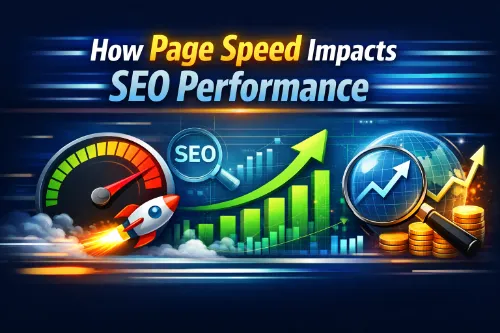
This guide explains how page speed impacts SEO performance, how Google’s Core Web Vitals come into play, and how to improve website speed using practical, simple steps. You can use it whether you are a business owner, marketer, or technical SEO specialist.
What Is Page Speed in SEO?
Page speed is the time it takes for a web page to load and become usable for a visitor. It includes how quickly the main content appears, how fast users can interact, and how stable the layout feels while loading.
In SEO, page speed directly affects:
- How search engines like Google evaluate your overall SEO services performance
- How long visitors stay and interact with your content
- How your website ranks vs. competitors with similar content
Search engines now treat website speed as part of overall page experience, combining performance, mobile friendliness, and security into one big quality signal.
If you want a broader view of how different SEO levers work together beyond speed, you can explore this detailed guide on what SEO clients need to know.
How Page Speed Impacts SEO Performance
1. Page speed is a ranking factor
Google has confirmed that page speed is used in its ranking systems, especially on mobile. Faster pages help search engines crawl, index, and rank your content more efficiently. When two pages have similar relevance and authority, the faster site often has the edge.
For a deep dive focused specifically on this topic, you can also read this dedicated explainer on how page speed impacts SEO performance.
2. User experience and engagement signals
Search engines monitor user behavior at a large scale. If your website speed is slow, users click back, open another result, and send negative engagement signals. Faster pages usually have:
- Lower bounce rate
- Higher time on page and dwell time
- More pages per session
- Better conversion rate
All these behaviors tell search engines that your website is relevant, helpful, and satisfying for real people. That supports your SEO performance in the long term.
To understand how content quality and relevance connect with speed and UX, see this resource on content optimization vs. keyword stuffing.
3. Crawl budget and indexation
For large websites — e‑commerce stores, media sites, and big blogs — page speed also affects crawl budget. When pages are slow to respond, search engine bots can crawl fewer URLs within a given time. That means fewer pages indexed and slower discovery of new or updated content.
Faster server response and lightweight pages allow crawlers to visit more URLs per crawl session, helping you get more of your site into the index and keeping content fresh in search results. An in‑depth technical SEO audit will usually surface crawl, indexation, and speed issues at scale.
Understanding Core Web Vitals and Page Experience
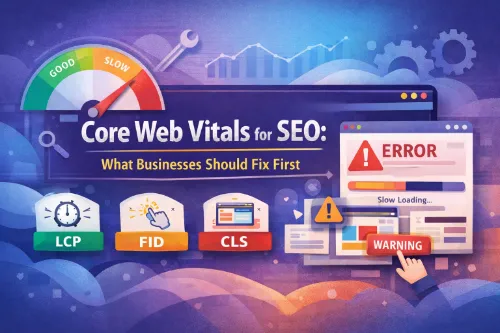
To measure real‑world page speed and experience, Google introduced Core Web Vitals. These metrics focus on what users actually feel when they load a page.
The three main Core Web Vitals are:
- Largest Contentful Paint (LCP)
- Measures loading performance
- Tracks how quickly the largest element (hero image, heading, main block) becomes visible
- Aim: LCP within 2.5 seconds or less
- Interaction to Next Paint (INP)
- Measures interactivity
- Replaces older FID (First Input Delay)
- Tracks how quickly the page responds when users click, tap, or type
- Aim: INP under 200 ms
- Cumulative Layout Shift (CLS)
- Measures visual stability
- Tracks how much elements move around while the page loads
- Aim: CLS score below 0.1
For a focused discussion on these metrics and how they tie into rankings, check out this guide to Core Web Vitals for SEO.
These vitals are part of Google’s overall page experience signal and act as a ranking tiebreaker when multiple pages are equally relevant.
Other Important Page Speed Metrics
Besides Core Web Vitals, SEOs and developers should also watch:
- Time to First Byte (TTFB) – How quickly the server responds
- First Contentful Paint (FCP) – When the first meaningful content appears
- Fully Loaded Time – When the page finishes loading all resources
Good performance across these metrics means users can see, read, and use your website quickly, even on slower connections or mobile devices.
If you’re managing a complex stack, a structured technical SEO services engagement can help you prioritize which metrics and fixes move the needle the most.
Why Page Speed Matters for Business Results
Slow websites don’t just hurt SEO; they hurt your bottom line. Small delays can cause large losses in revenue and leads.
7 powerful ways page speed impacts business performance
- Reduces bounce rate — visitors stay instead of clicking back
- Increases conversions — faster checkout and forms improve completion
- Boosts mobile performance — essential where most traffic is mobile
- Strengthens brand trust — fast sites feel more professional and secure
- Supports local and GEO‑targeted SEO — better UX helps local rankings too
- Improves accessibility — users on slower networks or older devices can still use your site
- Enhances user satisfaction — people remember how fast and smooth your site feels
These effects compound: better rankings bring more traffic, and better speed converts more of that traffic into customers.
To connect speed and UX to conversions more broadly, this guide on optimizing landing pages for search engines is a useful companion resource.
Common Causes of Slow Page Speed
To improve website speed effectively, you first need to understand what slows it down. Most performance problems come from a few predictable issues.
8 common reasons your page speed is slow
- Heavy, unoptimized images – Large image files with no compression or resizing
- Bloated JavaScript – Too many scripts, heavy frameworks, and unused JS
- Large CSS files – Unused styles and render‑blocking CSS in the head
- Cheap or slow hosting – Overloaded shared servers and poor infrastructure
- No content delivery network (CDN) – All visitors pulled from a single data center
- Too many third‑party tags – Ads, trackers, heatmaps, chat widgets, and plugins
- Uncached pages – No server‑side caching or browser caching
- Unoptimized fonts and media – Custom fonts, autoplay video, and big background media
If you suspect deeper structural problems, reviewing this breakdown of common technical SEO issues is a smart next step.
How to Improve Website Speed for Better SEO
This section gives a practical, step‑by‑step playbook that works for most CMS platforms (WordPress, Shopify, custom sites, etc.) and aligns with SEO, GEO, and AEO needs.
Step 1: Measure your current page speed
- Google PageSpeed Insights
- Lighthouse (in Chrome DevTools)
- WebPageTest
- GTmetrix or similar
Check key templates: home page, top blog pages, product/category pages, and main landing pages. Capture LCP, INP, CLS, and TTFB as your starting benchmarks.
If you’re not sure how to read technical reports, you can work with specialists who offer SEO audit services and translate findings into a clear roadmap.
Step 2: Optimize images and media
Images are usually the biggest and easiest win.
Checklist to speed up images:
- Resize images to the maximum size actually used on the page
- Compress images using modern formats (WebP or AVIF where supported)
- Use responsive images (
srcset) for different screen sizes - Implement lazy loading so images below the fold load only when needed
- Avoid giant hero sliders and background images if they add no real value
These changes can dramatically improve LCP and overall page speed. For service‑based brands, you can pair these optimizations with an on‑page SEO checklist for service‑based websites to ensure both content and performance are dialed in.
Step 3: Clean up JavaScript and CSS
Scripts and styles can block rendering and slow down interactivity.
To improve performance:
- Remove unused plugins and third‑party scripts
- Defer or async non‑critical JavaScript so it doesn’t block the main thread
- Minify CSS and JS to reduce file size
- Inline only critical CSS for above‑the‑fold content and load the rest later
- Avoid heavy libraries where a small utility script will do
This directly improves INP and reduces page load time. If you’re working across many templates, check this resource on managing SEO for thousands of pages, which covers the governance side of technical changes.
Step 4: Upgrade hosting and use a CDN
Your server and infrastructure set the base speed for everything else.
- Choose fast, reputable hosting designed for performance
- Use a Content Delivery Network (CDN) to serve static assets closer to users around the globe
- Enable HTTP/2 or HTTP/3 for faster parallel loading
- Configure server‑level caching (e.g., page cache, object cache)
For GEO‑specific SEO, a CDN is especially helpful when users are spread across different countries or regions. If you’re on platforms like Shopify, WooCommerce, or Magento, this guide on technical SEO for Shopify, WooCommerce, and Magento walks through platform‑specific best practices.
Step 5: Enable caching and compression
Caching and compression reduce the amount of work and data needed for each request.
- Enable gzip or Brotli compression for HTML, CSS, JS
- Set proper browser cache headers for static assets (images, CSS, JS, fonts)
- Use a caching plugin if you are on WordPress or similar CMS
- Reduce or eliminate unnecessary redirects that slow navigation
This reduces TTFB, speeds up repeat visits, and makes your website feel snappy. You’ll typically review these items during a thorough website SEO audit or follow‑up technical SEO audit.
Step 6: Improve mobile page speed specifically
Google indexes and ranks content primarily based on the mobile experience. Make sure your mobile site is not an afterthought.
For mobile SEO performance:
- Use a responsive, lightweight theme or template
- Avoid intrusive pop‑ups and heavy mobile ads
- Test your site on real devices and connections (3G/4G)
- Simplify layouts—fewer elements, cleaner design
Faster mobile pages improve rankings, especially for local and “near me” searches where mobile dominates. For local visibility, pair speed work with local SEO services for small businesses and Google Business Profile optimization services.
Page Speed, AI Overviews, and Answer Engines (AEO)
Search is changing. AI Overviews and answer engines focus heavily on:
- Fast, clear, structured content
- Pages that load quickly and respond well on mobile
- Content that directly answers questions in natural language
By optimizing page speed and structuring content with headings, listicles, and FAQ‑style answers, you increase your chances of appearing:
- In featured snippets
- In AI Overview panels
- As a trusted source in conversational search
Fast, well‑structured pages are more likely to be crawled, parsed, and reused by AI systems across devices and locations. To align your entire content strategy with this direction, explore guides like SEO content planning for topical authority and search intent optimization for better rankings.
Simple Best Practices Checklist for Powerful Page Speed
Use this as a quick action list:
- Run PageSpeed Insights on your core pages
- Fix Largest Contentful Paint (LCP) issues first
- Compress and resize all images, use modern formats
- Implement lazy loading for below‑the‑fold media
- Remove unused plugins, scripts, and heavy third‑party tags
- Minify and defer JavaScript and CSS where possible
- Enable server‑side caching and browser caching
- Move to performance‑focused hosting and set up a CDN
- Test on mobile devices and slower connections
- Monitor Core Web Vitals regularly and adjust as needed
You can tie this checklist into a broader on‑page SEO basics program and reinforce it with smart internal linking that improves rankings.
- Page speed is a confirmed ranking factor and a critical part of modern SEO and page experience.
- Slow sites hurt user engagement, increase bounce rate, reduce conversions, and weaken overall SEO performance.
- Google’s Core Web Vitals (LCP, INP, CLS) measure how fast, responsive, and stable your pages feel for real users.
- Common speed problems include heavy images, bloated JavaScript and CSS, slow hosting, and too many third‑party scripts.
- You can improve website speed by optimizing images, cleaning up code, enabling caching and compression, upgrading hosting, and using a CDN.
- Fast, well‑structured pages support GEO‑targeted SEO, mobile rankings, and visibility in AI Overviews and answer‑engine results.
Frequently Asked Questions
1. Is page speed more important than content quality for SEO?
No. Content relevance and quality are still the strongest ranking factors, but page speed can be a powerful tiebreaker when competing pages have similar content and authority.
2. Does improving page speed guarantee higher Google rankings?
No. Improving page speed and Core Web Vitals helps, but it does not guarantee top rankings on its own; you still need strong content, links, and overall SEO strategy.
3. What is a “good” page load time for SEO?
Many sources suggest aiming for a fully loaded page in under 3 seconds, with key milestones like LCP within 2.5 seconds for a good user experience.
4. How often should I check my website’s page speed?
You should check key templates at least once per quarter or after any major design, theme, plugin, or hosting change to catch performance regressions early.
5. Is page speed the same as site speed?
No. Site speed is an average across your website, while page speed measures how fast individual URLs load; Google primarily evaluates specific pages, not just the overall domain average.
6. Can slow page speed cause deindexing of pages?
Very slow response times and poor performance can reduce crawl frequency and lead to some URLs being crawled less or ignored, which indirectly risks indexation problems.
7. Does page speed matter for branded searches?
Yes. Even if you already rank for your brand name, slow pages can hurt user experience, increase bounce rates, and reduce conversions from that branded traffic.
8. Do Core Web Vitals affect desktop and mobile equally?
Core Web Vitals apply to both, but the impact is usually more noticeable on mobile because mobile users often have weaker connections and Google’s index is mobile‑first.
9. Will a fast homepage fix slow inner pages for SEO?
No. Search engines evaluate each URL individually, so a fast homepage does not offset slow product, category, blog, or landing pages you want to rank.
10. Is using AMP still necessary for page speed and SEO?
AMP is no longer required to appear in prominent features like Top Stories, and many sites now prefer non‑AMP pages that are simply well‑optimized and fast.
11. How does page speed impact paid traffic campaigns?
Slow landing pages hurt Quality Score, increase cost per click, and reduce conversion rates, so performance improvements benefit both SEO and PPC campaigns.
12. Can too many plugins slow down a WordPress site?
Yes. Each plugin can add scripts, styles, and database queries; having many or poorly built plugins is a common cause of slow WordPress performance.
13. Does a CDN help SEO directly?
A CDN does not directly change rankings, but it improves speed and reliability for users in different regions, which can indirectly support better SEO metrics and user signals.
14. How does page speed affect bounce rate?
Longer load times are strongly correlated with higher bounce rates; users often abandon pages that take more than a few seconds to become usable.
15. Should I optimize page speed before or after a site redesign?
Ideally, you bake performance into the redesign from the start and then refine page speed further once the new design is live and you can test real‑world data.
16. Do large background videos hurt SEO?
Yes, autoplay background videos can significantly slow loading, especially on mobile, and often provide little value compared to their performance cost.
17. Can lazy loading harm SEO if misconfigured?
Yes. If important above‑the‑fold images or content are lazy‑loaded incorrectly, Google may not see them properly, so lazy loading must be implemented carefully.
18. Is TTFB really important for rankings?
Time to First Byte is a key part of perceived speed; very slow TTFB can hurt both crawl efficiency and user experience, which in turn can impact rankings.
19. Are Core Web Vitals equally important for all websites?
They matter for every site, but their impact is strongest in competitive niches and on pages where many competitors have similar relevance and authority.
20. How long does it take to see SEO impact from page speed fixes?
You can sometimes see improvements within a few weeks as Google recrawls key pages, but full impact may take one to three months depending on crawl rate and competition.