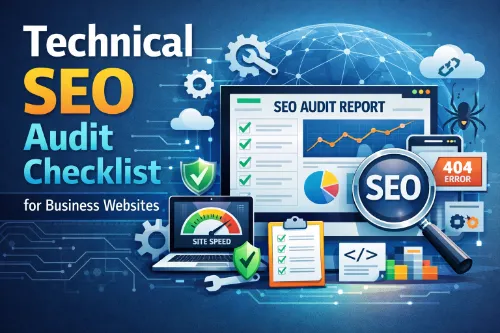
A technical SEO audit checklist helps you find and fix hidden website issues that stop your pages from ranking and converting. It covers crawlability, indexation, site architecture, performance, mobile usability, security, structured data, and analytics tracking. Business websites that follow a clear technical SEO audit process can improve organic visibility, user experience, and lead generation without changing their entire content strategy.
If you want expert support on this, you can review professional SEO services and specialized technical SEO services that include full audits and implementation plans.
What Is a Technical SEO Audit for Business Websites?
A technical SEO audit is a structured review of how well search engines and users can access, crawl, index, and use your website. Instead of focusing only on content and backlinks, a technical audit looks at the foundation of your site: code, structure, performance, and signals that search engines rely on. For business websites, this audit is critical because even strong content and branding will underperform if technical SEO issues block search engines or frustrate visitors.
If you want a deeper walk-through, this dedicated guide to a full technical SEO audit explains step-by-step how to structure your review and report. For ongoing learning, you can also bookmark the hub of technical SEO issues commonly found on business and eCommerce sites.
In practice, a technical SEO audit checklist turns a complex task into a clear, repeatable workflow. You move through each section of your site systematically, record issues, prioritize fixes, and monitor improvements over time. This makes it easier to align SEO, development, and marketing teams around one shared plan, especially when you already understand what SEO clients need to know about realistic timelines and expectations.
Why Every Business Website Needs a Technical SEO Audit Checklist
Business sites often grow over years, with new pages, landing pages, blog posts, forms, and marketing tools layered on top of each other. Over time, this creates technical debt: broken links, duplicate content, slow pages, conflicting redirects, and inconsistent tracking.
A practical technical SEO audit checklist for business websites helps you:
- Ensure search engines can crawl and index your most important pages.
- Keep one clean, canonical version of your site (no duplicate HTTP/HTTPS or www/non-www versions).
- Improve site structure, internal linking, and navigation so users and crawlers can find key content easily.
- Fix speed and Core Web Vitals issues that affect rankings and conversions.
- Confirm that analytics and Search Console data reflect reality, so you can make smart decisions.
If you suspect speed is a bottleneck, this breakdown of how page speed impacts SEO performance plus a focused guide to Core Web Vitals for SEO can help you interpret your metrics and prioritize technical fixes correctly.
When you follow a technical SEO audit checklist regularly (for example, every quarter), you catch issues early and protect your long-term organic growth. This is essential for local businesses, service companies, B2B brands, and eCommerce websites alike, and you can use tailored frameworks like local SEO audit guides for Philippine businesses or eCommerce SEO services for online stores to adapt the process to your context.
Step 1: Crawlability and Indexation
The first part of any technical SEO audit is confirming that search engines can reach your site and see the right pages.
Key checks:
- Robots.txt: Make sure you are not blocking important pages or entire directories by mistake.
- XML sitemaps: Include only URLs you want indexed, keep them clean (no 404s or 301s), and submit them in Google Search Console.
- Index coverage: Use Search Console to compare how many pages you want indexed vs how many are actually indexed.
- Crawl errors: Identify 404s, server errors (5xx), and blocked resources that stop search engines from understanding your pages.
For business websites, pages such as service descriptions, product pages, location pages, and key blog guides should always be accessible and indexable. An organized technical SEO audit checklist will highlight any important URLs currently missing from the search results. If you are unsure whether to run a one-off assessment or something more strategic, this breakdown of SEO audit services versus a full SEO strategy can help you decide.
Step 2: Site Architecture and Internal Linking
Site architecture is how your pages are arranged and connected. A clear structure helps search engines understand your topics and helps users find what they need.
Important elements:
- Logical URL structure: Keep URLs short, descriptive, and aligned with your content hierarchy (for example, /services/seo-audit/ instead of complex parameter strings).
- Click depth: Core business pages should be reachable in a few clicks from the homepage.
- Internal links: Link from relevant content to your main service, product, and contact pages using natural anchor text.
- Orphan pages: Use a crawler to find pages with no internal links and decide whether to link to them or remove them.
Because internal links are such a powerful technical and on-page lever, you may want to study this dedicated guide on how internal linking improves rankings. For service-focused brands, pairing your technical SEO audit checklist with an on-page SEO checklist for service-based websites helps you make sure each key page is technically sound and fully optimized.
For GEO-focused businesses (for example, local service providers or regional B2B brands), it is useful to create location-based hubs and link all relevant local pages under them. This aligns with broader local SEO services for small businesses that emphasize strong architecture, Google Business Profile optimization, and consistent citations.
Step 3: Performance and Core Web Vitals
Page speed and Core Web Vitals are crucial ranking and UX signals. Slow, clunky pages increase bounce rates and reduce conversions, even if your content is strong.
Key performance checks in a technical SEO audit checklist:
- Largest Contentful Paint (LCP): How quickly the main content appears.
- Interaction to Next Paint (INP) or similar metrics: How quickly users can interact with the page.
- Cumulative Layout Shift (CLS): How stable the page layout stays while loading.
- Image optimization: Use appropriate formats, compression, and dimensions; avoid massive hero images with no compression.
- JavaScript and CSS: Reduce render-blocking scripts and styles, and remove unused code where possible.
For a more tactical view, use the guides on page speed impacts on SEO performance and Core Web Vitals for SEO to map each metric to specific development tasks. If you work on online stores, also review technical SEO for Shopify, WooCommerce and Magento to account for platform quirks that affect speed and crawlability.
Business websites often add chat widgets, analytics tags, and marketing scripts that increase load times. Reviewing these assets during a technical SEO audit lets you keep the tools that matter and remove or defer the rest.
Step 4: Mobile, UX, and Rendering
Most searches now happen on mobile, so technical SEO must ensure your site works flawlessly across devices.
Checklist points:
- Responsive design: Check that layouts adapt cleanly on different screen sizes, without horizontal scrolling or tiny text.
- Tap targets and navigation: Buttons, menus, and forms must be easy to use on touch screens.
- Mobile parity: Make sure the mobile version includes the same key content and internal links as the desktop version.
- JavaScript rendering: Confirm that important content and links are visible to search engines, not only loaded by client-side scripts.
Technical SEO audits increasingly overlap with accessibility and UX, because search engines want to rank pages that users can actually use. Simple improvements, like clearer fonts, better contrast, and fewer intrusive pop-ups, can support both rankings and conversions. For more holistic on-page improvements, see both on-page SEO basics and broader on-page SEO services to guide your changes.
Step 5: HTTPS, Security, and Core Infrastructure
Security and stability are non-negotiable for modern business websites. Search engines prefer secure, consistently configured sites.
Your technical SEO audit checklist should cover:
- HTTPS coverage: All pages should load over HTTPS with valid certificates and no mixed content warnings.
- Canonical host: Only one main version of your site (for example, https://www.example.com) should be accessible; all others redirect there.
- Redirect logic: Use 301 redirects for permanent moves and avoid long redirect chains.
- Server health: Monitor 5xx errors and downtime; they can hurt crawling and rankings if frequent.
For lead-generation and eCommerce websites, secure forms and checkout pages are essential for user trust and conversion rates. Enterprise-level brands can explore deeper enterprise technical SEO challenges and solutions to handle complex stacks, CDNs, and global routing.
Step 6: On-Page Technical Elements (Titles, Meta, Headings)
On-page elements sit at the intersection of technical SEO and content SEO. They help search engines understand each page’s purpose and help users decide whether to click.
Checklist items:
- Title tags: Unique, descriptive, and aligned with search intent, using your primary keyword naturally.
- Meta descriptions: Concise, compelling, and written to drive clicks rather than just repeat keywords.
- Headings (H1, H2, H3): One clear H1 per page, with a logical hierarchy for subtopics.
- Alt attributes: Helpful descriptions on images for accessibility and image search.
- Meta robots: Verify you are not accidentally using noindex or nofollow on important pages.
To avoid over-optimization, follow the guide on content optimization vs keyword stuffing and make sure each page is written for humans first. If you are working on conversion-focused pages, the guide on how to optimize landing pages for search engines offers practical on-page and layout tweaks you can add to your audit recommendations.
For AI Overview–friendly content and AEO (Answer Engine Optimization), it helps to structure pages with clear headings, concise paragraphs, and listicles that answer specific user questions directly. This makes your technical SEO audit checklist content more likely to be surfaced by emerging AI features in search.
Step 7: Structured Data and Rich Results
Structured data (schema markup) gives search engines more context about your content and business.
During your technical SEO audit, review:
- Existing schema types: For example, Organization, LocalBusiness, Product, Service, Article, FAQ, and BreadcrumbList.
- Validation: Use testing tools to check for errors, warnings, and missing required fields.
- Consistency: Ensure structured data matches visible content and is not misleading.
- Opportunities: Add FAQ schema to support pages, LocalBusiness schema to contact and location pages, and Product schema to key offerings where relevant.
Structured data supports both traditional SEO and AEO by clarifying who you are, what you offer, and where you operate. For larger brands managing thousands of URLs, resources on managing SEO for thousands of pages and automation opportunities in enterprise SEO can keep schema and templates consistent at scale.
Step 8: Local SEO and GEO Signals (If Applicable)
If your business serves specific cities, regions, or countries, GEO signals are critical. A technical SEO audit checklist for business websites should include:
- Accurate NAP (name, address, phone) on your site and across major directories.
- Location pages: Unique, helpful content for each location you serve, not just thin copies.
- Local schema: Use LocalBusiness or Organization schema with geographic details where relevant.
- Geo-targeting settings: For multi-region or multi-language sites, align hreflang, site structure, and Search Console settings.
You can dive deeper with guides on local citation building, Google Business Profile optimization services, and industry-specific local SEO content such as local SEO helps clinics, law firms and restaurants. These resources make it easier to blend technical checks with GEO-focused improvements.
Step 9: Analytics, Search Console, and Monitoring
A technical SEO audit is only useful if you can measure results. This is where analytics and monitoring come in.
Checklist:
- Analytics setup: Confirm GA4 or your chosen platform is installed on all key pages and tracking core events.
- Goals and conversions: Define and track leads, purchases, and other meaningful actions.
- Search Console: Ensure verification, sitemaps, and coverage reports are in place and regularly reviewed.
- Uptime and error monitoring: Use tools or server logs to catch spikes in errors or downtime quickly.
To tie your technical SEO work directly to revenue and decision-making, use frameworks like how to measure SEO ROI for your business and SEO KPIs every business owner should track. For reporting, this guide to SEO reporting metrics clients actually care about helps you turn audit findings into clear dashboards.
Technical SEO Listicle: Quick Wins for Business Websites
Here is a simple list of technical SEO audit quick wins you can often implement fast:
- Fix obvious 404 errors and broken internal links on your top traffic pages.
- Redirect old or duplicate URLs to the best current version using 301 redirects.
- Remove pages from your XML sitemap that return errors or redirects.
- Compress large hero images and product photos without losing visible quality.
- Add self-referencing canonical tags to important pages to reduce duplicate content issues.
- Clean up title tags that are missing, duplicated, or way too long.
- Add basic schema markup for your business, key products or services, and FAQs.
- Make sure every main page has a clear H1, logical headings, and a short intro that answers the core question.
- Test your site on mobile and fix obvious layout problems or overlapping elements.
- Double-check that your main domain redirects correctly from every other version (HTTP, non-www, old domains).
If you want to see how much impact technical fixes alone can have, this case-focused guide on SEO wins from technical fixes alone is a helpful reference when building your own business case.
Making Your Checklist AEO and AI Overview Friendly
Search engines and AI systems are increasingly surfacing direct answers and summaries, not just blue links. To optimize your technical SEO audit checklist content for AEO and AI Overview features:
- Use simple, direct language and clear headings that map to common user questions.
- Include concise summaries at the top of your pages that clearly define the topic and main benefits.
- Break down complex topics into ordered steps and bullet listicles.
- Keep paragraphs short, with one main idea each, and avoid unnecessary jargon.
- Naturally integrate relevant keywords such as “technical SEO audit checklist,” “business websites,” “website audit,” “Core Web Vitals,” “site architecture,” and “XML sitemap” without stuffing.
For inspiration on structuring supporting content around your main services, see how SEO content planning for topical authority and how blog clusters support SEO service pages build topic hubs that are easy for both humans and algorithms to understand.
Turn Your Technical SEO Audit into a Repeatable Process
A technical SEO audit checklist for business websites is not a one-time project. As you add new pages, launch campaigns, and update your tech stack, new technical SEO issues will appear. The best approach is to turn your checklist into a repeatable process that runs on a fixed schedule and is tracked in a shared template or project management tool.
If you are unsure how often to repeat this work, read the guide on how often you should get an SEO audit. Then, use the breakdown of important sections of an SEO audit report and what to do after an SEO audit to turn technical findings into real business outcomes.
By combining crawlability, indexation, site architecture, performance, mobile, security, structured data, GEO signals, and analytics into one clear workflow, your business website becomes easier to maintain and easier to grow. This creates a strong foundation for all your future content, link building, and digital marketing efforts. If you ever decide to bring in outside help, you can use resources like how to choose the right SEO agency and questions to ask before hiring SEO services to vet potential partners.
Frequently Asked Questions
How often should I perform a technical SEO audit on a business website?
Most business websites benefit from a light technical SEO audit every quarter and a deeper, full audit once or twice a year, or after major redesigns and migrations.
What is the difference between a technical SEO audit and a full SEO audit?
A technical SEO audit focuses on crawlability, indexation, performance, structure, and errors, while a full SEO audit also includes content quality, keyword targeting, backlinks, and overall strategy.
Do small business websites really need a technical SEO audit?
Yes, even small business sites can suffer from crawl issues, slow pages, or index problems that quietly limit visibility and leads, so a streamlined technical SEO audit is still valuable.
What tools are essential for running a technical SEO audit?
Google Search Console, Google Analytics, PageSpeed Insights, and a site crawler like Screaming Frog or similar tools usually provide enough data for a robust technical SEO audit.
How long does a typical technical SEO audit take to complete?
For a small to mid‑sized business website, a thorough technical SEO audit usually takes anywhere from a couple of days to a few weeks, depending on site size and complexity.
What are the first things to check in a technical SEO audit?
Start by confirming one canonical site version, checking index coverage, reviewing robots.txt and XML sitemaps, and looking for major errors such as widespread 404s or server issues.
How do technical SEO audits support AI search and answer engines?
By improving structured data, site speed, clean HTML, and clear internal linking, technical SEO audits make your content easier for AI systems and answer engines to parse and reuse in summaries.
Can a technical SEO audit fix ranking drops after a core update?
A technical SEO audit cannot control algorithm changes, but it can uncover crawl, index, speed, or quality issues that may be amplifying a ranking drop and give you a prioritized recovery plan.
What’s the difference between crawlability and indexability in technical SEO?
Crawlability is about whether search bots can access your pages, while indexability is about whether those pages are allowed and eligible to be stored and shown in search results.
How do I prioritize issues found in a technical SEO audit?
Prioritize by impact and effort: fix problems that block crawling or indexing first, then tackle performance and mobile issues, and finally handle smaller optimizations and nice‑to‑have improvements.
Should I fix every issue that a technical SEO tool flags?
Not necessarily; many automated reports surface low‑impact warnings, so focus on issues that affect important pages, user experience, or indexation rather than chasing every minor notice.
How do technical SEO audits differ for eCommerce sites?
eCommerce audits pay extra attention to faceted navigation, duplicate product URLs, large crawlable parameter sets, and Core Web Vitals across category and product templates.
What special technical SEO challenges do enterprise websites face?
Enterprise sites often struggle with large URL counts, complex deployments, multiple teams making changes, and governance issues, so their technical SEO audits must address scale and process.
Can I conduct a technical SEO audit without developer support?
You can identify many issues yourself with SEO tools, but fixing deeper problems—like template changes, schema implementation, or performance optimizations—usually requires developer help.
How do I know if my technical SEO audit was successful?
Over the following weeks and months, you should see fewer crawl errors, better Core Web Vitals, cleaner index coverage, and gradual improvements in organic visibility and engagement.
What is crawl budget and why does it matter in a technical SEO audit?
Crawl budget is the number of URLs search engines are willing to crawl; audits try to reduce wasted crawling on low‑value URLs so bots focus on important, revenue‑driving pages.
How does internal linking fit into technical SEO vs on-page SEO?
Internal linking is both technical and on‑page: it shapes crawl paths and distributes link equity, while also guiding users and clarifying topical relationships between your pages.
Do Core Web Vitals really influence rankings for small business sites?
Yes, Core Web Vitals are part of Google’s page experience signals, and while they may not override relevance, poor metrics can hold back rankings and conversions, even for smaller sites.
What role does HTTPS play in a technical SEO audit?
Audits confirm that all pages use HTTPS, that insecure versions redirect correctly, and that there is no mixed content, because secure sites are preferred for both SEO and user trust.
How should technical SEO audit findings be reported to non-technical stakeholders?
Summarize issues in plain language, group them by business impact, provide a prioritized roadmap, and link each fix to expected outcomes such as more traffic, better UX, or higher conversions.