

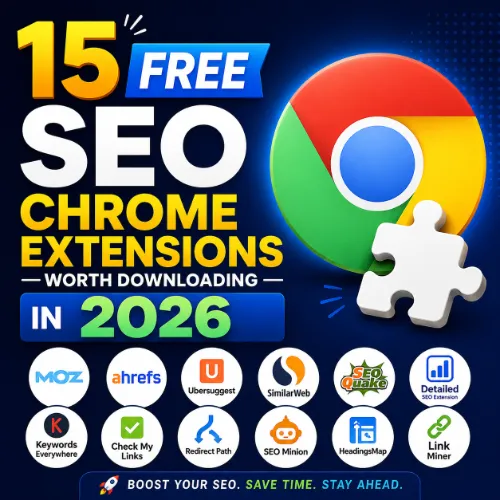
free SEO Chrome extensions Key Takeaways
Finding the right free SEO Chrome extensions can save you hours of manual work and give you actionable insights without spending a dime.
- The 15 free SEO Chrome extensions listed here cover keyword research, backlink analysis, technical audits, and content optimization.
- Each extension is evaluated for practicality, data accuracy, and ease of use for beginners and pros alike.
- Install a few that match your daily workflow — you don’t need all 15, just the ones that solve your biggest SEO challenges.
Why free SEO Chrome extensions Matter in 2026
SEO isn’t just about theory — it’s about seeing what search engines see. Chrome extensions put powerful data right in your browser, so you can audit pages, check headings, analyze backlinks, and spot opportunities without switching tabs. The best part? Many of the most reliable ones are completely free. For a related guide, see Free Download: The Ultimate E-E-A-T Optimization Checklist for 2026 (Score Yourself in 15 Minutes).
Whether you’re a blogger, a small business owner, or an in-house marketer, these free SEO Chrome extensions give you a competitive edge. Below, you’ll find 15 worth downloading, each with a clear use case and a practical tip to get the most out of it.
The 15 Best free SEO Chrome extensions to Install Now
I’ve grouped these extensions by their primary function so you can quickly find what your workflow needs most. All are free (with optional paid upgrades), and each has been tested for reliability. For a related guide, see 9 Free Keyword Research Sheets Every SEO Needs to Find Hidden Gems.
1. Ahrefs SEO Toolbar
Best for: On-page SEO audits and backlink quick checks.
The Ahrefs Toolbar shows you keyword metadata, HTTP headers, and broken links on any page. It also reveals the Domain Rating (DR) and URL Rating (UR) of the site you’re visiting.
Tip: Use the “Highlight links” feature to see dofollow vs. nofollow links on any competitor article — a quick way to find link-building opportunities.
2. MozBar
Best for: Instant page authority and spam score checks.
MozBar gives you a one-click look at Page Authority, Domain Authority, and link metrics. The free version works well for casual research and competitor comparisons.
Tip: Enable the “SERP overlay” to see DA and PA right inside Google search results — speeds up link prospecting.
3. Detailed SEO Extension
Best for: Quick technical audits of any page.
This extension checks meta tags, headings, schema markup, images with missing alt text, and more. It’s a clean, no-fuss tool for reviewing on-page SEO.
Tip: Run it on your own pages after publishing to catch missing meta descriptions or duplicate title tags.
4. Keywords Everywhere
Best for: Keyword research and search volume data.
Keywords Everywhere overlays search volume, CPC, and competition data on Google, YouTube, Amazon, and more. The free version now offers limited credits, but those credits go a long way for small-scale research.
Tip: Use it to spot “People Also Search For” terms on Google — those are often low-competition keyword ideas.
5. SEOquake
Best for: Comparing multiple pages at once.
SEOquake provides a side-by-side comparison of up to 10 URLs, covering metrics like Alexa rank, page speed, social shares, and more. It also exports data to CSV.
Tip: Use the “Compare” button when analyzing a group of competitor articles — you’ll spot which one has the strongest backlink profile.
6. Check My Links
Best for: Identifying broken links on a page.
A simple but essential tool: it scans all links on the current page and highlights broken ones in red. Perfect for cleaning up your own content or finding broken outbound links on resource pages.
Tip: Use it on high-authority resource pages in your niche — broken links there are gold for outreach campaigns.
7. WhatRuns
Best for: Identifying the tech stack of any website.
WhatRuns tells you what CMS, analytics tools, frameworks, and plugins a site uses. Useful when reverse-engineering a competitor’s SEO setup.
Tip: If a competitor is ranking well and uses a specific SEO plugin, it’s worth testing on your own site.
8. Wappalyzer
Best for: Quick tech stack identification (similar to WhatRuns but with a different data set).
Wappalyzer detects thousands of web technologies and shows them in a clean popup. It’s especially good for spotting analytics tools and CDNs.
Tip: Use it alongside WhatRuns to cross-check findings — sometimes one misses a technology the other catches.
9. Redirect Path
Best for: Detecting redirect chains and broken redirects.
Redirect Path from Merkle shows you the redirect status, response code, and chain length of any link. If a page is redirecting through three hops, you’ll see it instantly.
Tip: Audit your internal links periodically — long redirect chains slow down page load and waste link equity.
10. SEO Minion
Best for: Checking hreflang tags and broken links across multiple pages.
SEO Minion offers a suite of tools: broken link checker, hreflang validator, and the ability to preview what a page looks like in search results.
Tip: If you manage a multilingual site, run the hreflang checker on every country-specific homepage monthly.
11. NoFollow
Best for: Highlighting nofollow links on any page.
A tiny extension that adds a red border around nofollow links. Simple, fast, and helpful when analyzing competitor link profiles or checking your own outbound link strategy.
Tip: Use it before publishing a guest post to make sure your backlink is dofollow.
12. WordCounter Plus
Best for: Tracking word count and keyword density in drafts.
WordCounter Plus shows the word count, character count, and keyword density of selected text. Great for optimizing meta descriptions and snippet lengths.
Tip: Select a section of your article to see keyword density for that specific part — helps avoid over-optimization.
13. Loom
Best for: Recording quick SEO audits as video walkthroughs.
While not an SEO tool per se, Loom is invaluable for recording your screen and explaining SEO findings to clients or team members. The free version records up to 5-minute videos.
Tip: Record a 2-minute walkthrough of a technical issue (like a broken redirect) and send the link — saves hours of back-and-forth emails.
14. Squirrly SEO Assistant
Best for: Real-time on-page optimization suggestions.
Squirrly rates your content as you write, suggesting improvements for focus keyword usage, readability, and link structure. The free version includes enough for most bloggers.
Tip: Turn on the “Live Editor” mode in Google Docs or WordPress and use the suggestions as a checklist, not a strict rule.
15. Tag Assistant (by Google)
Best for: Debugging Google tags and tracking setup.
Tag Assistant helps you verify that Google Analytics, Google Ads, and other Google tags are firing correctly. A must if you run paid campaigns or rely on conversion tracking.
Tip: Use it on your landing pages after making changes to Google Tag Manager — catches errors before they affect data collection.
How to Choose the Right free SEO Chrome extensions for Your Workflow
Install all 15 if you like, but you’ll probably only use 4–5 regularly. Start with the ones that match your biggest pain point:
- For keyword research: Keywords Everywhere and MozBar.
- For technical audits: Detailed SEO Extension, Redirect Path, and Check My Links.
- For competitor analysis: Ahrefs SEO Toolbar, SEOquake, and WhatRuns.
- For content optimization: Squirrly SEO Assistant and WordCounter Plus.
SEO Entities and Their Functions
Understanding entities helps you use these extensions more effectively. Here are a few that appear frequently when analyzing search results:
- Domain Rating (DR) / URL Rating (UR): Ahrefs metrics that measure the strength of a root domain vs. a specific page. Higher UR on a page with low DR often signals a good link opportunity.
- Organic keywords vs. paid keywords: Keywords Everywhere shows both — paid data helps you see where competitors are spending money, while organic data shows where they earn traffic for free.
- Referring domains and anchor text: MozBar and Ahrefs Toolbar surface this data. A healthy link profile uses diverse anchor text, not just exact-match keywords.
- Canvas fingerprinting and script tags: WhatRuns and Wappalyzer detect technologies that can affect page load and tracking accuracy.
Comparison Table: Top 5 free SEO Chrome extensions at a Glance
| Extension | Primary Use | Free Limit | User Rating |
|---|---|---|---|
| Ahrefs SEO Toolbar | On-page audits, link metrics | Full on-page audit, limited link metrics | 4.6/5 |
| MozBar | Domain/Page Authority | Full SERP overlay, limited link data | 4.4/5 |
| Keywords Everywhere | Keyword volume and research | 100 credits per month (free) | 4.5/5 |
| Detailed SEO Extension | Technical audits | Full access | 4.3/5 |
| SEOquake | Page comparison and export | Full access, no limits | 4.2/5 |
Useful Resources
For deeper learning about SEO tools and techniques, check out these resources:
- Google’s SEO Starter Guide — The official foundation for understanding how search engines work.
- Ahrefs Blog: Best SEO Tools (Free and Paid) — Comprehensive comparison of SEO tools, including many of the extensions listed above.
Frequently Asked Questions About free SEO Chrome extensions
Frequently Asked Questions About free SEO Chrome extensions
Are free SEO Chrome extensions reliable for daily use?
Yes — the ones listed here are built by reputable companies or open-source communities. They update regularly and provide accurate data for most analysis tasks.
How many free SEO Chrome extensions should I install?
Install 3–5 that match your most common tasks. Too many extensions can slow down your browser and make your toolbar cluttered.
Do these extensions collect my data?
Most reputable extensions collect anonymous usage data for improvements, but they do not sell personal browsing data. Check each extension’s privacy policy if concerned.
What is the best free SEO Chrome extension for beginners?
Detailed SEO Extension is the easiest to start with because it shows all key on-page elements in one popup without overwhelming you.
Can I use these extensions for competitor analysis?
Absolutely — Ahrefs SEO Toolbar, MozBar, and SEOquake are especially strong for comparing your pages against competitor pages.
Do I need a paid account for any of these extensions?
No — all 15 listed have a fully functional free version. Some (like Ahrefs and Keywords Everywhere) have paid upgrades with extra limits, but the free tier covers most needs.
How do I check if a link is dofollow or nofollow?
Use NoFollow extension or the Ahrefs Toolbar’s “highlight links” feature — both color-code links based on their follow attribute.
What’s the easiest way to find broken links on a page?
Click the Check My Links icon — it scans the entire page and highlights broken links in red.
Can I use Keywords Everywhere for YouTube keyword research?
Yes — it shows search volume and competition data on YouTube search results, not just Google.
Is there a free extension for checking page speed?
Google’s PageSpeed Insights extension (free) provides Core Web Vitals data. It’s not in the list above because it’s more of a standalone tool.
How often should I run technical audits with these extensions?
Run a quick audit with Detailed SEO Extension every time you publish a new page, and a full site scan with Redirect Path once a month.
Which extension shows the most data on backlinks?
Ahrefs SEO Toolbar and MozBar both show backlink data, but Ahrefs’ free tier provides more detail (referring domains, anchor text, and link type).
Can these extensions help with local SEO?
MozBar and Ahrefs Toolbar show location-specific SERP features when you enable location targeting in your Chrome settings.
What’s the difference between Domain Rating and Page Authority?
Domain Rating (Ahrefs) measures the strength of the entire root domain, while Page Authority (Moz) focuses on a single page’s likelihood to rank.
Are there any security concerns with SEO Chrome extensions?
Only install extensions from the Chrome Web Store with high ratings and many reviews. Avoid extensions that request permissions unrelated to SEO (e.g., “read all data on all websites”).
Which extension is best for finding unlinked brand mentions?
No dedicated free Chrome extension does this perfectly yet, but Check My Links helps you scan pages for missing links once you find potential mentions via other tools.
Can I use SEO Minion for hreflang validation?
Yes — SEO Minion includes a hreflang checker that validates tags on any page.
What’s the best free extension for content writers?
Squirrly SEO Assistant and WordCounter Plus work great together — one for optimization suggestions and one for keyword density tracking.
How do I update extensions to get new SEO features?
Chrome updates extensions automatically by default. You can also go to chrome://extensions/ and click “Update” to force refresh.
Do these free SEO Chrome extensions drain system resources?
Most are lightweight. However, having 15+ extensions active can slow down Chrome. Disable the ones you rarely use.







