

Common technical SEO issues silently block your pages from ranking, even when your content and backlinks are strong. This guide walks through the most common technical SEO issues that hurt rankings and shows how to fix them in a simple, AI-overview-friendly way, with links to deeper guides on SEO services, technical SEO, audits, and local and ecommerce strategy.
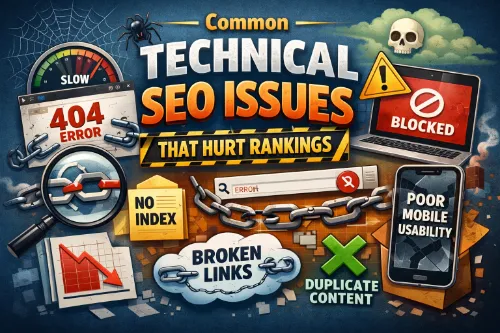
- Technical SEO issues like crawl errors, slow page speed, duplicate content, and poor mobile optimization can dramatically reduce organic traffic and visibility.
- Fixing crawlability, indexation, Core Web Vitals, HTTPS, structured data, and internal linking gives search engines a clear, fast, and secure site to rank higher.
- Regular technical SEO audits using tools such as Search Console, Core Web Vitals reports, and a structured technical SEO audit process help you catch issues early, protect rankings, and improve AI search and AI overview exposure.
What is technical SEO and why it matters
Technical SEO focuses on how well search engines can crawl, render, understand, and index your website. Even with excellent content, serious technical SEO issues can lead to lower rankings, traffic drops, and weak AI overview coverage in Google and other AI search experiences.
If you want a broader strategy view, you can connect your technical foundation with your overall SEO services roadmap and use a mix of on-page SEO services, off-page SEO services, and technical SEO services to maintain long-term growth. For SEO and GEO (local and regional searches), a clean technical foundation makes it easier for search engines to understand your site structure, local signals, and content relevance, especially when you support it with local SEO services for small businesses or ecommerce SEO services for online stores.
1. Crawlability and indexation issues
When search engines cannot crawl and index your important pages, they simply cannot rank them. Common crawlability and indexation issues include:
- Overly restrictive robots.txt that blocks key sections, service pages, or resources search engines need.
- Misused meta robots tags, such as accidental “noindex” on live pages after a staging migration.
- Missing, outdated, or low-quality XML sitemaps that do not reflect the current URL structure.
- Crawl errors, 4XX/5XX responses, and soft 404s that waste crawl budget and hide content.
If your rankings dropped even with SEO work, these issues are often part of the diagnosis. A structured SEO audit service or focused technical SEO issues review can surface them quickly.
To fix these technical SEO issues:
- Keep robots.txt simple, allow crawling of important URLs, and avoid blocking CSS and JavaScript that affect rendering.
- Use XML sitemaps to list canonical URLs you actually want indexed and submit them in Google Search Console as part of a recurring website SEO audit vs full SEO strategy.
- Regularly audit index coverage reports, fix server errors, and resolve broken links to maintain healthy indexation, especially if you are managing SEO for thousands of pages.
2. Site architecture and internal linking problems
Poor site architecture and weak internal linking structure are common technical SEO mistakes that hurt rankings and crawl efficiency. If your important pages are buried too deep, orphaned, or only reachable through complex filters, search engines may crawl them less often or ignore them.
Key issues include:
- Deep, tangled navigation instead of a clear, logical hierarchy.
- Orphan pages with no internal links pointing to them.
- Broken internal links or links that go through multiple redirect chains.
- Overuse of generic anchors instead of descriptive, keyword-rich anchor text.
Improving your internal structure is one of the fastest ways to support rankings and AI understanding. You can use a dedicated internal linking improves rankings playbook or plug internal links into your broader on-page SEO checklist for service-based websites.
To improve technical SEO here:
- Aim for a structure where important pages are reachable within three clicks from the homepage.
- Create internal links from high-authority pages to key commercial and informational pages to distribute link equity, especially if you rely on link-building services and want those links to flow deeply.
- Fix broken internal links and remove unnecessary redirect hops to keep crawl paths clean and efficient.
3. Page speed and Core Web Vitals
Page speed and Core Web Vitals are crucial technical SEO signals that affect both rankings and user experience. Slow sites lead to higher bounce rates, lower engagement, and weaker performance in organic search and AI-driven overviews.
Core Web Vitals focus on:
- Largest Contentful Paint (LCP) – how quickly the main content loads.
- Interaction to Next Paint (INP) – how responsive your site feels.
- Cumulative Layout Shift (CLS) – how stable the layout is as the page loads.
Common technical SEO issues that slow down sites:
- Oversized, uncompressed images and heavy media files.
- Bloated JavaScript and CSS that block rendering.
- Too many third-party scripts and tracking pixels.
- Weak hosting or no caching strategy.
To go deeper, review how page speed impacts SEO performance and how Core Web Vitals for SEO translate into real ranking gains. These principles are even more critical for ecommerce technical SEO for Shopify, WooCommerce, and Magento, where slow loading directly affects revenue.
Fixes that help SEO, AEO, and user experience:
- Compress and properly size images, serve next-gen formats, and lazy-load below-the-fold media.
- Minify and defer non-critical CSS and JavaScript to reduce render-blocking resources.
- Use caching, a CDN, and solid hosting to reduce server response times and support global and enterprise SEO services for large websites.
4. Mobile-friendliness and mobile‑first indexing
Search engines use mobile-first indexing, so your mobile version is treated as the primary source for ranking. If your mobile experience is poor, your technical SEO issues will directly hurt rankings across all devices.
Frequent mobile technical SEO issues:
- Non-responsive layouts that require horizontal scrolling or pinch-zooming.
- Tap targets that are too small, low-contrast fonts, or cluttered layouts.
- Hiding important content on mobile that exists on desktop, leading to content parity problems.
Local brands should pay special attention to mobile UX because it works together with Google Business Profile optimization services and local citation building to drive map pack visibility. Guides such as local SEO helps clinics, law firms and restaurants or the local SEO audit guide for Philippine businesses show how technical and local signals work together.
To fix mobile technical SEO problems:
- Use responsive design so the same content works across screen sizes.
- Keep navigation simple, ensure readable fonts, and avoid intrusive interstitials that block content.
- Ensure your mobile pages include the same main content, internal links, and structured data as desktop to stay aligned with mobile-first indexing and AI overview extraction.
5. HTTPS, security, and mixed content
Security is now a basic technical SEO requirement because HTTPS is a ranking and trust signal. Many sites still suffer from mixed-content errors, partial migrations, or conflicting URL versions that confuse search engines and users.
Common HTTPS technical SEO issues:
- Some pages still served over HTTP instead of HTTPS.
- Mixed content where an HTTPS page loads images, scripts, or stylesheets over HTTP, triggering browser warnings.
- Multiple versions of the homepage (HTTP/HTTPS, www/non-www) accessible without proper redirects.
These problems hit enterprise and multi-location brands harder, which is why enterprise technical SEO challenges and solutions and SEO governance for large organizations often include strong HTTPS and redirection policies.
To improve HTTPS SEO ranking:
- Enforce a single canonical version (usually HTTPS) and redirect all others via 301s.
- Update internal links, canonical tags, and sitemaps to point to the HTTPS URLs only.
- Fix mixed content by loading every resource (images, JS, CSS) over HTTPS, which also strengthens trust for AI-driven search and users evaluating affordable SEO services for small business owners.
6. Duplicate content and canonicalization mistakes
Duplicate content remains one of the most misunderstood technical SEO issues. It occurs when multiple URLs show the same or very similar content, causing search engines to split ranking signals across these URLs.
Typical causes:
- Variations like HTTP vs HTTPS, www vs non-www, trailing slash vs non-trailing slash.
- URL parameters, faceted navigation, or session IDs generating many versions of the same page.
- Paginated or filter pages without proper canonical tags.
If you are running an online store, you will see this tied directly to category page SEO best practices for ecommerce and product page SEO tips that improve organic sales, where canonicalization and filters need to be handled carefully. At scale, enterprise SEO services and automation opportunities in enterprise SEO focus heavily on duplicate and thin pages.
Key canonical tag SEO best practices:
- Use rel=“canonical” to signal the preferred URL version when duplicates are unavoidable.
- Avoid conflicting signals where the canonical tag points to a different page than internal links and sitemaps.
- For low-value duplicate pages, combine canonicals with noindex or consolidate content to one strong page.
Fixing duplicate content helps consolidate authority, improve crawl budget, and strengthen AI and NLP understanding of your main URLs. This is especially important when building topical authority through clusters and how blog clusters support SEO service pages.
7. URL and redirect issues
URL structure and redirects are foundational technical SEO elements that directly affect crawlability and ranking. Confusing or inconsistent URLs make it harder for users, search engines, and AI systems to understand your site.
Common problems:
- Long, messy URLs with many parameters and little semantic meaning.
- 302 or 307 redirects used where permanent 301 redirects are more appropriate.
- Redirect chains and loops that slow crawling and dilute link equity.
Sound migration planning is critical when you compare monthly SEO services vs one-time SEO projects or evaluate SEO audit services. Mismanaged migrations are one of the top reasons rankings dropped even with SEO work.
To improve technical SEO here:
- Use short, descriptive, keyword-informed URLs that clearly reflect page topics.
- Clean up old redirects and map site changes carefully during migrations.
- Ensure internal links point directly to final URLs, not to redirected versions, which makes crawling, NLP parsing, and AI overview extraction smoother.
8. Structured data and rich result gaps
Structured data helps search engines and AI systems understand entities, relationships, and page types, which is crucial for rich results and AI overviews. Many sites either skip schema markup or implement it incorrectly.
Common structured data technical SEO issues:
- No schema at all for key templates like Article, Product, LocalBusiness, FAQ, or Organization.
- Invalid or incomplete markup that triggers warnings in testing tools.
- Spammy or misleading structured data that violates guidelines.
For service-based businesses, pairing solid schema with on-page SEO basics and content optimization vs keyword stuffing gives AI models and search engines a clear, trustworthy signal. Local brands can add LocalBusiness markup alongside local SEO ranking factors for multi-location brands.
Best practices:
- Add relevant schema markup to important page types to improve SERP appearance and ranking potential.
- Validate structured data regularly and fix errors reported by testing tools.
- For GEO and local SEO, use LocalBusiness and Organization schema with accurate name, address, and contact details, and reinforce them with local SEO success story for a Philippine business style case studies.
9. Image and media technical SEO issues
Images and media often cause hidden technical SEO issues, especially around performance and accessibility. When not optimized, they slow down pages and reduce the clarity of your content for search engines.
Common problems:
- Large, uncompressed images that hurt page speed and Core Web Vitals.
- Missing or generic alt text, making it harder for search engines and assistive technologies to understand images.
- Broken image URLs or images loaded from blocked or unreliable sources.
You can treat image optimization as part of your broader content SEO services: strategy, writing and optimization workflow or roll it into content refresh services for old website pages to bring legacy posts up to today’s performance standards.
To fix image-related issues:
- Compress images, use appropriate dimensions, and serve them in efficient formats.
- Write descriptive alt attributes that naturally incorporate relevant keywords without stuffing.
- Keep image file names and paths clean and logical to support SEO and AI-driven understanding of the page.
10. JavaScript, CSS, and rendering problems
Modern sites rely heavily on JavaScript, which can introduce technical SEO issues if content only loads client-side and crawlers struggle to render it. Unoptimized JavaScript and CSS also impact LCP, INP, and CLS.
Key problems:
- Critical content or links loaded only after complex JS execution, leaving crawlers with a partial page.
- Render-blocking JS/CSS in the head that delays content paint.
- Blocked JS/CSS files in robots.txt, preventing proper rendering.
For SaaS, ecommerce, and enterprise brands, your product-led experiences, filters, and dashboards should be reviewed through a technical SEO audit lens and aligned with saas SEO services for long sales cycles or product-led SEO strategies for SaaS brands.
Fixes:
- Ensure key content and navigation are available in the initial HTML when possible.
- Defer non-critical scripts and inline or preload critical CSS.
- Allow search engines to crawl JS and CSS so they can render pages as users see them.
11. How to stay on top of technical SEO
Technical SEO is not a one-time project; it is an ongoing process that supports every other part of your SEO strategy. As you publish new content, launch campaigns, or change your CMS, new technical SEO issues can appear and hurt rankings over time.
A practical approach:
- Run regular technical SEO audits focusing on crawlability, indexation, Core Web Vitals, HTTPS, structured data, and duplicate content, using SEO audit services or internal SOPs.
- Monitor key reports in Search Console to catch indexing errors, mobile usability issues, and manual actions early, then document them in important sections of an SEO audit report.
- After each audit, follow a clear plan like what to do after an SEO audit and keep prioritizing fixes that support leads and revenue, not just traffic.
If you are unsure whether to keep this in-house or get help, compare SEO consultant vs SEO agency, review questions to ask before hiring SEO services, and look at SEO wins from technical fixes alone to see how much impact this layer can have. Over time, this is exactly why SEO is a long-term investment and why some SEO campaigns fail when technical SEO is ignored.
Frequently Asked Questions
1. How often should I run a technical SEO audit?
Most sites benefit from a lightweight technical SEO check monthly and a deeper technical SEO audit every 6–12 months, or after major redesigns, migrations, or CMS changes.
2. What tools do I need for basic technical SEO checks?
At minimum, use Google Search Console, PageSpeed Insights, a crawling tool, and an index coverage checker; these cover errors, speed, indexing problems, and basic Core Web Vitals.
3. Can technical SEO alone improve my rankings without new content?
Yes, fixing critical technical SEO issues like crawl blocks, broken links, and Core Web Vitals often recovers or unlocks rankings for existing content without publishing anything new.
4. How do I know if my technical SEO issues are hurting conversions?
Look for pages with high impressions but low clicks, high bounce rates, or slow load times in analytics; if users drop off before engaging, technical issues likely affect conversions.
5. Is technical SEO different for small businesses and enterprises?
The principles are the same, but enterprises deal with more URLs, complex templates, and SEO governance, while small businesses focus on a smaller set of high-value pages and local visibility.
6. Do technical SEO fixes help with AI overviews and AI search?
Yes, clear structure, fast pages, clean HTML, and consistent signals make it easier for AI systems to crawl, parse, and confidently surface your content in AI overviews.
7. How long do technical SEO changes take to show results?
Minor fixes like removing noindex tags or correcting redirects can help within days or weeks, while large-scale improvements to site structure or performance may take several months to fully reflect.
8. What is the difference between a technical SEO audit and a full SEO audit?
A technical SEO audit focuses on crawlability, indexation, speed, security, and structure, while a full SEO audit also covers content quality, search intent, backlinks, and overall strategy.
9. How can I prioritize which technical SEO issues to fix first?
Start with issues that block indexing or cause major errors, then address site-wide problems like speed and duplication, and finally work on enhancements like schema and UX optimizations.
10. Are plugins enough to handle technical SEO on WordPress?
Plugins help with sitemaps, meta tags, and basic settings, but you still need manual checks for crawl errors, Core Web Vitals, redirects, and theme-level issues that plugins cannot fully control.
11. What technical SEO risks come with site migrations?
Migrations risk losing URLs, breaking redirects, dropping internal links, and changing content structure; careful mapping, testing, and post-launch monitoring are essential to protect rankings.
12. Can poor technical SEO cause keyword cannibalization?
Yes, duplicate or very similar URLs, unclear canonicals, and messy parameters can make multiple pages compete for the same query, splitting authority and confusing search engines.
13. How does technical SEO interact with link building?
Clean architecture and internal linking help external backlinks flow efficiently through your site, while errors like redirect chains or 404s can waste link equity and reduce impact.
14. Should I fix technical SEO before investing in new content?
If your site has serious technical problems, it is smarter to fix those first so new content can be crawled, indexed, and ranked properly instead of sitting in a weak technical environment.
15. What technical SEO metrics should I track regularly?
Track index coverage, Core Web Vitals, crawl errors, HTTPS coverage, mobile usability, and the number of valid pages receiving impressions to understand overall technical health.
16. How do I handle technical SEO on multilingual sites?
Use consistent URL patterns, correct hreflang tags, and language-specific sitemaps, and avoid mixing multiple languages on one URL to prevent confusion in indexing and ranking.
17. Can technical SEO issues cause sudden ranking drops?
Yes, changes to robots.txt, accidental noindex tags, failed deployments, or server issues can trigger steep, sudden drops even if your content and backlinks have not changed.
18. Do technical SEO improvements help with local SEO?
They do, because fast, mobile-friendly, error-free pages and clear structure make it easier for search engines to connect your site with local entities, map listings, and GEO queries.
19. How technical should marketers be to manage technical SEO?
Marketers do not need to code deeply but should understand core concepts, know how to read SEO tools, and collaborate effectively with developers to implement fixes.
20. When should I bring in a specialist for technical SEO?
If you see persistent errors, complex migration plans, large-scale indexing problems, or ongoing ranking drops you cannot diagnose, it is wise to bring in a technical SEO specialist or agency.







